



Introduction
In this project, you will learn how to fix a bug in the vue-router 3.1.3 code where the component rendering fails when creating a router link component using the v-slot API and providing multiple child elements.
👀 Preview
🎯 Tasks
In this project, you will learn:
- How to locate and identify the issue in the
vue-router 3.1.3code - How to fix the issue by modifying the code in the
link.jsfile - How to rebuild and release the fixed
vue-router 3.1.3project - How to verify the fixed effect by testing the application
🏆 Achievements
After completing this project, you will be able to:
- Troubleshoot and fix issues in a third-party library
- Rebuild and release a project after making code changes
- Test and verify the functionality of a fixed issue
Fix the V-Slot API Issue in Vue-Router 3.1.3
To get started, look at the directory structure of the files on the left as follows:
├── vue-router-3.1.3
├── vue.js
└── index.html
Click on Go Live button in the bottom right corner of WebIDE, to run the project.
Next, open "Web 8080" at the top of the VM and refresh it manually, then open the "Console" option in your browser console to preview the page in your browser as shown below:
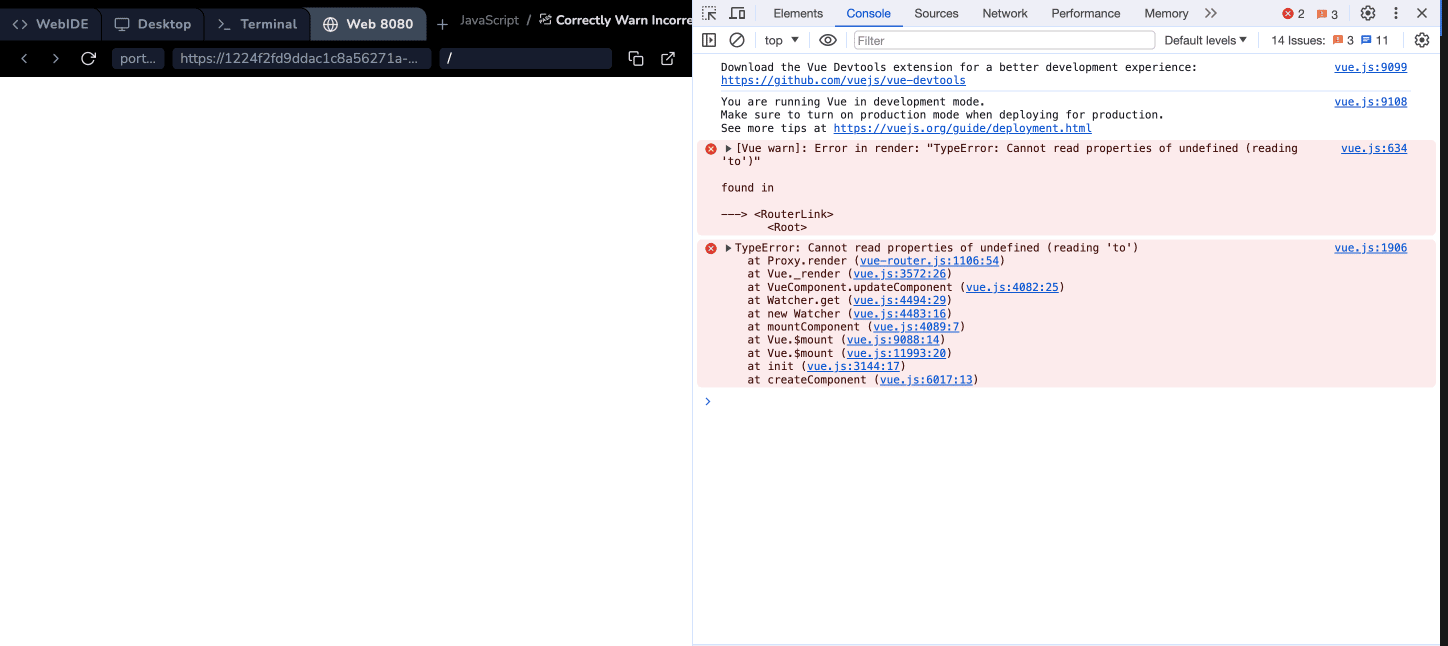
In this step, you will fix the issue in the vue-router 3.1.3 code where the component rendering fails when creating a router link component using the v-slot API and providing multiple child elements.
- Open the
vue-router-3.1.3/src/components/link.jsfile. - Locate the following code block:
if (scopedSlot) {
  if (scopedSlot.length === 1) {
    return scopedSlot[0];
  } else if (scopedSlot.length > 1 || !scopedSlot.length) {
    if (process.env.NODE_ENV !== "production") {
      warn(
        false,
        `RouterLink with to="${this.props.to}" is trying to use a scoped slot but it didn't provide exactly one child.`
      );
    }
    return scopedSlot.length === 0 ? h() : h("span", {}, scopedSlot);
  }
}
- Update the code as follows:
if (scopedSlot) {
  if (scopedSlot.length === 1) {
    return scopedSlot[0];
  } else if (scopedSlot.length > 1 || !scopedSlot.length) {
    if (process.env.NODE_ENV !== "production") {
      warn(
        false,
        `RouterLink with to="${this.to}" is trying to use a scoped slot but it didn't provide exactly one child.`
      );
    }
    return scopedSlot.length === 0 ? h() : h("span", {}, scopedSlot);
  }
}
The main change is in the warning message, where this.props.to has been replaced with this.to.
Rebuild and Test the Fixed Vue-Router 3.1.3
In this step, you will rebuild the vue-router 3.1.3 project and test the fixed effect.
- Open the
vue-router-3.1.3directory in the terminal. - Run the command
npm installto install the dependencies. This process might take a while, please be patient. (If it gets stuck for a long time, please pressCtrl+Cto terminate the process and then run this command again.) - After all dependencies have been successfully installed, run the command
npm run buildto rebuild and release the project. - Click the "Web 8080" option at the top of the VM and refresh the page manually.
- Open the browser console and check that the error "TypeError: this.props is undefined" is no longer displayed.
- Verify that the page is now rendering correctly with the fixed
v-slot APIissue.
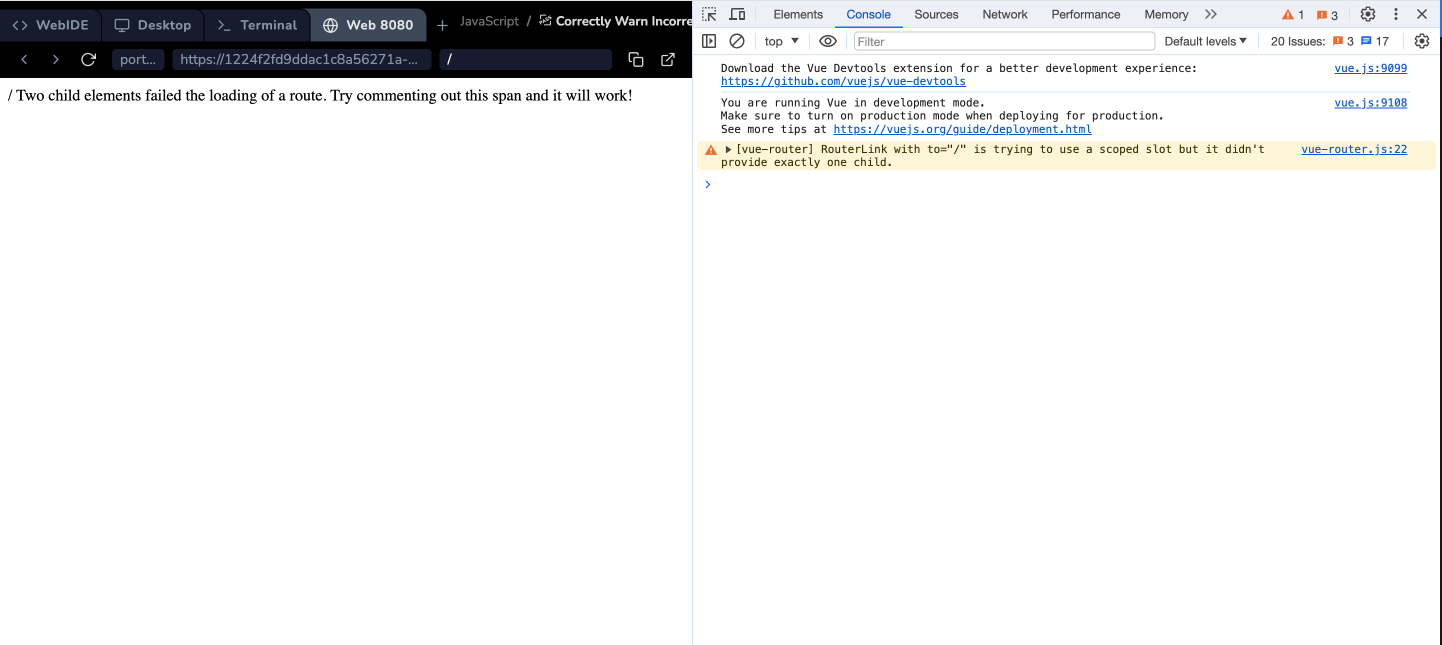
The image of the effect after the problem is fixed is shown below:
Summary
Congratulations! You have completed this project. You can practice more labs in LabEx to improve your skills.


