

Introduction
Images are a fundamental part of modern web pages, making content more engaging and visually appealing. In HTML, images are embedded into a document using the <img> tag. This tag is powerful and comes with several attributes to control the image's source, size, and accessibility.
In this lab, you will learn how to display an image on a web page. You will start by inserting a basic image and then progressively add attributes to provide alternative text, set its dimensions, add a tooltip, and finally, turn it into a clickable link.
The environment has been pre-configured with an index.html file and an image file named labex.svg in the ~/project directory. A web server is also running, so you can preview your changes in real-time in the "Web 8080" tab.
Insert img tag with src attribute for image source
In this step, you will learn how to add an image to your HTML page. The <img> tag is used to embed an image. It is an empty tag, which means it does not have a closing tag. The most important attribute of the <img> tag is src, which specifies the path to the image you want to display.
First, open the index.html file located in the ~/project directory using the file explorer on the left.
Now, add the <img> tag inside the <body> section, right below the <!-- Image will be added here --> comment. Set the src attribute to labex.svg, which is the image file provided in your project directory.
<!DOCTYPE html>
<html lang="en">
  <head>
    <meta charset="UTF-8" />
    <meta name="viewport" content="width=device-width, initial-scale=1.0" />
    <title>HTML Images Lab</title>
    <link rel="stylesheet" href="style.css" />
  </head>
  <body>
    <h1>My Image Page</h1>
    <img src="labex.svg" />
  </body>
</html>
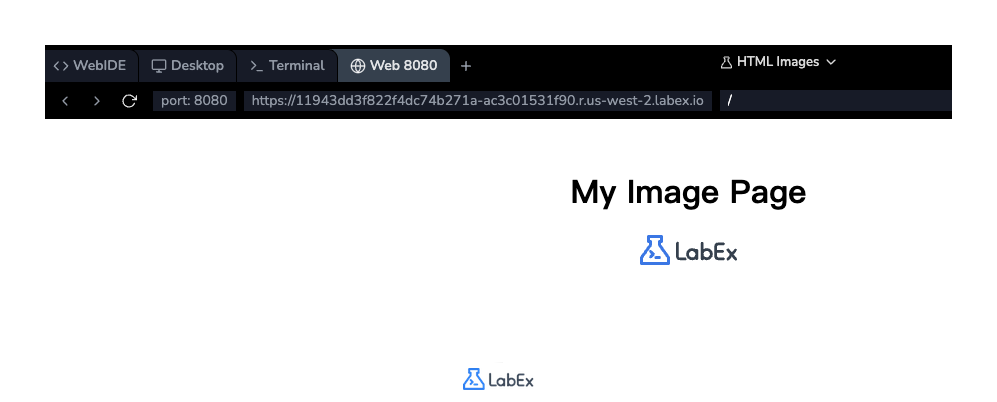
After adding the code, save the file. To see the result, switch to the Web 8080 tab in the top bar of the lab environment. You should see the LabEx logo displayed on the page.
Add alt attribute for image description
In this step, you will add the alt attribute to your <img> tag. The alt attribute provides alternative text for an image. This text is displayed if the image cannot be loaded for some reason. More importantly, it is used by screen readers to describe the image to visually impaired users, making your website more accessible.
Modify the <img> tag in your index.html file to include an alt attribute. A good alt text should be a concise description of the image.
<img src="labex.svg" alt="LabEx Logo" />
Your complete index.html file should now look like this:
<!DOCTYPE html>
<html lang="en">
  <head>
    <meta charset="UTF-8" />
    <meta name="viewport" content="width=device-width, initial-scale=1.0" />
    <title>HTML Images Lab</title>
    <link rel="stylesheet" href="style.css" />
  </head>
  <body>
    <h1>My Image Page</h1>
    <img src="labex.svg" alt="LabEx Logo" />
  </body>
</html>
Save the file. You won't see any visual changes in the Web 8080 tab because the image is loading correctly. However, adding the alt attribute is a crucial best practice for web development.
Set width and height attributes for image size
In this step, you will learn to control the size of your image using the width and height attributes. By default, a browser displays an image in its original dimensions. Specifying the width and height allows you to resize the image and helps the browser reserve the correct amount of space for it before it loads, preventing the page layout from shifting.
Let's set the width of our image to 200 pixels and the height to 50 pixels. Add the width and height attributes to your <img> tag in index.html.
<img src="labex.svg" alt="LabEx Logo" width="200" height="50" />
The full index.html file will now be:
<!doctype html>
<html lang="en">
  <head>
    <meta charset="UTF-8" />
    <meta name="viewport" content="width=device-width, initial-scale=1.0" />
    <title>HTML Images Lab</title>
    <link rel="stylesheet" href="style.css" />
  </head>
  <body>
    <h1>My Image Page</h1>
    <img src="labex.svg" alt="LabEx Logo" width="200" height="50" />
  </body>
</html>
Save the file and switch to the Web 8080 tab. You will notice that the image has been resized to the dimensions you specified.
Use title attribute for image tooltip
In this step, you will add a title attribute to the <img> tag. The title attribute provides extra information about an element. For images, this information is typically shown as a tooltip when a user hovers their mouse over the image.
Let's add a title to our image to give users a hint about what will happen if they click it (which we'll implement in the next step). Add the title attribute to your <img> tag in index.html.
<img
  src="labex.svg"
  alt="LabEx Logo"
  width="200"
  height="50"
  title="Go to LabEx Homepage"
/>
Your index.html file should now contain the following code:
<!DOCTYPE html>
<html lang="en">
  <head>
    <meta charset="UTF-8" />
    <meta name="viewport" content="width=device-width, initial-scale=1.0" />
    <title>HTML Images Lab</title>
    <link rel="stylesheet" href="style.css" />
  </head>
  <body>
    <h1>My Image Page</h1>
    <img
      src="labex.svg"
      alt="LabEx Logo"
      width="200"
      height="50"
      title="Go to LabEx Homepage"
    />
  </body>
</html>
Save the file and refresh the Web 8080 tab. Now, move your mouse cursor over the image. A small box with the text "Go to LabEx Homepage" should appear.

Wrap img in a tag for clickable image link
In this final step, you will make the image a clickable link. To do this, you need to wrap the <img> tag within an anchor tag <a>. The <a> tag defines a hyperlink, and its href attribute specifies the URL of the page the link goes to.
Wrap your existing <img> tag with an <a> tag. Set the href attribute of the <a> tag to https://labex.io.
<a href="https://labex.io">
  <img
    src="labex.svg"
    alt="LabEx Logo"
    width="200"
    height="50"
    title="Go to LabEx Homepage"
  />
</a>
Your final index.html file will look like this:
<!DOCTYPE html>
<html lang="en">
  <head>
    <meta charset="UTF-8" />
    <meta name="viewport" content="width=device-width, initial-scale=1.0" />
    <title>HTML Images Lab</title>
    <link rel="stylesheet" href="style.css" />
  </head>
  <body>
    <h1>My Image Page</h1>
    <a href="https://labex.io">
      <img
        src="labex.svg"
        alt="LabEx Logo"
        width="200"
        height="50"
        title="Go to LabEx Homepage"
      />
    </a>
  </body>
</html>
Save the file and go to the Web 8080 tab. You'll notice the mouse cursor changes to a pointer when you hover over the image, indicating it's a link. Clicking the image will attempt to navigate to the LabEx homepage.
Summary
Congratulations on completing the lab! You have successfully learned how to work with images in HTML.
In this lab, you have covered the following key concepts:
- Embedding an image using the
<img>tag. - Specifying the image source with the
srcattribute. - Providing alternative text for accessibility with the
altattribute. - Controlling image dimensions with the
widthandheightattributes. - Adding a tooltip with the
titleattribute. - Making an image a clickable link by wrapping it in an
<a>tag.
These are essential skills for creating rich and interactive web pages. You can now confidently add and manage images in your future HTML projects.