



Introduction
In this project, you will learn how to access a MySQL database, import data, and query the top 10 countries by total population from the city table.
👀 Preview
🎯 Tasks
In this project, you will learn:
- How to access MySQL using the
sudocommand without a password - How to import data from a SQL script into a MySQL database
- How to write a SQL query to retrieve the top 10 countries by total population from the
citytable
🏆 Achievements
After completing this project, you will be able to:
- Efficiently access and manage a MySQL database
- Understand how to import and work with data in a MySQL database
- Write SQL queries to retrieve and analyze data from a database
Access MySQL and Import Data
In this step, you will learn how to access MySQL using the sudo command without any password and import the data from the world.sql script.
- Open a terminal and start the MySQL service using the following command:
sudo service mysql start
- Access MySQL using the
sudocommand without any password:
sudo mysql
- Import the data from the
world.sqlscript into the MySQL database:
SOURCE /home/labex/project/world.sql;
This will import the data from the world.sql script into the MySQL database.
Query the Top 10 Countries by Population
In this step, you will learn how to query the total population of the countries from the city table, sort them by population in descending order, and retrieve the top 10 records.
Create a new SQL script file named
getBigPopulation.sqlin the/home/labex/project/directory.Open the
getBigPopulation.sqlfile and add the following SQL query:
SELECT CountryCode AS 'Country Code', SUM(Population) AS 'Total Population'
FROM city
GROUP BY CountryCode
ORDER BY SUM(Population) DESC
LIMIT 10;
This query will:
- Select the
CountryCodeand the sum ofPopulation(asTotal Population) from thecitytable. - Group the results by
CountryCode. - Order the results by the
Total Populationin descending order. - Limit the results to the top 10 records.
- Save the
getBigPopulation.sqlfile.
Run the Query Script
In this step, you will learn how to run the getBigPopulation.sql script in MySQL.
- In the MySQL prompt, run the following command to execute the
getBigPopulation.sqlscript:
SOURCE /home/labex/project/getBigPopulation.sql;
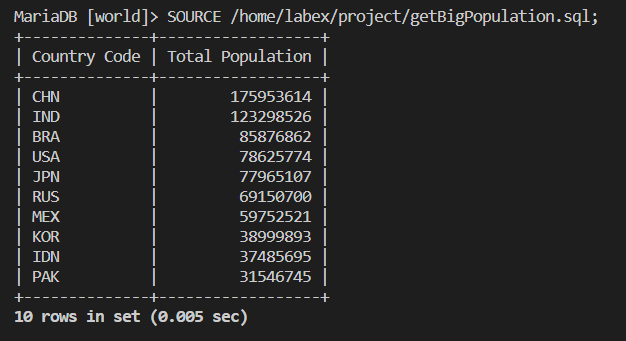
This will execute the SQL query in the getBigPopulation.sql script and display the results.
The output should look similar to the following:
MariaDB [world]> SOURCE /home/labex/project/getBigPopulation.sql;
+--------------+------------------+
| Country Code | Total Population |
+--------------+------------------+
| CHN          |        175953614 |
| IND          |        123298526 |
| BRA          |         85876862 |
| USA          |         78625774 |
| JPN          |         77965107 |
| RUS          |         69150700 |
| MEX          |         59752521 |
| KOR          |         38999893 |
| IDN          |         37485695 |
| PAK          |         31546745 |
+--------------+------------------+
10 rows in set (0.005 sec)
This completes the project. You have successfully queried the top 10 countries by total population from the city table in the MySQL database.
Summary
Congratulations! You have completed this project. You can practice more labs in LabEx to improve your skills.