



Introduction
In this project, you will learn how to implement a card binding function using jQuery and AJAX. This project is designed to help you understand the basics of data dynamization, which is a crucial skill in front-end development.
👀 Preview
The successful results are as follows:
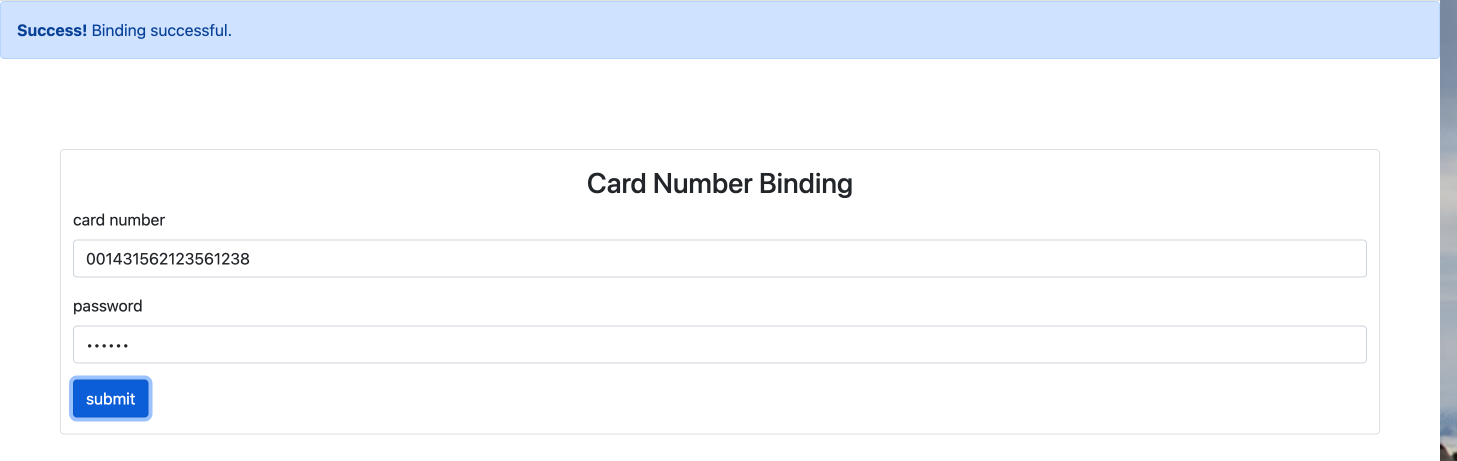
The failure effects are as follows:
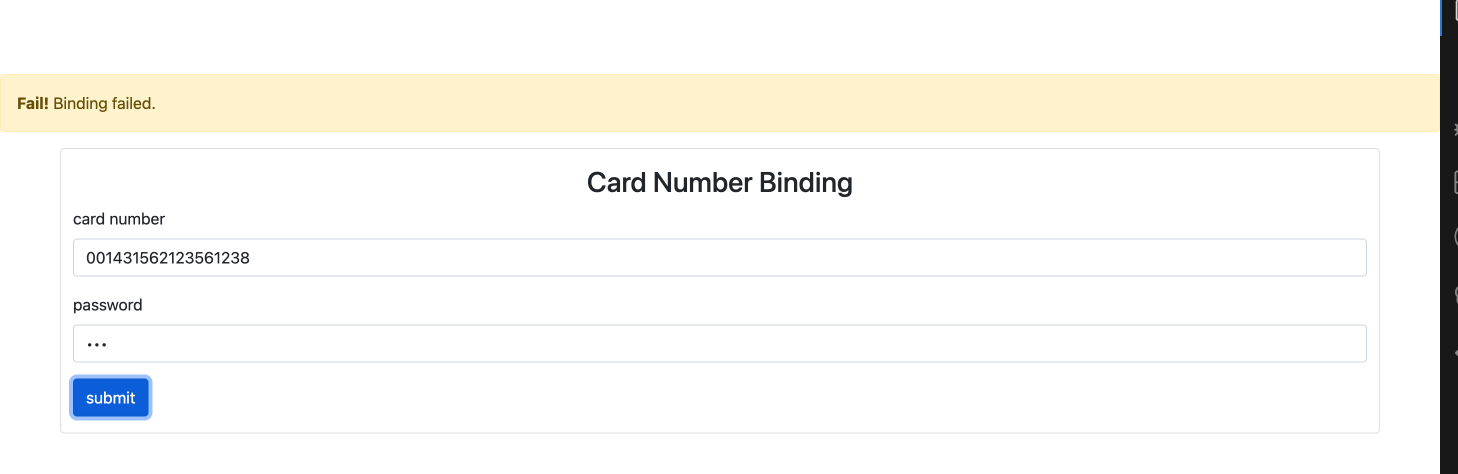
🎯 Tasks
In this project, you will learn:
- How to use jQuery's
ajaxfunction to retrieve data from a JSON file - How to compare user input with the retrieved card data
- How to display success or failure messages based on the comparison
🏆 Achievements
After completing this project, you will be able to:
- Implement a card binding function using jQuery and AJAX
- Understand the basics of data dynamization, a crucial skill in front-end development
- Make AJAX requests to retrieve data from a server
- Manipulate the DOM using jQuery to display dynamic content
- Use Bootstrap classes to control the display and hiding of alerts
Set Up the Project Structure
In this step, you will set up the project files and structure. Follow the steps below to complete this step:
Open the project folder. The directory structure is as follows:
├── index.html ## Card binding page
├── bootstrap.min.css ## Bootstrap file
├── js
├───────cardnolist.json  ## JSON file
├───────index.js ## JavaScript file with code to be completed
├───────jquery-3.6.0.min.js ## jQuery file
Click on Go Live button in the bottom right corner of WebIDE, to run the project.
Next, open "Web 8080" on the top of the VM and refresh it manually and you will see the page.
Retrieve Card Data
In this step, you will learn how to use jQuery's ajax function to retrieve the card data from the js/cardnolist.json file.
- Open the
js/index.jsfile. - Inside the
bindfunction, add the following code to make an AJAX request to thecardnolist.jsonfile:
function bind(cardno, password) {
  // TODO
  $.get("js/cardnolist.json", function (data) {
    // The card data is now available in the 'data' variable
    console.log(data);
  });
}
This code will make an AJAX request to the js/cardnolist.json file.
Implement Card Binding Function
In this step, you will implement the card binding function to compare the user's input with the retrieved card data.
- Inside the
js/index.jsfile, find thebind(cardno, password)function. - Replace the
// TODOcomment with the following code:
$.get("js/cardnolist.json", (data) => {
  let flag = data.cardnolist.some(
    (value) => value.cardno == cardno && value.password == password
  );
  if (flag) {
    $("#tip1").removeClass("fade").addClass("show");
    $("#tip2").removeClass("show").addClass("fade");
  } else {
    $("#tip2").removeClass("fade").addClass("show");
    $("#tip1").removeClass("show").addClass("fade");
  }
});
This code retrieves the card data from the JSON file, checks if the user's input matches any of the card numbers and passwords, and then displays the appropriate success or failure message using Bootstrap classes.
Test the Card Binding Function
Save the
js/index.jsfile and refresh theindex.htmlpage in your browser.Enter a valid card number and password (e.g., "001431562123561238" and "123456") and click the "submit" button.
- You should see the success message displayed.
Enter an invalid card number and password and click the "submit" button.
- You should see the failure message displayed.
Congratulations! You have successfully implemented the card binding function.
Summary
Congratulations! You have completed this project. You can practice more labs in LabEx to improve your skills.


