



Introduction
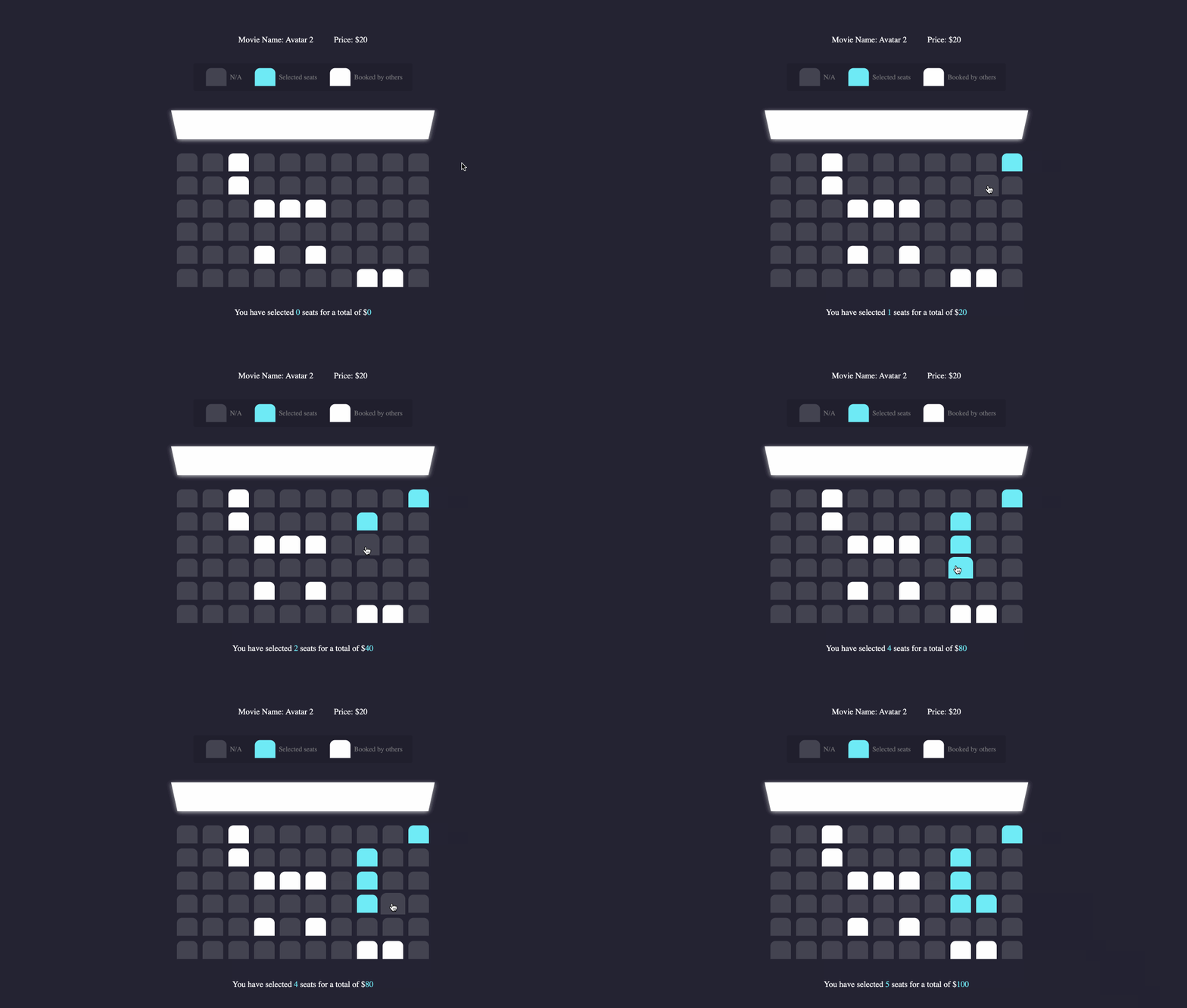
In this project, you will learn how to build a movie ticket reservation system. The project involves fetching movie data asynchronously, rendering the movie information on the web page, and implementing the functionality of seat selection and total price calculation.
👀 Preview
🎯 Tasks
In this project, you will learn:
- How to fetch data asynchronously using the
axioslibrary - How to render movie information, including the movie name, price, and seating availability, on the web page
- How to implement the functionality of seat selection, updating the number of selected seats and the total price accordingly
- How to update the display to show the current number of selected seats and the total price
🏆 Achievements
After completing this project, you will be able to:
- Fetch data asynchronously using the
axioslibrary - Manipulate the DOM to display dynamic content
- Implement interactive user interfaces with event handling
- Update the UI based on user actions
Set Up the Project Structure
In this step, you will set up the project files and structure. Follow the steps below to complete this step:
Open the project folder. The directory structure is as follows:
├── css
│   └── style.css
├── data.json
├── index.html
├── effect.gif
└── js
    ├── axios.min.js
    └── script.js
Among them:
index.htmlis the main page.css/style.cssis the provided page style file.data.jsonis the data file that needs to be requested.js/axios.min.jsis the axios request library file.js/script.jsis the file where you need to supplement the code.
Click on Go Live button in the bottom right corner of WebIDE, to run the project.
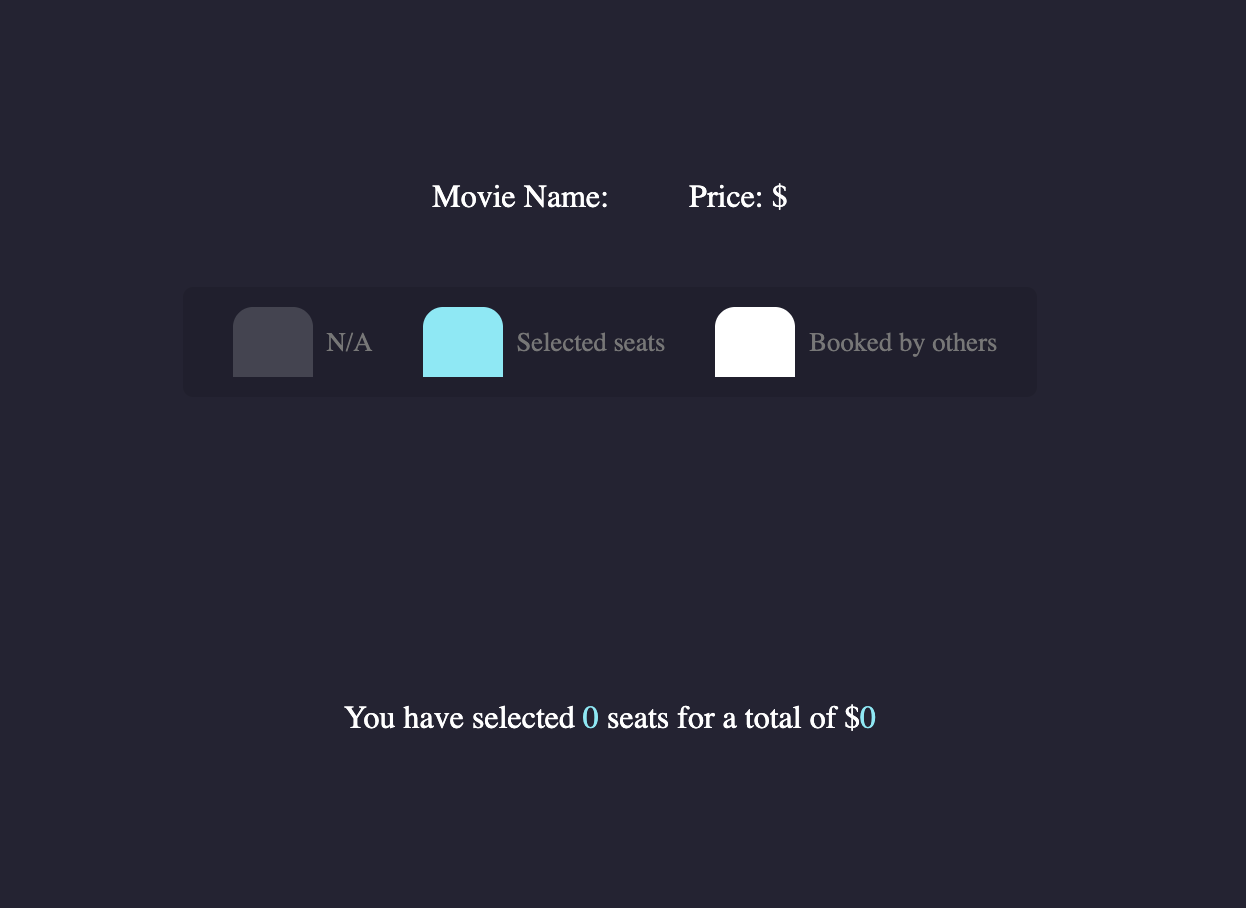
Next, open the "Web 8080" on the top of the VM and manually refresh the page to see the following effect in your browser:
Asynchronous Data Fetching and Rendering
In this step, you will learn how to fetch data asynchronously using the axios library and render the movie information to the web page.
Open the
js/script.jsfile.Use
axios.get()to fetch the data from thedata.jsonfile:let data = {}; axios .get("../data.json") .then((res) => { console.log(res); data = res.data; movieNameNode.innerHTML = data.name; moviePriceNode.innerHTML = data.price; data.seats.forEach((item) => { let row = document.createElement("div"); row.className = "row"; item.forEach((item) => { let seat = document.createElement("div"); seat.className = "seat"; row.appendChild(seat); if (item) { seat.classList.add("occupied"); } }); seatAreaNode.appendChild(row); }); }) .catch((err) => { console.log(err); });The code above fetches the data from the
data.jsonfile, then updates the movie name and price in the corresponding DOM nodes. It also generates the seating area by creating a row of seat nodes for each row in thedata.seatsarray, and adding the "occupied" class to the seats that are already booked.
Seat Selection and Total Price Calculation
In this step, you will implement the functionality of seat selection and total price calculation.
Open the
js/script.jsfile.Initialize the variables to get all the seat nodes in the seating area:
const seatNodes = document.querySelectorAll(".seat");Initialize the variables to track the number of selected seats and the total price:
let selectedSeatsCount = 0;
let totalPrice = 0;
Add a click event listener to the seating area:
seatAreaNode.addEventListener("click", (event) => {
  const clickedSeat = event.target;
  if (
    clickedSeat.classList.contains("seat") &&
    !clickedSeat.classList.contains("occupied")
  ) {
    clickedSeat.classList.toggle("selected");
    if (clickedSeat.classList.contains("selected")) {
      selectedSeatsCount++;
      totalPrice += data.price;
    } else {
      selectedSeatsCount--;
      totalPrice -= data.price;
    }

    updateDisplay();
  }
});
The code above adds a click event listener to the seating area. When a seat that is not occupied is clicked, it toggles the "selected" class on the seat node, and updates the
selectedSeatsCountandtotalPricevariables accordingly.Implement the
updateDisplay()function to update the number of selected seats and the total price:function updateDisplay() { count.textContent = selectedSeatsCount; total.textContent = totalPrice; }This function updates the text content of the nodes with the IDs "count" and "total" to display the current number of selected seats and the total price.
After completing these steps, the movie ticket reservation functionality should be fully implemented, allowing users to select seats and see the total price. The final page effect is as follows:
Summary
Congratulations! You have completed this project. You can practice more labs in LabEx to improve your skills.


