



Introduction
In this lab, you will learn how to use conditional statements in JavaScript. Conditional statements are a fundamental part of programming that allow you to execute different blocks of code based on whether a certain condition is true or false. This enables you to create dynamic and responsive applications that can make decisions and change their behavior accordingly.
We will cover the following key concepts:
- The
ifstatement to execute code when a condition is true. - The
elseclause to provide an alternative path. - The
else ifstatement to check for multiple conditions. - The difference between the loose equality (
==) and strict equality (===) operators.
By the end of this lab, you will have built a simple script that demonstrates how to control the flow of your program using these essential tools.
Write if statement with comparison
In this step, you will learn to use the if statement, which is the most basic conditional statement in JavaScript. It executes a block of code only if a specified condition evaluates to true.
The basic syntax is:
if (condition) {
  // code to be executed if the condition is true
}
We will create a script that displays a greeting based on the time of day. First, let's check if it's morning.
- In the file explorer on the left side of the WebIDE, find and open the
script.jsfile. - Add the following code to
script.js. This code gets the current hour from the system, and if the hour is less than 12, it changes the text of the<h1>element in our HTML page.
const greetingElement = document.getElementById("greeting");
const currentHour = new Date().getHours();

if (currentHour < 12) {
  greetingElement.textContent = "Good Morning!";
}
- After adding the code, save the file (you can use
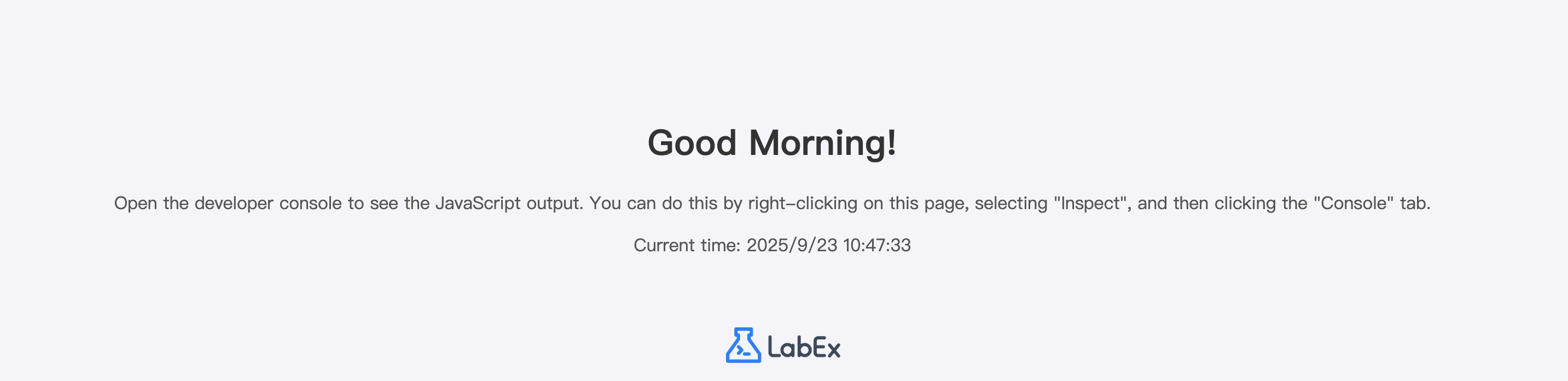
Ctrl+SorCmd+S). - To see the result, click on the Web 8080 tab at the top of the interface. If the current time is before noon, you will see the message "Good Morning!". Otherwise, the message will remain "Hello!".
Add else clause for alternative path
In this step, you will add an else clause to your if statement. The else clause allows you to specify a block of code that will be executed if the condition in the if statement is false. This provides an alternative path for your program's logic.
The syntax is:
if (condition) {
  // code to be executed if the condition is true
} else {
  // code to be executed if the condition is false
}
Let's modify our script to display a different greeting if it's not morning.
- Open the
script.jsfile again in the editor. - Modify your existing code to include an
elseblock. This will set the greeting to "Good Afternoon!" if thecurrentHour < 12condition is false.
const greetingElement = document.getElementById("greeting");
const currentHour = new Date().getHours();

if (currentHour < 12) {
  greetingElement.textContent = "Good Morning!";
} else {
  greetingElement.textContent = "Good Afternoon!";
}
- Save the
script.jsfile. - Switch to the Web 8080 tab to see the changes. Now, if the time is past noon, the message will change from "Hello!" to "Good Afternoon!".
Use else if for multiple conditions
In this step, you'll learn to use the else if statement to handle multiple conditions. When you have more than two possible outcomes, else if allows you to test a series of conditions in order.
The syntax is:
if (condition1) {
  // code for condition1
} else if (condition2) {
  // code for condition2
} else {
  // code if no conditions are met
}
Let's expand our greeting script to include a message for the evening. We'll define "afternoon" as being before 6 PM (18:00) and "evening" as any time after that.
- In the
script.jsfile, update your code to include anelse ifcondition. The logic will now be:- If the hour is before 12, it's "Morning".
- Otherwise, if the hour is before 18, it's "Afternoon".
- Otherwise, it's "Evening".
const greetingElement = document.getElementById("greeting");
const currentHour = new Date().getHours();

if (currentHour < 12) {
  greetingElement.textContent = "Good Morning!";
} else if (currentHour < 18) {
  greetingElement.textContent = "Good Afternoon!";
} else {
  greetingElement.textContent = "Good Evening!";
}
- Save the file and refresh the Web 8080 tab. The greeting will now accurately reflect whether it's morning, afternoon, or evening based on the current time.
Apply equality operator == in condition
In this step, we will explore the equality operator ==. This operator, also known as the "loose" or "abstract" equality operator, compares two values for equality after attempting to convert them to a common type.
For example, the number 10 and the string '10' are considered equal when using ==.
To see this in action, we will add a new piece of code to our script. This code won't affect the greeting but will log a message to the browser's developer console.
- Add the following code to the end of your
script.jsfile.
let numberValue = 10;
let stringValue = "10";

if (numberValue == stringValue) {
  console.log("The == operator says they are equal!");
}
- Save the file. To see the output, you need to open the developer console.
- In the Web 8080 tab, right-click anywhere on the page and select "Inspect" or "Inspect Element". This will open the developer tools.
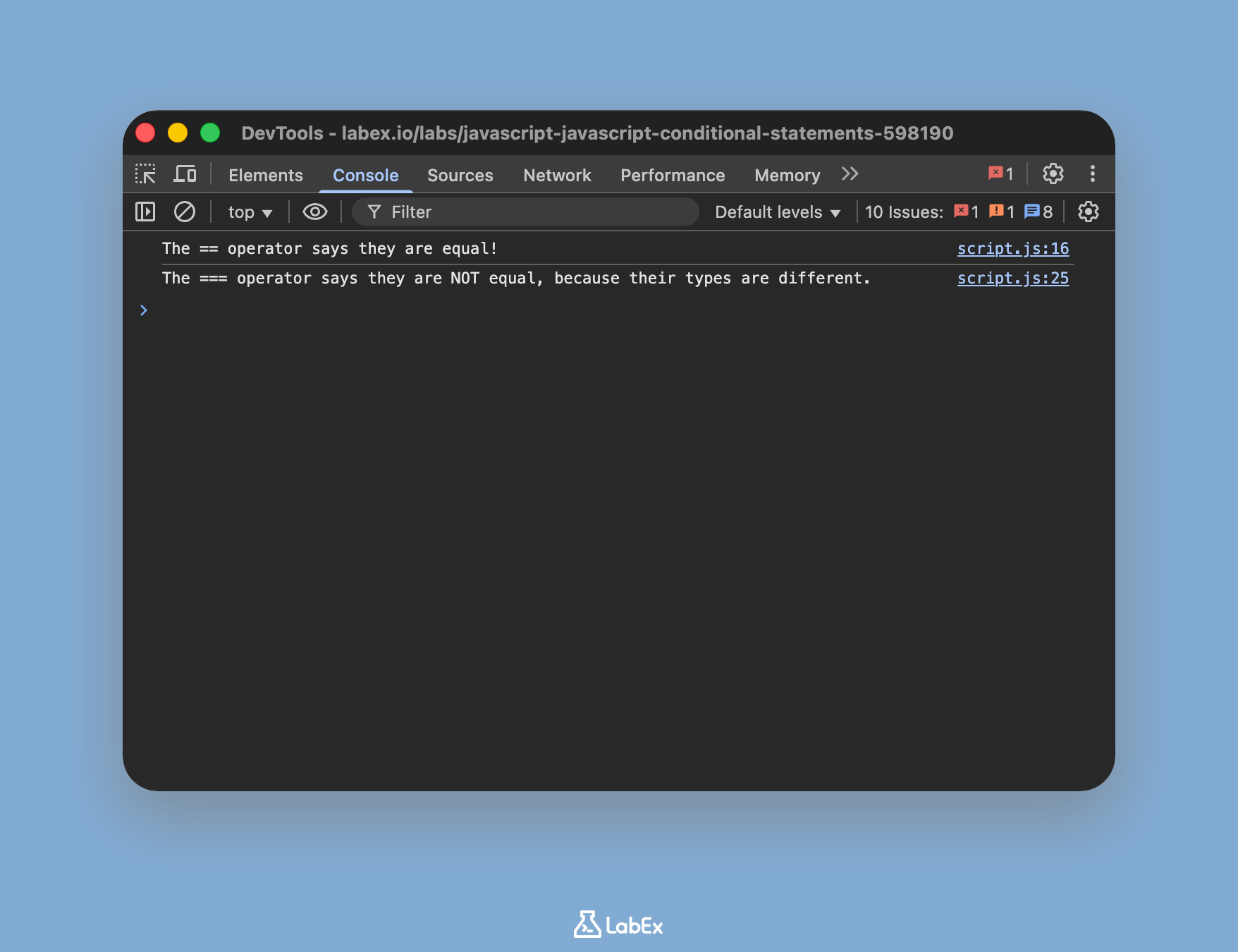
- Click on the "Console" tab within the developer tools. You should see the message:
The == operator says they are equal!. This confirms that JavaScript converted the types before comparison.
Test strict equality with === operator
In this final step, you will learn about the strict equality operator ===. Unlike the loose equality operator (==), the strict equality operator compares both the value and the type of the operands. It does not perform type conversion.
This is generally the recommended operator for equality checks in JavaScript because it behaves more predictably and helps avoid subtle bugs.
Let's modify the example from the previous step to use === and observe the difference.
- Add the following new code block to the end of your
script.jsfile.
let numberValueStrict = 10;
let stringValueStrict = "10";

if (numberValueStrict === stringValueStrict) {
  console.log("The === operator says they are equal!");
} else {
  console.log(
    "The === operator says they are NOT equal, because their types are different."
  );
}
- Save the file and look at the developer console in the Web 8080 tab again. You may need to refresh the page.
- This time, you will see the message:
The === operator says they are NOT equal, because their types are different.. This is becausenumberValueStrictis anumberandstringValueStrictis astring, and the===operator correctly identifies them as different.
Summary
Congratulations on completing this lab! You have learned the fundamentals of conditional logic in JavaScript, a crucial skill for any developer.
In this lab, you have:
- Used the
ifstatement to execute code based on a single condition. - Added an
elseclause to handle the alternative case. - Implemented
else ifto manage multiple, sequential conditions. - Understood and applied the loose equality operator (
==), which performs type conversion. - Understood and applied the strict equality operator (
===), which checks both value and type, and is the recommended choice for most comparisons.
Mastering conditional statements allows you to write code that is intelligent, responsive, and capable of handling a wide variety of scenarios.


