



Introduction
In this project, you will learn how to create a reverse proxy using Node.js. A reverse proxy is a server that sits between a client and a backend server, forwarding requests from the client to the backend server and returning the response back to the client.
👀 Preview
🎯 Tasks
In this project, you will learn:
- How to create an HTTP server using Node.js
- How to use the
Stream pipeto pass the GitHub response data directly to the client - How to start the reverse proxy server and test it
🏆 Achievements
After completing this project, you will be able to:
- Understand the concept of a reverse proxy and how it works
- Create a reverse proxy using Node.js to proxy requests to the GitHub website
- Implement the reverse proxy functionality using the
Stream pipe - Start and test the reverse proxy server
Implement the Reverse Proxy
To get started, open the editor. You should see a file from the editor - "proxy.js".
In this step, you will learn how to use the Stream pipe to pass the GitHub response data directly to the client. Follow the steps below to complete this step:
- In the
proxy.jsfile, locate the// TODOcomment in thehttp.createServerfunction. - Replace the
// TODOcomment with the following code:
https.get(uri, function (response) {
  response.pipe(res);
});
This code uses the Stream pipe to pass the GitHub response data directly to the client.
- Save the
proxy.jsfile.
Start the Reverse Proxy Server
In this step, you will learn how to start the reverse proxy server and test it.
- Open a terminal and navigate to the project directory.
- Run the following command to start the reverse proxy server:
node proxy.js
You should see the following output:
Server running at http://localhost:8080/
- Open another terminal and run the following command to test the reverse proxy:
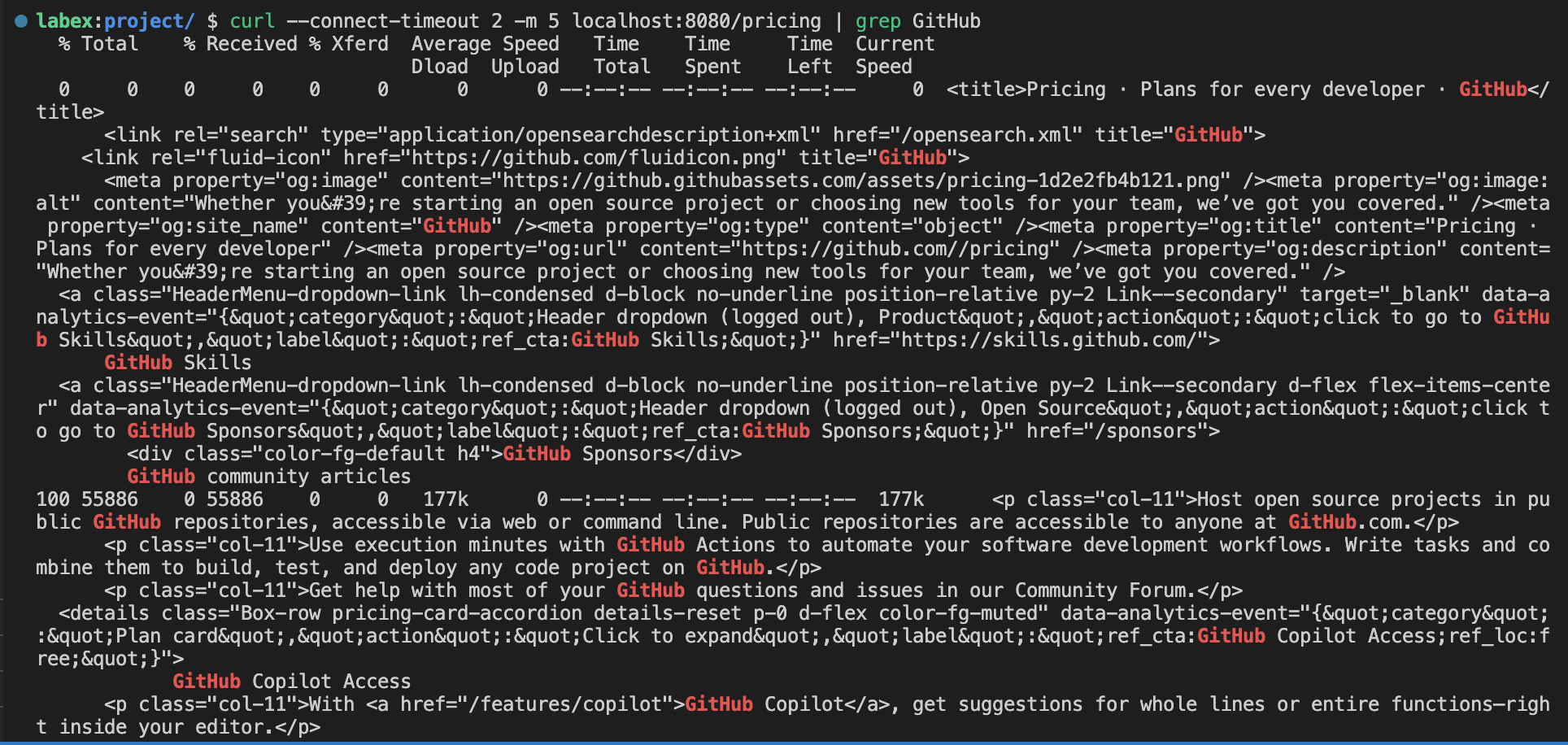
curl --connect-timeout 2 -m 5 localhost:8080/pricing | grep GitHub
This command sends a request to the reverse proxy server, which in turn retrieves the content from the GitHub website and returns it to the client.
- You should see the GitHub pricing information displayed in the terminal.
Congratulations! You have successfully created a reverse proxy using Node.js. You can now experiment with the reverse proxy by modifying the code and testing different scenarios.
Summary
Congratulations! You have completed this project. You can practice more labs in LabEx to improve your skills.


