




Introduction
In this challenge, you will verify the Kali Linux version running within a Docker container. This involves accessing the container's terminal, extracting the VERSION_ID from the /etc/os-release file, and saving it to a file named version.txt in the ~/project directory on the host machine.
The setup script pulls the kalilinux/kali-rolling image if it's not present and starts a container named kali-container. You'll need to use docker exec to access the container, cat /etc/os-release to find the version, and then create the version.txt file with the extracted VERSION_ID. The verification script checks if the container is running and if the version.txt file contains the correct version.
Verify Kali Linux Version
A critical security audit requires you to quickly identify the Kali Linux version running in a Docker container. Your team needs this information to ensure compatibility with the latest security tools and maintain system integrity.
Tasks
- Access the Kali Linux container's terminal.
- Use the
cat /etc/os-releasecommand to find theVERSION_ID. - Create a file named
version.txtin the~/projectdirectory and write theVERSION_IDinto it.
Requirements
- You must access the Kali Linux container using the command
docker exec -it kali-container /bin/bash. - You must use the command
cat /etc/os-releaseinside the container to find theVERSION_ID. - You must create a file named
version.txtin the~/projectdirectory. - The
version.txtfile must contain only theVERSION_IDvalue.
Examples
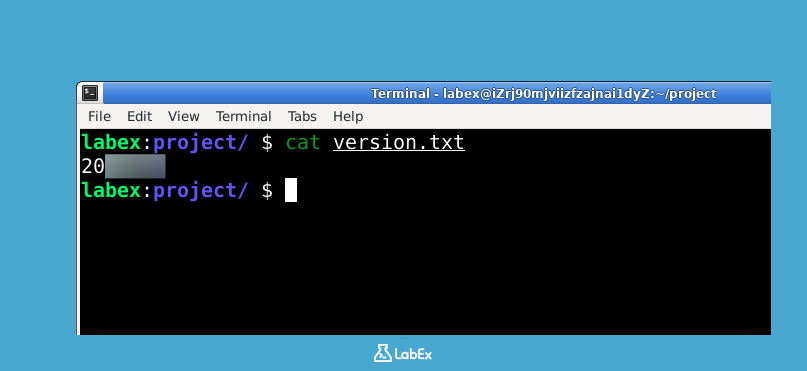
If the VERSION_ID in /etc/os-release is 2023.3, then the version.txt file should contain:
2023.3
Hints
- First, use
docker exec -it kali-container /bin/bashto enter the container. - Then, use
cat /etc/os-releaseto find theVERSION_ID. - Finally, use
echoand redirection>to create theversion.txtfile in the~/projectdirectory on the host machine. You may need to usedocker cpto copy the file from the container to the host. Alternatively, you can write the version to a file inside the container, then usedocker cpto copy it to the host.
Summary
In this challenge, the task involves verifying the Kali Linux version running within a Docker container. This requires first ensuring the Kali Linux image is pulled and the container is running. Then, accessing the container's terminal using docker exec -it kali-container /bin/bash and extracting the VERSION_ID from the /etc/os-release file using cat /etc/os-release.
Finally, the extracted VERSION_ID is written to a file named version.txt located in the ~/project directory on the host machine. This can be achieved by echoing the version and redirecting the output to the file, potentially using docker cp to transfer the file from the container to the host if necessary.


