



Introduction
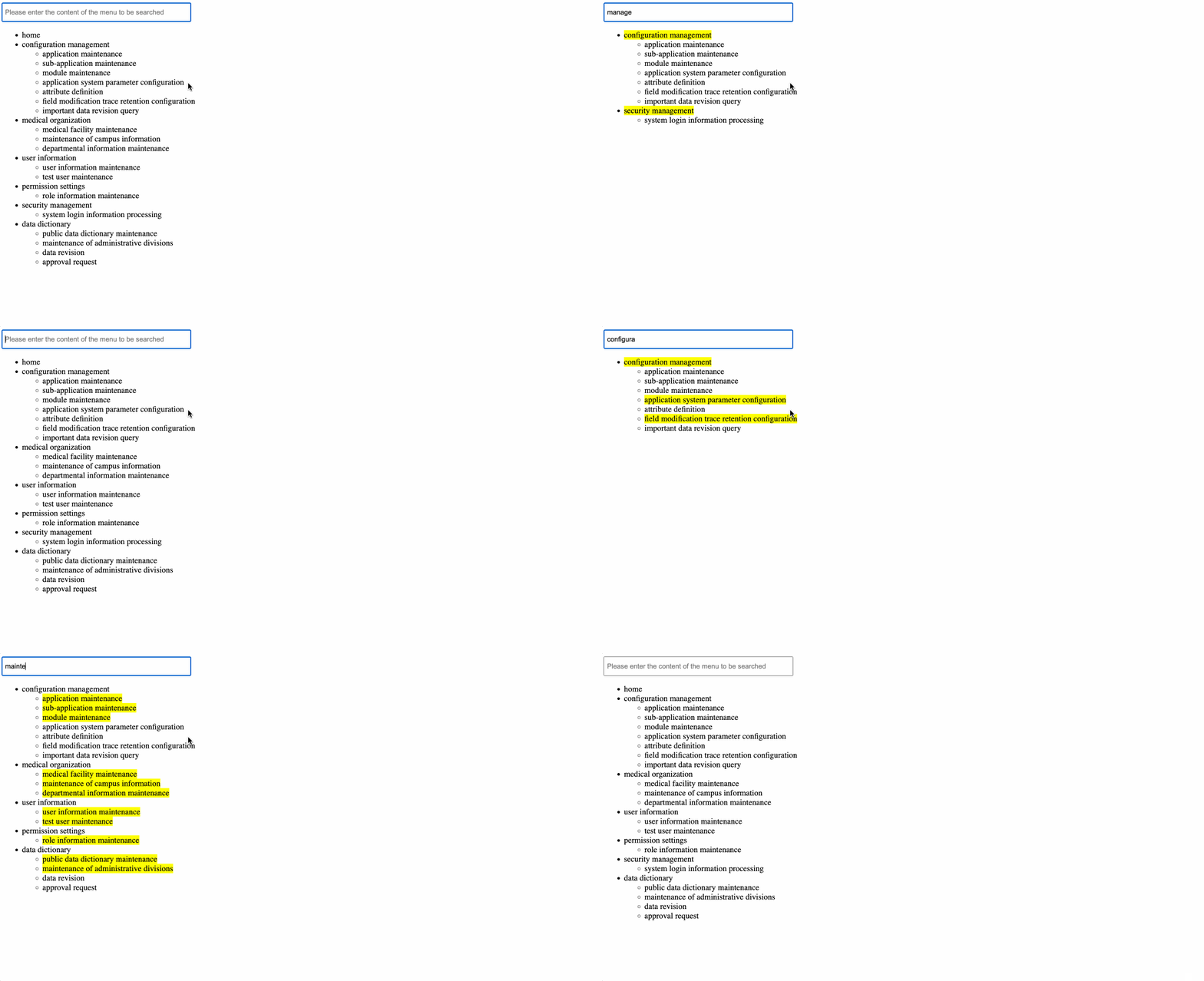
In this project, you will learn how to build a dynamic menu tree search functionality using Vue.js. The project involves fetching secondary menu data from a JSON file, implementing a fuzzy search feature, and displaying the filtered menu tree on the page.
👀 Preview
🎯 Tasks
In this project, you will learn:
- How to fetch secondary menu data from a JSON file using the
axioslibrary - How to implement a search functionality to filter the menu items based on the user's input
- How to display the filtered menu tree on the page, highlighting the matching text
🏆 Achievements
After completing this project, you will be able to:
- Develop a dynamic and interactive user interface using Vue.js
- Fetch data from a JSON file and handle asynchronous data fetching
- Implement a fuzzy search feature to filter data based on user input
- Display a hierarchical menu tree structure and highlight the matching text
Set Up the Project Structure
In this step, you will set up the project files and structure. Follow the steps below to complete this step:
Open the project folder. The directory structure is as follows:
├── js
│    ├── axios.min.js ## Ajax encapsulation library used for asynchronous data acquisition
│    ├── index.js ## Logic code for implementing page functions
│    └── vue.js ## Version 2.x of the Vue.js framework
├── data.json ## The total data of the second-level menu
└── index.html ## Page layout
Click on Go Live button in the bottom right corner of WebIDE, to run the project.
Next, open "Web 8080" on the top of the VM and refresh it manually and you will see the page.
Currently, only static layout is displayed, and the asynchronous acquisition and display of second-level menu data as well as the fuzzy search function are not implemented.
Fetch Secondary Menu Data
In this step, you will learn how to fetch the secondary menu data from the data.json file using the axios library.
- Open the
index.jsfile in the/jsdirectory. - In the
created()lifecycle hook, use theaxios.get()method to fetch the data from thedata.jsonfile:
created() {
  axios.get("../data.json").then((res) => {
    this.list = res.data;
    this.resultList = res.data;
  });
},
This code will fetch the data from the data.json file and store it in the list and resultList data properties.
Implement the Search Functionality
In this step, you will learn how to implement the search functionality for the secondary menu items.
- In the
index.jsfile, add asearchData()method to themethodsobject:
methods: {
  searchData() {
    // TODO: Implementing the search function
    this.resultList = [];
    let set = new Set();
    this.list.forEach((item1) => {
      if (item1.meta.title.search(this.search) !== -1) {
        set.add(item1);
      }
      if (item1.children) {
        item1.children.forEach((item2) => {
          if (item2.meta.title.search(this.search) !== -1) {
            set.add(item1);
          }
        });
      }
    });
    this.resultList = set;
  }
}
- Update the
resultListdata property based on the search input. ThesearchData()method will loop through thelistdata and add any matching items to aSetobject. TheSetobject is then assigned to theresultListdata property.
This implementation will display the secondary menu items that match the search query, with the matching text highlighted with a yellow background.
With these changes, the page will now display the filtered menu tree based on the search input, with the matching text highlighted.
The final implementation effect is as follows:
Summary
Congratulations! You have completed this project. You can practice more labs in LabEx to improve your skills.


