Introduction
In this lab, you will learn the fundamental concept of components in React. Components are independent and reusable bits of code. They serve the same purpose as JavaScript functions, but work in isolation and return HTML (via JSX) to be rendered on the screen. We will focus on creating a simple "functional component".
You will create a new component in its own file, export it, and then import and render it within the main App component.
Create functional component in new file Hello.jsx
In this step, you will create your first React component. It's a common practice to place each component in its own file to keep the code organized and reusable. We will create a new file for a component named Hello.
First, let's get the development environment ready. The project files have been created for you in the my-app directory. You need to navigate into this directory, install the necessary dependencies, and start the development server.
Open a terminal in the WebIDE (you can use the menu: Terminal > New Terminal) and run the following commands one by one:
cd my-app
npm install
npm run dev -- --host 0.0.0.0 --port 8080
After running the last command, the development server will start. You can view the running application by clicking on the Web 8080 tab in the LabEx interface. Throughout this lab, you can switch to this tab to see your changes.
In the WebIDE file explorer on the left, navigate to the my-app/src directory. Right-click on the src folder and select "New File". Name the new file Hello.jsx.
Now, add the following code to your newly created my-app/src/Hello.jsx file. This code defines a simple functional component.
function Hello() {
  return <h1>Hello from the Hello component!</h1>;
}
Let's break down this code:
function Hello(): This is a standard JavaScript function. In React, functional components are just JavaScript functions. By convention, component names always start with a capital letter.return <h1>...</h1>;: The function returns JSX. JSX (JavaScript XML) is a syntax extension for JavaScript that looks very similar to HTML. It's what we use to describe what the UI should look like.
Export default the component function
In this step, you will make the Hello component available for use in other parts of your application. To do this, you need to export it from the Hello.jsx file.
There are two main types of exports in JavaScript modules: named exports and default exports. For this lab, we will use a default export, which is common for components when a file only exports one thing.
Add the following line to the end of your my-app/src/Hello.jsx file:
export default Hello;
Your complete my-app/src/Hello.jsx file should now look like this:
function Hello() {
  return <h1>Hello from the Hello component!</h1>;
}

export default Hello;
This export default statement makes the Hello function the main export of this file, allowing other files to import it.
Import component into App.jsx using import statement
In this step, you will import the Hello component into the main application component, App.jsx, so that you can use it.
In the WebIDE file explorer, find and open the my-app/src/App.jsx file.
To use the Hello component, you must first import it. Add the following import statement at the top of the my-app/src/App.jsx file, before the App function definition:
import Hello from "./Hello.jsx";
This line tells JavaScript to import the default export from the Hello.jsx file (which is located in the same directory, hence ./) and assign it to a variable named Hello.
After adding the import, the top of your my-app/src/App.jsx file will look something like this (the other imports might be slightly different):
import { useState } from 'react'
import reactLogo from './assets/react.svg'
import viteLogo from '/vite.svg'
import './App.css'
import Hello from './Hello.jsx';

function App() {
// ... rest of the file
Render imported component inside App return
In this step, you will render the Hello component inside the App component. Once a component is imported, you can use it within JSX just like a regular HTML tag.
In the my-app/src/App.jsx file, locate the return statement inside the App function. The existing code is the default content from Vite. You can replace all of it with your new component.
Modify the App function to remove the default content and render the <Hello /> component instead.
Your App function should look like this:
function App() {
  return (
    <>
      <Hello />
    </>
  );
}
Here, <Hello /> is how you render the Hello component. The <> and </> are called a Fragment; they let you group a list of children without adding extra nodes to the DOM.
Your entire my-app/src/App.jsx file should now look like this:
import Hello from "./Hello.jsx";
import "./App.css";

function App() {
  return (
    <>
      <Hello />
    </>
  );
}

export default App;
Note: We have removed the unused imports and state logic for clarity.
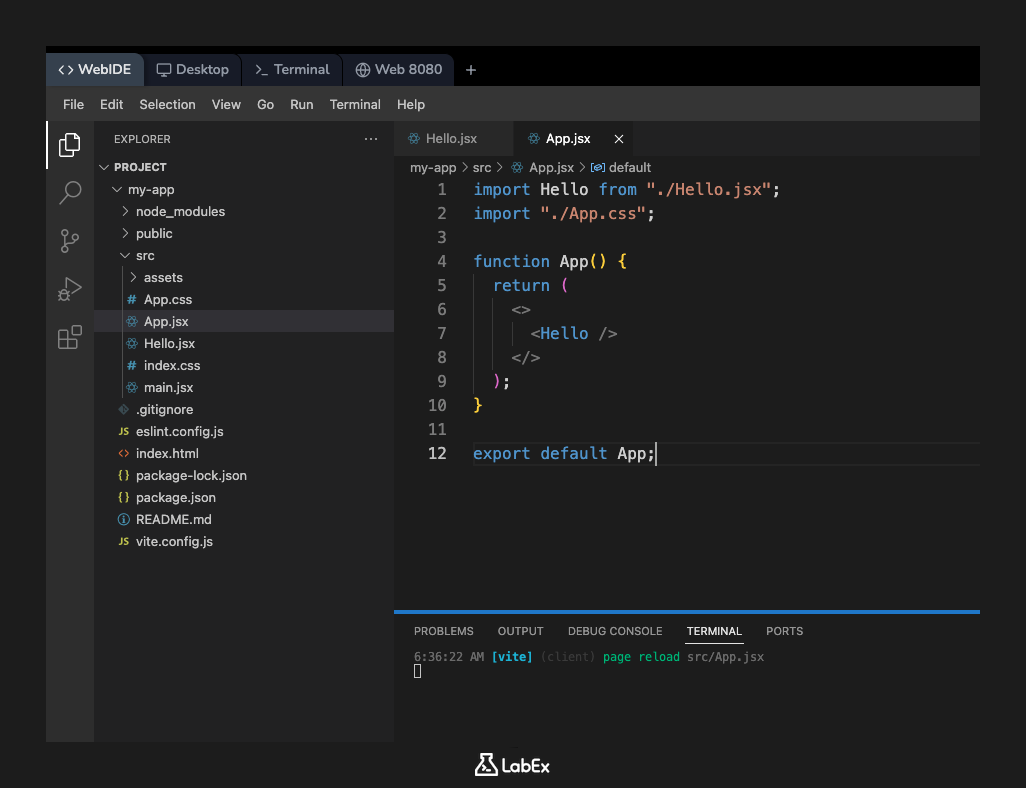
Save files and check browser for updated render
In this step, you will see the result of your work.
Make sure you have saved all your changes in both my-app/src/Hello.jsx and my-app/src/App.jsx. You can save a file by pressing Ctrl+S or Cmd+S.
The Vite development server you started in the introduction uses Hot Module Replacement (HMR), which means it automatically detects file changes and updates the application in the browser without needing a full page reload.
Switch to the Web 8080 tab in the LabEx interface. You should now see the text "Hello from the Hello component!" displayed on the page. This content is being rendered from your new Hello component.
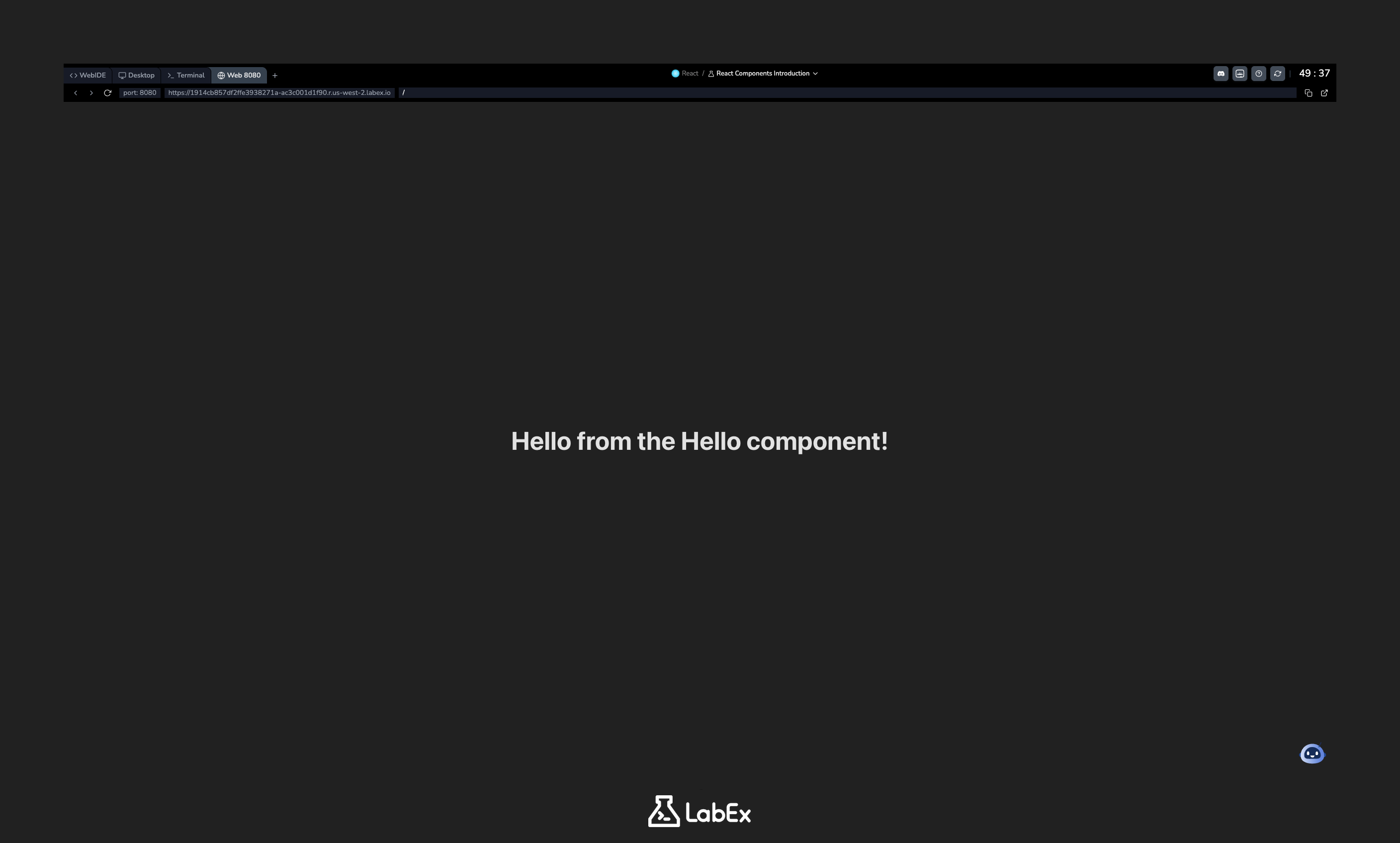
If you don't see the changes, try clicking the refresh button in the browser tab's address bar.
Congratulations, you have successfully created, exported, and rendered your first React component!
Summary
In this lab, you learned the basic workflow of creating and using components in a React application. This modular approach is a core principle of React development.
You have successfully:
- Created a new functional component in a dedicated file (
Hello.jsx). - Used
export defaultto make the component available to other parts of the application. - Used
importto bring the component into the mainApp.jsxfile. - Rendered the imported component using JSX tag syntax (
<Hello />).
This pattern of creating, exporting, and importing components is fundamental to building large and maintainable React applications.