




Introduction
As a new recruit at the LabEx Space Academy, you have been tasked with creating a simple program to process astronaut name tags. This challenge will test your ability to manipulate strings in Python, a crucial skill for handling text data in various space mission scenarios.
Astronaut Name Tag Processor
In this step, you will create a Python script that processes an astronaut's name to create a standardized name tag.
Tasks
- Create a Python script named
name_tag_processor.pyin the/home/labex/projectdirectory. (Recommend to use WebIDE) - Use the
input()function to prompt the user to enter an astronaut's full name. - Process the entered name to create a standardized name tag by performing the following operations:
- Convert the full name to uppercase using the
upper()method - Replace any spaces with underscores using the
replace()method - Add the prefix "ASTRONAUT_" to the beginning of the processed name.
- Convert the full name to uppercase using the
- Print the original name and the processed name tag.
String Methods Reference
upper()
The upper() method converts all characters in a string to uppercase:
name = "John Doe"
uppercase_name = name.upper()  ## Returns "JOHN DOE"
replace()
The replace() method replaces all occurrences of a substring with another substring:
name = "John Doe"
name_with_underscores = name.replace(" ", "_")  ## Returns "John_Doe"
Requirements
- The script must be named
name_tag_processor.pyand located in the/home/labex/projectdirectory. - Use the string methods
upper()andreplace()as shown in the examples above. - The script should run without any errors and prompt the user for input.
- The output should display both the original name and the processed name tag.
Example
After finishing the challenge, open the WebIDE terminal (Top Menu bar -> Terminal -> New Terminal) and run the script.
python3 name_tag_processor.py
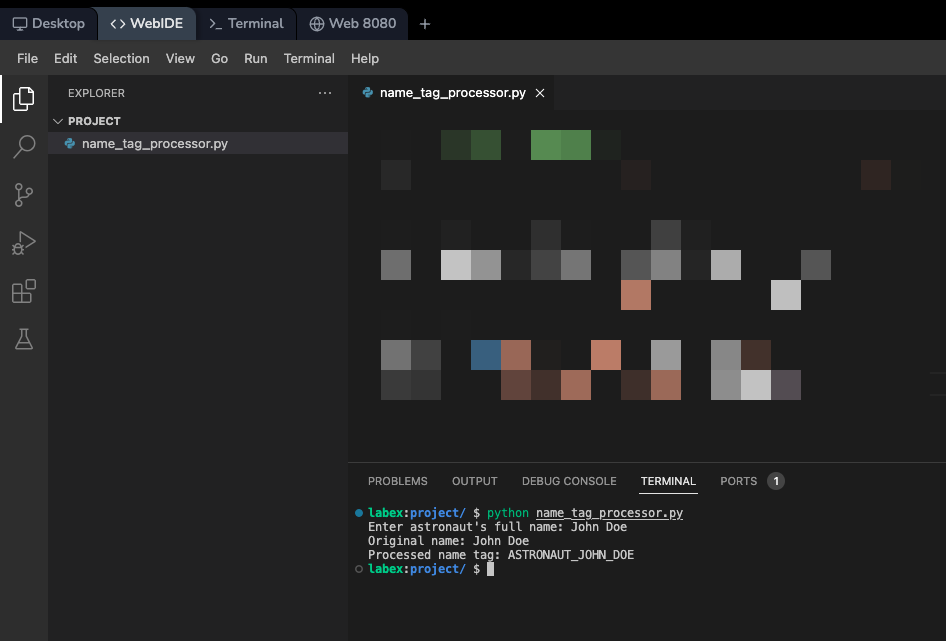
You will see the following output:
Enter astronaut's full name: John Doe
Original name: John Doe
Processed name tag: ASTRONAUT_JOHN_DOE
Summary
In this challenge, you have created a Python script to process astronaut name tags. This exercise has reinforced your understanding of string manipulation in Python, including methods like upper() and replace(). You have also practiced using the input() function to get user input and formatting output strings. These skills are fundamental in Python programming and will be valuable in more complex data processing tasks you may encounter in your space academy training.


