



Introduction
Common Ground has another website candidate to evaluate. Its publishing command can succeed even if a visitor cannot complete an important action. Your job is to recognize that distinction and restore the known-good release when necessary.
This disposable training website has no real visitors. You will deliberately practice recovery; in a real delivery process, pre-release checks can reject a candidate before visitors receive it.
This is a fresh environment: event-v1 is running in Room A, regardless of what you did in the previous lab. You will stage event-v3, test the real user paths, and recover the original service without editing the supplied website files. The same Workstation, Website, and Topology tabs are ready.
Prepare the Recovery Target
In this step, you will identify the healthy version and install the candidate separately before changing the website. Begin in Website.
Know What Recovery Should Restore
On the homepage, Linux Evening is in Room A and the footer identifies event-v1. Click its session row, confirm that the details open, then open Registration instructions. These are the normal functions a recovery must restore. Click COMMON GROUND to return home in Website.
Switch to Workstation. The terminal is already in /home/labex/project/website-release. Inspect the current symbolic link:
readlink current
It prints releases/event-v1. Confirm the preserved version file:
cat releases/event-v1/version.txt
It prints event-v1. Here, that directory is your explicit recovery target. "Previous" is not automatically the right choice in every system; this lab has established that this version serves the required pages correctly.
Stage the Candidate
List the supplied packages:
bash release.sh list
This environment contains event-v1 and event-v3. The candidate changes the location to Community Hall. A new name or a successful installation does not establish its quality.
Install it without selecting it:
bash release.sh install event-v3
The message confirms that the current website was not changed. List the installed releases:
ls releases
Both event-v1 and event-v3 should be present. Keep both unchanged: the candidate is the version under evaluation, and the baseline is the version you can recover.
Recognize a Failed Release
In this step, you will publish the candidate and distinguish a successful selection from working user functionality. Begin in Workstation.
Observe the Successful Selection
Select the candidate:
bash release.sh deploy event-v3
The helper reports event-v3 and asks you to check the pages. The command has completed its selection; it has not evaluated the business.
Check the homepage status using the curl options from the first lab:
curl -sS -o /dev/null -w '%{http_code}\n' http://127.0.0.1:8081/
It returns 200. The version endpoint also works:
curl -sS http://127.0.0.1:8081/version.txt
It prints event-v3. Neither observation tells you that the session link works.
Find the User-Visible Failure
Switch to Website. Return home using COMMON GROUND, then reload the page. The homepage looks complete and shows Community Hall. Click Linux Evening.
Instead of session details, you see Let's get you back on track. and 404 / A SMALL DETOUR. This is the website's missing-page design. Its appearance is polished, but its HTTP result is still a failure for the requested session.
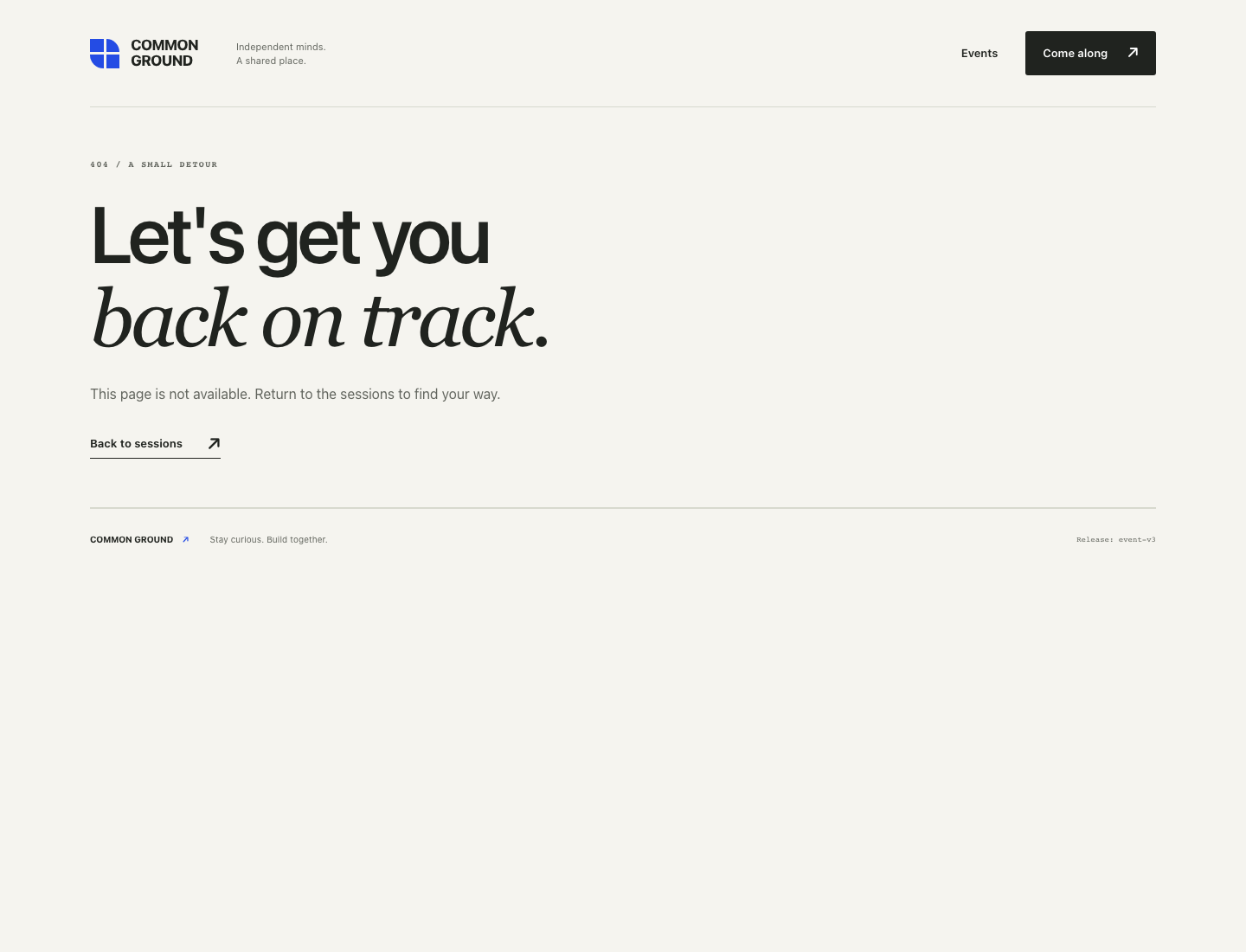
The candidate's session link points to /events/container-evening.html. Switch back to Workstation and request that exact path:
curl -sS -o /dev/null -w '%{http_code}\n' http://127.0.0.1:8081/events/container-evening.html
The expected result is 404. This is intentional evidence, not a command you should repair or skip. Without curl's fail-on-HTTP-error option, receiving a 404 still lets curl complete normally: a server response is different from a failed connection.
Switch to Topology. It can still show Homepage reachable because its narrow health check succeeds. The required session path does not. Your acceptance decision is to reject this release and restore the known-good version, not to stop the website or rewrite the candidate.
Restore and Validate the Known-Good Version
In this step, you will recover the original website and confirm that visitors can use it again. Start in Workstation.
Select the Preserved Release
rollback selects a version that is already installed. It does not repair or rebuild the failed candidate. Restore your established recovery target:
bash release.sh rollback event-v1
Expected output:
Selected event-v1. The server reports:
event-v1
Selection finished. Check the required pages before accepting this release.
Inspect the symbolic link:
readlink current
It selects releases/event-v1. The event-v3 directory is still saved; leaving it available for later investigation does not mean it is still serving visitors.
Check the Restored User Journey
Switch to Website. The browser may still be at the candidate's missing URL. Click COMMON GROUND to return home, then reload the page. The site should show Room A and event-v1. Click Linux Evening again: its restored link now opens /events/linux-evening.html. In that page, open Registration instructions and confirm that the joining steps are available.
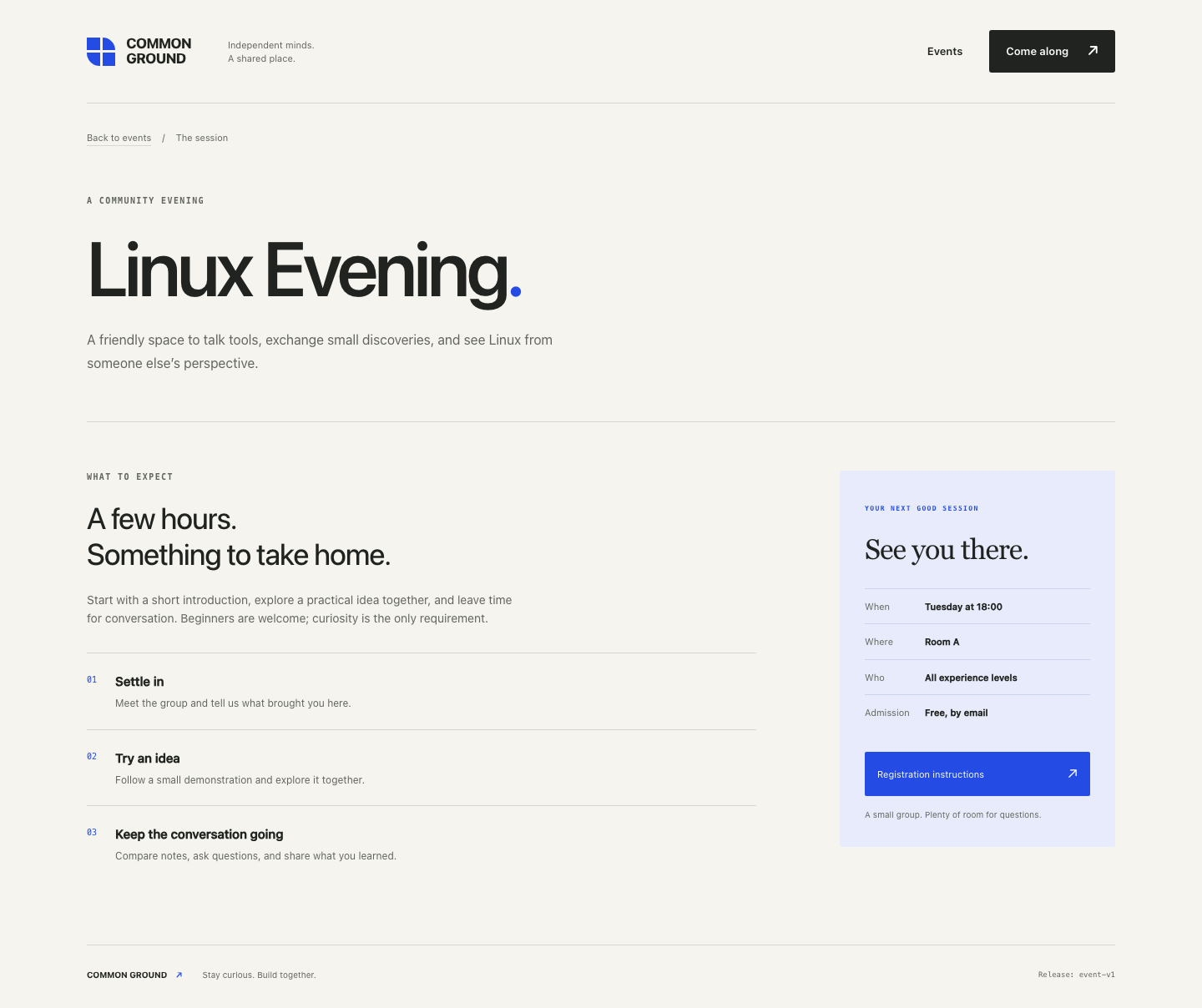
Retrying the old candidate-only URL would still give 404; recovery restores the good site's actual links rather than creating every missing URL.
Switch back to Workstation and check the restored paths:
curl -sS -o /dev/null -w '%{http_code}\n' http://127.0.0.1:8081/
curl -sS -o /dev/null -w '%{http_code}\n' http://127.0.0.1:8081/events/linux-evening.html
curl -sS -o /dev/null -w '%{http_code}\n' http://127.0.0.1:8081/registration.html
All three return 200. The browser checks established that the content is also correct.
Keep both installed versions:
ls releases
You should still find event-v1 and event-v3. The service is recovered; the candidate defect remains for a later development task. This exercise restores static website files only. It does not claim to undo database changes, user submissions, or an entire browser session atomically.
Summary
You saw a real release command succeed while a user path failed, rejected the candidate, and restored the complete known-good website. You verified recovery through both actual page content and HTTP responses. The candidate remains available for investigation; recovery did not silently fix it.


