



Introduction
Common Ground is a demonstration community website. Visitors browse Linux Evening, open its details, and read how to register. The next release moves the event from Room A to Community Hall. You are responsible for publishing that prepared update without losing the current version.
You will separate an installed release from a running one, select the update, and test the actual website. The application and publishing helper are supplied; you do not need to write code or configure Nginx. Basic terminal familiarity is enough. All events and addresses are synthetic.
| Tab | Purpose |
|---|---|
| Website | Browse the real community website. |
| Workstation | Use the prepared workspace and release helper. |
| Topology | Understand how the terminal, files, and website relate. |
Each lab starts with its own prepared environment. The tabs are ready to use.
Meet the Website and Stage the Update
In this step, you will establish normal website behavior and install a new release without changing what visitors see. Select the Website tab to begin.
Establish the Normal Experience
The homepage introduces Common Ground and lists Linux Evening under On the horizon. The event currently shows Location: Room A. Scroll to the bottom: the small footer says Release: event-v1. A release is a particular saved version of the website's files.
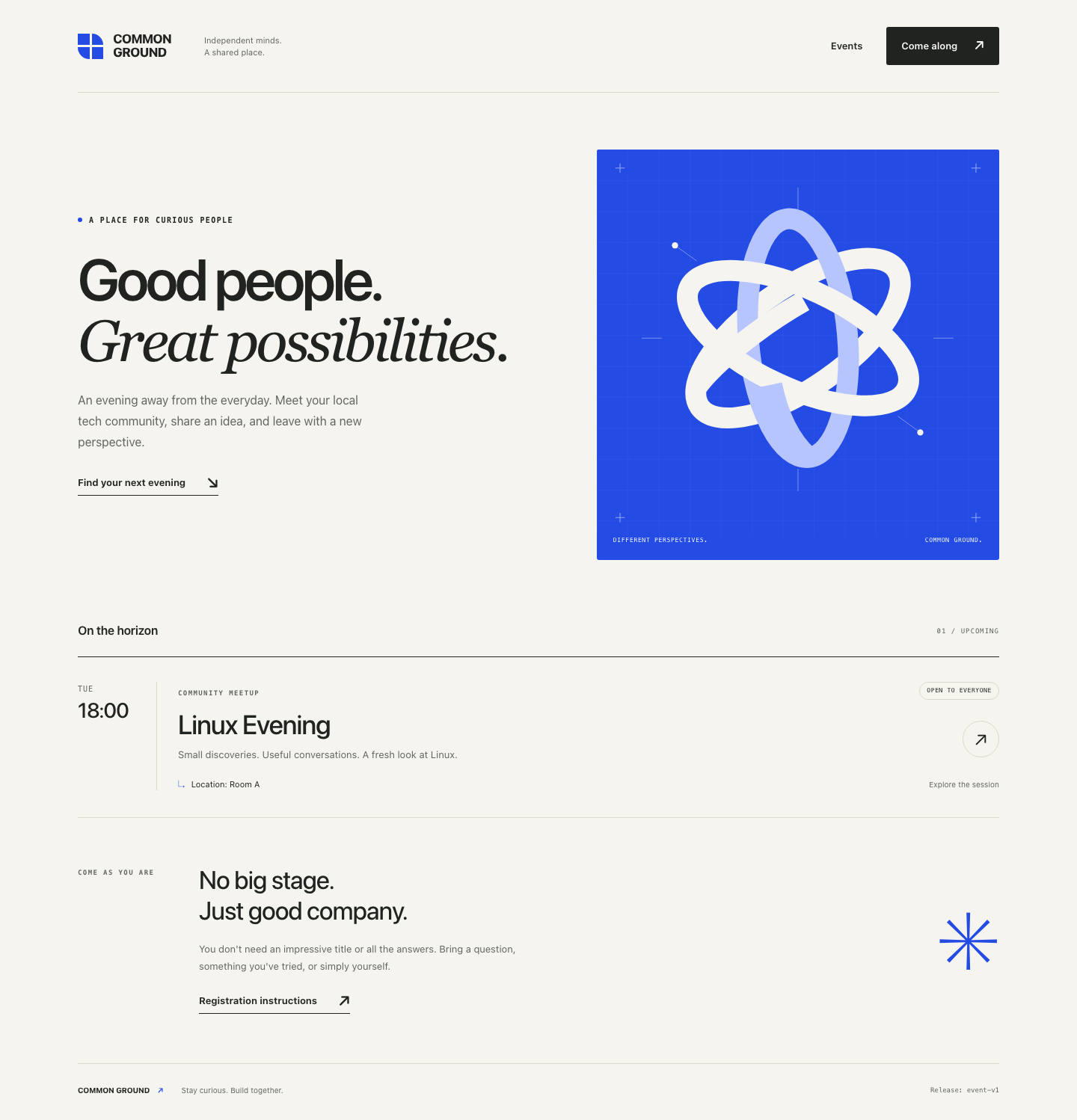
In Website, click the Linux Evening session row. The details page shows Tuesday at 18:00 and Room A. Click Registration instructions inside that page; it explains the demonstration email process. No real registration is required. Click the COMMON GROUND logo at the top to return to the homepage within the same tab.
These are the user paths you must preserve. A homepage alone is not the whole service.
Prepare a Separate Copy
Switch to Workstation. Its terminal is already in /home/labex/project/website-release, the supplied publishing workspace. ls lists the names in the current directory:
ls
You will see packages, releases, current, and release.sh. Think of packages as the supplied versions waiting to be installed, and releases as the installed versions. current selects the version visitors receive; you will inspect it in the next step.
release.sh is a small supplied helper. bash runs that script; words after its filename select an action and, when needed, a release. You are operating the helper, not being asked to write Bash code.
bash release.sh help
Read the short help. install copies a package into its own directory; deploy selects a version for the website; rollback selects an already-installed version. None of them decides whether the business pages work.
List the supplied versions:
bash release.sh list
The names are event-v1 and event-v2. Install the update:
bash release.sh install event-v2
Expected output:
Installed event-v2. The current website was not changed.
Confirm both installed directories exist. Adding releases tells ls which directory to list:
ls releases
You should find event-v1 and event-v2. Installing a separate copy preserves the old version. It does not publish the update.
Switch back to Website and reload the page. The location is still Room A and the footer still says event-v1. That unchanged result is intentional: the next step will select the update.
Select and Publish the Update
In this step, you will change the website's selected release while retaining its recovery version. Begin in Workstation.
Understand the Selection
A symbolic link is a filesystem reference to another location. Here, current is a symbolic link to one installed release directory. Nginx, the supplied web server, reads the website files through that link.
readlink prints a symbolic link's target:
readlink current
Expected output:
releases/event-v1
This relative path means the event-v1 directory inside this workspace's releases directory. Each directory includes HTML pages, local CSS styles, the local illustration, and a small version file. They form a complete website release.
cat prints a file. Confirm the recovery version's identity before publishing:
cat releases/event-v1/version.txt
It prints event-v1. Keep that complete directory. The recovery plan is to select it again if the update fails its checks; rebuilding or deleting it would undermine that plan.
Publish the Installed Version
Select the update:
bash release.sh deploy event-v2
Expected output:
Selected event-v2. The server reports:
event-v2
Selection finished. Check the required pages before accepting this release.
The helper reuses the installed directory, switches current using a temporary link and a rename, and makes a real request for the version. This avoids overwriting the old website files. It does not prove that every page works or promise that a whole browser session switches versions at once.
Inspect the selection:
readlink current
It now prints releases/event-v2.
Switch to Website. If another page is open, click the COMMON GROUND logo to return home, then reload the page. Under On the horizon, the session now shows Location: Community Hall. The footer identifies event-v2.
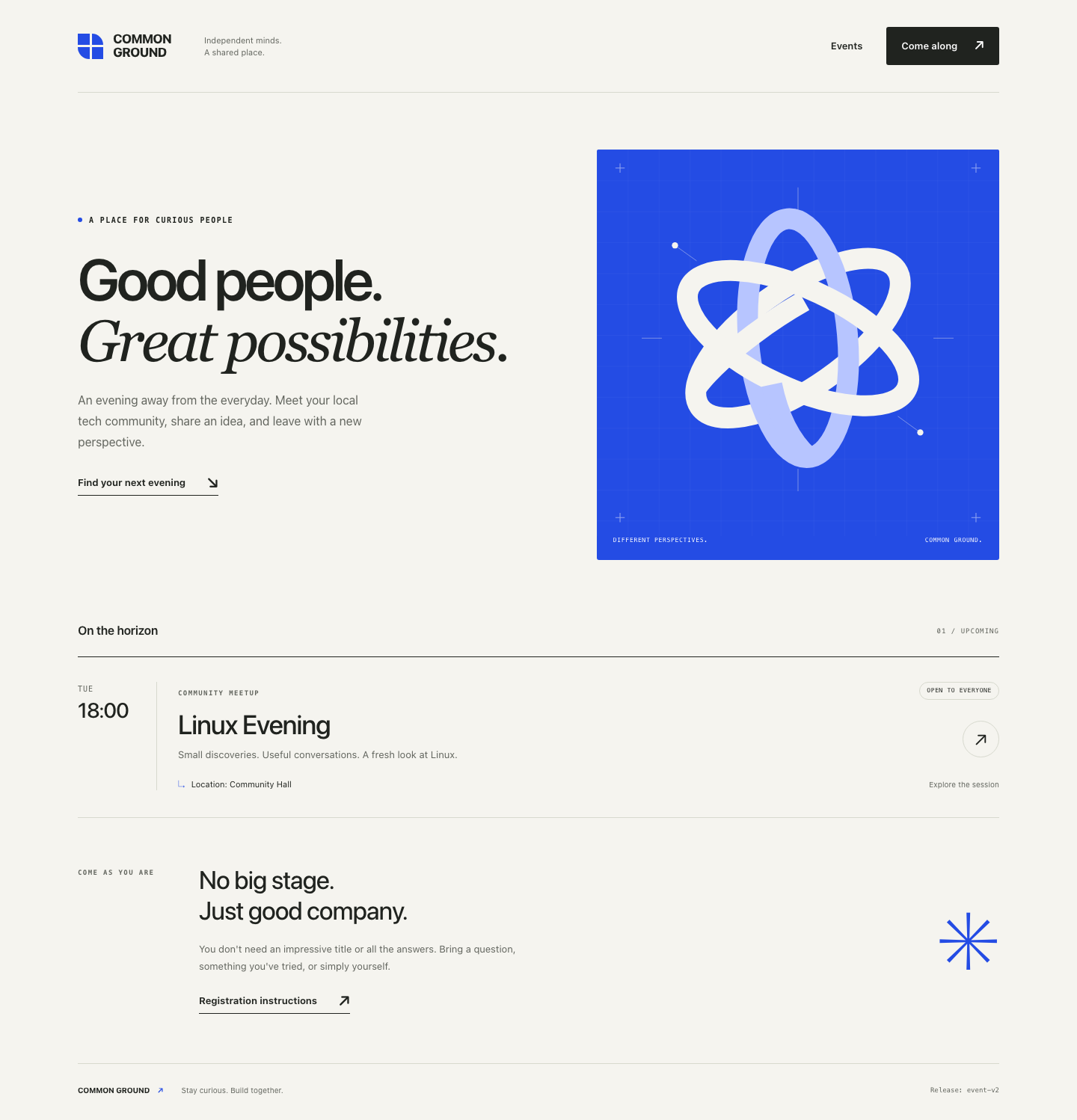
The new location and footer establish that the website changed. You still need to check its important user paths before accepting the release.
Validate the Website and Keep Recovery Available
In this step, you will check the new release as a visitor and as a client, then confirm the old version is still available. Start in Website.
Follow the User Paths
Click the Linux Evening row. The detail sidebar should show Community Hall, not Room A. Click Registration instructions in the sidebar. The page must show the joining steps and events@example.test; it must not be a missing-page screen.
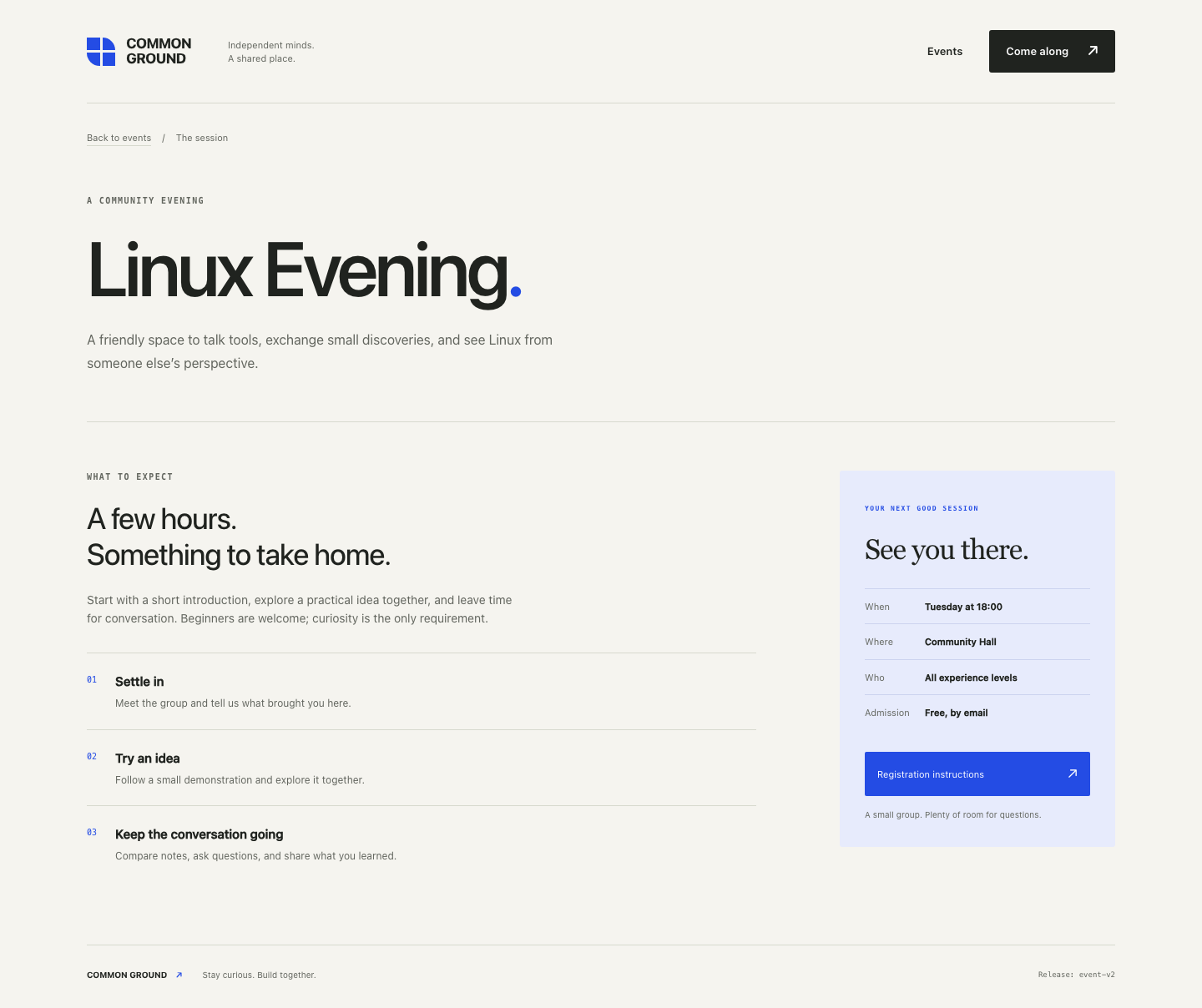
Return to the homepage by clicking COMMON GROUND within Website.
Check Actual HTTP Responses
Switch to Workstation. HTTP is the request/response protocol used by this website. A request names a path such as /registration.html; the server returns a status and content. Status 200 means the requested response succeeded. Status 404 means the requested page was not found.
curl sends a request. -sS hides the progress meter but still displays connection errors. -o /dev/null discards the response body; /dev/null is the system's discard destination. -w prints the following format. The single quotes keep the format together, %{http_code} selects the status, and \n ends the output line.
127.0.0.1 means this lab environment; port 8081 is the prepared website endpoint. Use this address in Workstation, not your own computer's terminal. The final / requests the homepage.
Check the homepage:
curl -sS -o /dev/null -w '%{http_code}\n' http://127.0.0.1:8081/
The result is 200.
Check the detail and registration paths separately:
curl -sS -o /dev/null -w '%{http_code}\n' http://127.0.0.1:8081/events/linux-evening.html
curl -sS -o /dev/null -w '%{http_code}\n' http://127.0.0.1:8081/registration.html
Both must return 200. Checking the content in Website matters too: a 200 response containing the wrong page is not success.
You can also ask for the small version response without discarding its body:
curl -sS http://127.0.0.1:8081/version.txt
It prints event-v2. This is helpful evidence, but a version label cannot replace the page and link checks above.
Preserve the Recovery Option
The original release must remain intact:
cat releases/event-v1/version.txt
It still prints event-v1. Keep its pages, styles, and illustration as well; changing only a version label would not preserve a website.
Switch to Topology. Homepage reachable means only that the homepage responds. It is not an acceptance verdict for the whole release. You have now checked the user paths independently and retained a complete recovery version.
Summary
You installed a separate release, selected it without overwriting the old files, and validated actual pages and links. You also kept a complete known-good version available for recovery. In the next lab, you will use that recovery option when a release's homepage works but an important user path fails.


