



Introduction
EARLY CRUMB needs a list that its Saturday packer can actually use. A paid order can be cancelled, and one valid order may need several different items. Your job is to keep the right orders and every quantity, then hand over individual bag labels.
This fresh lab provides all original records and a sorted paid-order ID file. It does not require files from a previous VM. Basic terminal familiarity is enough; the necessary selection, sorting and joining commands are explained as you use them. You do not write an application or a general-purpose script.
Use Workstation for files and Pickup Preview to read records, open the actual list, view labels and download your handover. The preview only reads your file; it does not remove cancellations or repair quantities.
Exclude Cancelled Orders
In this step, you will create the set of paid, non-cancelled order IDs. Begin in Pickup Preview.
Start with the real packing decision
Open Sample label to see how an order ID, customer and item quantity become a usable bag label. Then open Records. P101 belongs to Alex and needs two rye loaves and one oat cookie. P102 also belongs to Alex, but is unpaid. P103 is paid and appears in cancellations.tsv. It must not receive a bag.
Payments and cancellations answer different questions. For this collection, an order is eligible only if its exact payment status is paid and its ID is absent from cancellations.
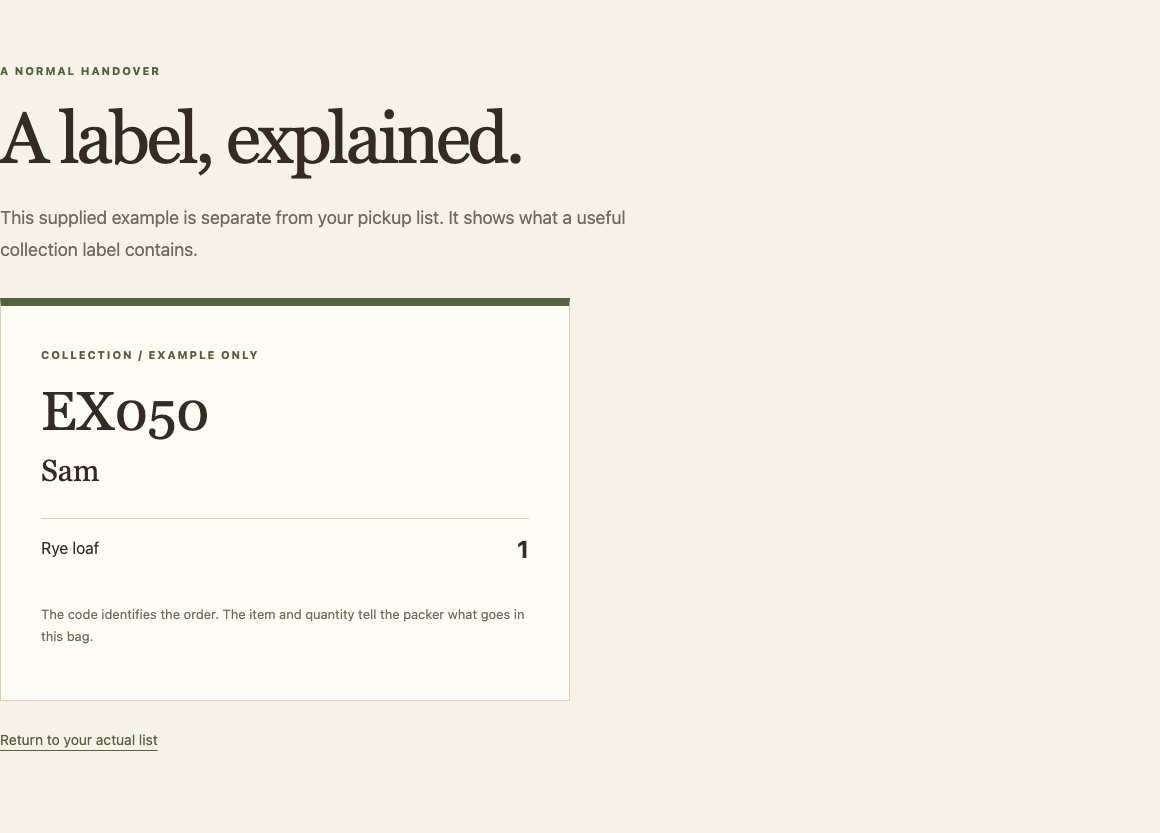
Inspect the independent workspace
Switch to Workstation. pwd prints the current directory. cat prints a file:
pwd
/home/labex/project/pickup
cat paid-order-ids.txt
P101
P103
P104
P105
This sorted file is supplied in this lab. It contains the IDs whose payment status is exactly paid, including P103. Read the other decision input:
cat source/cancellations.tsv
order_id
P103
source/ stays unchanged. You may recreate files under work/ and your final pickup-list.tsv. If you change directories, cd /home/labex/project/pickup returns here.
Compare two sorted sets
A set here is a list of distinct IDs. comm compares two sorted files. Its first column contains IDs only in the first input, its second IDs only in the second, and its third IDs in both. -23 hides columns 2 and 3, leaving only the first-input IDs that are absent from the second input. That is exactly paid IDs minus cancelled IDs.
LC_ALL=C keeps sorting and comparison consistent in this terminal. tail -n +2 removes the heading; sort -u sorts and removes identical ID lines. A pipe passes output to the next command. > saves to a separate work file, replacing it on a retry; never use the input path as the output path.
export LC_ALL=C
sort -u paid-order-ids.txt > work/paid.sorted.txt
tail -n +2 source/cancellations.tsv | sort -u > work/cancelled-order-ids.txt
comm -23 work/paid.sorted.txt work/cancelled-order-ids.txt > work/eligible-order-ids.txt
cat work/eligible-order-ids.txt
P101
P104
P105
P103 has been removed; the other paid orders remain. If a sorted-input warning appears, recreate the two input sets with the setting shown above. Do not remove orders from the sources or treat missing payment information as permission to pack.
Build the Item List and Open Real Bag Labels
In this step, you will preserve every product and quantity for the eligible IDs, then use your actual handover. Begin in Workstation.
Join IDs back to all item rows
An order ID can occur on several rows in orders.tsv. P101 needs both rye and oat. The three eligible IDs do not mean three pieces of bread. Keep each original item row and its quantity.
Read the table:
cat source/orders.tsv
The four fields are order_id, customer, item, quantity, separated by tabs. The first line is a heading. tail -n +2 removes only that heading. TAB=$(printf '\t') saves a tab separator in a shell variable. -t "$TAB" tells sort and join to use it; double quotes keep it as one argument. sort -k1,1 -k3,3 orders rows by order ID and then item code, retaining all four fields. Do not use sort -u on only the order-ID field to replace this item table.
TAB=$(printf '\t')
tail -n +2 source/orders.tsv > work/orders.rows
sort -t "$TAB" -k1,1 -k3,3 work/orders.rows > work/orders.sorted.tsv
join matches the first fields of sorted inputs. The first input contains eligible IDs; the second contains every item row. Its default matched-only behavior is useful here: only eligible orders are retained, and every matching item row is emitted. The ID appears once, followed by the customer's name, item and quantity.
join -t "$TAB" work/eligible-order-ids.txt work/orders.sorted.tsv > work/pickup.rows
cat work/pickup.rows
P101 Alex oat 1
P101 Alex rye 2
P104 Noor oat 2
P105 Jules oat 1
P105 Jules rye 1
The gaps above are tabs. There are five item lines for three orders. Check P101's two distinct items and quantities before publishing the file.
Give the receiver a clear format
The reader needs the same four-field heading. printf interprets \t as a tab and \n as a newline. > starts a new destination; >> appends without erasing its heading. Repeating these two commands replaces the previous delivery cleanly rather than adding duplicate rows.
printf 'order_id\tcustomer\titem\tquantity\n' > pickup-list.tsv
cat work/pickup.rows >> pickup-list.tsv
cat pickup-list.tsv
Use the handover, not just a total
Switch to Pickup Preview and open Pickup list. Reload if it was already open. You should see 3 collection bags · 5 item lines · 7 pieces. Those totals help you spot mistakes, but cannot prove each person has the right contents.
Open Alex's P101 label. It must show Oat cookie 1 and Rye loaf 2. Follow All collection bags, open P104 and confirm Noor has Oat cookie 2; P105 gives Jules Oat cookie 1 and Rye loaf 1. P102, P103 and P106 should have no bag. Customer names alone would not establish these relationships.
Use Print label to open the browser's print dialog if your browser supports it; cancel after previewing. No physical printer is required. Return to the list and select Download the actual list. It downloads the same TSV you created, rather than a precomputed reference.
If the preview explains a format error, inspect the heading and tab separators in Workstation, regenerate the file and reload. If quantities are wrong, compare work/pickup.rows with the order source. The reader does not silently fix your work.
Include a Late Order without Duplicating the Earlier Bags
In this step, you will rebuild the handover from a complete revised input snapshot. Begin in Workstation, using the same shell settings as before.
Understand the new input
The original files under source/ remain unchanged. source/late/ contains a complete later snapshot of all three tables, not a few lines to append to your result. A new paid order P107 belongs to Aya and needs two oat cookies. The earlier cancellation still applies.
cat source/late/orders.tsv
cat source/late/payments.tsv
The supplied paid-order-ids.txt describes the original snapshot. To include the new order, compute a new paid set from the later payment table. grep $'\tpaid$' selects a tab and the exact status at the end of a line, avoiding unpaid; cut -f1 keeps the order ID. sort -u prepares the ID set for comparison. Keep LC_ALL=C and TAB from earlier steps; restore them here if you reconnected.
export LC_ALL=C
TAB=$(printf '\t')
tail -n +2 source/late/payments.tsv | grep $'\tpaid$' | cut -f1 | sort -u > work/paid.sorted.txt
tail -n +2 source/late/cancellations.tsv | sort -u > work/cancelled-order-ids.txt
comm -23 work/paid.sorted.txt work/cancelled-order-ids.txt > work/eligible-order-ids.txt
You have applied the same rule to a new complete snapshot. Now rebuild the matching item input and destination:
tail -n +2 source/late/orders.tsv > work/orders.rows
sort -t "$TAB" -k1,1 -k3,3 work/orders.rows > work/orders.sorted.tsv
join -t "$TAB" work/eligible-order-ids.txt work/orders.sorted.tsv > work/pickup.rows
printf 'order_id\tcustomer\titem\tquantity\n' > pickup-list.tsv
cat work/pickup.rows >> pickup-list.tsv
cat pickup-list.tsv
You should now have six item lines: the earlier five plus P107/Aya/oat/2. The heading appears only once. Rebuilding from the full snapshot means you do not append all the old rows again.
Check the actual new handover
Switch to Pickup Preview, open Pickup list and reload. Expect 4 collection bags · 6 item lines · 9 pieces. Open P107 and confirm Aya's two oat cookies. Reopen P101 and confirm its two product lines are still correct. The cancelled P103 and unpaid P102 still have no labels.
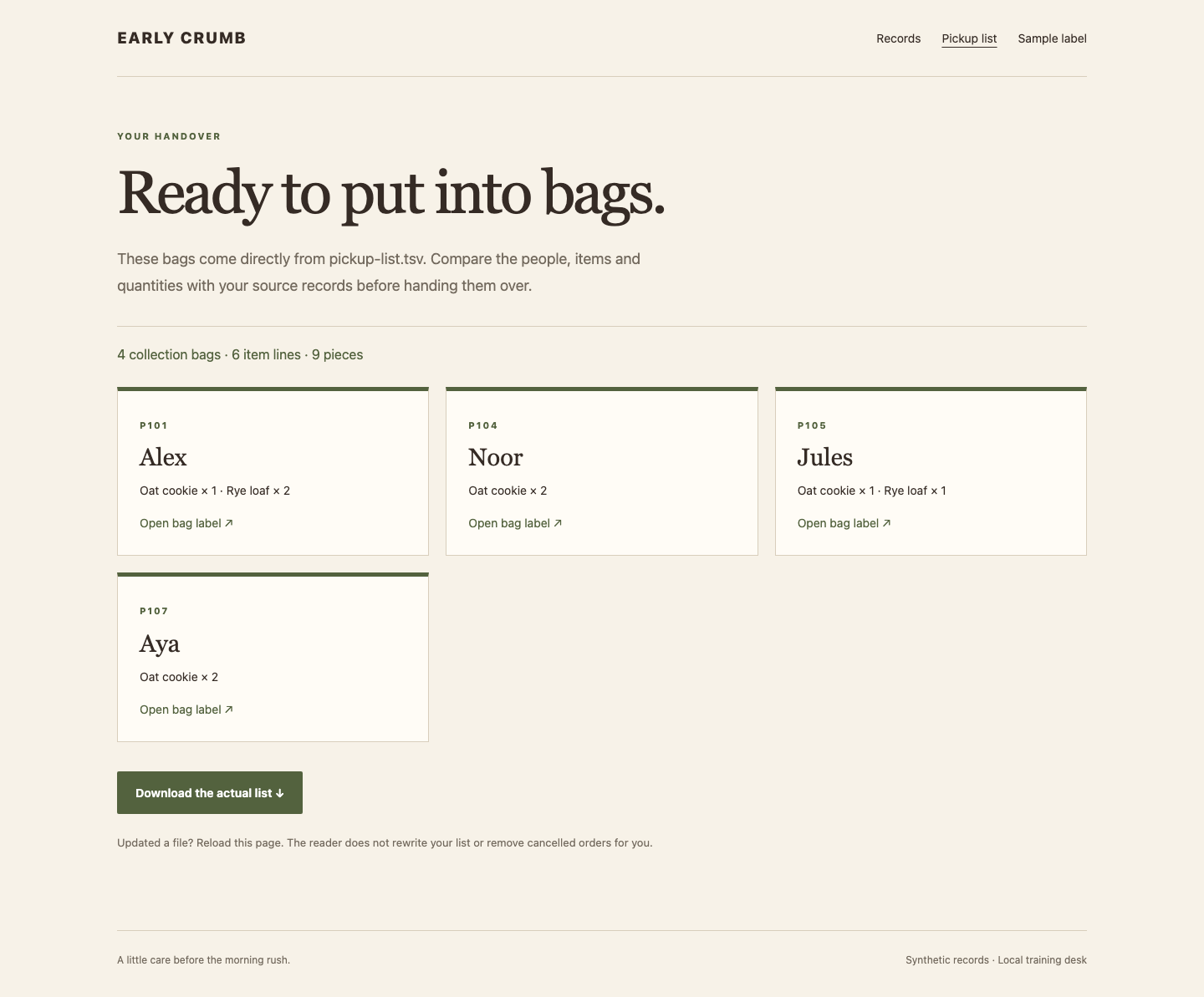
Download the actual list again and compare its contents with the revised handover. The Records page intentionally retains the original snapshot for context; the late inputs are the files you read under source/late/. A stale browser page is not evidence that rerunning the commands failed: reload before comparing.
If the totals doubled, return to the two destination-writing commands: > must create a fresh heading before >> appends the current rows. If P107 is missing, check that both payments and item rows came from source/late/. Correct the work files and regenerate; never add the expected total as a substitute for the actual order lines.
Summary
You compared sorted ID sets, joined eligible orders back to every item row, and produced a real collection list and bag labels. You rebuilt the same workflow for a later complete snapshot without duplicating earlier bags. The independent workshop challenge uses the same methods with different eligibility relationships and materials.


