



Introduction
Tomorrow's community nature walk needs a guide that still works when its source is unavailable. You will carry five pages, three illustrations, a stylesheet and a printable observation sheet into a separate directory. A saved homepage alone cannot provide that reading journey.
Use Source Guide to explore the original, Workstation to download files, and Field Copy to read your own files. You will stop only the supplied source service, then open a previously unread card and the sheet from your moved copy. LabEx connectivity remains available; this simulates losing the content source, not disconnecting the entire platform.
Basic terminal familiarity is enough. URLs, download options and relative links are explained here. All guide text and illustrations are original synthetic teaching materials, not real identification, foraging or safety advice. The website and command output remain English in every document language.
Save One Page and See Its Limits
In this step, you will follow the real reading route and save one HTML page as a controlled comparison. This first save is deliberately incomplete; it is not the finished guide.
Follow the original route
Open Source Guide, choose Woodland, then select Start the route. Follow Silver leaf, read its paragraph and illustration, and use Return to the route. Open Open observation sheet: this is an actual SVG document with spaces for a sketch and observations. Use the browser Back button to return. Leave Amber cap and Reed fan unread for your later source-off test.
The guide homepage, route and three cards are five different HTML files. Images, CSS styling and the SVG sheet are separate files too. Harbor event — online only, outside this guide is an intentionally excluded neighboring activity, not part of your offline reading route.
Read a URL and save the homepage
Switch to Workstation. pwd prints the current directory. The prepared terminal starts in the project workspace:
pwd
/home/labex/project
If needed, cd changes directory:
cd /home/labex/project
The terminal can reach the source at http://127.0.0.1:8081/woodland/index.html. http:// selects HTTP; 127.0.0.1 means this same lab machine; 8081 is the source's port; /woodland/index.html is the requested file path. The Source Guide tab exposes that same service through a platform browser address. Do not put the terminal's loopback address into your own computer's browser.
wget retrieves a URL. Its -O option, an uppercase letter O, names one output file; it overwrites that file on a retry. This command saves only the homepage's HTML:
wget -O first-save.html http://127.0.0.1:8081/woodland/index.html
Look for 200 OK and a saved-file message. Transfer times and byte counts may differ. ls lists a file so you can confirm its name:
ls first-save.html
Open Field Copy and follow First single-page save. The heading and text exist, but the illustrations and styling are missing. Start the route returns a local 404: File not found because that route was not downloaded. Use Return to local files to return to the reading desk. This is an expected limitation, not a broken original. A 404 means a server answered but lacks that path; a connection failure means the service itself could not be reached.
The local reading desk serves files from /home/labex/project on port 8082. It never fetches missing files from the source.
Collect the Guide within Its Allowed Scope
In this step, you will gather the linked pages and their assets without downloading the neighboring event. First separate the guide's URL paths from the computer's output directories.
Set a useful boundary
The source has this layout:
/woodland/                 homepage, route, species cards
/shared/woodland/          CSS, three illustrations, observation sheet
/harbor/                   a different activity: exclude it
The three cards are inside /woodland/species/. The observation sheet and styling sit outside /woodland/, in the explicitly allowed shared directory. Restricting everything to the starting directory's descendants would be too narrow. Downloading the whole host would be too broad.
Wget's --recursive follows links, and --level=inf removes its usual five-level depth limit. Here the site is small and controlled; infinite depth is bounded by the allowed paths. --page-requisites also collects display dependencies such as images and stylesheets. Recursive collection finds linked files, not every unlinked file that might exist on a server.
--include-directories=/woodland,/shared/woodland allows those two directory trees. The comma joins the two permitted URL prefixes with no spaces. This includes deeper species paths while excluding /harbor/. You do not need --no-parent: that option would block the shared sibling directory needed here.
--no-host-directories omits a host-name directory in the output. --directory-prefix=raw-guide puts the preserved URL hierarchy under your local raw-guide/. The directory is created automatically. Run this single command; your terminal may wrap its display:
wget --recursive --level=inf --page-requisites --no-host-directories --directory-prefix=raw-guide --include-directories=/woodland,/shared/woodland http://127.0.0.1:8081/woodland/index.html
Wget also reads and saves the source's robots.txt, which allows this teaching download. It is crawler metadata, not an extra guide page. Expect five HTML pages, five shared assets and this metadata file: 11 files altogether.
find raw-guide -type f lists regular files throughout that directory tree. -type f selects files rather than directories:
find raw-guide -type f
Confirm the two intended trees and robots.txt; there should be no harbor/ directory. Listing order is not significant.
See why complete files still need usable links
In Field Copy, open Raw collected guide. Its HTML still uses paths such as /shared/woodland/guide.css. A leading slash starts at the reading server's root, not at raw-guide/. The files exist under raw-guide/shared/woodland/, so those unconverted paths still miss their targets.
This distinction matters: collecting the correct files and making navigation follow those files are separate jobs. Return to the local reading desk. Keep raw-guide/ as your comparison and make a clean portable copy next.
If Wget reports a connection failure, run source-control start in Workstation and retry. This prepared command starts only the supplied source; it does not download or change your copies. If you want to repeat a collection from an empty destination, rm -r raw-guide removes only this disposable comparison directory and its contents; check the spelling before using that optional recovery command.
Make Navigation Follow the Copy
In this step, you will create the portable field-guide/ directory and use its real links. Wget can rewrite downloaded links after collection finishes.
--convert-links changes links to downloaded files into relative paths. For example, the copied homepage uses ../shared/woodland/guide.css; .. means its parent directory. A deeper card uses another .. to reach the same shared assets. These paths travel with the directory rather than depending on the reading server's root.
Repeat the scoped collection into a new destination, adding link conversion. The source is still running:
wget --recursive --level=inf --page-requisites --convert-links --no-host-directories --directory-prefix=field-guide --include-directories=/woodland,/shared/woodland http://127.0.0.1:8081/woodland/index.html
Wait for the final Converted links message. Conversion occurs after downloading, when Wget knows which targets were saved. Links to the excluded Harbor event remain online references; the label explicitly keeps that event outside the offline guide.
grep displays matching text lines. Search for the stylesheet filename to see the relative reference in your actual HTML:
grep 'guide.css' field-guide/woodland/index.html
The output is one long HTML line. Find ../shared/woodland/guide.css within it; you do not need to understand or edit HTML. Quoting 'guide.css' passes the pattern as one argument.
In Field Copy, choose Downloaded guide. The layout and three illustrations should now appear. Open Start the route, then Silver leaf, then All field notes. Watch the browser address: these links stay inside /field-guide/, on the Field Copy service. Leave the two other cards unopened for the next step.
If you get 404, compare the requested address with find field-guide -type f: a missing file needs collection; a wrong root path needs conversion. For a clean retry, the optional rm -r field-guide removes only this generated portable directory; then repeat the complete command. Reusing an existing Wget destination without cleaning can produce numbered duplicate files, so do not treat a saved .1 file as the intended result.
Stop the Source and Move the Guide
In this step, you will test the reason for making this copy: another reader can use it after the source stops and the download directory moves.
Remove the source dependency
In Workstation, use the prepared stop command. It affects port 8081 only; your terminal and Field Copy remain available:
source-control stop
Source stopped; Field Copy is still running.
Reload Source Guide. A connection or platform gateway error is expected because its source process has stopped. A cached source page is not proof that the source is still running. Back in Workstation, curl requests an address and --max-time 3 limits the wait to three seconds. The || true suffix lets the shell continue after this intentionally failing request:
curl --max-time 3 http://127.0.0.1:8081/woodland/index.html || true
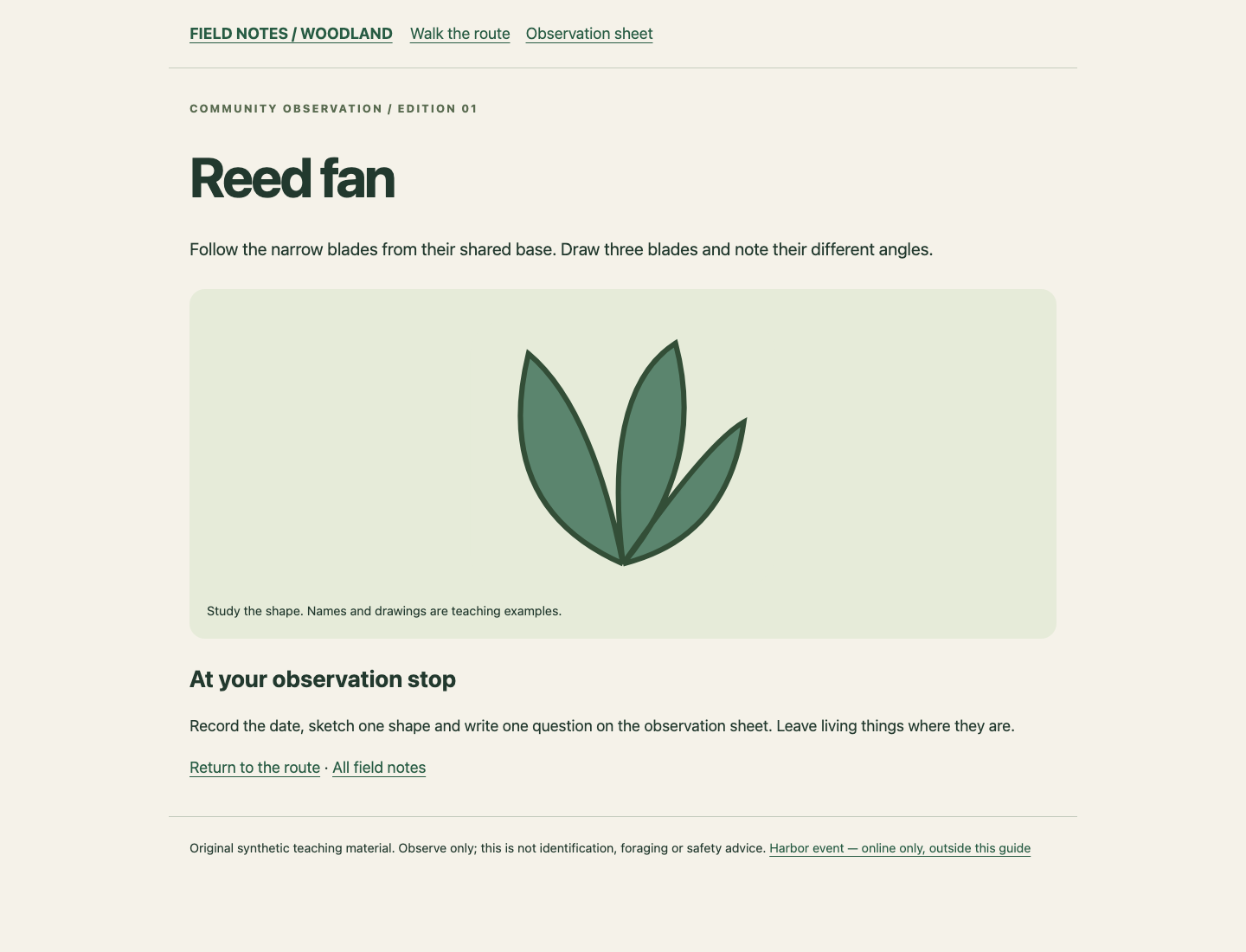
Expect a connection failure, not guide HTML. This confirms the source is unavailable from the lab itself. Now use Field Copy to open Downloaded guide, Start the route, and the previously unread Amber cap. Its actual paragraph and picture must load. Open Observation sheet there; it must show the real printable SVG. These local addresses were not your original source URLs.
Hand over a directory that can move
The empty handover/ directory is already provided. mv moves the complete directory with its children. A trailing slash on handover/ makes the destination directory explicit:
mv field-guide handover/
The old download location is gone. List the moved directory:
ls handover/field-guide
robots.txt shared woodland
Open Field Copy in a fresh private browser window, or use a fresh tab and navigate from its reading desk to Moved handover guide. A private window may require the platform's normal sign-in; a new Field Copy tab is sufficient for the learner path. The moved URL is /handover/field-guide/woodland/index.html, served by the local reading service. Do not return through a stale old bookmark.
Follow Start the route, open the previously unread Reed fan, return through All field notes, and open Observation sheet. The sheet can be saved or printed from the browser menu. This uses real files, not a success animation. The Harbor event link is outside the offline scope and is not expected to work after source removal.
If a necessary page fails now, restore the source with source-control start, repair a clean download using the previous step, and replace the incomplete handover directory after inspecting its path. Then stop the source and repeat the moved reading route. You do not need to reset the whole lab. Keep your complete handover as the final result.
Your final artifact is handover/field-guide/, including both content and shared assets. This lab checks browser reading through an ordinary static file server; it does not promise identical file:// behavior in every browser or a platform one-click directory download to your computer.
Summary
You compared one saved HTML page with a bounded recursive collection, included shared dependencies, and converted links into relative paths. You then stopped the source yourself, used unread content from the independent local copy, and moved the complete directory into a handover location.
The useful result is the guide itself: five readable pages, three illustrations, a stylesheet and the real observation sheet, plus crawler metadata. Source availability, download scope and working local navigation are different properties; you tested all three.


