



Introduction
In this project, you will learn how to fix a bug in the vue-router library that causes issues when pushing an object to the query parameter. This project will guide you through the necessary steps to locate the problematic file, identify the issue, and implement a solution to resolve the bug.
👀 Preview
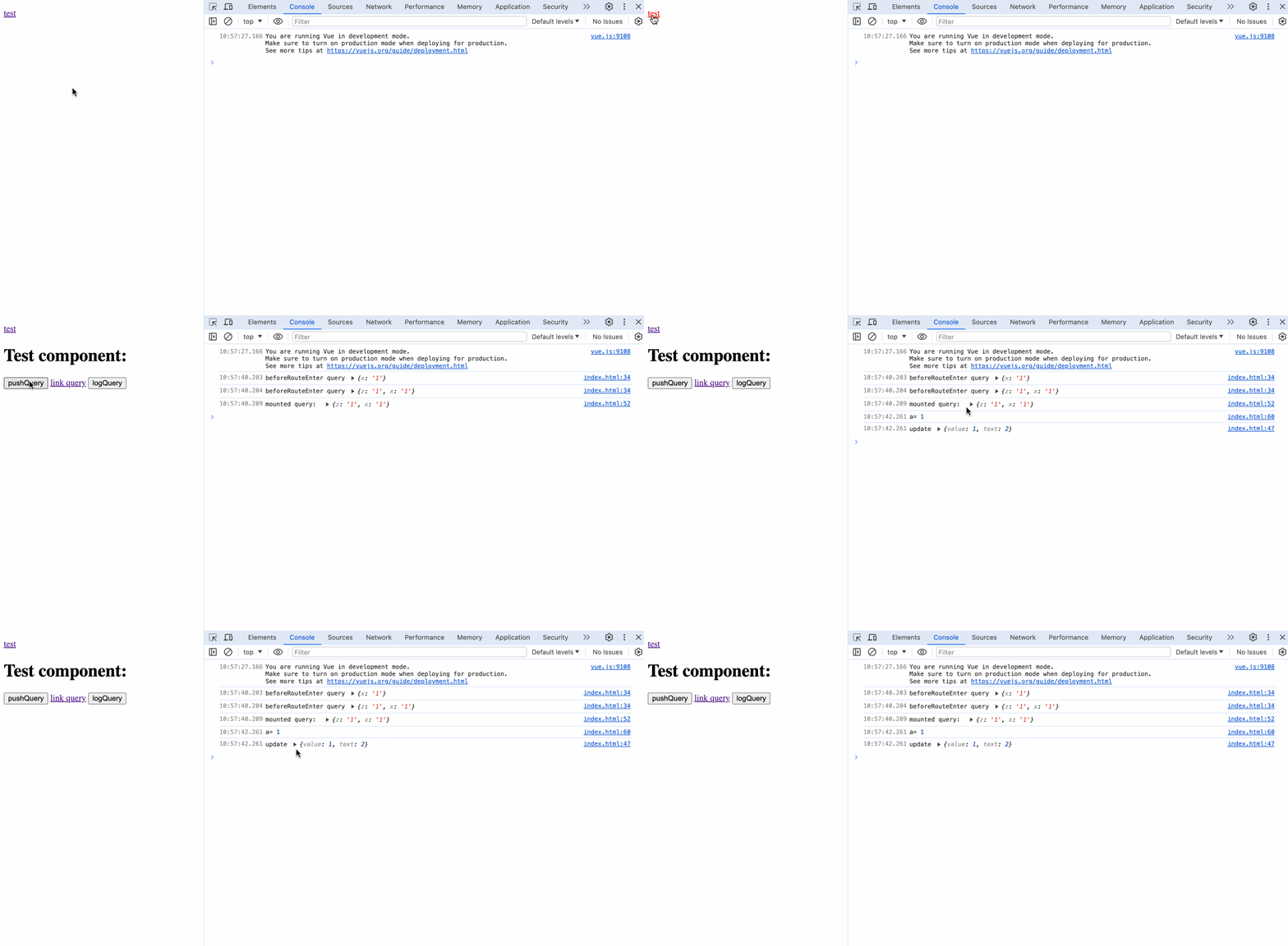
🎯 Tasks
In this project, you will learn:
- How to set up the development environment and install the necessary dependencies
- How to locate the file containing the bug and prepare to fix it
- How to fix the bug in the
resolveQueryfunction - How to rebuild and test the fix to ensure it resolves the issue
🏆 Achievements
After completing this project, you will be able to:
- Identify and fix bugs in a third-party library
- Handle object values in query parameters
- Verify fixes to ensure they work as expected
- Contribute to open-source projects and improve your problem-solving and debugging skills
Fix the Bug
To get started, look at the directory structure of the files on the left as follows:
├── vue-router-3.4.1
├── vue.js
└── index.html
Click on Go Live button in the bottom right corner of WebIDE, to run the project.
Next, open "Web 8080" on the top of the VM and refresh it manually and you will see the page.
Open the browser console and observe the printout, first click the "test" button, then click the "pushQuery" button. The preview page in the browser should look like the following:
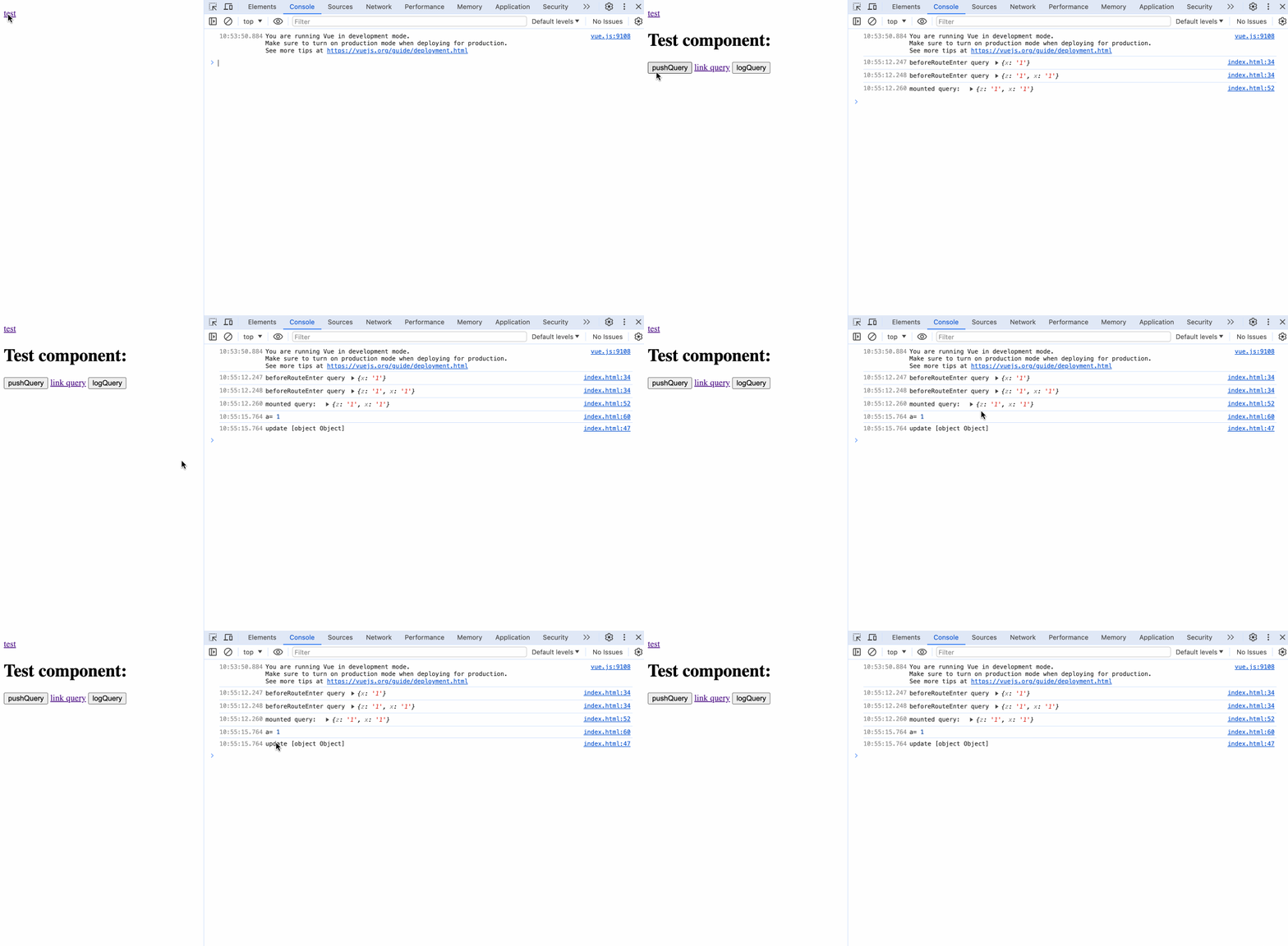
There is a bug in the vue-router v3.4.1 code that when using this.$router.push, when the value corresponding to the key in query is an object, it will be read as a string "[object object]", which prevents us from retrieving the value of the object correctly. Please fix this issue.
In this step, you will fix the bug in the resolveQuery function.
Locate the file
vue-router-3.4.1/src/util/query.jsand go to line 41 to solve the problem based on the reproduction of the issue.The
castQueryParamValuefunction should handle the case where the value is an object. Modify the function as follows:const castQueryParamValue = (value) => typeof value == "number" ? "" + value : value;
Rebuild and Test the Fix
In this step, you will rebuild the vue-router-3.4.1 package and test the fix.
- In the terminal, navigate to the
vue-router-3.4.1directory. - Run the command
npm installto install the dependencies. This process might take a while, please be patient. (If it gets stuck for a long time, please pressCtrl+Cto terminate the process and then run this command again.) - After all dependencies have been successfully installed, run the command
npm run buildto rebuild and release the project. - Restart the page and click "Web 8080" to view the page.
- Open the browser console again and observe the printout. First, click on the "Test" button, then click on the "pushQuery" button to see and test the effect of the fix.
The fix should now correctly handle the case where the value corresponding to the key in query is an object, and you should see the object being displayed correctly in the console.
Summary
Congratulations! You have completed this project. You can practice more labs in LabEx to improve your skills.


