



Introduction
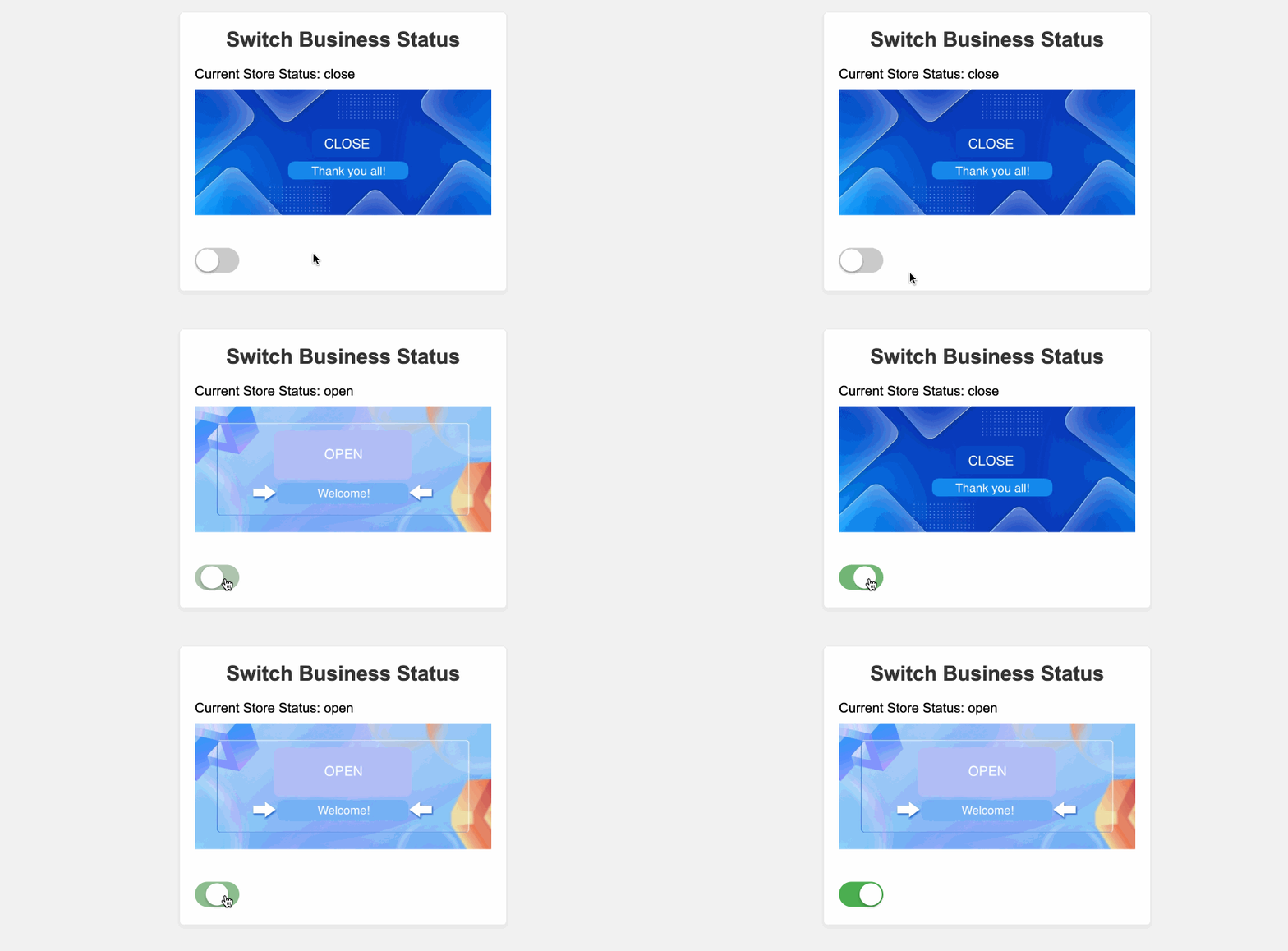
In this project, you will learn how to build a simple Vue.js application that allows users to switch the business status of a store between "open" and "close". The application will display the current status of the store and the corresponding image based on the status. Users can click on a switch button to toggle the store's business status.
👀 Preview
🎯 Tasks
In this project, you will learn:
- How to set up the project structure with the necessary folders and files
- How to create the Vue.js setup and define the reactive state and toggle functionality
- How to implement the HTML structure and CSS styles to display the store's business status and the switch button
- How to integrate the toggle functionality to allow users to switch the store's business status
🏆 Achievements
After completing this project, you will be able to:
- Set up a basic Vue.js project structure
- Use the
reffunction to create reactive state variables - Define and use custom functions in the Vue.js setup
- Bind data and event handlers in the HTML template
- Style the application using CSS to create a visually appealing interface
Set Up the Project Structure
In this step, you will set up the project files and structure. Follow the steps below to complete this step:
Open the project folder. The directory structure is as follows:
├── css
├── images
├── lib
└── index.html
Among them:
cssis the folder where the project styles are stored.imagesis the folder where the project images are stored.libis the folder where the project JS dependencies are stored.index.htmlis the main page.
Click on Go Live button in the bottom right corner of WebIDE, to run the project.
Next, open "Web 8080" on the top of the VM and manually refresh it to see the page.
Implement the Toggle Functionality
In this step, you will implement the toggle functionality to switch the store's business status.
Open the
index.htmlfile.In the
useTogglefunction, replace the// TODOcomment with the following code:function useToggle(state) { // TODO const toggledState = ref(state); function toggle() { toggledState.value = !toggledState.value; } return [toggledState, toggle]; }This implementation uses the
reffunction from Vue.js to create a reactive state variabletoggledStateand atogglefunction that updates the state.Test the application by clicking on the switch button. The store's business status should toggle between "open" and "close", and the corresponding image should change accordingly.
Congratulations! You have completed the implementation of the Switch Business Status application using Vue.js. The effect after completion is as follows:
Summary
Congratulations! You have completed this project. You can practice more labs in LabEx to improve your skills.


