



Introduction
In this project, you will learn how to build a shopping cart functionality using Vue.js 2.x. The shopping cart is an essential feature in e-commerce websites, allowing users to manage their selected products before making a purchase.
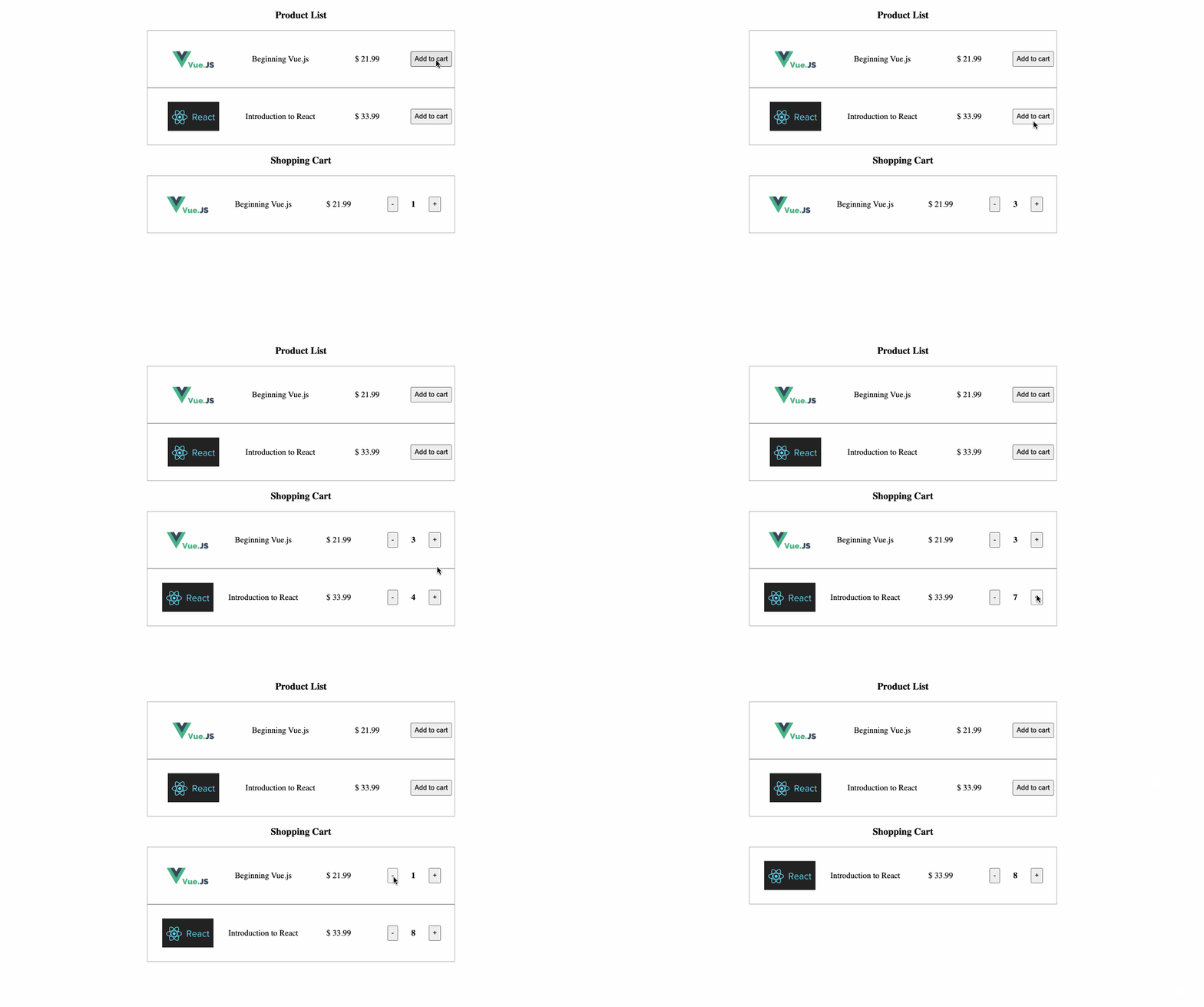
👀 Preview
🎯 Tasks
In this project, you will learn:
- How to modify the
addToCartmethod to add products to the shopping cart - How to improve the
removeGoodsmethod to remove products from the shopping cart - How to test the overall shopping cart functionality
🏆 Achievements
After completing this project, you will be able to:
- Manage the state of a shopping cart in a Vue.js application
- Handle the addition and removal of products in the shopping cart
- Update the user interface based on the changes in the shopping cart
Set Up the Project Structure
In this step, you will set up the project files and structure. Follow the steps below to complete this step:
Open the project folder. The directory structure is as follows:
├── css
│   └── index.css
├── images
│   ├── 1.png
│   └── 2.png
├── js
│   ├── goods.js
│   └── vue.js
└── index.html
Where:
css/index.cssis the style file.imagesis the image folder.js/goods.jsis the data file.js/vue.jsis the Vue 2.x file.index.htmlis the page layout and logic.
Click on Go Live button in the bottom right corner of WebIDE, to run the project.
Next, open "Web 8080" on the top of the VM and manually refresh it to see the page.
The current issues arising are set out below:
- When clicking the "Add to cart" button in the "Product List" N times, the product will appear N times in the shopping cart list with an initial quantity of 1.
- When clicking the plus ("+") button next to the product in the shopping cart, the product will be repeated in the shopping cart list with an initial quantity of 1.
- When clicking the minus ("-") button next to the product in the shopping cart, the product is not removed from the cart.
Modify the addToCart Method
In this step, you will learn how to modify the addToCart method to add products to the shopping cart.
- Open the
index.htmlfile. - Locate the
addToCartmethod in the Vue instance. - Modify the
addToCartmethod to achieve the following requirements:- If the product does not exist in the shopping cart, add the product to the end of the cart and initialize the quantity to 1.
- If the product already exists in the shopping cart, simply increase the quantity by 1.
The modified addToCart method should look like this:
addToCart(goods) {
  // TODO: Modify the current function to realize the shopping cart to add the product requirements

  let exit = 0;
  this.cartList.forEach(item => {
    if (goods.id == item.id) {
      item.num++
      exit = 1
    }
  });
  if (!exit) {
    goods.num = 1;
    this.cartList.push(goods);
    this.cartList = JSON.parse(JSON.stringify(this.cartList));
  }
},
- Save the
index.htmlfile.
Improve the removeGoods Method
In this step, you will learn how to improve the removeGoods method to remove products from the shopping cart.
- Open the
index.htmlfile. - Locate the
removeGoodsmethod in the Vue instance. - Improve the
removeGoodsmethod to achieve the following requirements:- When clicking the minus ("-") button next to the product in the shopping cart, decrease the quantity by 1.
- If the resulting quantity is 0, remove the product from the shopping cart.
The removeGoods method should look like this:
removeGoods(goods) {
  // TODO
  this.cartList.forEach((item, index, arr) => {
    if (goods.id == item.id) {
      item.num--
    }
    if (item.num == 0) {
      arr.splice(index, 1)
    }
  });
}
- Save the
index.htmlfile.
Test the Shopping Cart Functionality
Refresh the page in your browser.
Verify that the "Add to cart" button works correctly:
- If the product does not exist in the shopping cart, it should be added with a quantity of 1.
- If the product already exists in the shopping cart, the quantity should be increased by 1.
Verify that the "+" and "-" buttons in the shopping cart work correctly:
- Clicking the "+" button should increase the quantity of the product by 1.
- Clicking the "-" button should decrease the quantity of the product by 1.
- If the quantity reaches 0, the product should be removed from the shopping cart.
The final implementation effect is as follows:
Congratulations! You have successfully completed the shopping cart project.
Summary
Congratulations! You have completed this project. You can practice more labs in LabEx to improve your skills.


