



Introduction
In this lab, you will learn about SQL injection, a technique used by attackers to exploit vulnerabilities in web applications that interact with databases. SQL injection attacks can allow unauthorized access to sensitive data, data manipulation, and even complete system compromise.
The objective of this lab is to gain hands-on experience with SQL injection by exploiting vulnerabilities in a vulnerable web application. You will learn how to identify potential SQL injection vulnerabilities, craft malicious SQL queries, and extract sensitive information from the database. Additionally, you will learn about defense mechanisms and best practices to mitigate SQL injection attacks.
Set Up the Lab Environment
In this step, you will set up the lab environment, which includes a vulnerable web application and a database server.
Open the terminal and navigate to the
/home/labex/projectdirectory.cd /home/labex/projectThere are two python files in the
projectdirectory:app.pyandsetup_db.py. Theapp.pyfile contains the source code for the vulnerable web application, and thesetup_db.pyfile contains the code to set up the database.run the
setup_db.pyscript to create the database and populate it with sample data.python3 setup_db.pyStart the web application server.
python3 app.py
You should see a message indicating that the server is running on http://localhost:5000.
Identify SQL Injection Vulnerabilities
In this step, you will learn how to identify potential SQL injection vulnerabilities in the web application.
- Open a web browser and navigate to
http://localhost:5000.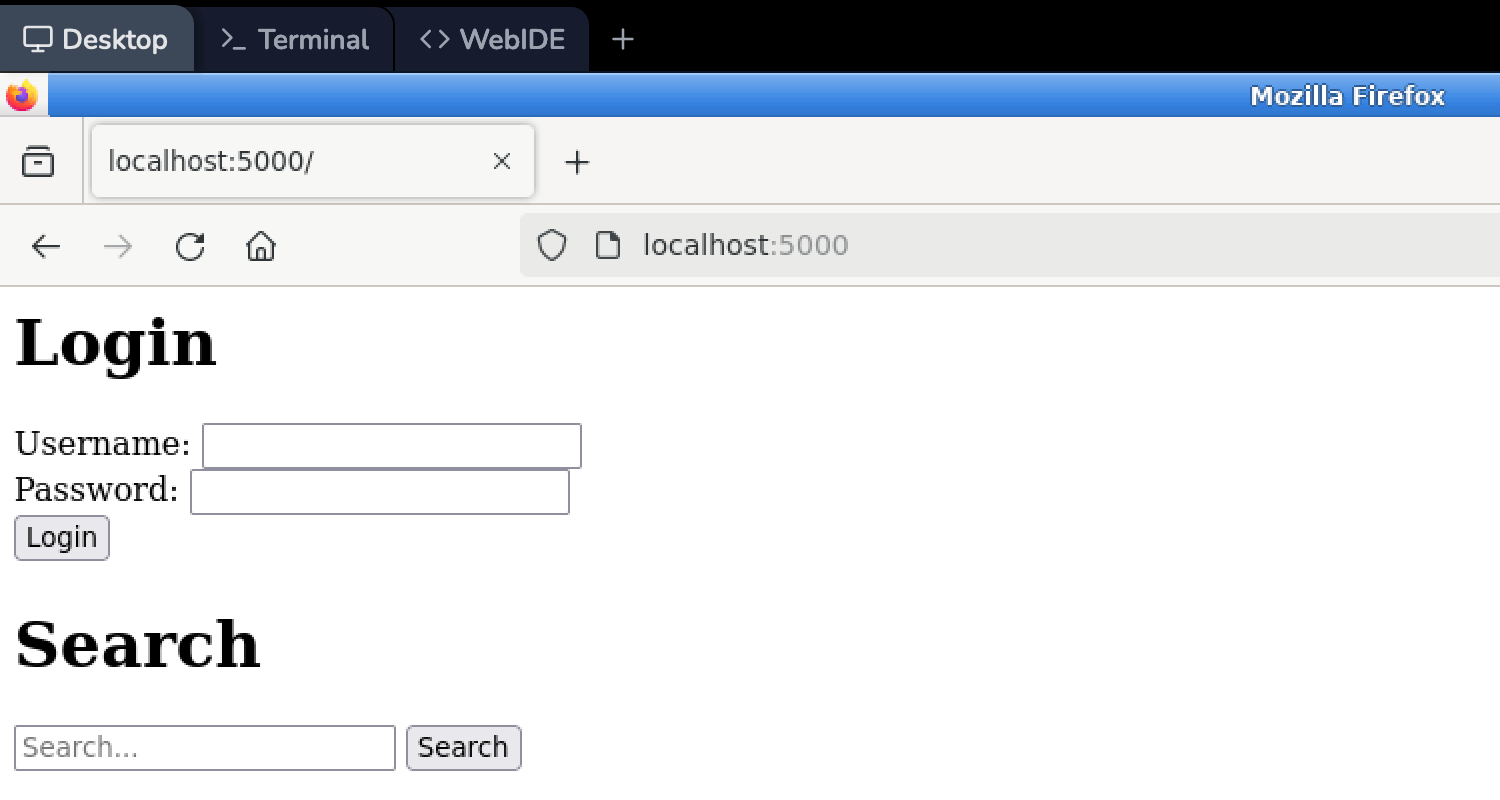
- Look for input fields where user data is submitted to the server, such as search boxes.
- Try entering special characters or SQL keywords (e.g.,
',",--,;) in the input fields and observe the application's behavior. - If the application displays error messages or behaves unexpectedly, it may indicate a potential SQL injection vulnerability.
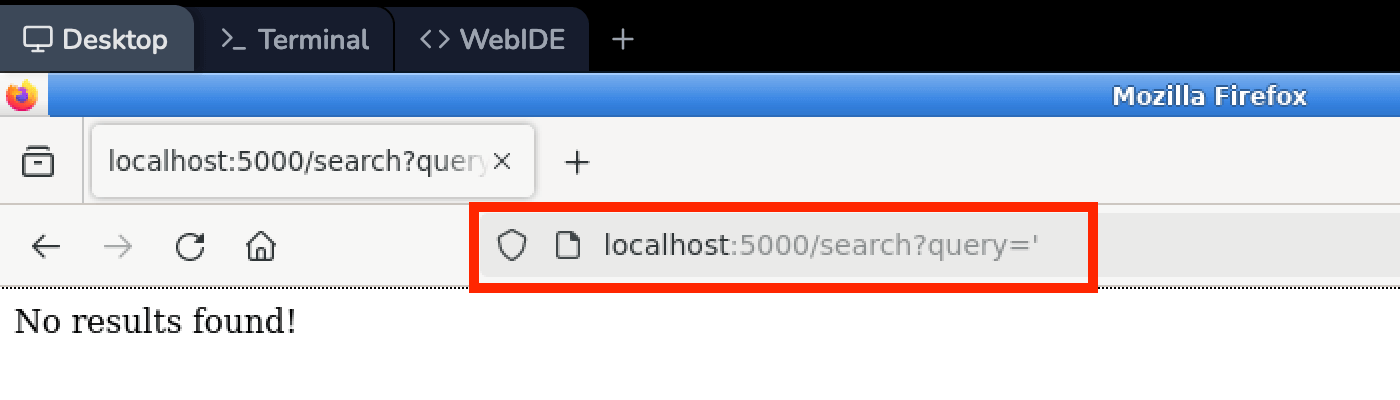 When you input a single quote (
') in the search box and click the "Search" button, the application just displaysNo results foundwithout any error message. This behavior suggests that the application may be vulnerable to SQL injection.
Exploit SQL Injection Vulnerabilities
In this step, you will learn how to exploit the identified SQL injection vulnerabilities to extract sensitive information from the database.
Locate the vulnerable input field or parameter identified in the previous step.
Try inserting different SQL injection payloads into the input field or parameter.
Try to extract sensitive information from the database using SQL injection payloads. For example, you can use the following payload to extract data from the database:
' UNION SELECT username, password FROM users --The above payload can be used to retrieve the usernames and passwords from the
userstable in the database.Observe the application's response and look for any sensitive information being displayed or errors that may reveal information about the database structure or contents.
Mitigate SQL Injection Vulnerabilities
In this step, you will learn about defense mechanisms and best practices to mitigate SQL injection vulnerabilities.
Review the source code of the vulnerable web application and identify the areas where user input is used in database queries without proper sanitization.
Implement input validation and sanitization techniques, such as:
- Parameterized queries or prepared statements
- Input validation and sanitization (e.g., removing or escaping special characters)
- Principle of least privilege for database accounts
Update the application's code to use parameterized queries or prepared statements when executing database queries with user input. Modyfy the
app.pyfile from:sql_query = "SELECT username, password FROM users WHERE username LIKE '%{}%' OR '{}'".format(query, query) cur.execute(sql_query)to:
sql_query = "SELECT username, password FROM users WHERE username LIKE ?"
cur.execute(sql_query, ('%' + query + '%',))
And move
results = cur.fetchall()under thelogging.info(f"Search query: {query}")line.logging.info(f"Search query: {query}") results = cur.fetchall()After above changes, save the file and restart the web application server.
Use
ctrl+cto stop the server and then start it again using:python3 app.pyTest the updated application to ensure that SQL injection attacks are no longer possible.
Summary
In this lab, you learned about SQL injection, a technique used by attackers to exploit vulnerabilities in web applications that interact with databases. You set up a vulnerable web application and database server, identified potential SQL injection vulnerabilities, and exploited them to extract sensitive information from the database. Additionally, you learned about defense mechanisms and best practices to mitigate SQL injection attacks, such as input validation, sanitization, and the use of parameterized queries or prepared statements.
Through this hands-on experience, you gained a deeper understanding of SQL injection attacks and how to prevent them in web applications. You also learned the importance of secure coding practices and the potential consequences of failing to properly sanitize user input when interacting with databases.


