



Introduction
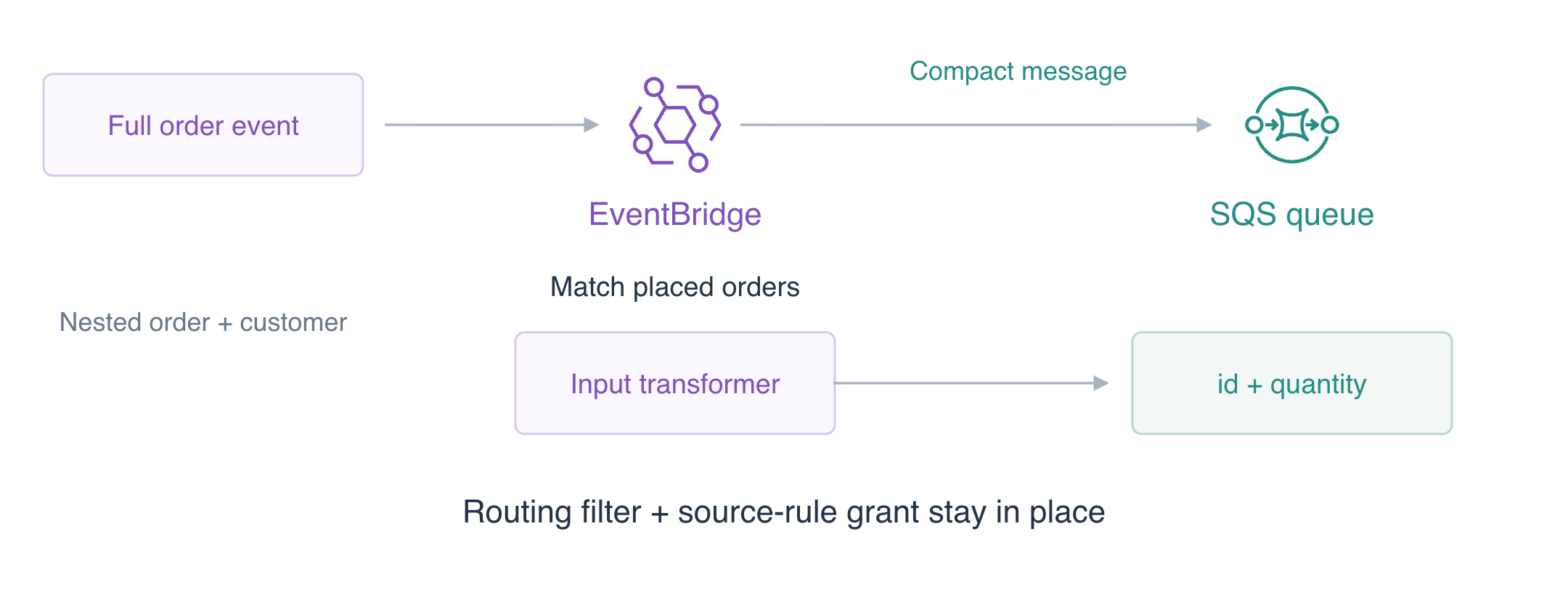
The producer sends a complete order event, but the consumer needs only an order ID and quantity. You will transform two events into compact queue messages while preserving the routing filter.
EventBridge matches incoming events and routes them to SQS, a queue that holds messages. CLI access is already configured; no personal AWS account or access keys are needed.
Complete Route Order Events with EventBridge first. Build this pipeline in its independent VM; no earlier bus, rule or queue is reused.
Certification Relevance
| Certification | Exam task | Practice |
|---|---|---|
| Solutions Architect – Associate (SAA-C03) | Task 2.1 | EventBridge input transformation for consumer payloads. |
| Developer – Associate (DVA-C02) | Task 1.1 | EventBridge input transformation for consumer payloads. |
| CloudOps Engineer – Associate (SOA-C03) | Task 1.2 | EventBridge input transformation for consumer payloads. |
| DevOps Engineer – Professional (DOP-C02) | Task 4.3 | Foundational practice: EventBridge input transformation for consumer payloads. |
| Data Engineer – Associate (DEA-C01) | Task 1.2 | Foundational practice: EventBridge input transformation for consumer payloads. |
Lab Overview
Prepare Independent Routing Resources
In this step, create a custom bus and empty queue for fulfillment jobs.
Use AWS View above Terminal to compare the CLI queries with this lab’s actual resources and results. Preserve the supplied reference data.
The producer's event contains routing metadata, customer information and a nested order. The queue consumer needs only the order ID and quantity. Input transformation chooses fields from the event and builds the destination body, reducing the consumer's dependence on the producer's envelope.
This fresh workspace contains configured CLI access and unrelated reference data. It does not reuse EV01 resources. Start in the project directory. Shell assignments save returned identifiers; --query selects a response field and --output text makes that field reusable in the next command.
cd /home/labex/project
BUS_NAME=labex-ev02-bus
Set RULE_NAME for the following operations:
RULE_NAME=labex-ev02-orders
Create the owned event bus:
aws events create-event-bus --name "$BUS_NAME"
Save the returned value in QUEUE_URL:
QUEUE_URL=$(aws sqs create-queue \
  --queue-name labex-ev02-jobs \
  --query QueueUrl \
  --output text)
echo "$QUEUE_URL"
Save the returned value in QUEUE_ARN:
QUEUE_ARN=$(aws sqs get-queue-attributes \
  --queue-url "$QUEUE_URL" \
  --attribute-names QueueArn \
  --query Attributes.QueueArn \
  --output text)
echo "$QUEUE_ARN"
The bus ARN identifies the event destination; the queue URL is used for message operations, while its ARN identifies a rule target. Confirm the initial state:
aws events list-rules --event-bus-name "$BUS_NAME"
Inspect the attributes of queue $QUEUE_URL:
aws sqs get-queue-attributes \
  --queue-url "$QUEUE_URL" \
  --attribute-names ApproximateNumberOfMessages ApproximateNumberOfMessagesNotVisible
There are no rules or messages. Look at AWS View above Terminal to inspect the same custom bus and empty queue. Run the preparation check.
Connect a Target with an Input Transformer
In this step, match placed orders, authorize the rule and define the compact consumer payload.
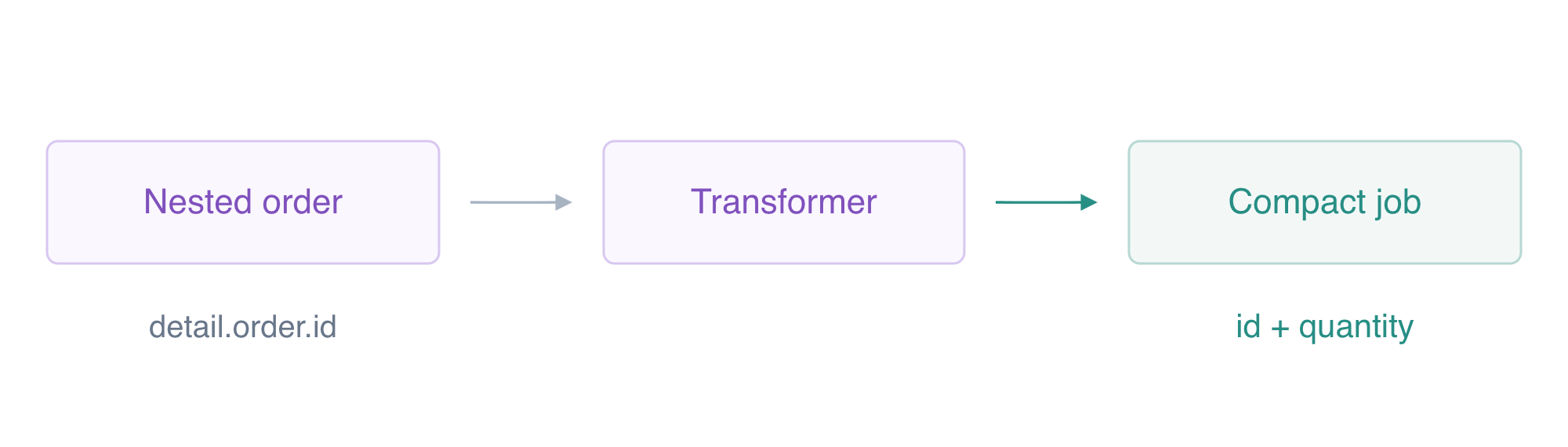
A rule's pattern matches the producer and event category. A quoted here-document writes literal JSON without shell expansion; file:// reads that file into the CLI request.
Reuse the routing and source-rule permission from EV01 to establish this independent pipeline. The new decision is the consumer contract: the target transforms a matching event into only the fields the queue consumer needs. The filter still decides which events reach that target.
cat > order-pattern.json <<'JSON'
{"source":["labex.orders"],"detail-type":["OrderPlaced"]}
JSON
Save the returned value in RULE_ARN:
RULE_ARN=$(aws events put-rule \
  --name "$RULE_NAME" \
  --event-bus-name "$BUS_NAME" \
  --event-pattern file://order-pattern.json \
  --state ENABLED \
  --query RuleArn \
  --output text)
echo "$RULE_ARN"
The queue needs an exact source-rule grant. Write ordinary policy JSON using your queue and rule ARNs. --rawfile then encodes it as the string-valued SQS Policy attribute.
cat > queue-policy.json <<EOF
{
  "Version": "2012-10-17",
  "Statement": [
    {
      "Effect": "Allow",
      "Principal": {
        "Service": "events.amazonaws.com"
      },
      "Action": "sqs:SendMessage",
      "Resource": "$QUEUE_ARN",
      "Condition": {
        "ArnEquals": {
          "aws:SourceArn": "$RULE_ARN"
        }
      }
    }
  ]
}
EOF
Write the configuration to queue-attributes.json:
jq -n --rawfile policy queue-policy.json '{Policy:$policy}' > queue-attributes.json
Apply the attributes to queue $QUEUE_URL:
aws sqs set-queue-attributes \
  --queue-url "$QUEUE_URL" \
  --attributes file://queue-attributes.json
An InputPathsMap names fields selected by JSONPath. $ means the root of the event; $.detail.order.id selects the nested order ID. An InputTemplate uses angle-bracket placeholders to construct the message. The ID placeholder is inside JSON string quotes; quantity is a JSON number and has no quotes. The example uses simple IDs and positive integer quantities.
cat > targets.json <<EOF
[
  {
    "Id": "order-queue",
    "Arn": "$QUEUE_ARN",
    "InputTransformer": {
      "InputPathsMap": {
        "id": "\$.detail.order.id",
        "quantity": "\$.detail.order.quantity"
      },
      "InputTemplate": "{\"id\":\"<id>\",\"quantity\":<quantity>}"
    }
  }
]
EOF
Apply the event rule’s delivery targets:
aws events put-targets \
  --rule "$RULE_NAME" \
  --event-bus-name "$BUS_NAME" \
  --targets file://targets.json
Inspect the event rule’s delivery targets:
aws events list-targets-by-rule --rule "$RULE_NAME" --event-bus-name "$BUS_NAME"
FailedEntryCount is zero. The listed target includes your queue ARN and the two mapping paths/template. Configuration success still needs an actual delivery test. AWS View shows the enabled rule and transformer; the queue remains empty. Run the connection check.
Compare Two Actual Consumer Payloads
In this step, publish two distinct placed orders and inspect the resulting queue messages.
Write the event details as ordinary JSON objects. PutEvents requires each Detail to be a JSON-encoded string; the short jq command below converts just that field. Each event also contains synthetic customer information that the fulfillment consumer does not need. A third cancellation event tests that the routing filter still applies.
cat > event-inputs.json <<EOF
[
  {
    "EventBusName": "$BUS_NAME",
    "Source": "labex.orders",
    "DetailType": "OrderPlaced",
    "Detail": {
      "order": {
        "id": "transform-order-a",
        "quantity": 2
      },
      "customer": {
        "email": "synthetic-a@example.test"
      }
    }
  },
  {
    "EventBusName": "$BUS_NAME",
    "Source": "labex.orders",
    "DetailType": "OrderPlaced",
    "Detail": {
      "order": {
        "id": "transform-order-b",
        "quantity": 4
      },
      "customer": {
        "email": "synthetic-b@example.test"
      }
    }
  },
  {
    "EventBusName": "$BUS_NAME",
    "Source": "labex.orders",
    "DetailType": "OrderCancelled",
    "Detail": {
      "order": {
        "id": "cancelled-order",
        "quantity": 9
      }
    }
  }
]
EOF
Write the configuration to events.json:
jq 'map(.Detail |= tojson)' event-inputs.json > events.json
Publish the supplied event batch:
aws events put-events --entries file://events.json
Inspect the attributes of queue $QUEUE_URL:
aws sqs get-queue-attributes \
  --queue-url "$QUEUE_URL" \
  --attribute-names ApproximateNumberOfMessages ApproximateNumberOfMessagesNotVisible
All three events are accepted, but only the two placed orders match. The queue has two available messages. Receiving with visibility zero leaves the messages available immediately after inspection. The query displays only message IDs and bodies, keeping receipt handles private.
fromjson makes each JSON body readable while retaining its SQS message ID. It changes only the displayed output.
aws sqs receive-message \
  --queue-url "$QUEUE_URL" \
  --max-number-of-messages 10 \
  --visibility-timeout 0 \
  --output json | jq '[.Messages[] | {MessageId, Body: (.Body | fromjson)}]'
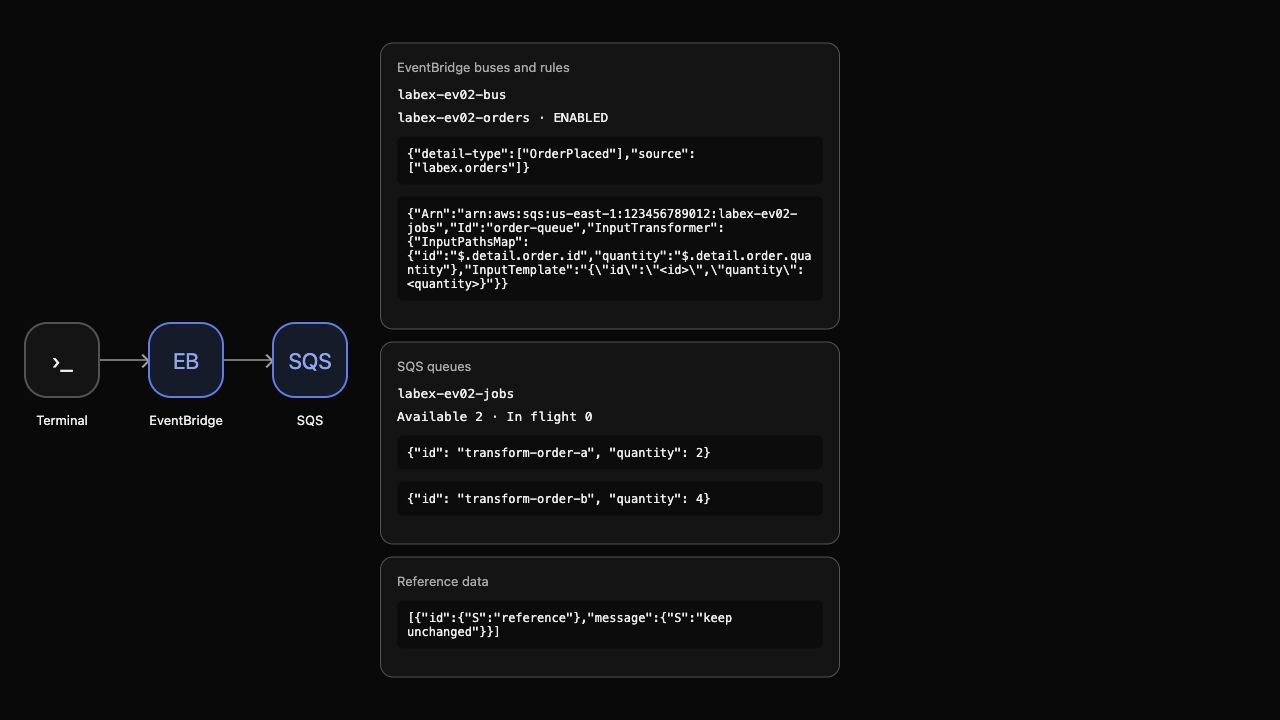
The bodies are {"id":"transform-order-a","quantity":2} and {"id":"transform-order-b","quantity":4}; their ordering is not assessed. They have distinct message IDs and values derived from the corresponding events. Neither contains customer email, routing metadata or a nested order object. The cancelled order is absent. This proves transformation and delivery, not completed fulfillment or message acknowledgment.
AWS View shows the target's mappings beside the actual compact queue bodies.
Run the payload check.
Remove the Disposable Pipeline
In this step, remove your routing resources and preserve unrelated state.
Remove the target before its rule, then delete the custom bus and queue. The queue contains only synthetic inspection messages; deleting it discards them without claiming business processing.
aws events remove-targets \
  --rule "$RULE_NAME" \
  --event-bus-name "$BUS_NAME" \
  --ids order-queue
Delete only the owned event rule:
aws events delete-rule --name "$RULE_NAME" --event-bus-name "$BUS_NAME"
Delete only the owned event bus:
aws events delete-event-bus --name "$BUS_NAME"
Delete the owned queue $QUEUE_URL:
aws sqs delete-queue --queue-url "$QUEUE_URL"
Successful native inventory queries establish deletion:
aws events list-event-buses
Inspect the remaining event rules:
aws events list-rules --event-bus-name default
Inspect the remaining SQS queues:
aws sqs list-queues
Inspect the unrelated reference record:
aws dynamodb scan --table-name labex-ev02-reference --query Items
Only the default bus remains, with no rules; queue URLs are absent. The reference item still says keep unchanged. Network or authentication errors do not prove deletion. AWS View shows empty custom resources and the preserved reference.
Remove the ordinary files created in this lab:
rm -f event-inputs.json order-pattern.json queue-policy.json queue-attributes.json targets.json events.json
Run the cleanup check before ending the VM.
Summary
You mapped nested order fields into a compact SQS consumer contract, verified distinct values from two actual events and retained event filtering and source-rule permissions. You removed the disposable pipeline while preserving reference data.
The workflow branch starts with the next unit after its Lambda–DynamoDB prerequisites; it does not depend on this event-routing pipeline.
For further reading, see the AWS reference on Input paths and target payload templates.


