Introduction
A clearer configuration name should not require recreating working storage. Rename a managed report bucket's Terraform address, review the difference between an unsafe direct rename and a declared move, and retain its original data.
You need Terraform import/state and plan experience from the previous guided lab or equivalent practice. This fresh environment supplies its own managed report and independent finance reference. Use Terminal for Terraform and AWS View for the existing reports; no personal AWS account is needed.
Certification Relevance
| Certification | Exam task | Practice |
|---|---|---|
| CloudOps Engineer – Associate (SOA-C03) | Task 3.1, Skill 3.1.6 | Foundational Terraform practice: maintain infrastructure through reviewed configuration and state changes while preserving working resources. |
Lab Overview
Compare Logical Addresses and Remote Identity
In this step, inspect a working Terraform root before renaming its resource. The root and two versioned reports are prepared independently for this lab. The reporting bucket is managed here; finance storage is outside this root.
cd /home/labex/project/report-refactor
terraform state list
The original address is aws_s3_bucket.reports. Read its remote ID:
terraform state show aws_s3_bucket.reports
id = "rename-daily-reports" identifies the existing AWS bucket. Renaming a Terraform block changes its logical address, not this bucket name.
Read the supplied configuration and establish a clean baseline:
cat main.tf
terraform plan
Expect No changes. In AWS View, expand the report in rename-daily-reports; leave rename-finance-reference unchanged. Read the same reporting bytes in Terminal:
aws s3 \
  cp s3://rename-daily-reports/report.txt -
Expect Daily sales: 120 orders. The goal is to change which address manages this storage while preserving its identity and original object version.
Describe the Rename with a Moved Block
In this step, observe why a direct address rename looks destructive, then tell Terraform that the new address refers to the same resource.
A here-document writes the configuration between HCL markers to main.tf; > replaces that file. Change only the local block label to report_archive, keeping the remote bucket name and attributes unchanged:
cat > main.tf <<'HCL'
resource "aws_s3_bucket" "report_archive" {
  bucket        = "rename-daily-reports"
  force_destroy = false
  tags = { Owner = "reporting" }
}
HCL
Inspect the result before any apply:
terraform plan
Without an address relationship, Terraform sees the old address missing and a new address without state. Expect 1 to add, 0 to change, 1 to destroy. Do not apply this plan or delete the report to make destruction possible.
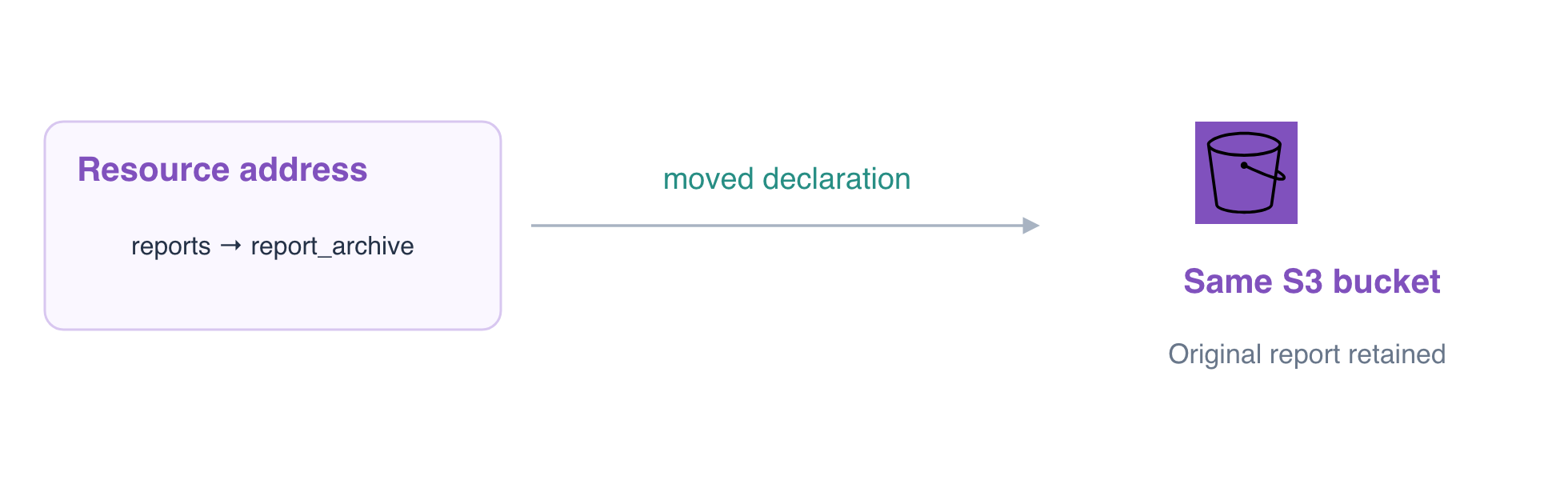
A moved block declares an old-to-new address relationship. Unlike changing the AWS bucket's name, this records a configuration refactor. Put the declaration in a separate .tf file; Terraform reads all .tf files in this root together:
cat > moved.tf <<'HCL'
moved {
  from = aws_s3_bucket.reports
  to   = aws_s3_bucket.report_archive
}
HCL
Save and inspect the corrected plan:
terraform plan -out=rename.tfplan
Expect aws_s3_bucket.reports has moved to aws_s3_bucket.report_archive and 0 to add, 0 to change, 0 to destroy. The planned state address changes, while the AWS resource needs no recreation. Keep the declaration with the configuration so older state copies can also understand the refactor.
Apply the Address Migration and Preserve the Report
In this step, apply the saved safe plan and confirm that only the logical address changed. A saved plan executes without another approval prompt, so first confirm its zero-create and zero-destroy summary.
terraform apply rename.tfplan
The resource summary should show 0 added, 0 changed, 0 destroyed. Inspect the resulting mapping:
terraform state list
terraform state show aws_s3_bucket.report_archive
Only the new address is listed, and its bucket ID remains rename-daily-reports. Check the actual report:
aws s3 \
  cp s3://rename-daily-reports/report.txt -
The original text remains Daily sales: 120 orders. AWS View still shows the same reporting and finance buckets; a new resource card is not expected for a logical rename.
terraform plan
Expect No changes. The independent check also compares the original VersionId and neighboring storage and plans the current configuration in a disposable copy. Leave both working reports intact for the next maintainer.
See HashiCorp's resource refactoring documentation for the role of retained moved declarations in module evolution.
Summary
You distinguished a Terraform address from an AWS resource ID, rejected a destructive direct rename plan, and applied a moved declaration without recreating the bucket or report.