



Introduction
A new image can accidentally replace the artwork visitors expect. Enable S3 versioning, publish a deliberately incorrect draft, recover the earlier image and confirm the portfolio displays the restored content.
Complete the private S3 connection lab first. This lab independently supplies a website whose role already reads one private S3 image. You will enable versioning and create the versions yourself.
Certification Relevance
| Certification | Exam task | Practice |
|---|---|---|
| AWS Certified Cloud Practitioner (CLF-C02) | Task 3.6 | Use S3 Versioning to preserve and recover stored application content. |
Lab Overview
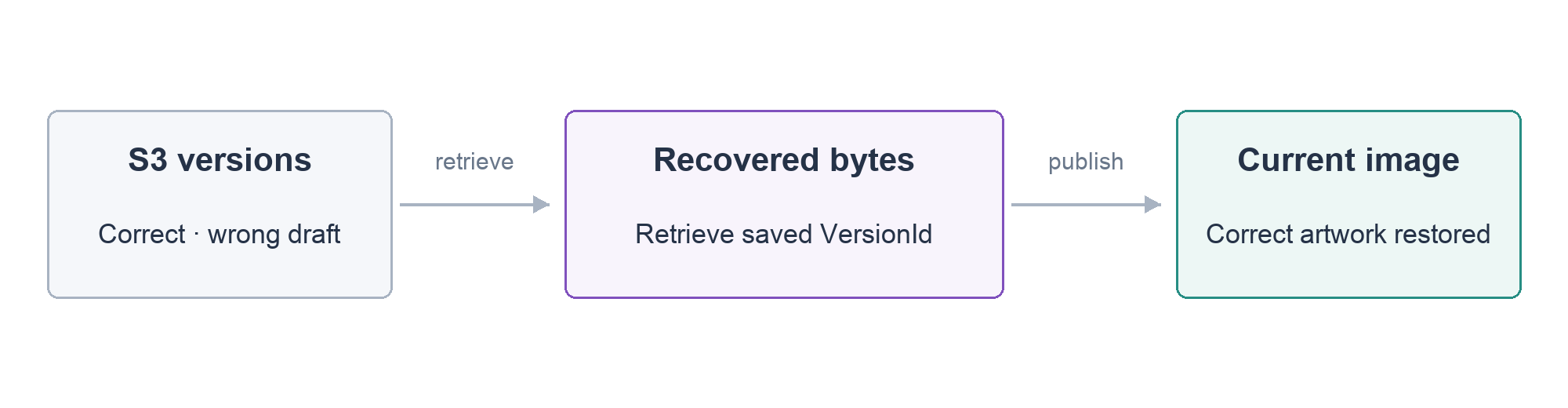
Preserve an Image Version
In this step, you will enable versioning and create a named version of the correct artwork.
Open the portfolio in AWS View and confirm the large AURA cover shows skincare packaging. Load the fresh lab's identifiers:
cd /home/labex/project
source website.env
echo "$PORTFOLIO_BUCKET"
S3 Versioning retains multiple versions of an object under the same key. A normal read returns the latest version; a read specifying a VersionId returns that particular version. Enable it for this bucket:
aws s3api put-bucket-versioning --bucket "$PORTFOLIO_BUCKET" --versioning-configuration Status=Enabled
Read back the setting:
aws s3api get-bucket-versioning --bucket "$PORTFOLIO_BUCKET"
Confirm "Status": "Enabled". Enabling versioning does not retroactively create named versions of earlier uploads. Each supplied object keeps its existing null version. You will create new versions only for images/aura-brand.webp.
Upload the supplied correct artwork once more to create a named version. A backslash at the end of a line continues the same command onto the next line; copy the complete block. put-object uploads the file identified by --body. Save the returned VersionId in ORIGINAL_VERSION; --query and --output text select only that value:
ORIGINAL_VERSION=$(aws s3api put-object \
  --bucket "$PORTFOLIO_BUCKET" --key images/aura-brand.webp \
  --body portfolio-assets/images/aura-brand.webp --content-type image/webp \
  --query VersionId --output text)
echo "$ORIGINAL_VERSION"
The displayed ID identifies the version, not the bucket or key. Keep this Terminal session open: you will use the saved ID to recover and later remove precisely this exercise's version. Refresh the portfolio and confirm its artwork still looks correct.
Observe an Incorrect Update
In this step, you will publish a supplied incorrect draft and observe what visitors receive.
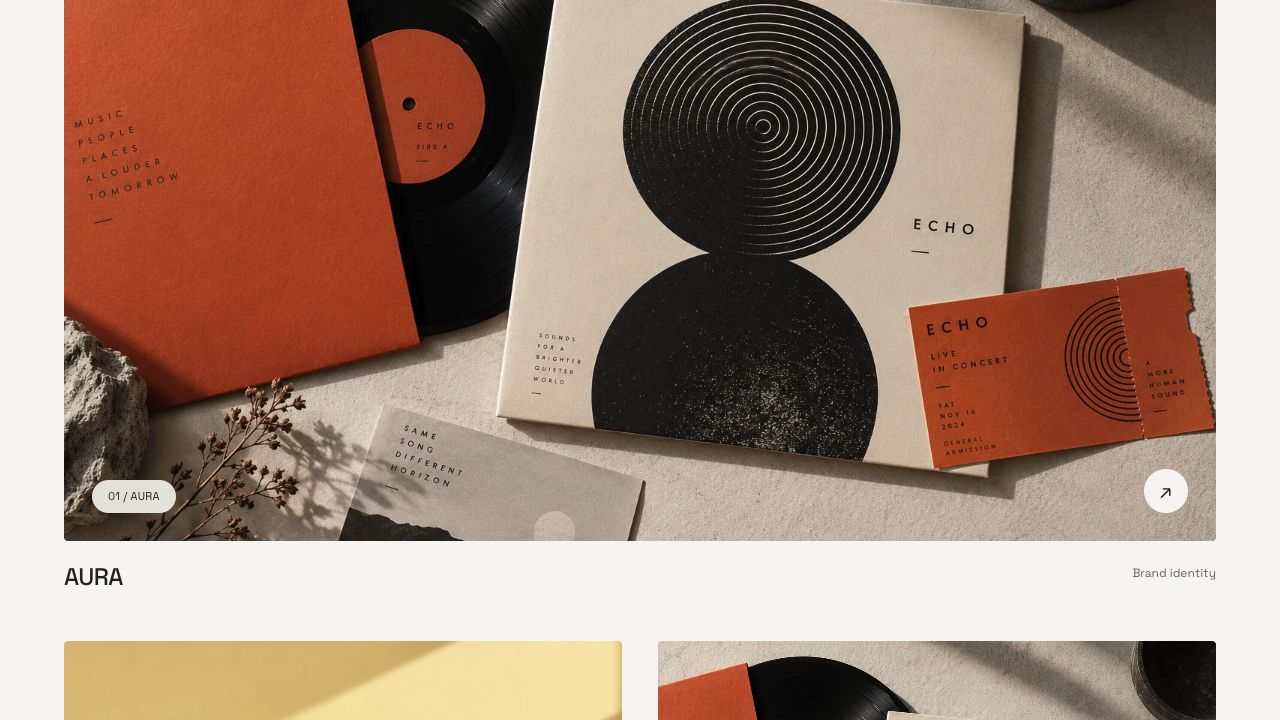
aura-draft.webp contains the ECHO record image. It represents selecting the wrong file for the AURA cover. Publishing it to the same key creates a new latest version while preserving the earlier versions:
DRAFT_VERSION=$(aws s3api put-object \
  --bucket "$PORTFOLIO_BUCKET" --key images/aura-brand.webp \
  --body aura-draft.webp --content-type image/webp \
  --query VersionId --output text)
echo "$DRAFT_VERSION"
Refresh the portfolio. The large AURA card should now show the ECHO record image instead of skincare packaging. Its AURA label remains, making the wrong cover easy to recognize. The website reads the current object on each request, so the new latest bytes affect the actual image it serves.
List the bucket’s version history:
aws s3api list-object-versions --bucket "$PORTFOLIO_BUCKET"
Focus on rows whose Key is images/aura-brand.webp; other keys keep their supplied null version. Look for the AURA key with different VersionId values. IsLatest: true identifies the currently served version. You should see the original null version and the two named versions you created. Version history exists in S3; keeping a local copy alone would not demonstrate this protection.
Recover the Earlier Image
In this step, you will retrieve the saved earlier version and publish its bytes as the new current image.
get-object downloads an object. Adding --version-id selects your saved correct version instead of the incorrect current version. The final filename is the local destination:
aws s3api get-object --bucket "$PORTFOLIO_BUCKET" --key images/aura-brand.webp --version-id "$ORIGINAL_VERSION" recovered-aura.webp
Compare the recovered image with the supplied original:
cmp portfolio-assets/images/aura-brand.webp recovered-aura.webp
No output means the bytes match. Upload those recovered bytes as the newest version:
RESTORED_VERSION=$(aws s3api put-object \
  --bucket "$PORTFOLIO_BUCKET" --key images/aura-brand.webp \
  --body recovered-aura.webp --content-type image/webp \
  --query VersionId --output text)
echo "$RESTORED_VERSION"
Refresh the portfolio. The AURA cover should again show skincare packaging, while FORMA and ECHO remain unchanged.
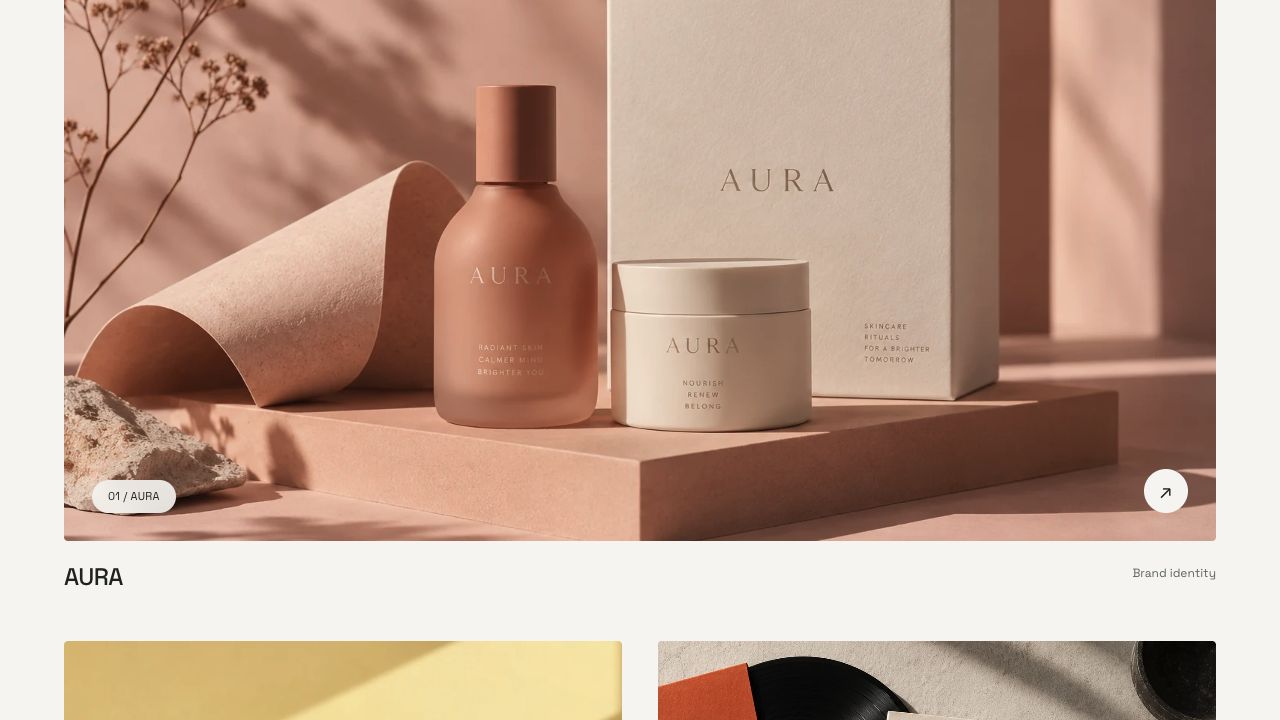
The bad draft remains in history, but it is no longer the latest version. Recovery restored the live result while retaining an explanation of what changed.
Clean Up Your Exercise Versions
In this step, you will remove only the three versions you created, preserve the supplied original and terminate the disposable website.
Versioned objects require deliberate cleanup. Deleting a key without a version ID can add a delete marker rather than removing its historical bytes. Here, use each saved exact ID. Start with the restored version:
aws s3api delete-object --bucket "$PORTFOLIO_BUCKET" --key images/aura-brand.webp --version-id "$RESTORED_VERSION"
Remove the practice draft:
aws s3api delete-object --bucket "$PORTFOLIO_BUCKET" --key images/aura-brand.webp --version-id "$DRAFT_VERSION"
Remove the named correct version created in step 1:
aws s3api delete-object --bucket "$PORTFOLIO_BUCKET" --key images/aura-brand.webp --version-id "$ORIGINAL_VERSION"
Read the remaining history:
aws s3api list-object-versions --bucket "$PORTFOLIO_BUCKET"
For Key: images/aura-brand.webp, only the supplied null version should remain. The other three keys also retain their supplied null versions. Preserve it, the other two covers, projects.json, the bucket and the unrelated reference data. Versioning remains enabled; the fixture's initial artwork is intact.
Remove the disposable server:
aws ec2 terminate-instances --instance-ids "$INSTANCE_ID"
aws ec2 wait instance-terminated --instance-ids "$INSTANCE_ID"
Confirm terminated in AWS View. The next lab supplies its own website and logging state.
Summary
You enabled S3 Versioning, saved a correct image version, observed an incorrect update and recovered the earlier bytes into a new latest version. The actual website confirmed the restored result. You removed only the versions created during the exercise and preserved the supplied original.
Official references: S3 Versioning and retrieving object versions.


