



Introduction
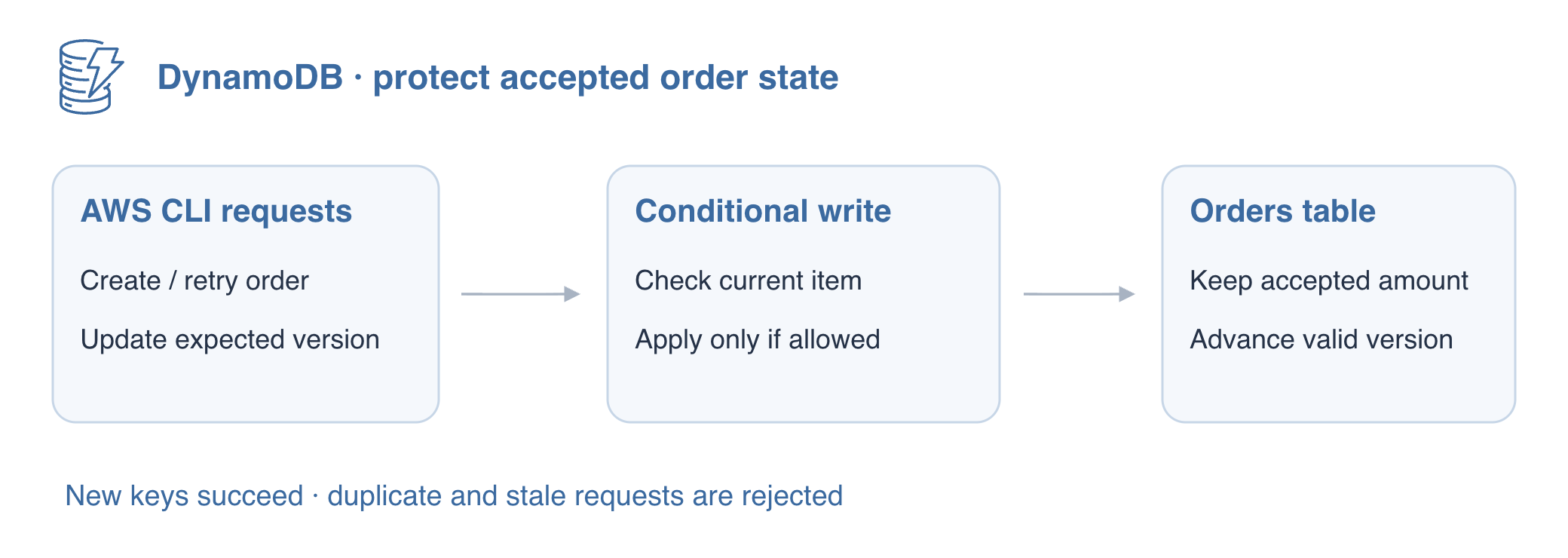
A retried order submission must not overwrite an existing amount. A stale payment update must not overwrite a newer version either. You will make actual conditional API requests, observe rejected duplicates and stale versions, and prove that valid new orders still succeed.
Complete Create a DynamoDB Table for Orders first, including typed items and update expressions. This fresh unit does not reuse earlier tables or credentials. Use /home/labex/project, the official AWS CLI and AWS View.
Certification Relevance
| Certification | Exam task | Practice |
|---|---|---|
| Developer – Associate (DVA-C02) | Task 1.3, Task 1.1 | DynamoDB conditional writes and optimistic concurrency. |
Lab Overview
Guard the First Order Creation
In this step, you will create an order only when its primary key is unused. An unconditional PutItem replaces the whole item at that key. A condition checks current state atomically with the write, so a separate read-then-write check is unnecessary and would allow races.
Use the prepared disposable connection and create an independent table with the order ID as a String partition key.
cd /home/labex/project
aws sts get-caller-identity
aws dynamodb create-table \
  --table-name labex-d04-orders \
  --attribute-definitions AttributeName=order_id,AttributeType=S \
  --key-schema AttributeName=order_id,KeyType=HASH \
  --billing-mode PAY_PER_REQUEST
aws dynamodb wait table-exists --table-name labex-d04-orders
Write an ordinary API request file. The quoted heredoc writes JSON literally; file:// lets the CLI load it without shell-quoting a large payload. attribute_not_exists(order_id) permits the write only if no item has that key. The version: 1 field is an application value that you will use to guard updates in step 3; DynamoDB does not advance it automatically.
cat > create-order.json <<'JSON'
{
  "TableName": "labex-d04-orders",
  "Item": {
    "order_id": {
      "S": "O100"
    },
    "amount": {
      "N": "145"
    },
    "status": {
      "S": "NEW"
    },
    "version": {
      "N": "1"
    }
  },
  "ConditionExpression": "attribute_not_exists(order_id)"
}
JSON
aws dynamodb put-item --cli-input-json file://create-order.json
aws dynamodb get-item \
  --table-name labex-d04-orders \
  --key '{"order_id":{"S":"O100"}}' \
  --consistent-read
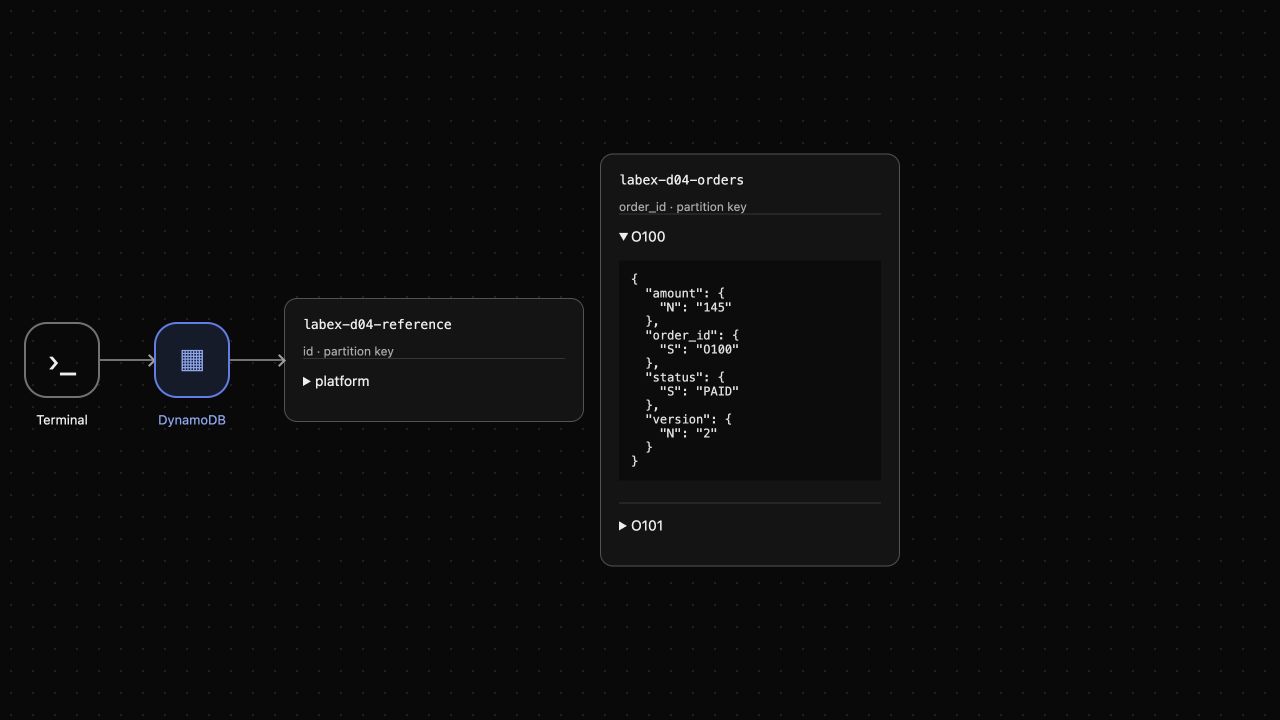
O100 contains amount 145, NEW and version 1. The absence condition passes for this new key. Look at AWS View above Terminal and expand O100 to inspect the actual item.
Reject a Duplicate Without Blocking New Orders
In this step, you will replay an order ID with a different amount. An unsafe overwrite would change O100 to 999; the condition must reject it and preserve 145. A rejected duplicate is an error response, not automatically a successful idempotent application response. The application must decide how to handle that error.
A retried create request should not replace the amount already accepted for an order. The absence condition protects that decision at write time. Unlike a read filter, which changes returned items, a write condition decides whether the mutation may happen at all; every competing request needs its own condition.
Write the competing request with the same key and absence condition.
cat > duplicate-order.json <<'JSON'
{
  "TableName": "labex-d04-orders",
  "Item": {
    "order_id": {
      "S": "O100"
    },
    "amount": {
      "N": "999"
    },
    "status": {
      "S": "NEW"
    },
    "version": {
      "N": "1"
    }
  },
  "ConditionExpression": "attribute_not_exists(order_id)"
}
JSON
Repeat the write with the same key. || true lets the terminal continue after this expected failure. Check for ConditionalCheckFailedException; a connection or authorization error would require a different diagnosis.
aws dynamodb put-item --cli-input-json file://duplicate-order.json || true
aws dynamodb get-item \
  --table-name labex-d04-orders \
  --key '{"order_id":{"S":"O100"}}' \
  --consistent-read
Expect ConditionalCheckFailedException, then unchanged amount 145 and version 1. Prove that the same guard allows a different order ID rather than denying every write.
cat > second-order.json <<'JSON'
{
  "TableName": "labex-d04-orders",
  "Item": {
    "order_id": {
      "S": "O101"
    },
    "amount": {
      "N": "200"
    },
    "status": {
      "S": "NEW"
    },
    "version": {
      "N": "1"
    }
  },
  "ConditionExpression": "attribute_not_exists(order_id)"
}
JSON
aws dynamodb put-item --cli-input-json file://second-order.json
aws dynamodb get-item \
  --table-name labex-d04-orders \
  --key '{"order_id":{"S":"O101"}}' \
  --consistent-read
O101 is created with amount 200, NEW and version 1. AWS View shows both orders while O100's amount stays 145. These operations prevent an unintended overwrite of this keyed record; they do not implement multi-item transactions or payment deduplication.
Protect an Update with the Expected Version
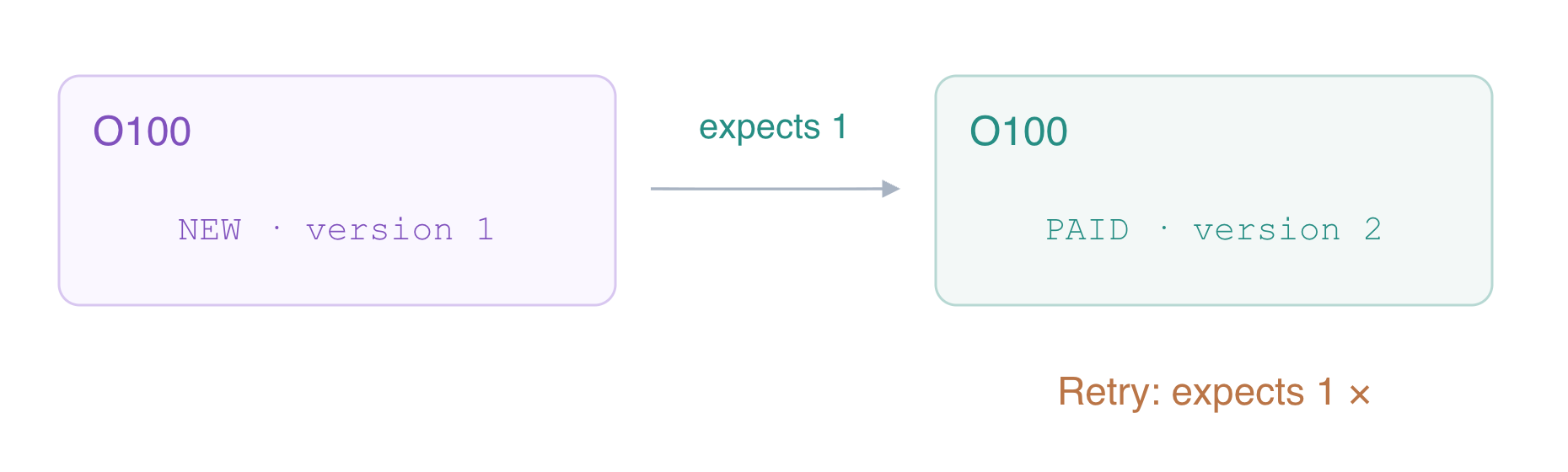
In this step, you will apply a state transition only to the version you read. An optimistic version condition refuses a stale request instead of silently overwriting a newer decision. The write atomically checks version 1, sets PAID and advances version to 2.
Write and run this UpdateItem request. Expression-name aliases handle attribute names safely, and typed values supply the expected and next versions.
cat > pay-order.json <<'JSON'
{
  "TableName": "labex-d04-orders",
  "Key": {
    "order_id": {
      "S": "O100"
    }
  },
  "UpdateExpression": "SET #state = :paid, #version = :next",
  "ConditionExpression": "#version = :expected",
  "ExpressionAttributeNames": {
    "#state": "status",
    "#version": "version"
  },
  "ExpressionAttributeValues": {
    ":paid": {
      "S": "PAID"
    },
    ":next": {
      "N": "2"
    },
    ":expected": {
      "N": "1"
    }
  },
  "ReturnValues": "ALL_NEW"
}
JSON
aws dynamodb update-item --cli-input-json file://pay-order.json
ALL_NEW shows PAID and version 2 with amount 145. Replay the unchanged request, which still expects version 1.
aws dynamodb update-item --cli-input-json file://pay-order.json || true
aws dynamodb get-item \
  --table-name labex-d04-orders \
  --key '{"order_id":{"S":"O100"}}' \
  --consistent-read
Expect ConditionalCheckFailedException. The final read retains PAID, version 2 and amount 145; O101 remains NEW/version 1. A production caller would reread current state and decide whether another update is appropriate, rather than retrying the stale expectation forever.
Remove Only the Owned Orders Table
In this step, you will confirm final state and clean up the owned table. The saved JSON files describe requests; the service items establish their actual effects. Do not use command history or an error log as proof that the table was removed.
aws dynamodb scan --table-name labex-d04-orders --consistent-read
O100 is PAID/version 2/amount 145; O101 is NEW/version 1/amount 200. Delete this table only and wait for its absence.
aws dynamodb delete-table --table-name labex-d04-orders
aws dynamodb wait table-not-exists --table-name labex-d04-orders
aws dynamodb list-tables
aws dynamodb get-item \
  --table-name labex-d04-reference \
  --key '{"id":{"S":"platform"}}' \
  --consistent-read
Only the reference table remains, with note keep unchanged. These successful queries distinguish deletion from a failed connection. AWS View removes the orders table. The disposable connection ends with this VM.
Summary
You guarded new order creation with an absence condition, observed a duplicate reject without changing the stored amount, and allowed another new key. You then used an expected-version condition to apply one state transition and reject a stale replay. You inspected actual final item values before deleting only the owned table.
For further reading, see the AWS reference on Condition expressions for guarded writes.


