Introduction
Your team needs development and preview report stores with different content. You will reuse one configuration, follow bucket-to-object references, and prove that two independent roots manage different AWS resources.
Build on the first AWS Terraform lab and your existing knowledge of variables and outputs. Tools, access and the provider connection are prepared; no earlier VM resources are reused.
Certification Relevance
| Certification | Exam task | Practice |
|---|---|---|
| Cloud Practitioner (CLF-C02) | Task 3.1 | Use repeatable infrastructure definitions and operational resource queries. |
| Developer – Associate (DVA-C02) | Task 3.3, Skill 3.3.4 | Foundational practice deploying an infrastructure definition. |
| DevOps Engineer – Professional (DOP-C02) | Task 2.1 | Foundational practice managing resources through an IaC definition. |
Deploy the Development Store
In this step, you will use input variables and a resource reference to create a development report store from one configuration.
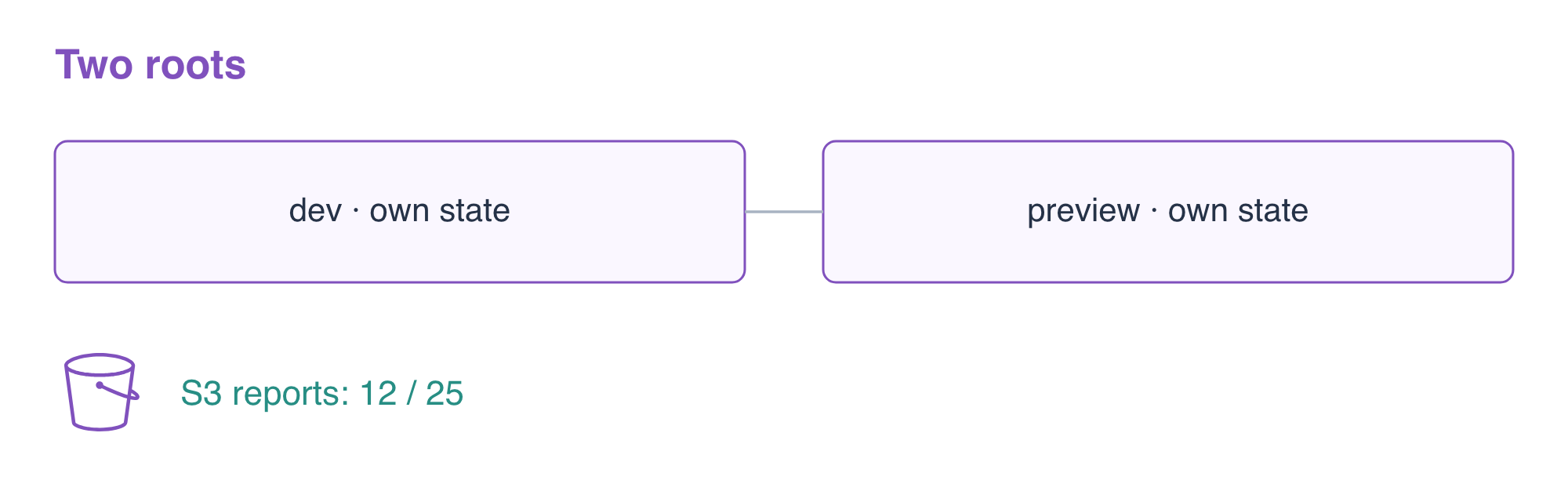
The two prepared roots, report-dev and report-preview, start empty except for the provider connection file. Each root will keep its own local state. This is different from changing inputs in a single root: one root still manages the resources already recorded in that root's state.
Enter the development root and create the resource template. The environment and report variables are string inputs. ${var.environment} inserts the environment name into the bucket name. The object's bucket argument refers to the bucket resource's ID, so Terraform can discover the dependency and create the bucket first. content_type tells readers how to interpret the bytes.
cd /home/labex/project/report-dev
cat > main.tf <<'EOF'
variable "environment" { type = string }
variable "report" { type = string }

resource "aws_s3_bucket" "reports" {
  bucket = "terraform-reports-${var.environment}"
  tags = {
    Project     = "TerraformReports"
    Environment = var.environment
  }
}

resource "aws_s3_object" "report" {
  bucket       = aws_s3_bucket.reports.id
  key          = "reports/current.csv"
  content      = var.report
  content_type = "text/csv"
}

output "bucket_name" { value = aws_s3_bucket.reports.id }
output "report_key" { value = aws_s3_object.report.key }
EOF
Create a variable file for this environment. The \n escape represents a newline in the report string. Keeping values separate makes the same resource template reusable.
cat > dev.tfvars <<'EOF'
environment = "dev"
report      = "orders,12\n"
EOF
Initialize, validate, and review this root. -var-file selects the values file; it does not select a different state.
terraform init
terraform validate
terraform plan -var-file=dev.tfvars
Expect two resources to be added: the bucket and its report object. Apply the same inputs and enter yes when asked:
terraform apply -var-file=dev.tfvars
The outputs identify the bucket and object key. Save and display those values using $(...), which captures the output of a command. -raw prints string output without Terraform's quotation marks.
BUCKET=$(terraform output -raw bucket_name)
echo "$BUCKET"
KEY=$(terraform output -raw report_key)
echo "$KEY"
Read the actual stored report through AWS, rather than treating an output or state entry as proof of data. The response includes ContentType: text/csv; the destination file contains the bytes.
aws s3api \
  get-object \
  --bucket "$BUCKET" \
  --key "$KEY" \
  dev-downloaded.csv
cat dev-downloaded.csv
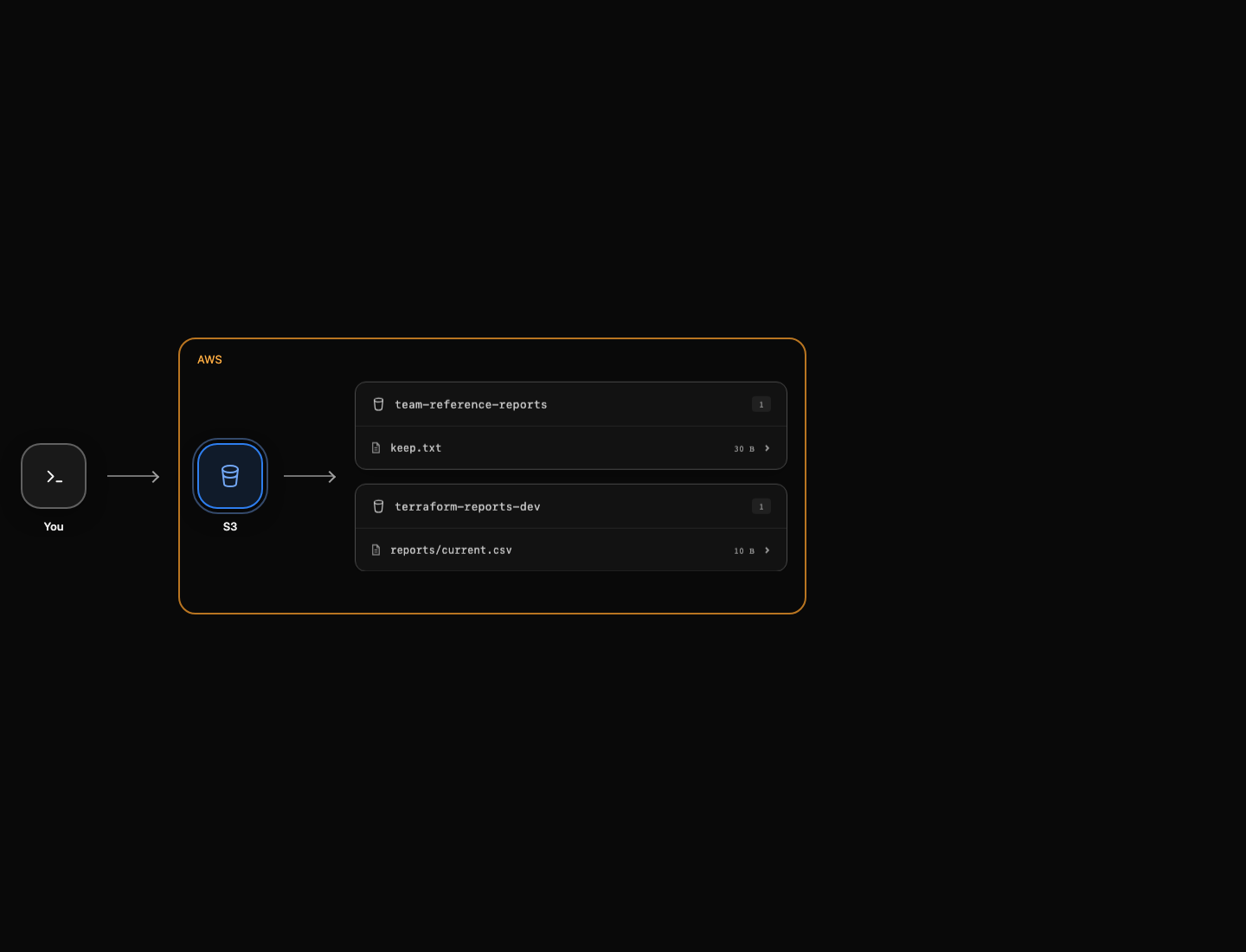
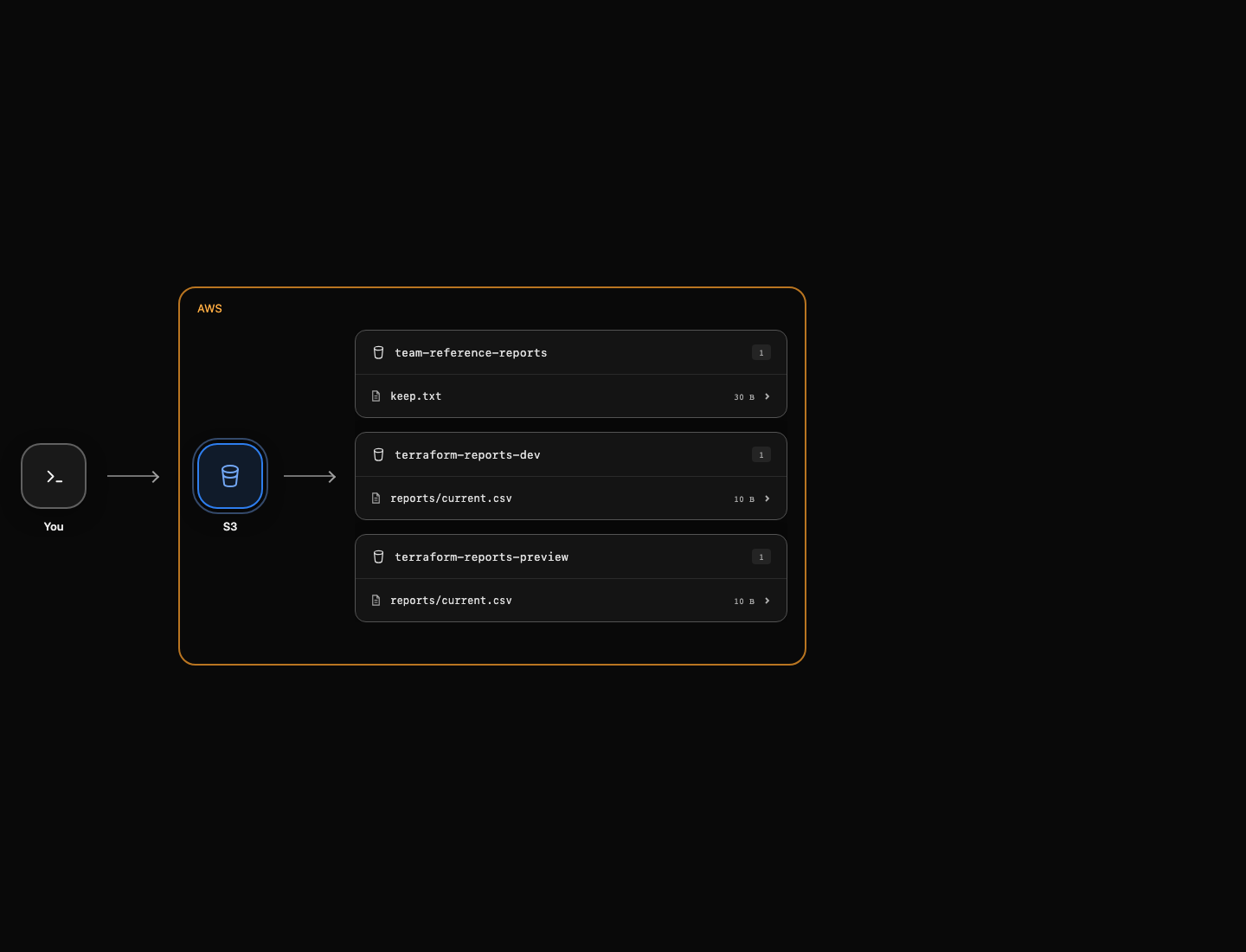
Expect orders,12. AWS View also lets you expand reports/current.csv inside terraform-reports-dev. Leave the separate team reference report unchanged.
Reuse the Template with Separate State
In this step, you will deploy the same template with preview inputs while retaining the development store.
Copy only the resource template into the prepared preview root. In this exercise, copy only main.tf because each prepared root will initialize separately. Do not clone terraform.tfstate or the initialized .terraform/ directory to create another environment: those can carry the original resource/backend mapping. The dependency lock file .terraform.lock.hcl is different: it records provider versions and checksums, can be shared or committed with configuration, and contains no environment resource mapping. The preview root already has its own provider connection file.
cp /home/labex/project/report-dev/main.tf /home/labex/project/report-preview/main.tf
cd /home/labex/project/report-preview
cat > preview.tfvars <<'EOF'
environment = "preview"
report      = "orders,25\n"
EOF
Initialize this root and review the preview plan:
terraform init
terraform plan -var-file=preview.tfvars
Again expect two additions, with terraform-reports-preview as the bucket name. An unexpected development-bucket deletion would indicate that you reused the wrong state. Apply and enter yes:
terraform apply -var-file=preview.tfvars
Read the preview output and report. The environment input changes the name and tag; the report input changes the actual stored bytes.
BUCKET=$(terraform output -raw bucket_name)
echo "$BUCKET"
aws s3api \
  get-object \
  --bucket "$BUCKET" \
  --key reports/current.csv \
  preview-downloaded.csv
cat preview-downloaded.csv
Expect orders,25. Compare both roots' outputs and state lists using Terraform's global -chdir option, which runs the command in a named root without changing your shell directory:
terraform -chdir=/home/labex/project/report-dev output bucket_name
terraform -chdir=/home/labex/project/report-dev state list
terraform -chdir=/home/labex/project/report-preview output bucket_name
terraform -chdir=/home/labex/project/report-preview state list
Both roots have addresses such as aws_s3_bucket.reports, but each maps to a different AWS bucket. Confirm development data remained intact:
aws s3api \
  get-object \
  --bucket terraform-reports-dev \
  --key reports/current.csv \
  dev-retained.csv
cat dev-retained.csv
Expect orders,12. These are independent local states, not workspaces or a shared backend. The Terraform input variable documentation explains variable-file selection in more detail.
Clean Up Both Owned Stores
In this step, you will destroy each root's resources without deleting the team reference report.
Each root needs its own inputs during destruction. Review the development deletion plan, then destroy and enter yes. The object is removed before its bucket because Terraform knows their dependency.
terraform -chdir=/home/labex/project/report-dev plan -destroy -var-file=dev.tfvars
terraform -chdir=/home/labex/project/report-dev destroy -var-file=dev.tfvars
Now remove only the preview root's resources, again confirming yes:
terraform -chdir=/home/labex/project/report-preview destroy -var-file=preview.tfvars
Each destroy reports two resources removed. Verify that both mappings are empty and that the unrelated reference report still exists:
terraform -chdir=/home/labex/project/report-dev state list
terraform -chdir=/home/labex/project/report-preview state list
aws s3api \
  list-buckets \
  --query 'Buckets[].Name'
aws s3api \
  head-object \
  --bucket team-reference-reports \
  --key keep.txt \
  --query ContentLength
Only the reference bucket remains. A successful authenticated listing proves absence; an access or network failure would not. Keep the prepared credentials until the final check finishes.
Summary
You reused a bucket/object template with two variable files, read actual report bytes and Content-Type, kept each root's state independent, and cleaned only your two environments.