



Introduction
Two analysts need the same report access. You will manage one shared policy, transfer the reporting responsibility from Alice to Bob, and check that a former member loses that access.
Complete Give a Report Reader Least Privilege first for identity policies and allowed/denied requests. This fresh VM supplies default for administration and alice, bob, and outsider for tests. Use /home/labex/project and AWS View to compare membership with actual reads.
Certification Relevance
| Certification | Exam task | Practice |
|---|---|---|
| Cloud Practitioner (CLF-C02) | Task 2.3 | IAM group membership and inherited access permissions. |
| Solutions Architect – Associate (SAA-C03) | Task 1.1 | IAM group membership and inherited access permissions. |
| Developer – Associate (DVA-C02) | Task 2.1 | IAM group membership and inherited access permissions. |
| CloudOps Engineer – Associate (SOA-C03) | Task 4.1 | IAM group membership and inherited access permissions. |
| Security – Specialty (SCS-C03) | Task 4.2 | Foundational practice: IAM group membership and inherited access permissions. |
| Data Engineer – Associate (DEA-C01) | Task 4.1 | Foundational practice: IAM group membership and inherited access permissions. |
| DevOps Engineer – Professional (DOP-C02) | Task 6.1 | Foundational practice: IAM group membership and inherited access permissions. |
| Solutions Architect – Professional (SAP-C02) | Task 2.3 | Foundational practice: IAM group membership and inherited access permissions. |
Lab Overview
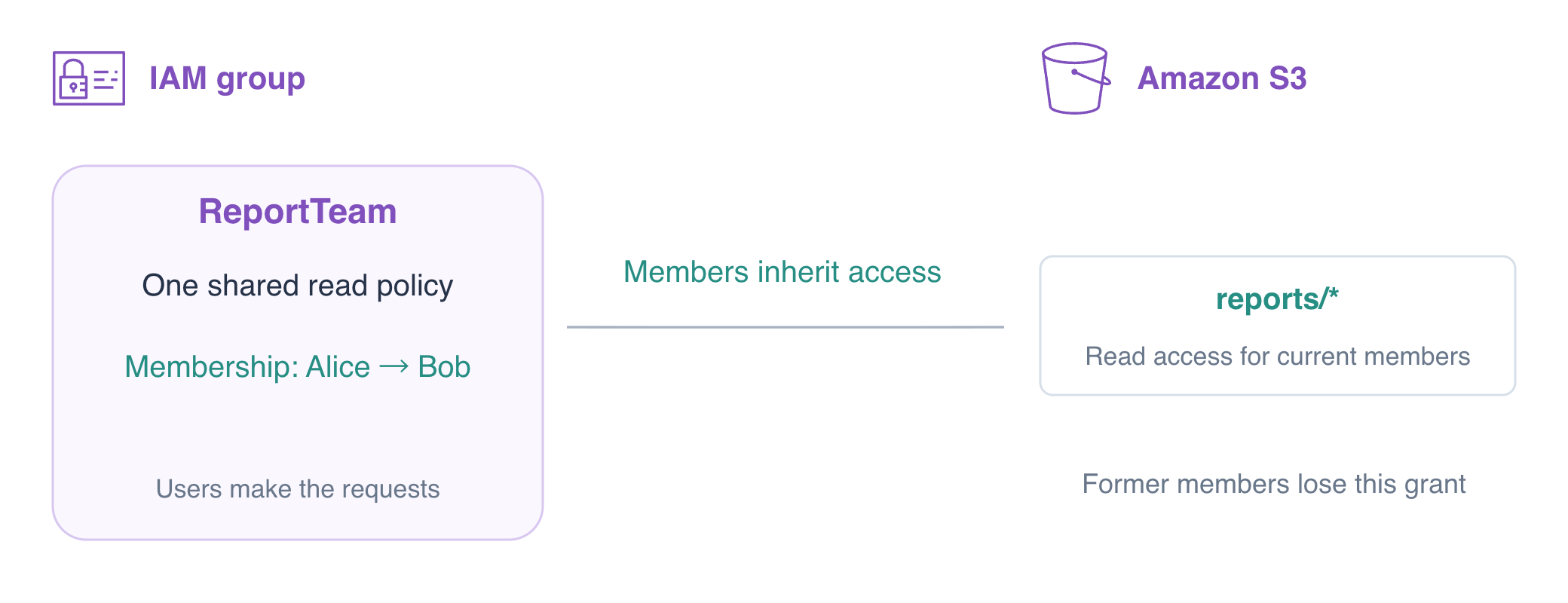
Create a Team and One Shared Policy
In this step, you will create an empty group and attach an inline policy. A group is a permission-management object, not a new identity for requests. First confirm the operator and Alice using STS; the ARN should end with user/iam02-operator and user/alice, respectively.
The reporting team needs the read grant you practiced with one user. Attach it once to a group, then change membership as responsibility moves between analysts. The report and policy stay the same during the handover; the user inheriting the grant changes.
An IAM group collects users so they inherit its permissions. It has no credentials and cannot sign in or assume a role itself. This exercise practices an existing IAM-user arrangement; production human access commonly uses federation and temporary roles.
cd /home/labex/project
aws sts get-caller-identity --query Arn --output text
aws sts get-caller-identity --profile alice --query Arn --output text
Alice initially has no permission to read the existing report. The operator owns its preparation. Test before granting access:
aws s3api get-object --profile alice --bucket labex-iam02-reports --key reports/today.txt before.txt || true
Expect AccessDenied. || true lets an intentionally failing command finish in a pasted sequence; it does not turn a connection failure into permission evidence.
Create ReportTeam. This creates no members and grants no permissions yet.
aws iam create-group --group-name ReportTeam
Write a policy that permits only GetObject in this bucket's reports prefix. An object ARN includes its key; the wildcard after reports/ does not match payroll or another bucket. A matching Allow grants a request unless an applicable explicit Deny overrides it.
cat > team-policy.json <<'JSON'
{"Version":"2012-10-17","Statement":[{"Effect":"Allow","Action":"s3:GetObject","Resource":"arn:aws:s3:::labex-iam02-reports/reports/*"}]}
JSON
put-group-policy stores this inline policy directly on the group. It applies to group members; editing the local file alone has no effect.
aws iam put-group-policy \
  --group-name ReportTeam \
  --policy-name ReportRead \
  --policy-document file://team-policy.json
aws iam get-group --group-name ReportTeam --query 'Users[].UserName'
aws iam get-group-policy \
  --group-name ReportTeam \
  --policy-name ReportRead \
  --query PolicyDocument
The member list is empty. Alice is still denied because no membership connects her to the policy.
aws s3api get-object --profile alice --bucket labex-iam02-reports --key reports/today.txt still-denied.txt || true
Add Alice and Test the Permission Boundary
In this step, you will connect Alice to the group's grant and compare her actual requests with Bob and the outsider. add-user-to-group changes membership; it does not create or print credentials.
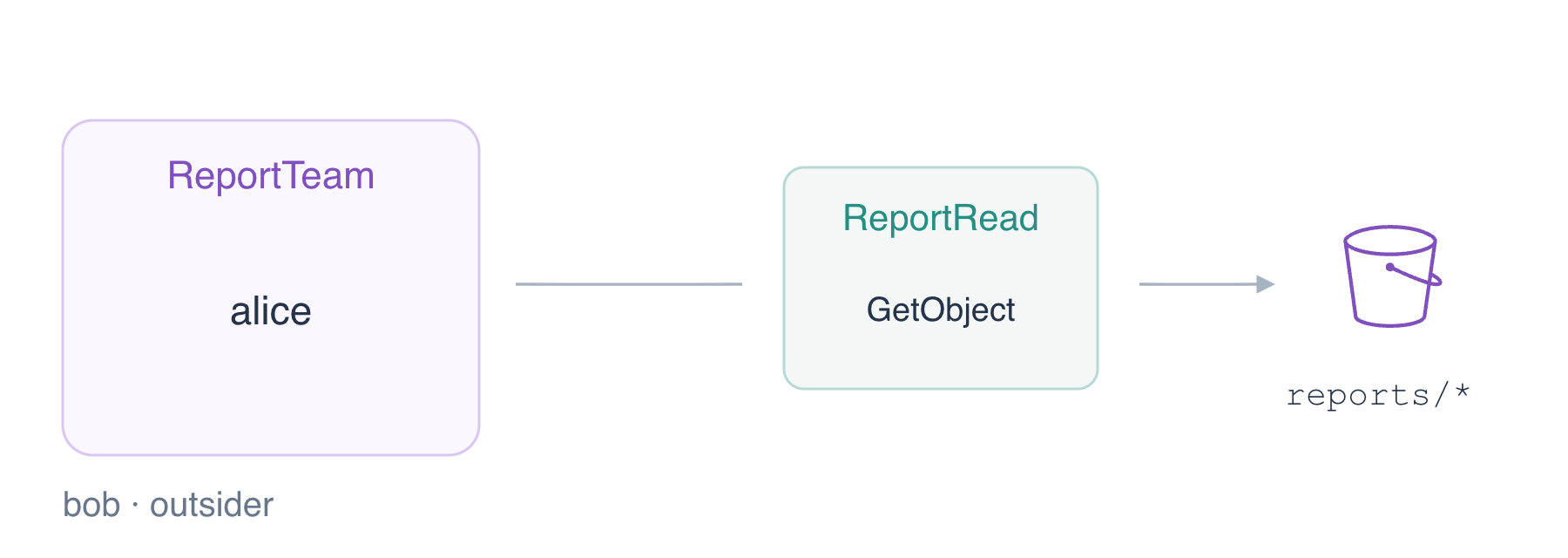
aws iam add-user-to-group --group-name ReportTeam --user-name alice
aws iam get-group --group-name ReportTeam --query 'Users[].UserName'
aws iam list-groups-for-user --user-name alice --query 'Groups[].GroupName'
Expect Alice in ReportTeam and ReportTeam in Alice's group list. Now use Alice's credentials to request the report bytes.
aws s3api get-object \
  --profile alice \
  --bucket labex-iam02-reports \
  --key reports/today.txt alice-report.txt
cat alice-report.txt
Expect Daily orders: 145. The same report request by Bob and the outsider must fail, because they are not members.
aws s3api get-object --profile bob --bucket labex-iam02-reports --key reports/today.txt bob-denied.txt || true
aws s3api get-object --profile outsider --bucket labex-iam02-reports --key reports/today.txt outsider-denied.txt || true
Alice also remains denied outside the group's resource scope. These existing objects diagnose authorization rather than a missing key.
aws s3api get-object --profile alice --bucket labex-iam02-reports --key private/payroll.txt private-denied.txt || true
aws s3api get-object --profile alice --bucket labex-iam02-reference --key reference.txt reference-denied.txt || true
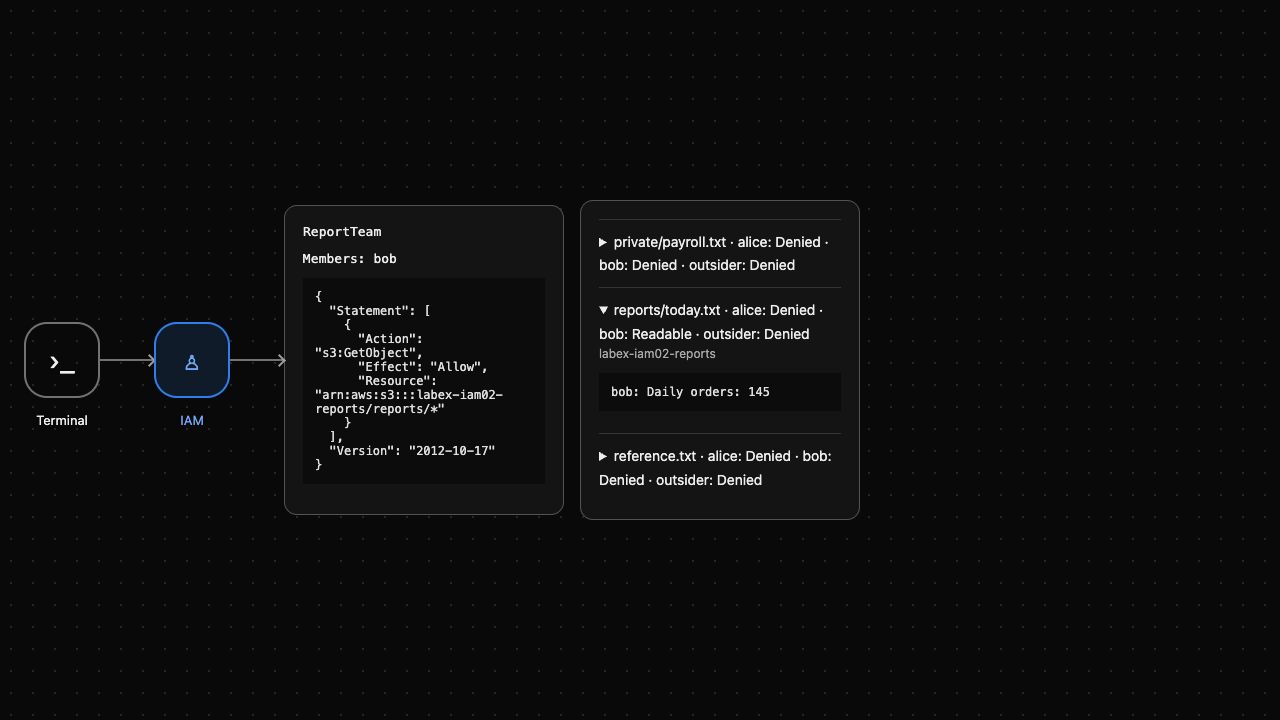
Expect AccessDenied for all four negative requests. AWS View shows membership and issues actual GetObject requests for each user; expand today's report to inspect Alice's bytes.
Transfer Membership and Recheck Former Access
In this step, you will transfer the reporting responsibility to Bob and verify Alice loses the inherited grant. Removing group membership removes permissions inherited from that group. It does not revoke other grants a user might have; these prepared users have none.
Add Bob first, then remove Alice. The two users share the same group policy while they are both members; after removal only Bob should inherit it.
aws iam add-user-to-group --group-name ReportTeam --user-name bob
aws iam remove-user-from-group --group-name ReportTeam --user-name alice
aws iam get-group --group-name ReportTeam --query 'Users[].UserName'
Expect only Bob. Read the report as Bob, then repeat the identical request as Alice.
aws s3api get-object \
  --profile bob \
  --bucket labex-iam02-reports \
  --key reports/today.txt bob-report.txt
cat bob-report.txt
aws s3api get-object --profile alice --bucket labex-iam02-reports --key reports/today.txt former-member.txt || true
aws s3api get-object --profile outsider --bucket labex-iam02-reports --key reports/today.txt outsider-denied.txt || true
Bob receives 145; Alice and the outsider receive AccessDenied. Credentials select the caller, while current effective permissions determine whether its request succeeds.
The group grants read, not write. Try the supplied replacement as Bob and confirm the original report still exists.
aws s3api put-object --profile bob --bucket labex-iam02-reports --key reports/today.txt --body upload.txt || true
aws s3api get-object \
  --profile bob \
  --bucket labex-iam02-reports \
  --key reports/today.txt bob-report.txt
cat bob-report.txt
Expect PutObject AccessDenied followed by unchanged Daily orders: 145. AWS View now shows Bob as the member and Alice denied; the group policy itself has not changed.
Remove the Team and Clean Up Its Data
In this step, you will revoke Bob's inherited access before deleting the group and owned report data. IAM requires a group to have no members or attached policies before deletion. Leave the independent ReferenceTeam and its outsider membership untouched.
aws iam remove-user-from-group --group-name ReportTeam --user-name bob
aws s3api get-object --profile bob --bucket labex-iam02-reports --key reports/today.txt revoked.txt || true
Expect AccessDenied while the report still exists. Remove the inline policy, then the empty group.
aws iam delete-group-policy --group-name ReportTeam --policy-name ReportRead
aws iam delete-group --group-name ReportTeam
aws iam list-groups --query 'Groups[].GroupName'
aws iam get-group --group-name ReferenceTeam --query 'Users[].UserName'
Only ReferenceTeam remains, still containing outsider. Delete exactly the two owned object keys and check that the report bucket is empty before deletion.
aws s3api delete-object --bucket labex-iam02-reports --key reports/today.txt
aws s3api delete-object --bucket labex-iam02-reports --key private/payroll.txt
aws s3api list-objects-v2 --bucket labex-iam02-reports
Check that KeyCount is 0 and no object entries remain in Contents.
aws s3api delete-bucket --bucket labex-iam02-reports
aws s3api list-buckets --query 'Buckets[].Name'
aws s3api get-object --bucket labex-iam02-reference --key reference.txt reference.txt
cat reference.txt
Only the reference bucket remains, with Platform reference: keep. Successful API queries establish cleanup; network errors do not. AWS View shows Group removed and Reports bucket removed. Prepared users and fixtures are reclaimed when the disposable environment ends; the learner-created group and permissions are gone.
Summary
You assigned one policy to a group, proved that membership grants report access, transferred that access, and confirmed the former member and outsider stayed denied. Group membership is one source of permissions; review all applicable policies when an identity remains unexpectedly authorized. You revoked access before scoped cleanup and preserved the unrelated group and data.
For further reading, see the AWS reference on IAM user groups and inherited permissions.


