



Introduction
Temporary session records should stop being served at expiry even if storage cleanup has not happened yet. You will enable TTL, repair an incorrectly typed expiration attribute, and configure a supplied application to exclude expired data using real service reads.
Complete Create a DynamoDB Table for Orders and Query Orders with a Partition and Sort Key first. The fresh environment supplies an independent sessions table, three synthetic records and a reader shell, ready for you to configure TTL and the read filter. Use /home/labex/project, the official AWS CLI and AWS View. This lab assesses TTL configuration and expiry-aware reads; it does not promise an AWS background deletion deadline.
Certification Relevance
| Certification | Exam task | Practice |
|---|---|---|
| Developer – Associate (DVA-C02) | Task 1.3 | DynamoDB TTL configuration and expiry-aware reads. |
| Data Engineer – Associate (DEA-C01) | Task 2.3 | Foundational practice: DynamoDB TTL configuration and expiry-aware reads. |
Lab Overview
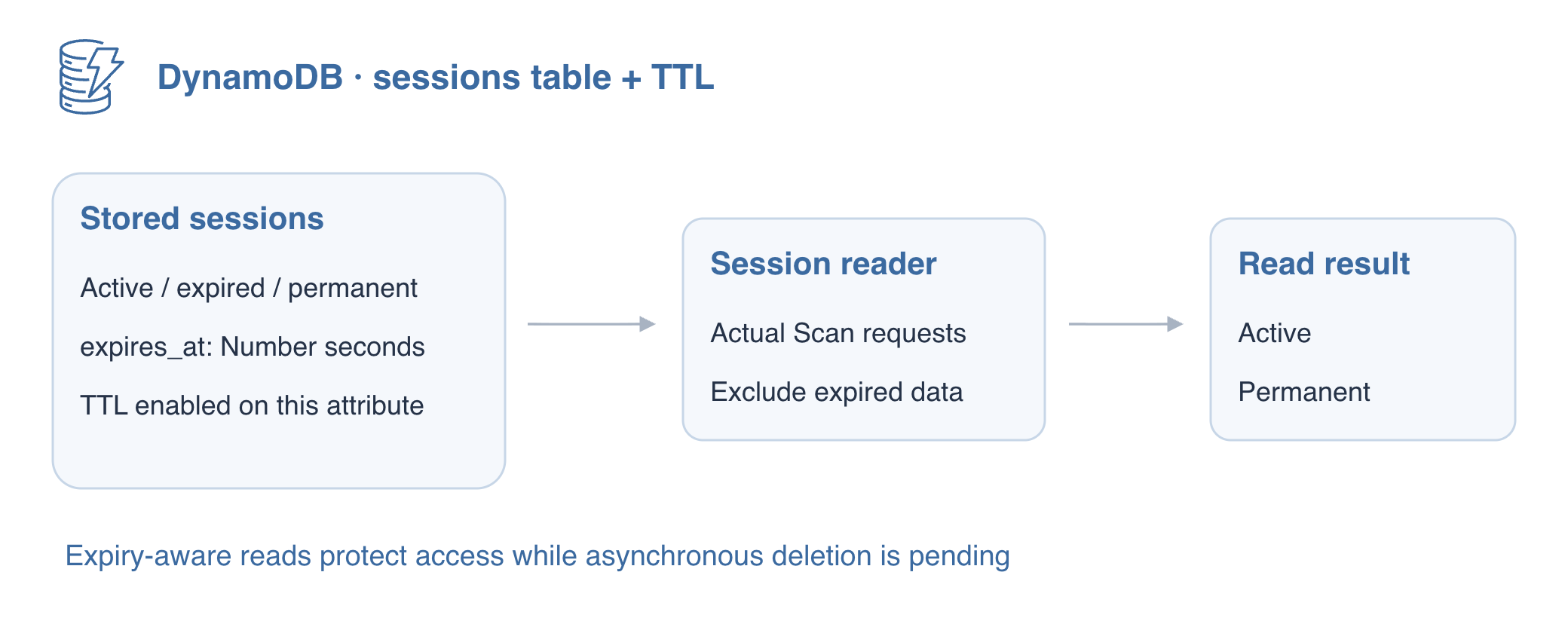
Enable Expiration on the Prepared Sessions Table
In this step, you will configure a table's expiration attribute. Time to Live (TTL) lets DynamoDB eventually remove expired items. It is asynchronous housekeeping, not a timer that deletes each item at its exact expiry second. Applications must still refuse expired data while service deletion is pending.
For this session reader, eligibility to serve a record and removal from storage are separate outcomes. You will inspect TTL status, repair the expiry type, then compare the application result with a raw read. ENABLED proves configuration; an application omitting an expired session proves its read policy, not that the service deleted the item.
The fresh environment contains a sessions table with active, expired and permanent synthetic records. Inspect their types and the disabled TTL state before enabling anything.
cd /home/labex/project
aws dynamodb scan --table-name labex-d05-sessions --consistent-read
aws dynamodb describe-time-to-live --table-name labex-d05-sessions
Enable TTL on expires_at. Each item supplies its own expiry time; the table configuration selects which attribute the TTL service examines. A missing attribute means that item has no TTL expiration.
aws dynamodb update-time-to-live \
  --table-name labex-d05-sessions \
  --time-to-live-specification Enabled=true,AttributeName=expires_at
aws dynamodb describe-time-to-live --table-name labex-d05-sessions
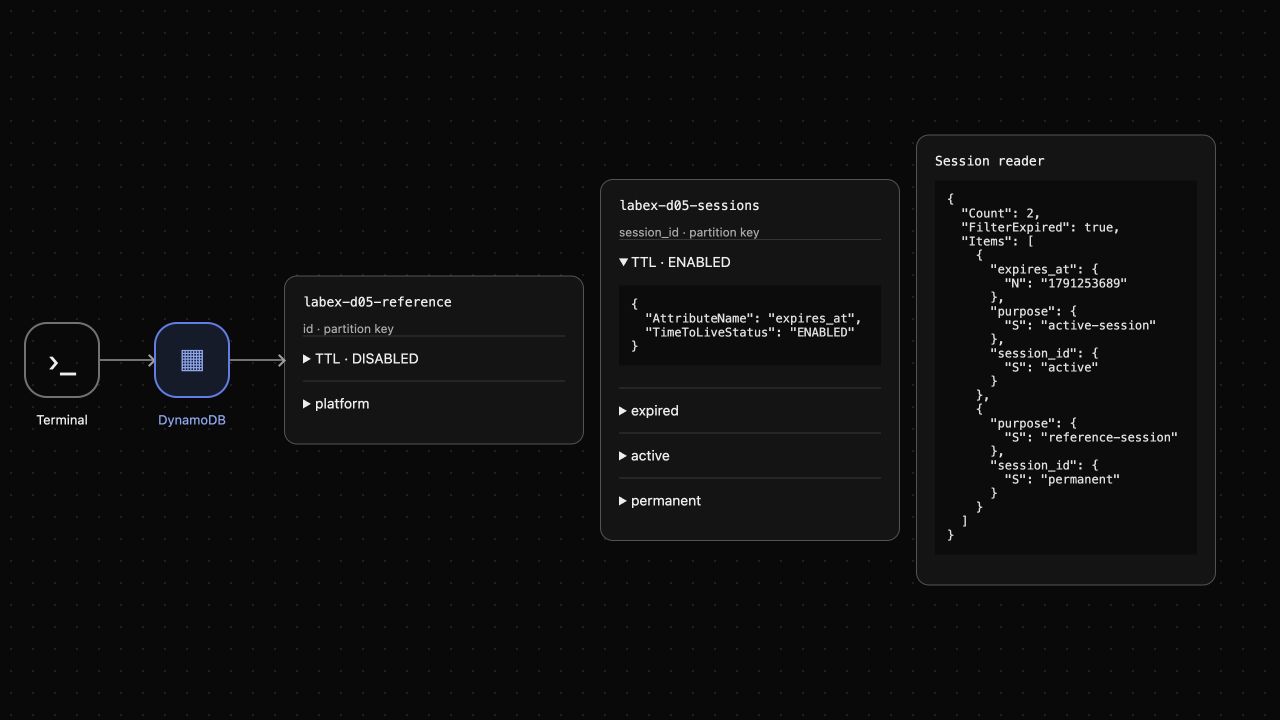
Continue when the description reports ENABLED and expires_at. On AWS enabling may take time; repeat the describe command while it is ENABLING rather than changing the configuration repeatedly. Look at AWS View above Terminal and expand the TTL entry inside the sessions card.
Repair the Expired Record's Attribute Type
In this step, you will store a valid expiration value. DynamoDB TTL requires a Number containing Unix epoch seconds: seconds since 1970-01-01 UTC. Milliseconds would be a far-future time. A string that looks like a timestamp is still a String, and the TTL process ignores it.
Inspect the expired fixture by its exact key. Its expires_at is deliberately encoded with S; enabling TTL did not repair its type.
aws dynamodb get-item \
  --table-name labex-d05-sessions \
  --key '{"session_id":{"S":"expired"}}' \
  --consistent-read
Compute an expiry one hour in the past with the Linux date command. +%s prints Unix seconds, and $(...) stores that output in EXPIRED. The value varies each time; it must be earlier than now.
EXPIRED=$(date -u -d '1 hour ago' +%s)
echo "$EXPIRED"
Put the typed value in a small JSON file. This heredoc uses an unquoted JSON delimiter so the shell replaces $EXPIRED with your timestamp; earlier quoted delimiters kept values literal. Keeping the JSON in a file avoids escaping its quotes.
cat > expiry-values.json <<JSON
{":expires":{"N":"$EXPIRED"}}
JSON
Use UpdateItem to replace only the expiry attribute. file:// loads the value file; the existence condition avoids recreating a record if asynchronous deletion already removed it.
aws dynamodb update-item \
  --table-name labex-d05-sessions \
  --key '{"session_id":{"S":"expired"}}' \
  --update-expression 'SET expires_at = :expires' \
  --condition-expression 'attribute_exists(session_id)' \
  --expression-attribute-values file://expiry-values.json \
  --return-values ALL_NEW
The returned expired item has expires_at: {"N": "..."} in the past and keeps its purpose. The active item remains in the future; the permanent item still has no expiry. On AWS, if the record was removed before a later read or update, treat that as deletion only after a successful service response, not a connection failure.
Exclude Expired Data in the Application Read Path
In this step, you will protect reads while TTL cleanup is pending. A supplied session-reader application reads ordinary session-reader.json settings and performs actual Scan requests. Its default configuration deliberately returns expired data too. The app source is available for inspection; writing Python is not required.
./session-reader
In this environment the unfiltered reader still returns all three records, including expired. This does not prove TTL is misconfigured. AWS background deletion may happen later, and no precise schedule is part of this lab's acceptance.
Enable the application's expiry filter. A quoted heredoc writes JSON literally, replacing the settings file.
cat > session-reader.json <<'JSON'
{
  "table": "labex-d05-sessions",
  "filter_expired": true
}
JSON
./session-reader
The application uses attribute_not_exists(expires_at) OR expires_at > :now with current Number seconds and follows Scan continuation keys. It now returns only active and permanent, with Count 2 and FilterExpired true. The permanent record is intentional because it has no expiry policy. Filtering prevents serving expired data but does not undo the read work of a scan.
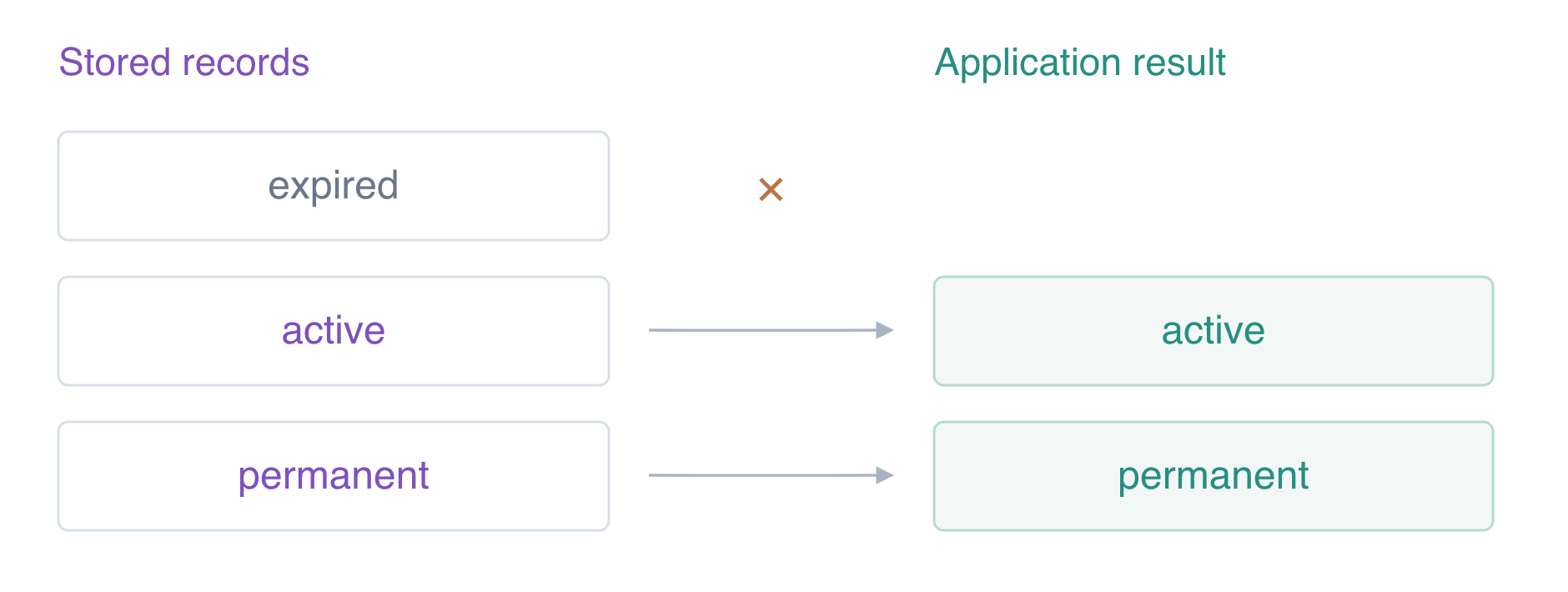
Compare the raw keyed read with the application result.
aws dynamodb get-item \
  --table-name labex-d05-sessions \
  --key '{"session_id":{"S":"expired"}}' \
  --consistent-read
The raw read can still contain expired while the application excludes it. If AWS has already deleted it, a successful empty GetItem is also compatible with TTL. AWS View shows the TTL configuration and the actual two-item reader result without pretending that filtering physically deleted the stored record.
Remove the Owned Sessions Table
In this step, you will explicitly clean up the table after verifying expiry configuration and application behavior. Do not wait for TTL to remove the whole table: TTL deletes items, not the table itself. Deleting this disposable table also removes its TTL configuration.
aws dynamodb delete-table --table-name labex-d05-sessions
aws dynamodb wait table-not-exists --table-name labex-d05-sessions
aws dynamodb list-tables
aws dynamodb get-item \
  --table-name labex-d05-reference \
  --key '{"id":{"S":"platform"}}' \
  --consistent-read
Only the reference table remains and its note is keep unchanged. Successful inventory and reference reads prove the connection still works after deletion. AWS View removes the sessions table and reader result. The disposable connection ends with this VM.
Summary
You enabled TTL on expires_at, replaced a string timestamp with numeric epoch seconds, and excluded expired sessions in a real application read path. You distinguished logical expiration from asynchronous physical deletion and kept permanent records deliberately. Finally you deleted the owned table and preserved the unrelated reference.
For further reading, see the AWS reference on TTL expiration and asynchronous item deletion.


