Introduction
Your team needs private storage for reports. In this lab, you will create the first bucket with Terraform, compare its configuration with AWS and Terraform state, then review and apply its destruction. A separate reference report belongs to another team and must remain unchanged.
You should already understand Terraform resources, init, plan, apply, state, and destroy, and be comfortable editing files and querying S3 with the AWS CLI. Terraform, the AWS provider, and CLI access are prepared. Use the Terminal for commands and AWS View to observe storage; no personal AWS account or access keys are required. Each lab starts independently.
Certification Relevance
| Certification | Exam task | Practice |
|---|---|---|
| Cloud Practitioner (CLF-C02) | Task 3.1 | Use infrastructure as code for a repeatable deployment and CLI queries for inspection. |
| Developer – Associate (DVA-C02) | Task 3.3, Skill 3.3.4 | Foundational practice implementing and deploying an IaC resource definition. |
| DevOps Engineer – Professional (DOP-C02) | Task 2.1 | Foundational practice defining a resource and managing its creation and deletion with IaC. |
Create the Report Bucket
In this step, you will connect a Terraform resource definition to the current AWS account and create a private report bucket.
First, enter the prepared root directory and query your Region and caller identity. A root directory is one independent Terraform configuration with its own state. The caller account tells you where the provider's requests operate; the ARN identifies the requesting identity.
cd /home/labex/project/first-aws-resource
aws configure get region
aws sts \
  get-caller-identity
terraform version
The Region is us-east-1. Terraform reports version 1.17.2. Your prepared access is separate from any personal AWS account.
The supplied provider.tf selects the AWS provider at version 6.14.0, configures the prepared connection, and pins Terraform 1.17.2. The provider translates resource operations into AWS API requests. Its configuration is supplied so you can focus on resource management.
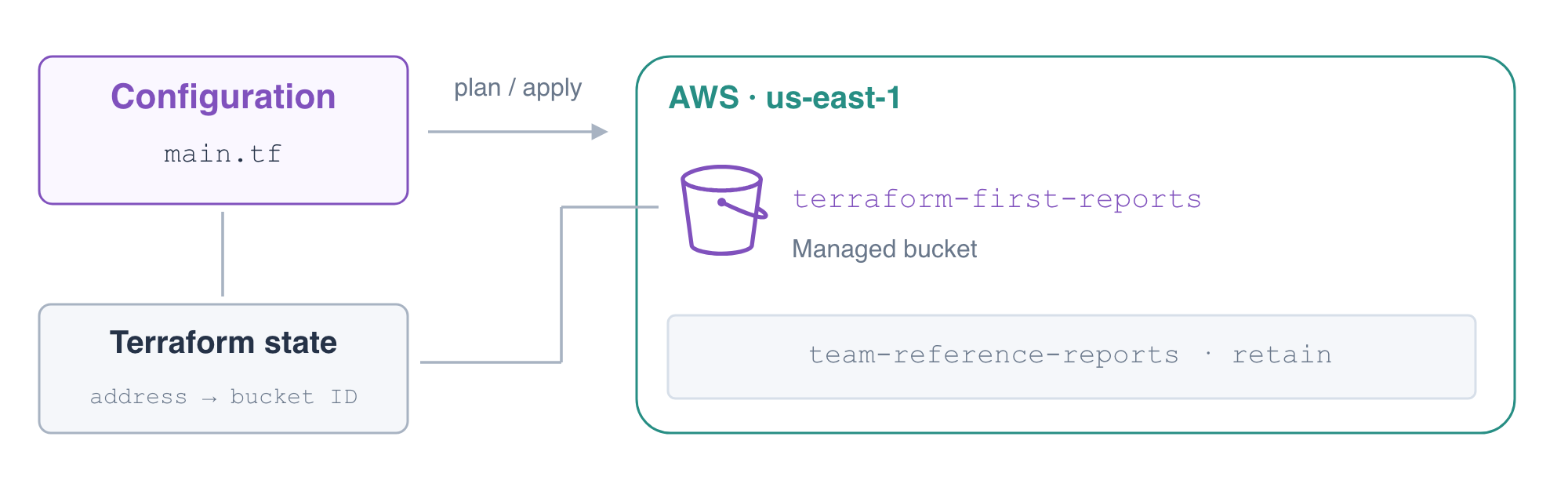
Create main.tf with the following configuration. cat and <<'EOF' write everything up to the closing EOF into the named file. aws_s3_bucket is the AWS resource type; reports is Terraform's local label. Together they form the address aws_s3_bucket.reports. The bucket attribute is the AWS bucket name, which is separate from that address. Tags record the resource's purpose.
cat > main.tf <<'EOF'
resource "aws_s3_bucket" "reports" {
  bucket = "terraform-first-reports"
  tags = {
    Project = "TerraformReports"
  }
}

output "report_bucket" {
  value = aws_s3_bucket.reports.id
}
EOF
Initialize this root and validate its configuration:
terraform init
terraform validate
init installs the pinned provider from the prepared cache and writes .terraform.lock.hcl. Keep this dependency lock file with a real project's configuration: it records the chosen provider and package checksums. It is different from Terraform state, which maps resource addresses to deployed resource IDs. Because the cache is prepared for this Linux environment, init can warn that lock-file checksums cover only linux_amd64; initialization still completes. A project used on additional platforms needs checksums for those platforms too.
Review the plan before creating anything:
terraform plan
Expect Plan: 1 to add, 0 to change, 0 to destroy. Some attributes say (known after apply) because AWS assigns or returns them during creation. Confirm the bucket name and project tag. A plan previews actions; it does not create the bucket.
Apply the configuration and enter yes at the confirmation prompt:
terraform apply
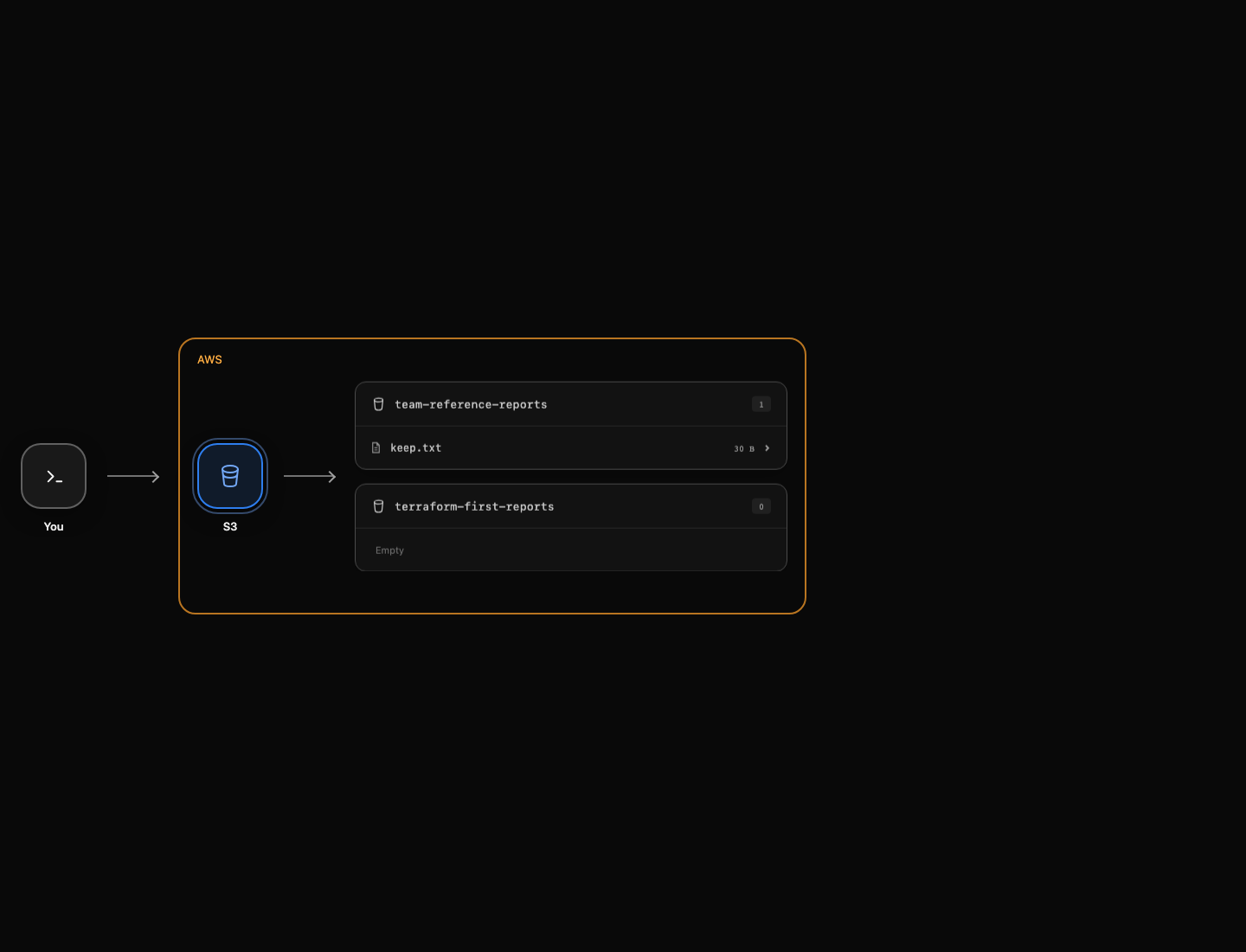
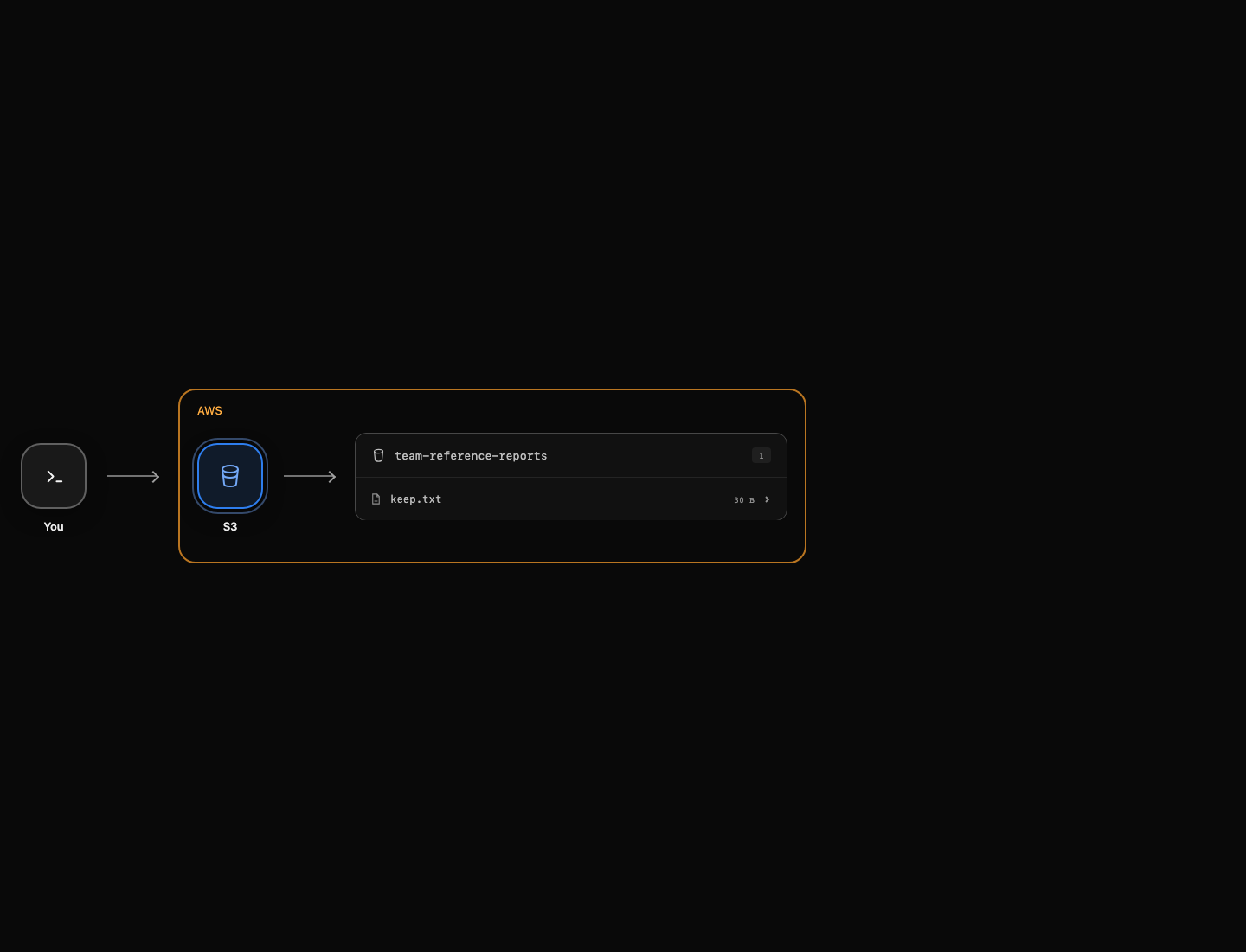
Expect Apply complete! Resources: 1 added, 0 changed, 0 destroyed. The report_bucket output is terraform-first-reports. In AWS View, the new empty bucket appears beside team-reference-reports. Leave that reference bucket and its keep.txt object untouched.
Use Continue after completing the commands. The check queries AWS and the state mapping independently; a successful command alone is not sufficient.
Compare Configuration, State, and AWS
In this step, you will connect Terraform's resource address to the actual private bucket, then confirm that the configuration has converged.
The output reads the bucket ID through a resource reference. state list displays the managed address; state show displays its recorded attributes. These commands inspect the mapping without changing AWS.
terraform output report_bucket
terraform state list
terraform state show aws_s3_bucket.reports
Find aws_s3_bucket.reports and its ID terraform-first-reports. Your configuration expresses the desired resource, AWS holds the resource, and state connects the two. A state entry alone does not prove the resource still exists.
Query AWS directly. get-bucket-location returns null for S3's us-east-1 Region. The ACL should grant access only to the owning canonical user; there should be no public group grant. This lab creates a private bucket and does not add a public bucket policy.
aws s3api \
  get-bucket-location \
  --bucket terraform-first-reports
aws s3api \
  get-bucket-acl \
  --bucket terraform-first-reports
aws s3api \
  get-bucket-tagging \
  --bucket terraform-first-reports
Confirm the Project tag is TerraformReports. Verify that the unrelated report is still readable. The --query expression selects only its byte length and the command leaves the stored object unchanged.
aws s3api \
  head-object \
  --bucket team-reference-reports \
  --key keep.txt \
  --query ContentLength
terraform plan
The plan should report No changes. This means the provider sees no configuration changes for the managed resources. It does not prove every possible security property or validate report data; those need their own checks. You can read more about Terraform state and S3 access control.
Remove Only the Managed Resource
In this step, you will review and apply a destroy plan, then prove that the managed bucket and state mapping are gone while the reference report remains.
terraform plan -destroy previews deletion of resources in this root's state. It does not mean “delete every bucket in the account.” Read the address and bucket ID before continuing:
terraform plan -destroy
Expect Plan: 0 to add, 0 to change, 1 to destroy. The reference bucket is absent from the plan because this root does not manage it. The target bucket is empty; later labs explain why stored data and versions require separate retention decisions.
Destroy the managed bucket and enter yes at the confirmation prompt:
terraform destroy
Expect Destroy complete! Resources: 1 destroyed. Now inspect state and query the remaining buckets:
terraform state list
aws s3api \
  list-buckets \
  --query 'Buckets[].Name'
aws s3api \
  head-object \
  --bucket team-reference-reports \
  --key keep.txt \
  --query ContentLength
The state list is empty. terraform-first-reports is absent from the successful bucket listing; team-reference-reports and its report remain. Keep AWS access configured until the final check completes so that an authentication error cannot be mistaken for successful deletion. The configuration and lock file remain available if you choose to create the resource again.
Summary
You created a private S3 bucket using a pinned AWS provider, compared configuration and state with AWS queries, checked a converged plan, and destroyed only the managed resource. The independent reference report remained intact. In the next lab, you will use inputs and resource references to manage report contents.