



Introduction
An order service needs a place to store order details and look them up by order ID. You will create a DynamoDB table, store two typed items, update a packed order, and remove a temporary order. Finally you will delete only the table you own while preserving an unrelated reference table.
This lab starts independently in a fresh environment. Start with the AWS Foundations labs on terminal commands, caller identity and resource names. Use /home/labex/project and the prepared disposable connection. The AWS View displays actual table and item state; it is not the AWS Console.
Certification Relevance
| Certification | Exam task | Practice |
|---|---|---|
| Cloud Practitioner (CLF-C02) | Task 3.4 | DynamoDB keys, typed items, and data operations. |
| Solutions Architect – Associate (SAA-C03) | Task 3.3 | DynamoDB keys, typed items, and data operations. |
| Developer – Associate (DVA-C02) | Task 1.3 | DynamoDB keys, typed items, and data operations. |
| Data Engineer – Associate (DEA-C01) | Task 2.4 | Foundational practice: DynamoDB keys, typed items, and data operations. |
Lab Overview
Create an Orders Table
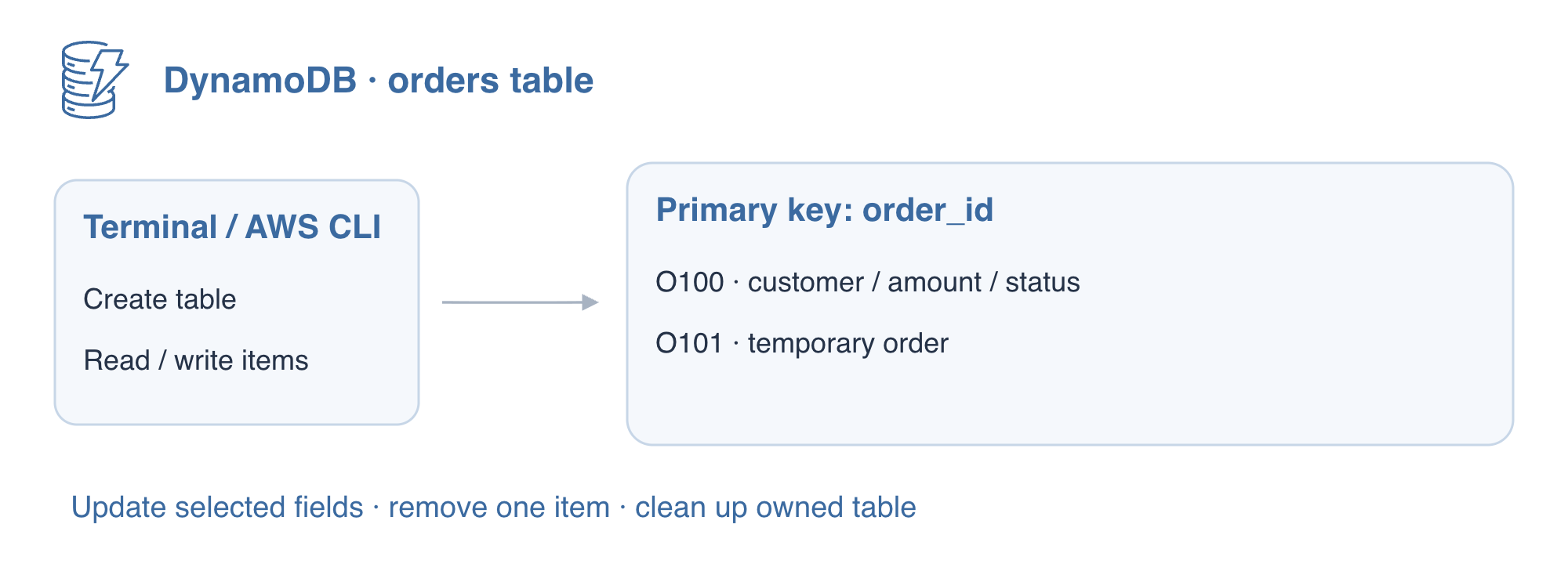
In this step, you will create a table for a small order service. DynamoDB stores items rather than rows constrained by a full column schema. The table declares its primary key; each item can have additional attributes. A partition key identifies an item in this simple table.
The official AWS CLI and a disposable connection are prepared. Use this workspace, then inspect the caller. Do not enter personal credentials.
cd /home/labex/project
aws sts get-caller-identity
The caller ARN ends with user/dynamodb-operator. The account identifier and ARN identify the connection, not an order key.
Create labex-d01-orders with order_id as a String (S) partition key (HASH). --attribute-definitions declares only key attributes, not every item field. PAY_PER_REQUEST selects on-demand capacity instead of provisioned read/write units. On AWS, requests and storage incur charges; this choice does not mean free storage.
aws dynamodb create-table \
  --table-name labex-d01-orders \
  --attribute-definitions AttributeName=order_id,AttributeType=S \
  --key-schema AttributeName=order_id,KeyType=HASH \
  --billing-mode PAY_PER_REQUEST
Table creation returns metadata. A waiter polls the service until the table is available; it is safer than assuming the first response means the resource is ready.
aws dynamodb wait table-exists --table-name labex-d01-orders
aws dynamodb describe-table \
  --table-name labex-d01-orders \
  --query 'Table.{State:TableStatus,Keys:KeySchema,Billing:BillingModeSummary.BillingMode}'
Expect ACTIVE, the order_id partition key, and PAY_PER_REQUEST. Look at AWS View above Terminal. The orders card has no items yet; the separate reference table belongs to the prepared environment and must remain unchanged.
Write and Read Typed Items
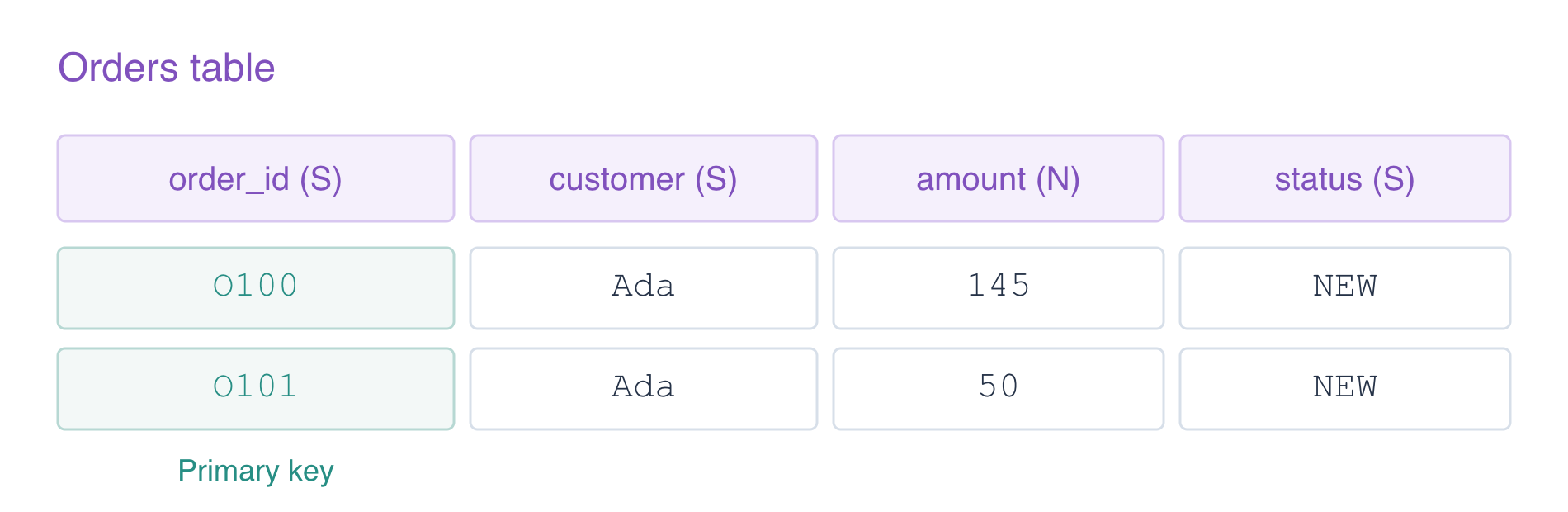
In this step, you will store two orders and retrieve one by its exact key. The low-level DynamoDB API uses typed attributes: S for strings and N for numbers. The N value is encoded as a JSON string, but DynamoDB treats it as a number. Monetary amounts here are whole units for a small synthetic example.
Single quotes let the shell pass JSON unchanged, including double quotes inside it. Each put-item creates a complete item with its own key. A successful write normally has no output.
aws dynamodb put-item \
  --table-name labex-d01-orders \
  --item '{"order_id":{"S":"O100"},"customer":{"S":"Ada"},"amount":{"N":"145"},"status":{"S":"NEW"}}'
aws dynamodb put-item \
  --table-name labex-d01-orders \
  --item '{"order_id":{"S":"O101"},"customer":{"S":"Ada"},"amount":{"N":"50"},"status":{"S":"NEW"}}'
Retrieve O100 by its primary key. --consistent-read requests a strongly consistent read from the base table, useful when inspecting a write immediately. Reads default to eventual consistency.
aws dynamodb get-item \
  --table-name labex-d01-orders \
  --key '{"order_id":{"S":"O100"}}' \
  --consistent-read
The Item contains O100, Ada, amount 145 and status NEW. Missing non-key attributes are allowed; a missing required key is not. In AWS View, expand O100 inside the orders card to see the actual typed item returned by the same service.
Update an Order and Remove a Temporary Item
In this step, you will modify O100 without replacing its other fields, then remove temporary order O101. update-item applies an expression to one keyed item. SET assigns attributes. An expression-name alias avoids reserved-word conflicts: #state stands for status. Expression values carry their DynamoDB types.
The order service needs to change packing details while keeping the customer's identity. PutItem would replace the whole item at the same key; UpdateItem changes only the specified attributes. Here the returned customer field is the evidence that the update preserved unrelated order data.
--return-values ALL_NEW returns the complete updated item so you can inspect the result immediately.
aws dynamodb update-item \
  --table-name labex-d01-orders \
  --key '{"order_id":{"S":"O100"}}' \
  --update-expression 'SET amount = :amount, #state = :state' \
  --expression-attribute-names '{"#state":"status"}' \
  --expression-attribute-values '{":amount":{"N":"160"},":state":{"S":"PACKED"}}' \
  --return-values ALL_NEW
The returned attributes preserve customer Ada while amount becomes 160 and status becomes PACKED.
Delete only O101 by its exact key, then read it again.
aws dynamodb delete-item \
  --table-name labex-d01-orders \
  --key '{"order_id":{"S":"O101"}}' \
  --return-values ALL_OLD
aws dynamodb get-item \
  --table-name labex-d01-orders \
  --key '{"order_id":{"S":"O101"}}' \
  --consistent-read
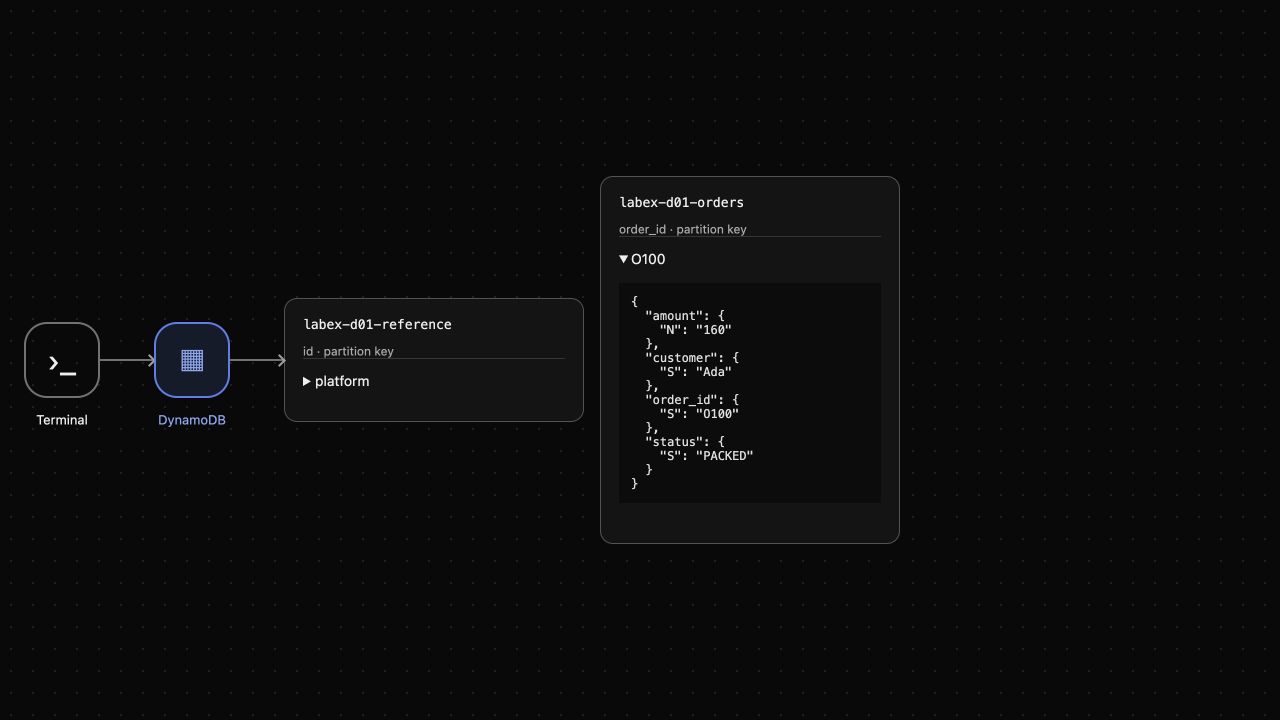
ALL_OLD shows the deleted item. The subsequent read returns {} because no item remains at that key; this is a successful read with no result. In AWS View, O101 disappears and O100 retains its updated fields. Expand O100 and compare the amount and status.
Clean Up Only the Owned Table
In this step, you will remove the orders table after checking its final data. Deleting a table removes all of its items and indexes. Confirm its exact name before deletion; never loop over every table returned by the service.
aws dynamodb scan --table-name labex-d01-orders --consistent-read
The final scan returns only O100 with amount 160 and status PACKED. A scan examines a table rather than one keyed item; larger access patterns will use Query in the next lab.
aws dynamodb delete-table --table-name labex-d01-orders
aws dynamodb wait table-not-exists --table-name labex-d01-orders
aws dynamodb list-tables
aws dynamodb get-item \
  --table-name labex-d01-reference \
  --key '{"id":{"S":"platform"}}' \
  --consistent-read
The inventory contains labex-d01-reference and no orders table. The reference note remains keep unchanged. A successful inventory and reference read prove the connection still works; an authentication or network failure would not prove deletion. AWS View now shows only the preserved reference and Orders table absent. The disposable connection ends with this VM; do not copy its credentials elsewhere.
Summary
You created an on-demand table with a String partition key, wrote typed items, performed a strongly consistent keyed read, updated selected attributes and removed an item. You then deleted only the owned table and proved the unrelated reference remained readable. These operations establish the base for composite-key queries and alternate access patterns in the next labs.
For further reading, see the AWS reference on Tables, items, attributes, and primary keys.


