Introduction
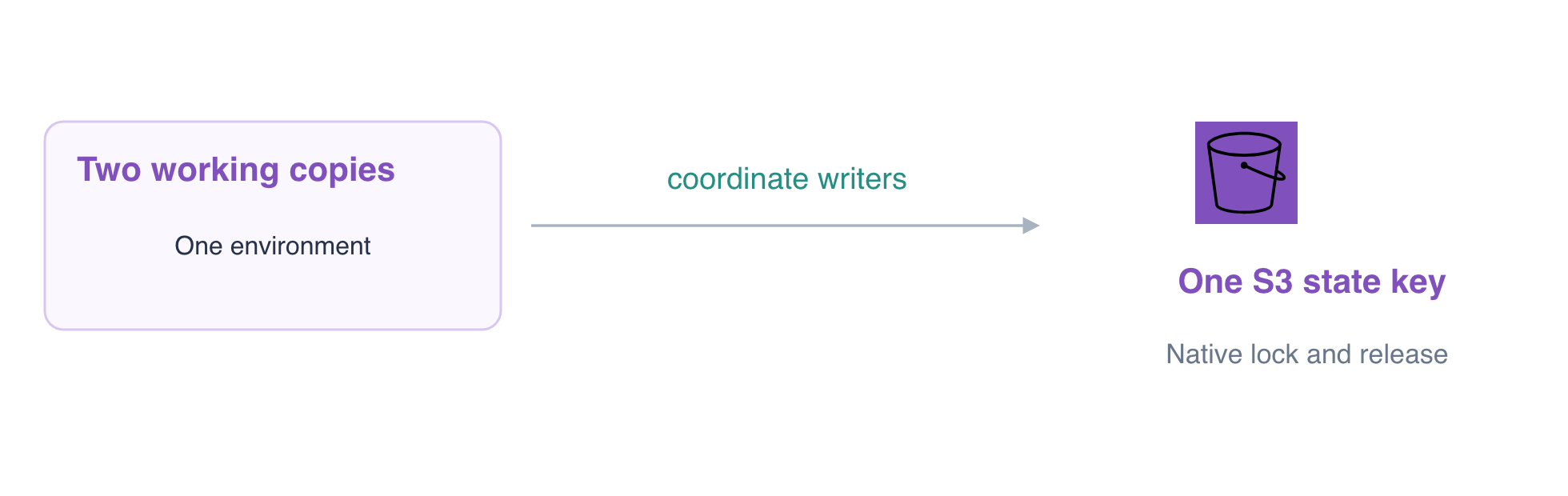
Two maintainers have working copies of the same environment. Observe an actual shared-state writer, a competing plan rejected by its native lock, and successful work from the other directory after normal release.
You need remote S3 state and ordinary Terraform plans/applies. This fresh environment supplies both initialized working copies, a controlled timed change, report storage and a finance reference; no earlier VM or personal AWS account is required.
Certification Relevance
| Certification | Exam task | Practice |
|---|---|---|
| CloudOps Engineer – Associate (SOA-C03) | Task 3.1, Skill 3.1.6 | Foundational Terraform practice: maintain infrastructure through reviewed configuration and state changes while preserving working resources. |
Lab Overview
Identify Two Copies of One Environment
In this step, establish that two working directories intentionally manage the same environment. They are not separate dev and preview deployments: both backend configurations select reports/shared.tfstate in coordination-team-state.
cd /home/labex/project/shared-state-operators
cat operator-a/shared.s3.tfbackend
cat operator-b/shared.s3.tfbackend
Both use use_lockfile = true. Terraform creates a native S3 lock object alongside this state while a writer operates, so another writer does not act on a conflicting snapshot.
terraform -chdir=operator-a state show aws_s3_bucket.reports
terraform -chdir=operator-b state show aws_s3_bucket.reports
Both identify coordinated-daily-reports. Read its real report and leave the finance reference unchanged:
aws s3 \
  cp s3://coordinated-daily-reports/report.txt -
Expect Daily sales: 120 orders. Inspect the supplied controlled change:
cat operator-a/pending-change.tf
For this exercise only, a terraform_data resource pauses its creation for 30 seconds through local-exec. That pause makes an actual writer's lock observable. Ordinary resource updates also hold a lock; an artificial sleep is not a production deployment recommendation. This controlled state change is present in both configurations but has not been applied.
Observe Actual Contention and Normal Release
In this step, run one actual writer and a competing plan from the second directory. Use the whole following block as one operation so reading pauses do not consume the observation window.
& starts operator A in the background; $! captures its process ID. Its output goes to a log so the second operator's error is readable. The bounded loop waits for the actual S3 lock rather than assuming a fixed startup time. The if statement lets the expected failed plan be inspected, and wait returns the writer's real completion status. These are two independent Terraform processes, even though you launch them from one Terminal.
terraform -chdir=operator-a apply -auto-approve > /tmp/operator-a.log 2>&1 &
WRITER_PID=$!
echo "$WRITER_PID"
for attempt in $(seq 1 60); do
  if aws s3api head-object \
    --bucket coordination-team-state \
    --key reports/shared.tfstate.tflock > /dev/null 2>&1; then
    break
  fi
  sleep 1
done
aws s3api get-object \
  --bucket coordination-team-state \
  --key reports/shared.tfstate.tflock \
  /tmp/current-lock.json
cat /tmp/current-lock.json
if terraform -chdir=operator-b plan -lock-timeout=0s; then
  echo 'Unexpected: the competing plan acquired the lock.'
  false
else
  PLAN_EXIT=$?
  echo "$PLAN_EXIT"
fi
wait "$WRITER_PID"
cat /tmp/operator-a.log
The competing plan must exit 1 with Error acquiring the state lock. An authentication or connection error does not demonstrate contention. The lock information belongs to the actual writer; uploading a file with the lock's name would not establish writer coordination.
Operator A should finish its controlled creation successfully and normally release the lock. Do not disable locking, delete an active writer's lock, or use force-unlock to make the second operator proceed. In AWS View, the report stores remain available throughout; the lock coordinates management, not report-reading access.
Continue from the Other Working Copy After Release
In this step, let operator B acquire the backend normally after the writer finishes. The second working copy should now read the updated shared state, rather than independently creating another copy of the resources.
terraform -chdir=operator-b plan -lock-timeout=5s
Expect No changes. The same command that was blocked during the write can now acquire and release the lock normally.
Inspect the completed state from both directories:
terraform -chdir=operator-a state list
terraform -chdir=operator-b state list
Each lists aws_s3_bucket.reports and terraform_data.coordination. They are the same environment and shared management record, not two deployments.
aws s3 \
  cp s3://coordinated-daily-reports/report.txt -
The original text remains available. Inspect state version history:
aws s3api \
  list-object-versions \
  --bucket coordination-team-state \
  --prefix reports/shared.tfstate
The actual state has history, and no active .tflock should remain in the current object inventory. Historical lock versions or delete markers are not an active writer lock.
terraform -chdir=operator-a plan
Expect No changes here too. The background checks distinguish actual Terraform process contention from a manually supplied lock and verify original report versions, normal release and successful later access. Leave shared storage and the backend for their owners.
Summary
You distinguished two working copies of one environment from separate environments, observed actual native lock contention, and continued safely after normal writer release without deleting an active lock.