Introduction
A running server is not necessarily reachable. In this lab, change one network access rule, observe a real blocked website request and restore access without changing the application or SSH rule.
Complete the first two portfolio labs first. This fresh environment provides its own running website and network. No previous server or credentials are required.
Certification Relevance
| Certification | Exam task | Practice |
|---|---|---|
| AWS Certified Cloud Practitioner (CLF-C02) | Task 3.5 | Use a security group to control connections to an EC2 website. |
Lab Overview
Observe a Blocked Website Connection
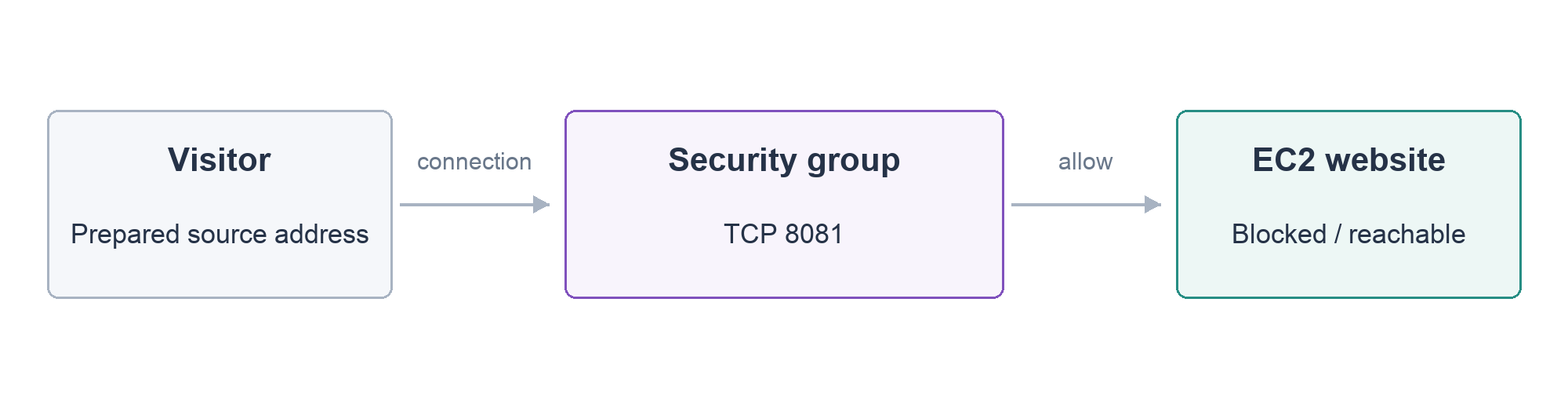
In this step, you will remove just the website access rule and compare the website response with the server’s state.
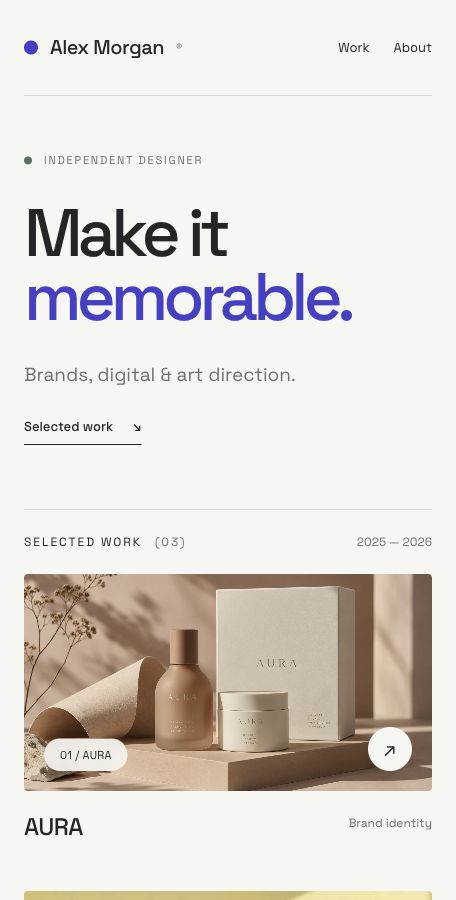
This fresh lab supplies its own running server. Open the portfolio from this lab’s AWS View and confirm Alex Morgan appears before changing anything. Then return to Terminal and enter the project folder:
cd /home/labex/project
As in the previous lab, source loads the current server’s identifiers. Display SECURITY_GROUP_ID, the security group you will change:
source website.env
echo "$SECURITY_GROUP_ID"
A security group controls network connections for an instance. An inbound rule permits connections arriving at it. A port identifies the receiving service: SSH uses 22, and this website uses HTTP on 8081. Other sites commonly use HTTP 80 or HTTPS 443; use this application’s configured port here.
Read the group before changing it:
--query selects part of the response, as in the first lab. Here it keeps only the first group’s inbound rules, SecurityGroups[0].IpPermissions, so you can focus on the two permissions you need.
aws ec2 describe-security-groups \
  --group-ids "$SECURITY_GROUP_ID" \
  --query 'SecurityGroups[0].IpPermissions'
The output lists only inbound rules. FromPort and ToPort mark the port range. You should find separate rules for 22 and 8081. Their source, 198.51.100.10/32, represents one prepared website visitor in this exercise; /32 means one IPv4 address. It is not your computer’s public address, so keep the supplied value.
Remove only the website permission. revoke-security-group-ingress removes a matching inbound rule; --protocol tcp selects its protocol, --port 8081 selects the website service and --cidr selects the allowed source:
aws ec2 revoke-security-group-ingress \
  --group-id "$SECURITY_GROUP_ID" \
  --protocol tcp \
  --port 8081 \
  --cidr 198.51.100.10/32
The response confirms the rule change. Refresh your portfolio tab to test its effect: the page should report Website connection unavailable, while AWS View still shows the instance as running.
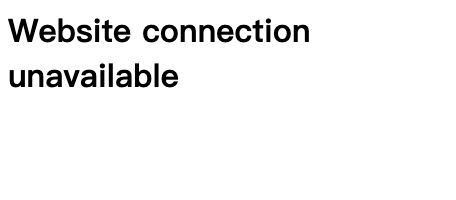
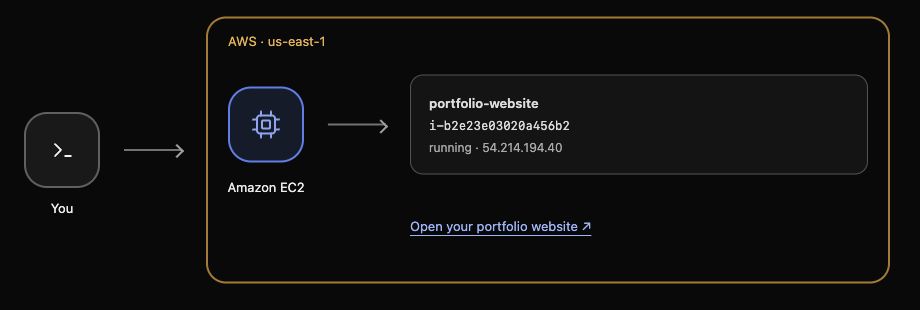
The application has not been uninstalled and the server has not stopped. The connection is blocked by a network rule. Security groups track allowed connections; this exercise’s fresh page request tests the changed rule. Keep the separate SSH rule intact.
Restore Website Access
In this step, you will restore the specific website permission and confirm the application responds again.
authorize-security-group-ingress adds an inbound rule. Use the same group, TCP port and single prepared visitor address:
aws ec2 authorize-security-group-ingress \
  --group-id "$SECURITY_GROUP_ID" \
  --protocol tcp \
  --port 8081 \
  --cidr 198.51.100.10/32
Refresh the portfolio tab. Alex Morgan and the three projects should return. You restored access without reinstalling the application or restarting its server. Read the group again to check the configuration as well:
aws ec2 describe-security-groups \
  --group-ids "$SECURITY_GROUP_ID" \
  --query 'SecurityGroups[0].IpPermissions'
Confirm the exact website rule for port 8081 and the unchanged SSH rule for 22, both using 198.51.100.10/32. A source of 0.0.0.0/0 would permit every IPv4 source and is broader than this task needs. Restore the supplied source rather than adding extra permissions.
You have checked both sides of the result: the intended rule is present and an actual visitor request succeeds. The next lab supplies a fresh website and introduces private storage for its project materials.
Summary
You removed and restored one website access rule, observed the real page fail and recover, and preserved SSH access. You distinguished a running server from a reachable application and confirmed that the restored permission remained limited to the intended visitor.
Official reference: security group rules.