



Introduction
An operations team needs an error signal that activates when requests fail and recovers after healthy traffic. You will configure a metric alarm, observe both transitions from actual requests, compare zero with missing data, and remove your alarms.
Complete Measure Application Health with CloudWatch Metrics first, including metric dimensions and Sum. This lab provides a fresh application and metric series.
Certification Relevance
| Certification | Exam task | Practice |
|---|---|---|
| CloudOps Engineer – Associate (SOA-C03) | Task 1.1 | CloudWatch alarm evaluation, recovery, and missing data. |
| DevOps Engineer – Professional (DOP-C02) | Task 4.2 | Foundational practice: CloudWatch alarm evaluation, recovery, and missing data. |
| Solutions Architect – Professional (SAP-C02) | Task 3.1 | Foundational practice: CloudWatch alarm evaluation, recovery, and missing data. |
Lab Overview
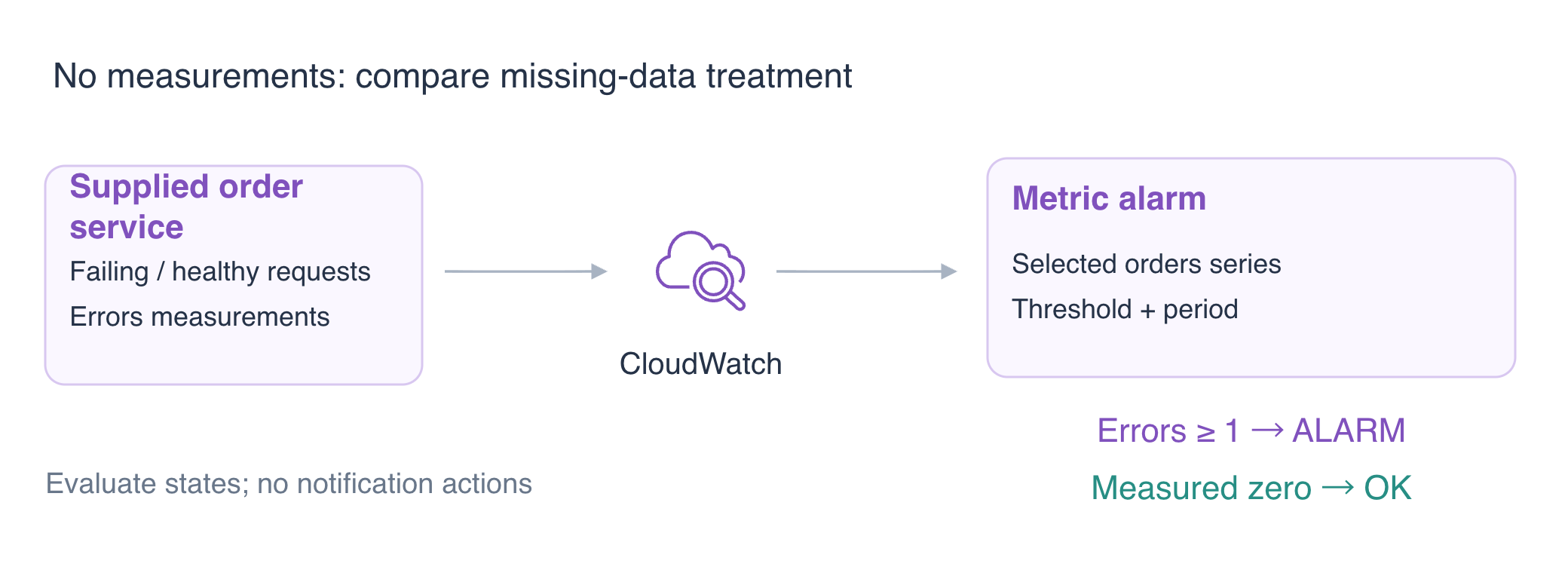
Configure a Metric Alarm
In this step, you will watch the orders application's server-error count. An alarm evaluates a metric against a threshold and reports OK, ALARM or INSUFFICIENT_DATA. It does not send a notification unless an action is configured; this exercise focuses on evaluation.
The independent prepared application publishes real request metrics. Its Errors metric is one for HTTP 5xx and zero for a healthy request. High-resolution publication permits a 10-second period so you can observe several periods quickly. Production periods and thresholds depend on workload and cost.
cd /home/labex/project
Create a single-metric alarm. Namespace, name and dimensions select the series; Sum counts errors in each completed period.
The alarm evaluates one completed 10-second period (--period 10, --evaluation-periods 1). A Sum of at least 1 reaches the threshold; GreaterThanOrEqualToThreshold means “greater than or equal to.” notBreaching treats a period without measurements as not breaching the threshold. This keeps idle periods OK, but does not establish application health.
aws cloudwatch put-metric-alarm \
  --alarm-name labex-o03-orders-errors \
  --namespace LabEx/O03 \
  --metric-name Errors \
  --dimensions Name=Application,Value=orders \
  --statistic Sum \
  --unit Count \
  --period 10 \
  --evaluation-periods 1 \
  --threshold 1 \
  --comparison-operator GreaterThanOrEqualToThreshold \
  --treat-missing-data notBreaching
Read the alarm below. If evaluation is still pending, wait a few seconds and repeat this read command until it reports OK.
The initial OK is caused by missing-data treatment, not a successful health check. Inspect the evaluated reason:
aws cloudwatch describe-alarms \
  --alarm-names labex-o03-orders-errors \
  --query 'MetricAlarms[0].[StateValue,StateReason,Dimensions]'
Keep /labex/o03-reference unchanged. Each lab starts independently; no previous metric data is required.
Trigger the Alarm with Real Failures
In this step, you will generate actual failed requests and wait for automatic evaluation. A completed period excludes points in the current incomplete period; seeing the HTTP response and the alarm state are separate observations.
pear is unavailable in the supplied service. The loop sends nine requests, two seconds apart, to span multiple 10-second periods. for repeats the commands; sleep 2 pauses between requests. curl without -f returns the response body even for HTTP 503, which makes the failure observable.
for request in $(seq 1 9); do
  curl -sS -H 'Content-Type: application/json' -d '{"sku":"pear","quantity":1}' http://127.0.0.1:5050/orders
  echo
  sleep 2
done
Read the evaluated state. If it has not reached ALARM yet, wait a few seconds and repeat this command. StateReasonData is JSON stored as a string, so its quotes appear escaped in the response; recentDatapoints lists the evaluated period sums.
aws cloudwatch describe-alarms \
  --alarm-names labex-o03-orders-errors \
  --query 'MetricAlarms[0].[StateValue,StateReason,StateReasonData]'
Expect ALARM and a recentDatapoints value of at least 1 in StateReasonData. If evaluation still shows the earlier period, wait a few seconds and repeat the read command. The state follows actual request-derived datapoints; do not manually set alarm state. The alarm watches orders only, so another application's series does not enter this evaluation.
For the orders team, ALARM answers whether the selected period contains server failures. It does not explain which request failed or why stock was unavailable. The HTTP response establishes the business failure, the evaluated datapoint establishes the alarm transition, and request logs provide details for diagnosis. Keep these observations separate when deciding what to investigate.
Observe Recovery and Missing Data
In this step, you will distinguish a real zero from absent telemetry. Send healthy apple requests so completed periods contain measured Errors=0. Repeating across periods avoids mistaking the current incomplete bucket for recovery.
for request in $(seq 1 9); do
  curl -sS -H 'Content-Type: application/json' -d '{"sku":"apple","quantity":1}' http://127.0.0.1:5050/orders
  echo
  sleep 2
done
Read the evaluated state. If it has not reached OK yet, wait a few seconds and repeat this command.
aws cloudwatch describe-alarms \
  --alarm-names labex-o03-orders-errors \
  --query 'MetricAlarms[0].[StateValue,StateReason,StateReasonData]'
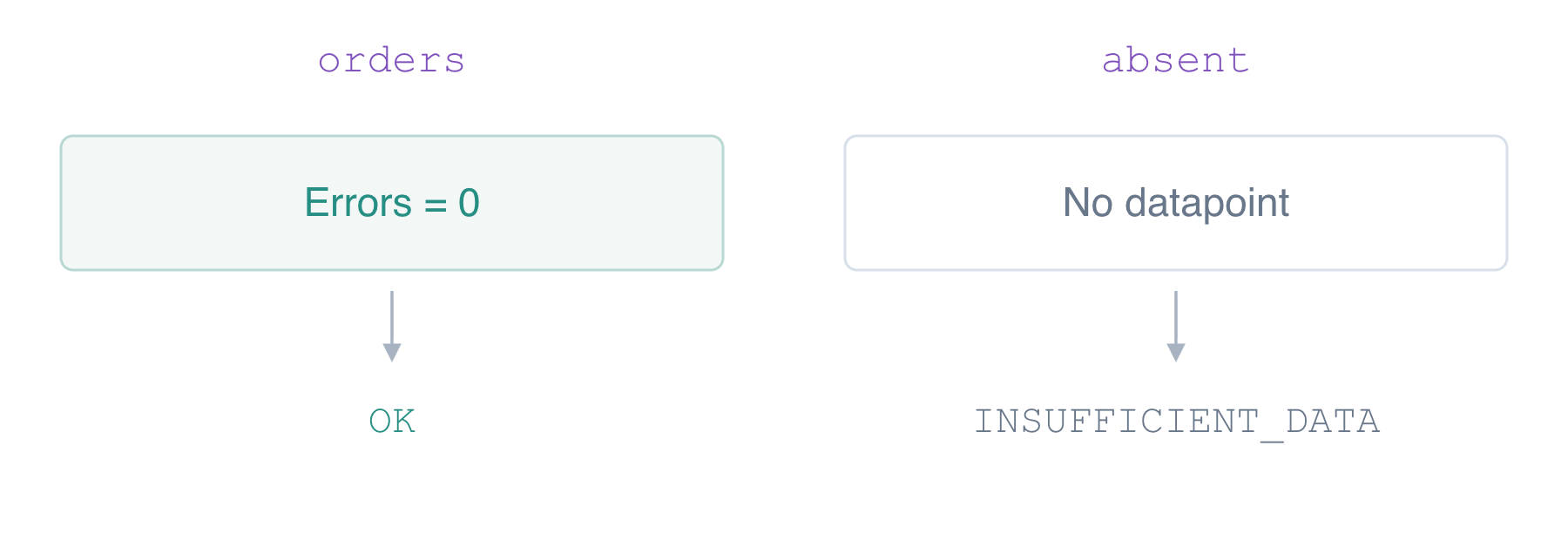
Expect OK with recentDatapoints: [0]. An empty list means missing telemetry, so confirm the measured zero before continuing.
Create a separate alarm for Application=absent, a series that the application never publishes. Treat missing data as missing instead of healthy.
aws cloudwatch put-metric-alarm \
  --alarm-name labex-o03-missing \
  --namespace LabEx/O03 \
  --metric-name Errors \
  --dimensions Name=Application,Value=absent \
  --statistic Sum \
  --unit Count \
  --period 10 \
  --evaluation-periods 1 \
  --threshold 1 \
  --comparison-operator GreaterThanOrEqualToThreshold \
  --treat-missing-data missing
The new alarm should remain INSUFFICIENT_DATA because its selected series has no measurements.
aws cloudwatch describe-alarms --query 'MetricAlarms[].[AlarmName,StateValue,StateReason]'
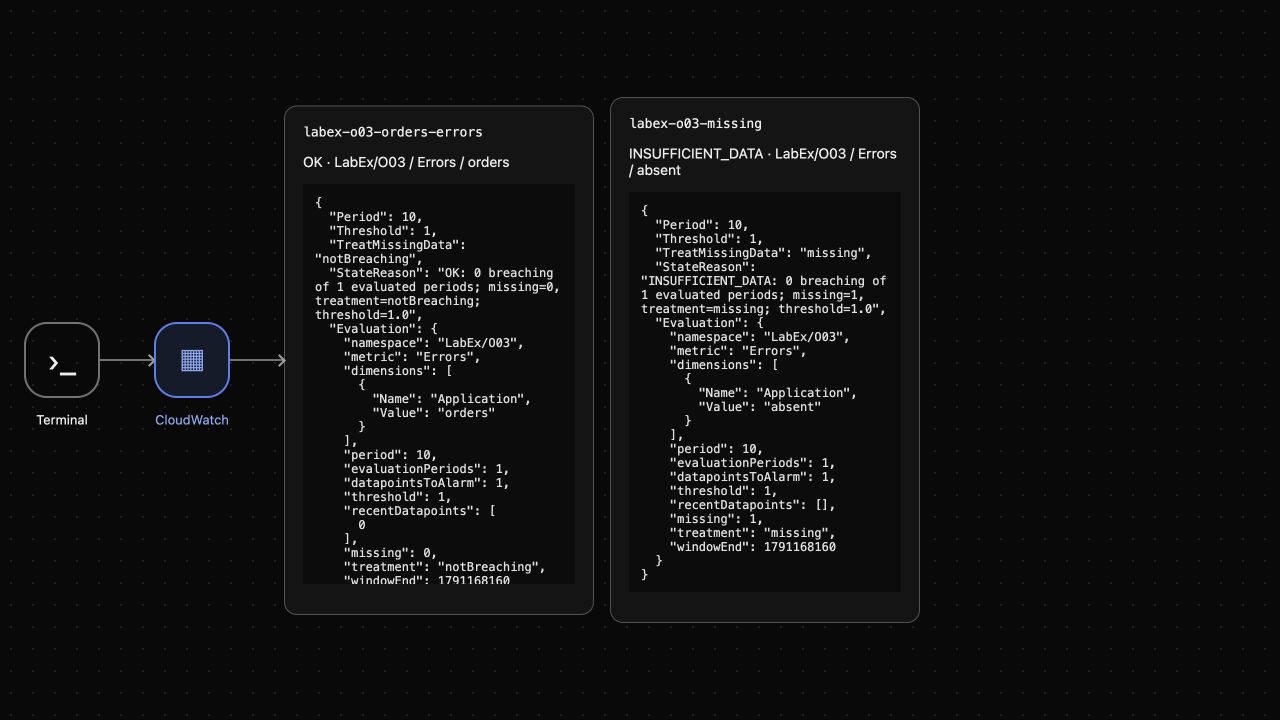
Expect orders OK from the measured zero and absent INSUFFICIENT_DATA. Use the evaluated reason to tell measured zero from missing telemetry.
AWS View displays the actual service state and evaluated datapoints. Compare the reasons, rather than treating every OK as proof of application health.
Remove Owned Alarms and Stop Publication
In this step, you will remove only this lab's alarms and preserve unrelated data. Disable instrumentation before cleanup so the application stops publishing new points.
cat > app.json <<'JSON'
{"logging": {"enabled": false, "group": "/labex/o03-orders", "stream": "requests"}, "metrics": {"enabled": false, "namespace": "LabEx/O03"}}
JSON
aws cloudwatch delete-alarms --alarm-names labex-o03-orders-errors labex-o03-missing
aws cloudwatch describe-alarms --query 'MetricAlarms[].AlarmName'
aws logs get-log-events \
  --log-group-name /labex/o03-reference \
  --log-stream-name platform \
  --query 'events[].message'
Expect an empty alarm inventory and INFO platform reference keep unchanged. Existing metric points are retained; CloudWatch has no explicit API to delete an individual metric. Author/platform cleanup removes this disposable environment afterward.
Summary
You configured an error alarm, observed automatic trigger and recovery from real requests, distinguished measured zero from missing data and removed owned alarms while preserving reference logs.
For further reading, see the AWS reference on Metric alarms and actions; Alarm evaluation with missing data.


