Introduction
Northline Library helps readers discover books, check availability, and preview a reservation. Its homepage can look healthy while a reader cannot search. Your task is to monitor that customer outcome and notify the team only when failure lasts.
Basic terminal familiarity is enough. The library, Prometheus (samples and rules), Blackbox Exporter (real HTTP probes), Alertmanager (notification delivery), and a local inbox are prepared. You edit two short YAML configuration files; no application coding, installation, email account, or outside messaging is required. This is one training instance with synthetic books and read-only reservation previews.
Use Library for reader actions, Workstation for commands, and Monitoring for actual observations and webhook deliveries. Website and interface labels remain English. Each course unit starts independently.
Monitor the Reader's Search
In this step, you will select a customer probe. Begin in Library. You will first use the normal business, then select a probe that checks what the reader actually needs.
Try the Reader's Journey
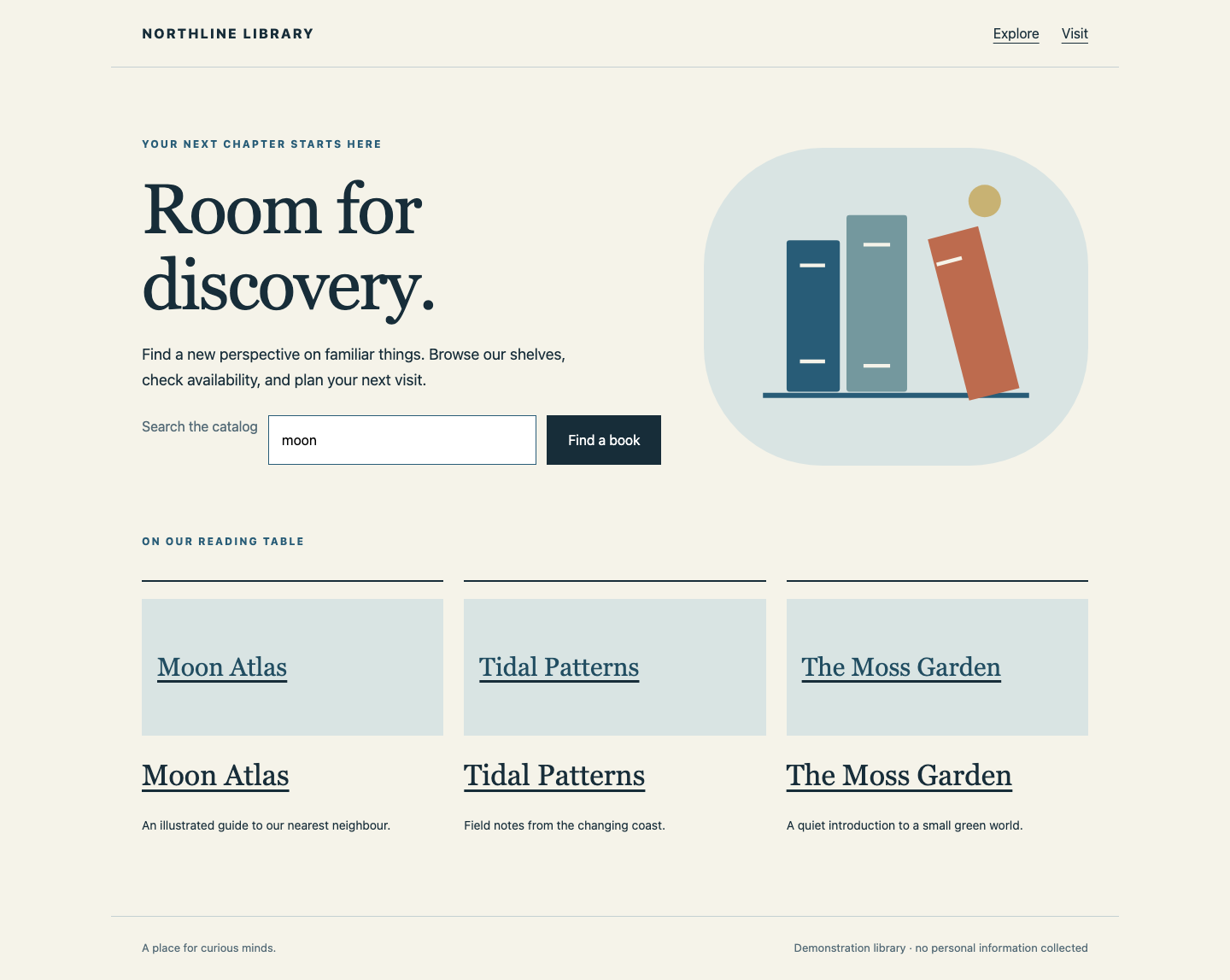
Leave moon in Search the catalog and select Find a book. Search results should include Moon Atlas, Available, and its shelf location. Open Moon Atlas, then Check reservation: the read-only preview says Ready to collect: Moon Atlas. Nothing is booked. Select Back to book, then NORTHLINE LIBRARY. Open Visit, read the hours, and return with the brand link.
Understand the Probe
Switch to Workstation, already in /home/labex/project/library-watch. A path names a file or directory; this absolute path starts at the system root. pwd prints your location, ls lists names, and cat prints a file:
pwd
ls
cat prometheus.yml
You have prometheus.yml, alerts.yml, and watch.sh. A configuration describes how a program should behave. YAML uses indentation with spaces, key: value pairs, and a dash for a list item; keep the spacing shown below. You do not need an editor: you will replace the small configuration as one complete block.
HTTP is the browser's request/response protocol. A URL has an address, a port identifying a service, and a path. Here 127.0.0.1 means this lab instance when used in Workstation. Port 8081 serves the library; /search?q=moon requests search with query parameter q set to moon. Keep that URL quoted in terminal commands so the shell treats it as one argument.
The prepared library job currently probes only the homepage. A job is a named collection of sampling targets. The exporter on port 9115 makes a real request and returns probe_success: 1 for success, 0 for failure. Its search module requires the Moon Atlas and Available content, not just HTTP status 200. Prometheus samples that result every 2 seconds. Its separate up metric only tells us whether Prometheus could collect from the exporter; it cannot prove the reader succeeded.
Select the Customer Path
cat > prometheus.yml replaces the file. <<'YAML' begins a literal here-document: paste the whole block, including the final YAML alone on its line. global defines timing, rule_files names the rules, and alerting connects the prepared delivery service. Keep these support settings; change the probe's module and target to the search journey. The journey: search label identifies its business scope.
cat > prometheus.yml <<'YAML'
global:
  scrape_interval: 2s
  evaluation_interval: 2s
rule_files:
- /home/labex/project/library-watch/alerts.yml
alerting:
  alertmanagers:
  - static_configs:
    - targets: ['127.0.0.1:9093']
scrape_configs:
- job_name: library
  metrics_path: /probe
  params:
    module: [search]
    target: ['http://127.0.0.1:8081/search?q=moon']
  static_configs:
  - targets: ['127.0.0.1:9115']
    labels:
      journey: search
YAML
bash watch.sh reload runs the supplied helper: it checks syntax before asking Prometheus to reload. It does not change the library or fabricate observations.
bash watch.sh reload
Expect Configuration accepted. Wait about 4 seconds, then switch to Monitoring. Business probes should show search: healthy. If reload reports a YAML error, return to Workstation, replace the file with the complete block and reload again. If samples are unavailable, wait and retry; unavailable never means healthy. Do not point the target at Monitoring itself.
Compare Availability with Success
Switch to Workstation. The helper's fault search seconds 6 makes only search fail for 6 real seconds, then restores it automatically. It does not set any alert state. curl sends HTTP requests; -sS hides progress but shows connection errors. Run:
bash watch.sh fault search seconds 6
curl -sS 'http://127.0.0.1:8081/search?q=moon'
The body says Search is taking a break. The server deliberately still returns HTTP 200, so a status-only check would miss the business failure. Switch immediately to Monitoring: within one sampling interval, search should become failed, then return to healthy after recovery. If you miss the short window, repeat the same 6-second exercise. No alert is configured yet. Wait until healthy before checking this step.
Alert Only When Failure Lasts
In this step, you will configure one customer alert that waits long enough to ignore the brief failure you just observed. Begin in Workstation.
Read the Condition
Prometheus evaluates rules every 2 seconds. The expression probe_success{job="library",journey="search"} == 0 selects failed search samples from the library job. Braces contain label filters; == 0 selects failure rather than success. Selecting only up would monitor collection, not readers. Omitting the labels could include unrelated services.
for: 20s means the condition must stay active for 20 seconds. pending means the condition exists but is still waiting; firing means it lasted long enough. inactive means the condition is absent. The 20 seconds are short for this exercise, not a universal production recommendation. Missing probe data is shown as unavailable in Monitoring; it is not evidence of a healthy service or a business failure sample.
alert names the rule. severity is a routing label, and annotations.summary describes the customer consequence. Write the complete rule:
cat > alerts.yml <<'YAML'
groups:
- name: readers
  rules:
  - alert: CustomerJourneyFailed
    expr: probe_success{job="library",journey="search"} == 0
    for: 20s
    labels:
      severity: page
    annotations:
      summary: Readers cannot complete search
YAML
bash watch.sh reload
Expect Configuration accepted. If validation fails, correct spaces or punctuation and reload; the last valid configuration remains active until a replacement is accepted.
Switch to Monitoring. The rule should appear as CustomerJourneyFailed: inactive (20 seconds) while search is healthy. The local inbox should still be empty.
Prove a Short Fault Stays Quiet
Switch to Workstation and repeat the same brief business fault:
bash watch.sh fault search seconds 6
Switch immediately to Monitoring. Search becomes failed; the rule may show pending briefly. After automatic recovery, both the probe and rule return to healthy/inactive. The inbox stays empty. Allow about 12 seconds for this full short exercise. If you previously ran a longer fault, old notifications remain in the inbox: compare the new events rather than deleting evidence.
A firing rule and a delivered notification are separate facts. Alertmanager receives firing alerts, groups them, waits 1 second for a new group, then delivers to the local webhook inbox. Sampling, rule evaluation, and delivery each add a small delay. Do not remove for or lower every threshold merely because a notification is not immediate.
Receive the Failure and Its Recovery
In this step, you will exercise a lasting failure and watch actual notification delivery. Begin in Workstation.
Observe a Lasting Failure
The next fault lasts 60 real seconds, leaving time to see each state. Only the reader's search fails; the homepage still works.
bash watch.sh fault search seconds 60
Switch to Library. Use the brand link to return home: it looks normal. Search for moon again. The failure message proves the reader cannot use the catalog. Switch to Monitoring. Search shows failed, and the rule first becomes pending. Around 20 seconds after the first failed sample it becomes firing; the local inbox should then add FIRING · CustomerJourneyFailed · search. Allow up to 35 seconds from starting the fault for collection, evaluation, and notification delivery. These are live observations, not a progress animation.
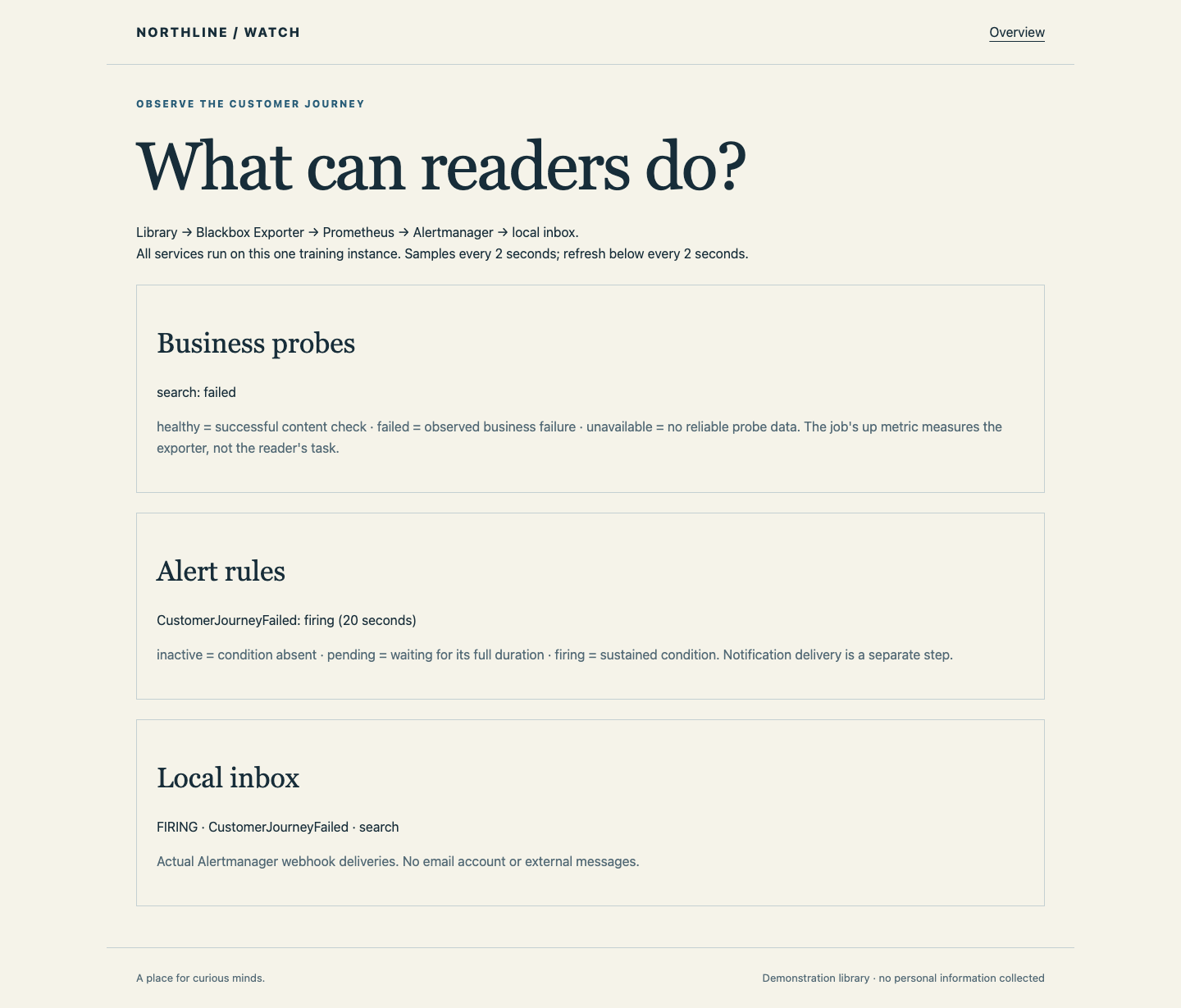
If the inbox is still empty after 35 seconds, switch to Workstation and use the helper's read-only status command:
bash watch.sh status
Look at checks and alerts: unavailable means collection is missing; pending means the duration has not elapsed; firing with no inbox event points to delivery. Reread the configuration, then reload if you corrected it. An expired 60-second fault can be repeated. Do not create fake inbox messages or stop monitoring.
Restore and Confirm Resolution
Switch to Workstation. Zero seconds restores search immediately, even if its automatic expiry has not arrived:
bash watch.sh fault search seconds 0
Switch to Library and repeat the moon search from home. Moon Atlas and Available must return. Open its book and reservation preview again; Visit must remain usable too.
Switch to Monitoring. Within about 10 seconds search becomes healthy, the alert becomes inactive, and the inbox adds RESOLVED · CustomerJourneyFailed · search. The original firing notification stays visible; a resolved event means this failure cleared, not that the library can never fail again.
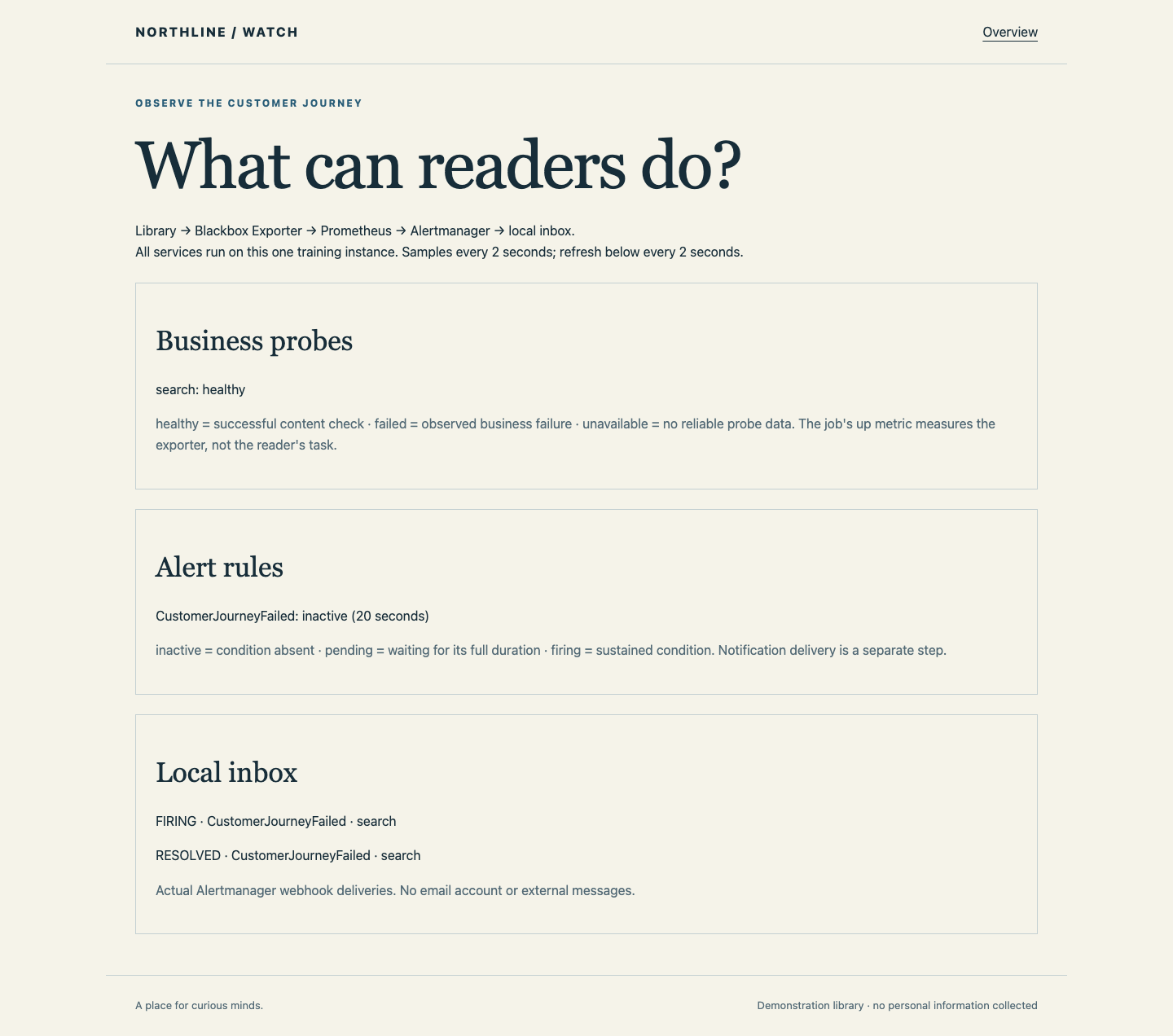
The step checks the real delivered firing/resolved pair and the current usable library. It also tests your loaded rule against isolated healthy, brief, sustained, recovered, missing-data, and unrelated-failure samples. Grading does not inject faults, restore service, or change your configuration. Leave the library healthy and your rule active for future failures.
Summary
You selected a real customer search and a content-aware probe, scoped an alert with labels, ignored a short fault, and received actual failure and recovery webhooks. You distinguished a working exporter from a working business and missing data from success. The independent challenge applies the same methods to reservation confirmation while excluding an unrelated failing service.