Introduction
Field Notes is preparing a community weekend. Its resource pack includes a PDF guide, handouts and an optional empty credits file. A filename and plausible size are not enough to show that a download is complete. Before fetching anything, you will produce an inventory that tells the organizer which exact members need attention.
You should know basic Bash arguments, conditions and loops from Shell for Beginners. This lab explains SHA256, line-safe reads and the parsing used here. Tools and original synthetic resources are prepared. Workspace and Download Desk share one container; this lab starts independently. The estimated time includes reading and ordinary typing errors.
Build a Trustworthy Inventory
In this step, you will turn a trusted checklist into an inventory of the actual local pack, without repairing or rewriting any pack member.
See the useful file first
Start in Workspace, which is prepared for UTF-8 text. Your work belongs in /home/labex/project/download-desk. pwd shows the current directory. If a relative path is missing, check it with ls and return here with the complete cd command.
cd /home/labex/project/download-desk
ls pack
Switch to Download Desk. Select Open file beside Welcome guide.pdf. The new browser page should show the community schedule and the east-entrance meeting point. Use the browser's PDF zoom controls if necessary; a PDF has fixed pages rather than a reflowing mobile layout. Return to the Download Desk page and select Download beside that file to save the same local bytes. Then switch back to Workspace.
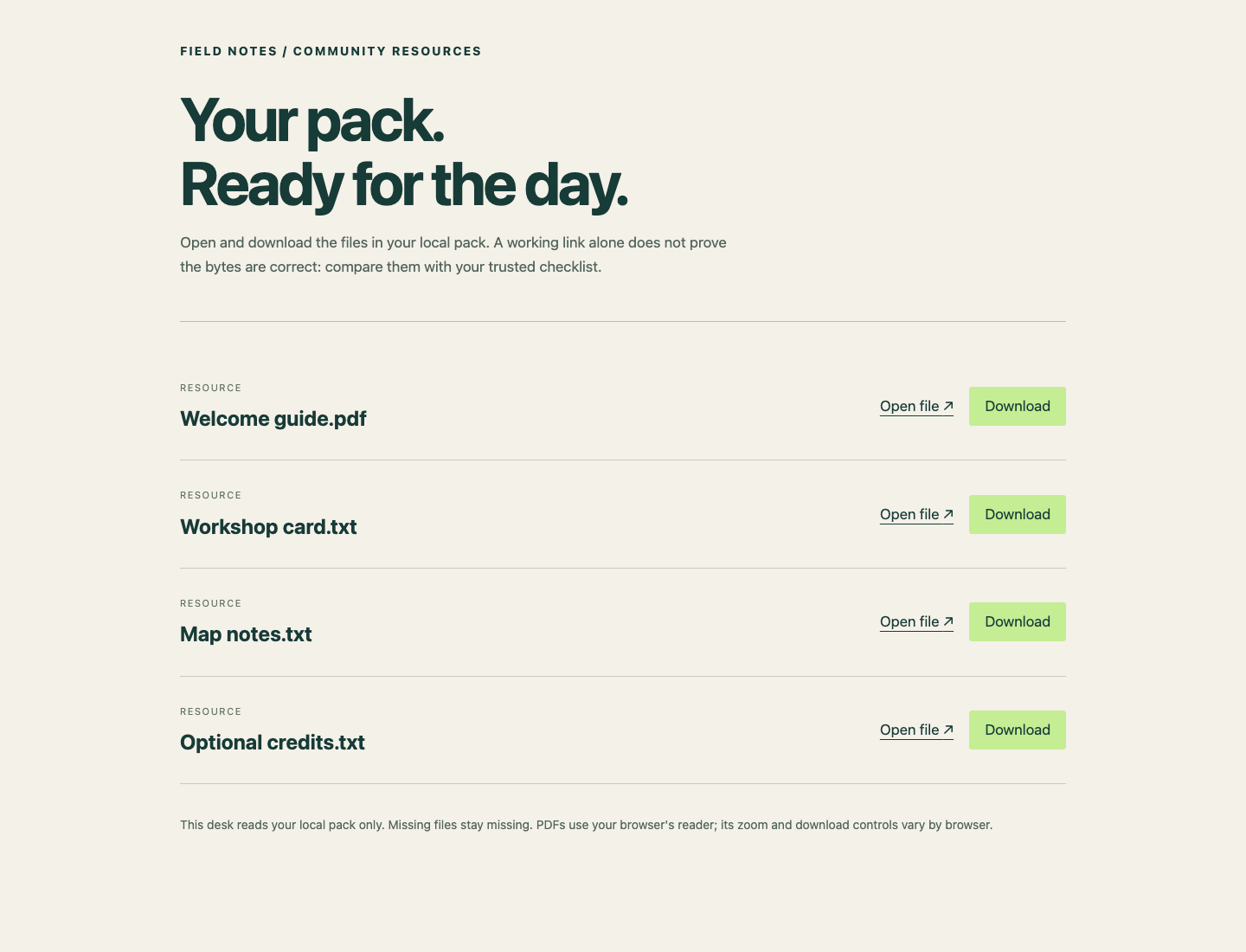
Use Open file or Download beside Welcome guide.pdf.
This reader only serves actual files in pack. It cannot retrieve a missing member from the source. A text resource may open as text and the optional empty file may show a blank page. Those observations alone do not establish correctness.
Use an independent reference
The organizer supplied /opt/labex/download-pack-state/expected.sha256 separately from the writable pack. A SHA256 digest is a 64-character fingerprint of file bytes. Comparing it with an independently trusted value detects different bytes, including same-size damage. It does not establish a publisher's identity: if an attacker supplies both a file and its checksum, agreement does not make that publisher trustworthy. Do not regenerate this reference from the files you are checking.
cat displays a file without changing it:
cat /opt/labex/download-pack-state/expected.sha256
Each line contains a lowercase 64-character digest, two spaces, then the complete filename. This course uses a provided, readable, nonempty, newline-terminated manifest in that exact format. Names are flat printable ASCII names and may include spaces. Slash, backslash, CR, LF, tabs, . and .. names are outside the scope. The pack and its directory chain are real directories; listed members are regular local files or absent. Linked files, subdirectories at a listed name and arbitrary escaped checksum formats are not supported. Keep every original pack member and notes.txt unchanged in this diagnostic lab.
sha256sum prints a file's digest and name. Double quotes keep the name containing spaces together. -- ends command options. The directory prefix also prevents a basename starting with - from becoming an option.
sha256sum -- "pack/Workshop card.txt"
Compare that digest with its reference line. They differ. The damaged file has the same number of bytes as the correct handout, so its size would not have exposed this mistake.
sha256sum --check reads the manifest and checks its listed paths relative to the current directory. Parentheses run commands in a subshell: its cd does not change your outer terminal's directory.
(cd pack && sha256sum --check /opt/labex/download-pack-state/expected.sha256)
Here && runs the check only if entering pack succeeds. Expect Welcome guide.pdf: OK, Workshop card.txt: FAILED, Map notes.txt: FAILED open or read, and Optional credits.txt: OK, plus warnings. The missing member and wrong bytes make this command intentionally fail. $? holds the previous command's native exit status; read it immediately, before another command replaces it. printf formats the value, and \n ends the line.
printf 'Check exit: %s\n' "$?"
Expect Check exit: 1. The zero-byte credits file is valid because its digest matches. “Nonempty” is a requirement for the manifest, not every resource. Seeing one OK line does not make the whole pack correct.
Preserve names while reading lines
The organizer needs a compact inventory with one status and one complete filename per row, in manifest order. You will create inventory.sh, which receives the manifest as $1 and the pack directory as $2. It is a standalone program using these arguments and installed commands, without neighboring helper files.
Before writing it, read the shell syntax it uses:
while IFS= read -r linereads one complete line each time. EmptyIFSprevents trimming spaces;-rprevents backslash processing.done < "$manifest"redirects the manifest into the loop rather than asking the terminal for input.${line:0:64}takes the digest at character positions 0 through 63.${line:66}takes everything after the two separator spaces. It does not split a filename into words.[ -f "$target" ]asks whether the supported target is a regular file. An absent member is classified before any checksum command is run.actual=$(sha256sum -- "$target")captures command output.${actual%% *}removes the longest trailing part matching a space followed by anything, leaving the digest. This is safe for the controlled filename format described above.printf '%s\t%s\n'writes two values with a tab between them and a newline after them. Quotes preserve every filename as one argument.
The following here-document saves literal text into a script. cat > inventory.sh replaces that script file; <<'BASH' ends at a line containing only BASH. Quoting that delimiter prevents your current shell from expanding the script's variables while saving it. The first line identifies Bash; we will run the file explicitly with bash.
cat > inventory.sh <<'BASH'
#!/usr/bin/env bash
manifest=$1
pack=$2
while IFS= read -r line; do
    expected=${line:0:64}
    name=${line:66}
    target=$pack/$name
    status=MISSING
    if [ -f "$target" ]; then
        actual=$(sha256sum -- "$target")
        actual=${actual%% *}
        status=MISMATCH
        if [ "$actual" = "$expected" ]; then
            status=MATCH
        fi
    fi
    printf '%s\t%s\n' "$status" "$name"
done < "$manifest"
BASH
Run the script with the provided reference and the local pack. > redirects its standard output into inventory.tsv, replacing that report on each run. TSV means tab-separated values. This report is the organizer's diagnostic artifact; it does not repair the resources.
bash inventory.sh /opt/labex/download-pack-state/expected.sha256 pack > inventory.tsv
cat inventory.tsv
Expect these rows, with a tab between each status and filename:
MATCH Welcome guide.pdf
MISMATCH Workshop card.txt
MISSING Map notes.txt
MATCH Optional credits.txt
The script's exit status can be zero even though the report contains MISSING: its job is to classify, not claim that the pack is complete. The report's correctness comes from its relationship to the actual files and trusted reference. The check also exercises your script on a separate pack with different names, including an empty member; it does not require this exact loop spelling.
If you mistype a script line, repeat the complete here-document to replace only inventory.sh, then rerun the report command. If you accidentally run from pack, return with the absolute cd shown above. Leave pack, the trusted reference and notes.txt unchanged. Rerunning the inventory command should produce the same report because it only reads the pack. In the next lab you will use these classifications to decide what to download.
Summary
You opened a real resource, compared its pack with an independent SHA256 reference, and built a line-safe Bash inventory. You separated missing members, wrong bytes and matching empty files while preserving the original pack. The inventory now supplies a reason for each later repair.