



Introduction
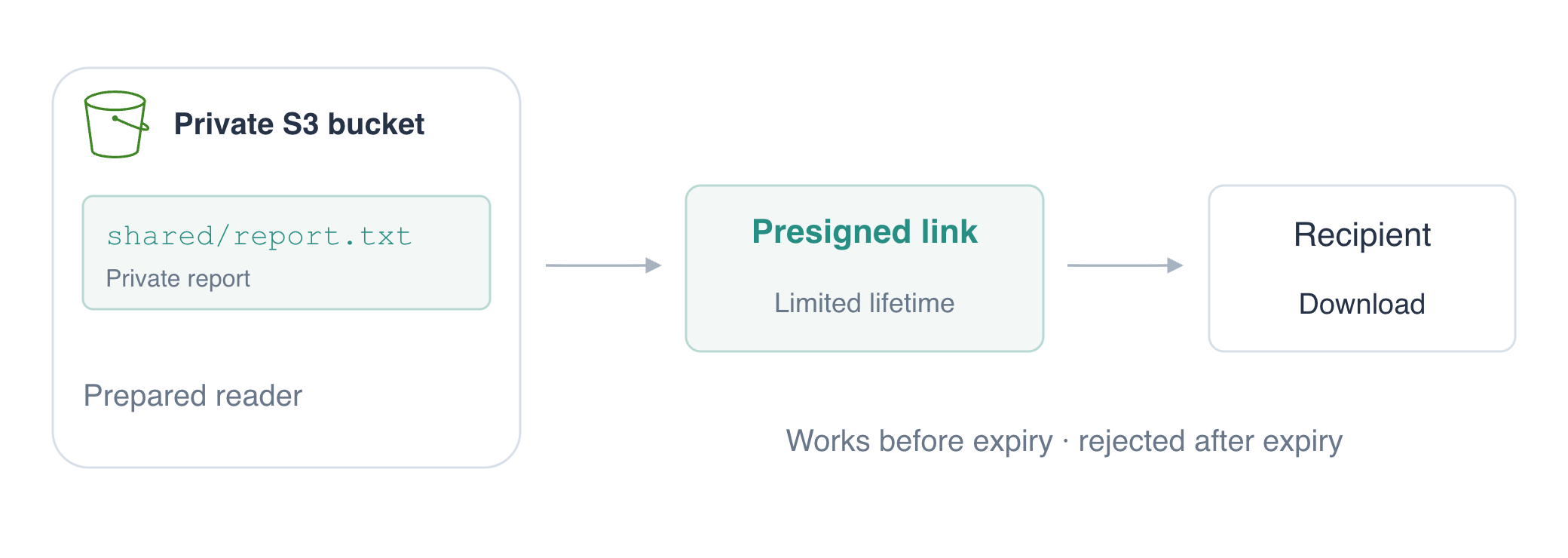
A stored report also needs a controlled way to reach a recipient. Use a prepared reader to share one private report through a temporary signed link, prove a download works, and observe rejection after expiry. Policy writing follows in IAM.
Complete Organize Documents with Keys and Metadata first for keys, downloads, and cleanup. The private bucket and a restricted identity are prepared in this fresh VM; no personal login or IAM policy writing is needed. Use Terminal and the AWS View above Terminal. Keep full download links private.
Certification Relevance
| Certification | Exam task | Practice |
|---|---|---|
| Solutions Architect – Associate (SAA-C03) | Task 1.1 | Time-limited S3 access through presigned URLs. |
| Developer – Associate (DVA-C02) | Task 2.1 | Time-limited S3 access through presigned URLs. |
| Security – Specialty (SCS-C03) | Task 4.1 | Foundational practice: Time-limited S3 access through presigned URLs. |
Lab Overview
Read the Report with Your Configured Identity
In this step, you will retrieve the allowed report and see that a different private object remains outside your identity's permissions.
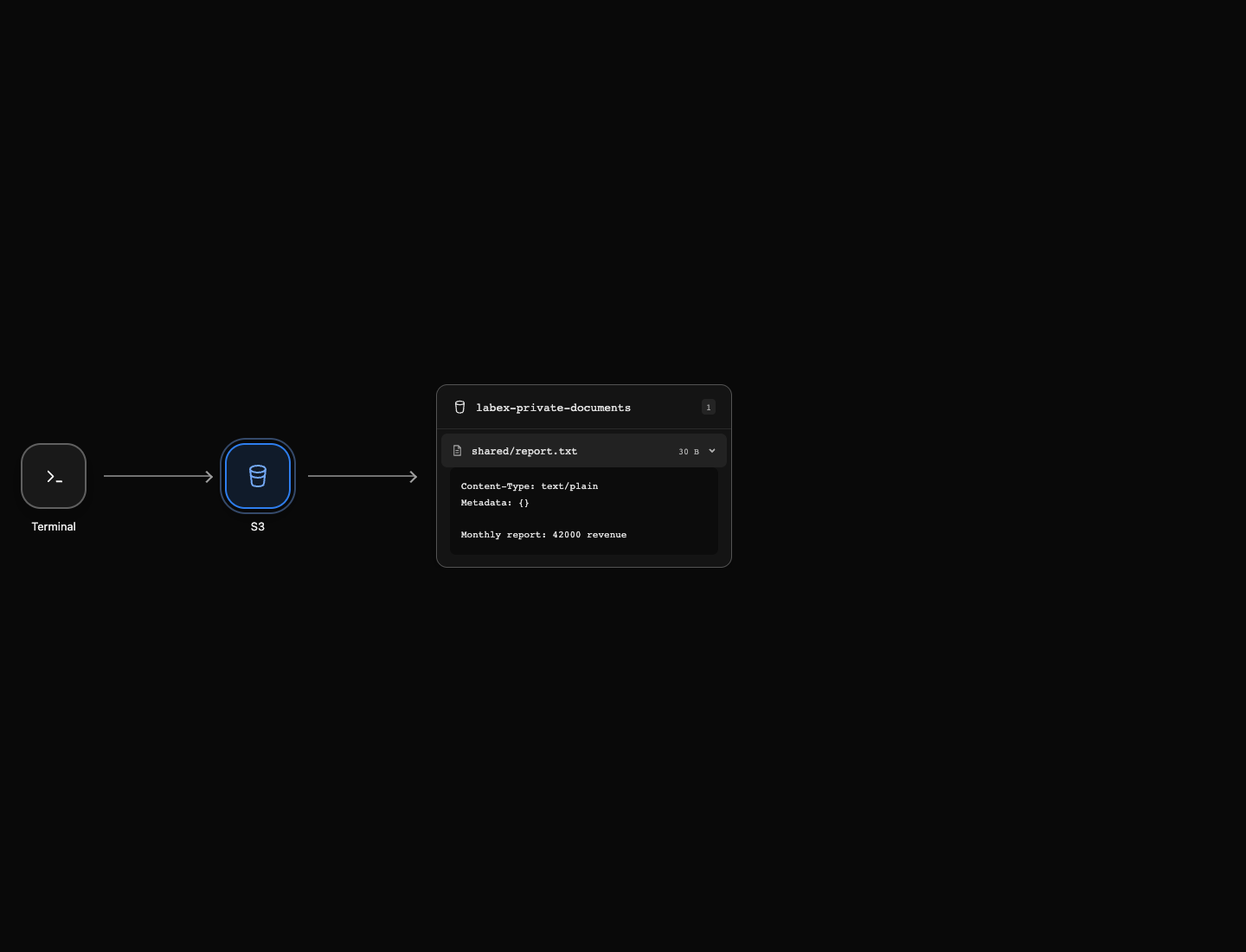
A permission defines what an identity may do to a resource. Your prepared reader can list this bucket and read shared/report.txt, but cannot read private/payroll.txt or change storage. You will use these permissions, not write policies; the IAM course teaches that later.
Move to the workspace with cd (change directory):
cd /home/labex/project
List the shared prefix of the prepared bucket:
aws s3 ls s3://labex-private-documents/shared/
The listing contains a row ending in report.txt; under this prefix, it refers to the complete key shared/report.txt. The prefix organizes the key; its name does not make the object public. Your AWS CLI request succeeds because the configured identity is allowed to list the bucket.
Download the report with an authenticated AWS CLI request:
aws s3 cp s3://labex-private-documents/shared/report.txt authorized-report.txt
Inspect this synthetic report with cat, which prints a local text file:
cat authorized-report.txt
Monthly report: 42000 revenue
In AWS View, open shared/report.txt. The preview shows the same stored contents, using the reader's permitted access.
Try reading the separate payroll object:
aws s3 cp s3://labex-private-documents/private/payroll.txt denied-payroll.txt
This command is expected to fail with a 403 or AccessDenied error. The object exists, but this reader is not allowed to retrieve it. An identity having access to one report does not give it access to every object in the bucket. You will share only the permitted report.
Generate and Use a Temporary Download Link
In this step, you will generate a signed link and download the report with an HTTP client instead of an AWS identity on the receiving request.
A temporary link allows the permitted download until its time limit ends.
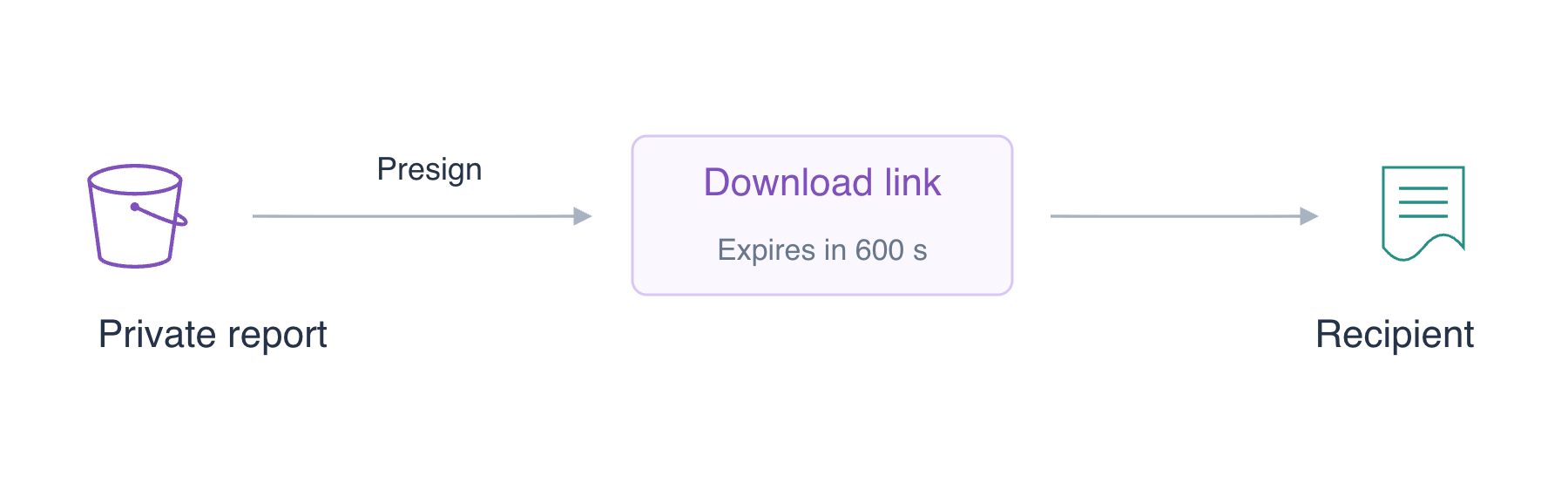
A presigned URL is a link carrying a signature and an expiration time. It lets a recipient perform a permitted download without receiving your AWS credentials. The link files are prepared with restricted permissions; keep their full contents private.
aws s3 presign produces a URL authorizing a download of the specified object. --expires-in sets the requested lifetime in seconds; 600 means ten minutes from generation. This does not change the object's access permissions. The shell's > writes output into the already protected local file instead of displaying the full link:
aws s3 presign s3://labex-private-documents/shared/report.txt --expires-in 600 > download-link.txt
The command prints nothing because its output went to the file. Anyone holding this URL can use its delegated access while it remains valid, so keep the full link out of screenshots and public messages.
Read the link into a shell variable without printing it. $(...) captures a command's output; cat reads the file, and DOWNLOAD_URL=... assigns the captured text. There are no spaces around the assignment's =:
DOWNLOAD_URL=$(cat download-link.txt)
curl makes an HTTP request. -f reports HTTP error responses as failures, -sS hides the progress meter while retaining error messages, and -o writes the response body to a local file. Double quotes keep the entire URL in one argument, including its query parameters:
curl -fsS "$DOWNLOAD_URL" -o shared-download.txt
Curl receives no AWS credentials or profile; the URL itself carries the signature needed for this download. Read the result:
cat shared-download.txt
Monthly report: 42000 revenue
cmp compares two files byte for byte. && prints the message only when the comparison succeeds:
cmp authorized-report.txt shared-download.txt && echo 'Temporary-link download matches'
The message confirms the HTTP download contains the same report. Generating a link alone does not prove it works; this request tests the actual permission, signature, and stored bytes. If you spend more than ten minutes before downloading, generate a fresh link and reload the variable with the two commands above.
Check When the Link Expires
In this step, you will observe the time limit on a shared link. The ten-minute link was useful for testing a successful download; a separate short-lived link makes expiration quick to observe.
Generate another link with a deliberately short, fifteen-second lifetime, storing it in the second protected file:
aws s3 presign s3://labex-private-documents/shared/report.txt --expires-in 15 > short-link.txt
Capture it without displaying it:
SHORT_URL=$(cat short-link.txt)
sleep waits the specified number of seconds. Wait sixteen seconds to move beyond this short link's requested lifetime:
sleep 16
Use the original short link again, without generating a replacement. Here -s hides the progress meter, -o saves the response body, and -w prints only the HTTP status. %{http_code} is curl's status field and \n ends the line. We omit -f so you can inspect the rejection:
curl -s -o expired-response.xml -w '%{http_code}\n' "$SHORT_URL"
Expected status: 403. The file still exists and your identity can still read it, but the delegated URL's time window has ended. The XML response body explains the expired request; you can inspect that response safely because it does not contain the link:
cat expired-response.xml
Its Code is AccessDenied and its Message is Request has expired.. This establishes the reason for rejection; a connection failure would not prove expiration.
Clean Up with the Prepared Maintenance Identity
In this step, you will remove the lab-owned objects and bucket using the prepared maintenance identity.
Your default reader deliberately has no deletion permissions. An AWS CLI profile is a named configuration selecting an identity and service settings. The prepared cleanup profile is permitted to delete these exercise resources. --profile cleanup selects it for the following commands; you do not enter or inspect credentials.
Remove the shared report by its exact key:
aws --profile cleanup s3 rm s3://labex-private-documents/shared/report.txt
Remove the other disposable fixture by its exact key as well:
aws --profile cleanup s3 rm s3://labex-private-documents/private/payroll.txt
Both deletion messages name the intended objects. Confirm the bucket is empty with an authenticated list:
aws --profile cleanup s3 ls s3://labex-private-documents/ --recursive
The successful command prints no object rows. Remove the empty bucket:
aws --profile cleanup s3 rb s3://labex-private-documents
The output is remove_bucket: labex-private-documents. Confirm the remaining buckets:
aws --profile cleanup s3 ls
No bucket rows remain, and AWS View shows No buckets. A download link cannot serve a file that has been removed. The protected local URL files can also be removed with local rm because you no longer need them:
rm download-link.txt short-link.txt
Your downloaded report copies remain for review. Storage deletion, link expiry, and local-file cleanup are different operations; you completed each appropriate part of this exercise.
Summary
You retrieved a permitted private report, observed a denied object read, generated a temporary download URL, and compared the HTTP download with the authenticated copy. You then checked that a short-lived link was rejected after expiration.
A presigned URL delegates an operation already permitted to its signing identity; it does not make the object public or bypass permissions. Treat the full link as a temporary access secret. You finished by using a separate maintenance profile to remove the lab-owned objects, bucket, and local URL files.
When signing with temporary credentials, the URL also expires when those credentials expire, even if the requested URL lifetime is longer. For further reading, see the AWS reference on Presigned URL permissions and expiration.


