Introduction
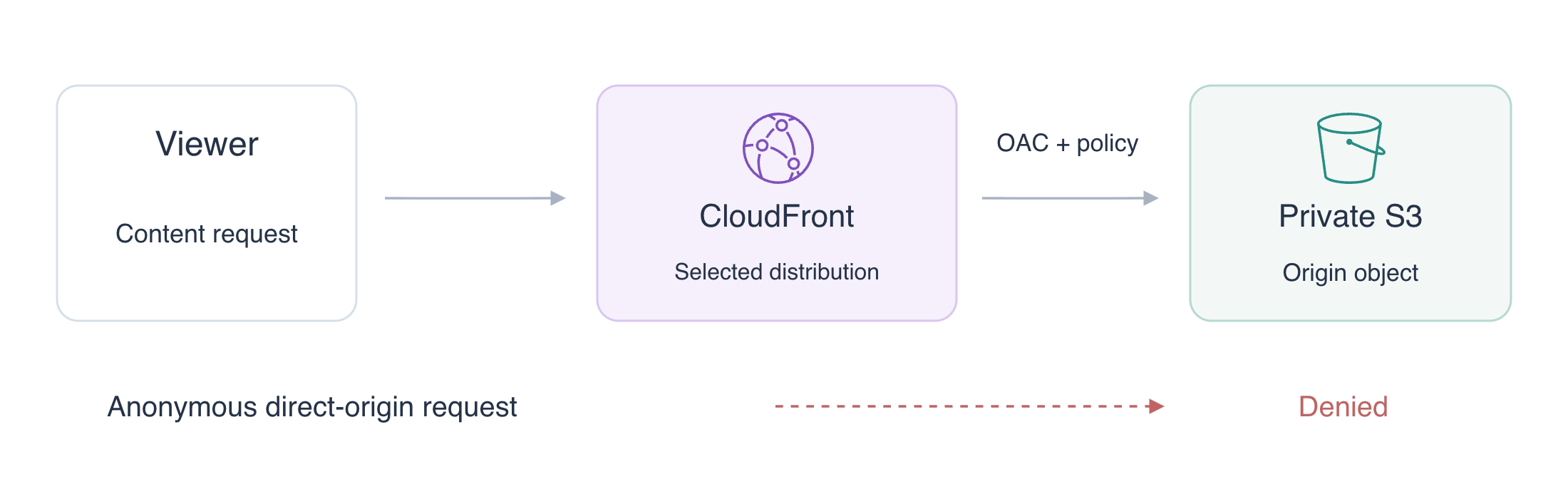
Your team wants customers to read a release through CloudFront while keeping its S3 origin private. Upload the supplied page, connect a distribution and origin access control, and grant only that distribution permission to read the objects. Test both the working viewer path and the denied direct-origin path.
Complete AWS Foundations, S3 object operations and IAM resource-policy concepts first. This independent VM supplies configured AWS CLI access, index.html and a separate reference bucket. Use the upper AWS View to observe the distribution and origin, and the lower Terminal to perform the work. You do not need a personal AWS account or a public domain. This lab practices one ordinary S3 origin; viewer caching and HTTPS follow in separate labs.
Certification Relevance
| Certification | Exam task | Practice |
|---|---|---|
| Solutions Architect – Associate (SAA-C03) | Task 1.1 | Use a resource policy to restrict S3 reads to the intended CloudFront distribution. |
Lab Overview
Prepare Private Origin Content
In this step, create a private S3 bucket and upload the prepared page.
The origin stores the content that CloudFront retrieves. A viewer is a client requesting content from CloudFront. Viewer access and origin access are different permissions: a page can be readable through the distribution while anonymous direct S3 reads remain denied.
Work in the supplied project directory. Keep the reference bucket labex-n02-reference unchanged:
cd /home/labex/project
cat index.html
aws s3api create-bucket \
  --bucket labex-n02-content
Set Bucket owner enforced object ownership. This keeps ownership with the bucket owner and disables ACL-based grants; OAC uses the bucket policy instead. Turn on all four Block Public Access protections to prevent public ACL or policy grants:
aws s3api put-bucket-ownership-controls \
  --bucket labex-n02-content \
  --ownership-controls '{"Rules":[{"ObjectOwnership":"BucketOwnerEnforced"}]}'
aws s3api put-public-access-block \
  --bucket labex-n02-content \
  --public-access-block-configuration '{"BlockPublicAcls":true,"IgnorePublicAcls":true,"BlockPublicPolicy":true,"RestrictPublicBuckets":true}'
Upload the supplied page. --content-type text/html describes the object as an HTML document:
aws s3api put-object \
  --bucket labex-n02-content \
  --key index.html \
  --body index.html \
  --content-type text/html
aws s3api head-object \
  --bucket labex-n02-content \
  --key index.html
Inspect the object's size and ContentType. Your CLI request is authenticated as the configured operator. Compare it with an anonymous HTTP request, which supplies no AWS credentials:
curl --noproxy '*' \
  --output /dev/null \
  --write-out 'Direct origin: HTTP %{http_code}\n' \
  http://127.0.0.1:5000/labex-n02-content/index.html
Expect Direct origin: HTTP 403. --output /dev/null discards the error body; --write-out prints the HTTP status. This explicit exercise endpoint tests direct S3 object access. It does not make the bucket public. Run the private-origin check.
Connect the Distribution to Its Origin
In this step, connect a CloudFront distribution to the S3 bucket and observe that connection alone does not grant origin permission.
An origin access control (OAC) tells CloudFront how to authenticate its origin requests. Select S3, Signature Version 4 and always signing. Write its ordinary CLI configuration:
cat > oac.json <<'JSON'
{
  "Name": "labex-n02-oac",
  "Description": "Read the private release origin",
  "SigningProtocol": "sigv4",
  "SigningBehavior": "always",
  "OriginAccessControlOriginType": "s3"
}
JSON
OAC_ID=$(aws cloudfront create-origin-access-control \
  --origin-access-control-config file://oac.json \
  --query OriginAccessControl.Id \
  --output text)
$(...) stores the returned OAC ID in OAC_ID. --query selects just the ID so the next configuration can reference it. Keep this Terminal open throughout the lab.
The distribution configuration connects content-origin to the ordinary S3 bucket endpoint, not an S3 website endpoint. TargetOriginId selects that origin; DefaultRootObject maps / to index.html. The legacy ForwardedValues block avoids forwarding cookies or query strings. All TTL values are zero here so origin-access testing does not reuse a cached success. allow-all permits the HTTP viewer request used in this lab; HTTPS is taught separately.
The next here-document is unquoted, so the shell expands $OAC_ID into the JSON file:
cat > distribution.json <<JSON
{
  "CallerReference": "labex-n02-release",
  "Comment": "labex-n02:private-content",
  "Enabled": true,
  "DefaultRootObject": "index.html",
  "Origins": {
    "Quantity": 1,
    "Items": [{
      "Id": "content-origin",
      "DomainName": "labex-n02-content.s3.amazonaws.com",
      "S3OriginConfig": {"OriginAccessIdentity": ""},
      "OriginAccessControlId": "$OAC_ID"
    }]
  },
  "DefaultCacheBehavior": {
    "TargetOriginId": "content-origin",
    "ViewerProtocolPolicy": "allow-all",
    "TrustedSigners": {"Enabled": false, "Quantity": 0},
    "ForwardedValues": {"QueryString": false, "Cookies": {"Forward": "none"}},
    "MinTTL": 0,
    "DefaultTTL": 0,
    "MaxTTL": 0
  }
}
JSON
DIST_ID=$(aws cloudfront create-distribution \
  --distribution-config file://distribution.json \
  --query Distribution.Id \
  --output text)
DIST_DOMAIN=$(aws cloudfront get-distribution \
  --id "$DIST_ID" \
  --query Distribution.DomainName \
  --output text)
Inspect the connected origin:
aws cloudfront get-distribution-config \
  --id "$DIST_ID" \
  --query DistributionConfig.Origins
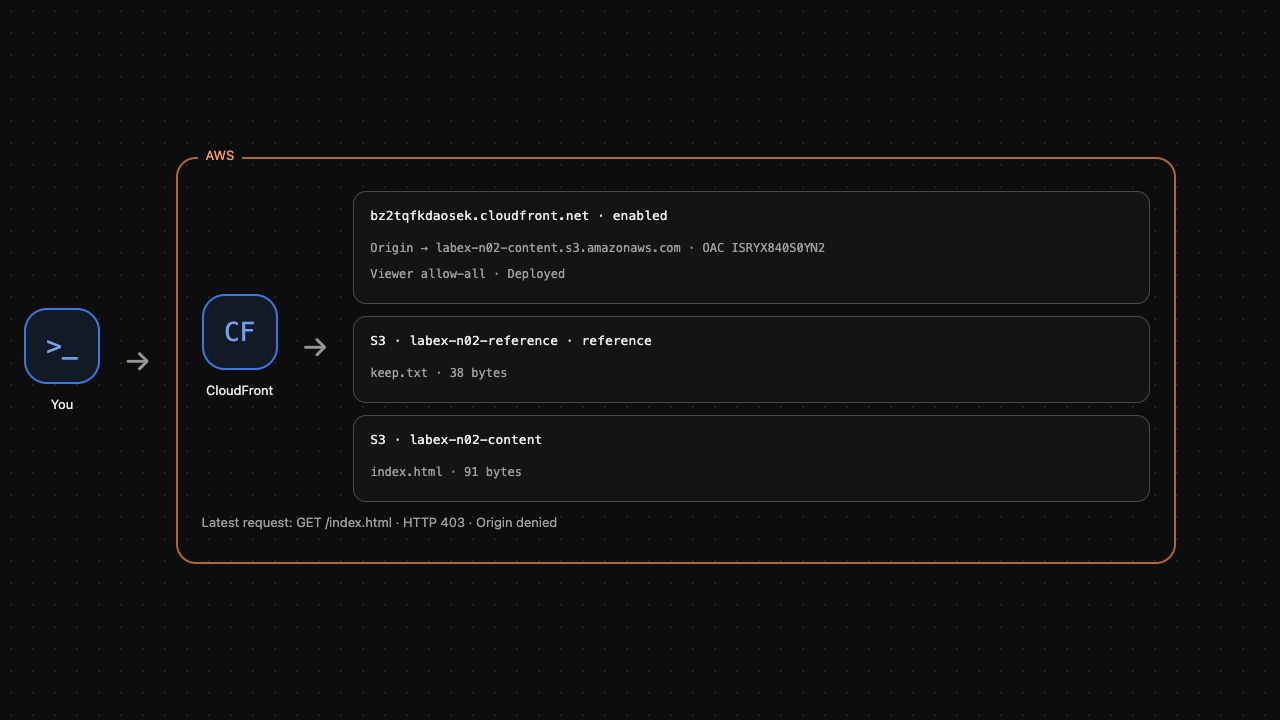
The S3 domain and OriginAccessControlId should match your bucket and OAC. Wait for the distribution's control-plane deployment before testing it. The official waiter repeatedly reads the status; it does not generate viewer traffic:
aws cloudfront wait distribution-deployed \
  --id "$DIST_ID"
Now test the viewer path. --resolve sends this exact distribution name and exercise port to the VM's supplied delivery endpoint; it does not alter system DNS or register a domain:
curl --noproxy '*' \
  --resolve "${DIST_DOMAIN}:8082:127.0.0.1" \
  --output /dev/null \
  --write-out 'Viewer before permission: HTTP %{http_code}\n' \
  "http://${DIST_DOMAIN}:8082/index.html"
Expect HTTP 403. Creating the distribution and choosing an OAC describe a connection; S3 still needs a policy granting that distribution access. Do not make the bucket public to fix this result. Run the connection check.
Grant the Intended Distribution Access
In this step, allow the selected CloudFront distribution to read the objects while preserving denied anonymous direct-origin access.
An ARN identifies an AWS resource and its account. Read your distribution's ARN:
DIST_ARN=$(aws cloudfront get-distribution \
  --id "$DIST_ID" \
  --query Distribution.ARN \
  --output text)
The bucket policy names cloudfront.amazonaws.com as the service principal, permits only s3:GetObject, and limits the grant to objects in your bucket. The AWS:SourceArn condition restricts the service request to your specific distribution. This grant is different from a public Principal: "*" policy. Write it using the captured ARN:
cat > bucket-policy.json <<JSON
{
  "Version": "2012-10-17",
  "Statement": [{
    "Effect": "Allow",
    "Principal": {"Service": "cloudfront.amazonaws.com"},
    "Action": "s3:GetObject",
    "Resource": "arn:aws:s3:::labex-n02-content/*",
    "Condition": {"StringEquals": {"AWS:SourceArn": "$DIST_ARN"}}
  }]
}
JSON
aws s3api put-bucket-policy \
  --bucket labex-n02-content \
  --policy file://bucket-policy.json
Request the object again. --fail now makes an unsuccessful HTTP status fail the command, and --include displays headers with the actual document:
curl --fail --include --noproxy '*' \
  --resolve "${DIST_DOMAIN}:8082:127.0.0.1" \
  "http://${DIST_DOMAIN}:8082/index.html"
Expect HTTP 200, a text/html content type and the page containing Release one. You have observed object bytes through the distribution, not only a successful configuration response.
Immediately repeat the anonymous direct-origin test:
curl --noproxy '*' \
  --output /dev/null \
  --write-out 'Direct origin after viewer success: HTTP %{http_code}\n' \
  http://127.0.0.1:5000/labex-n02-content/index.html
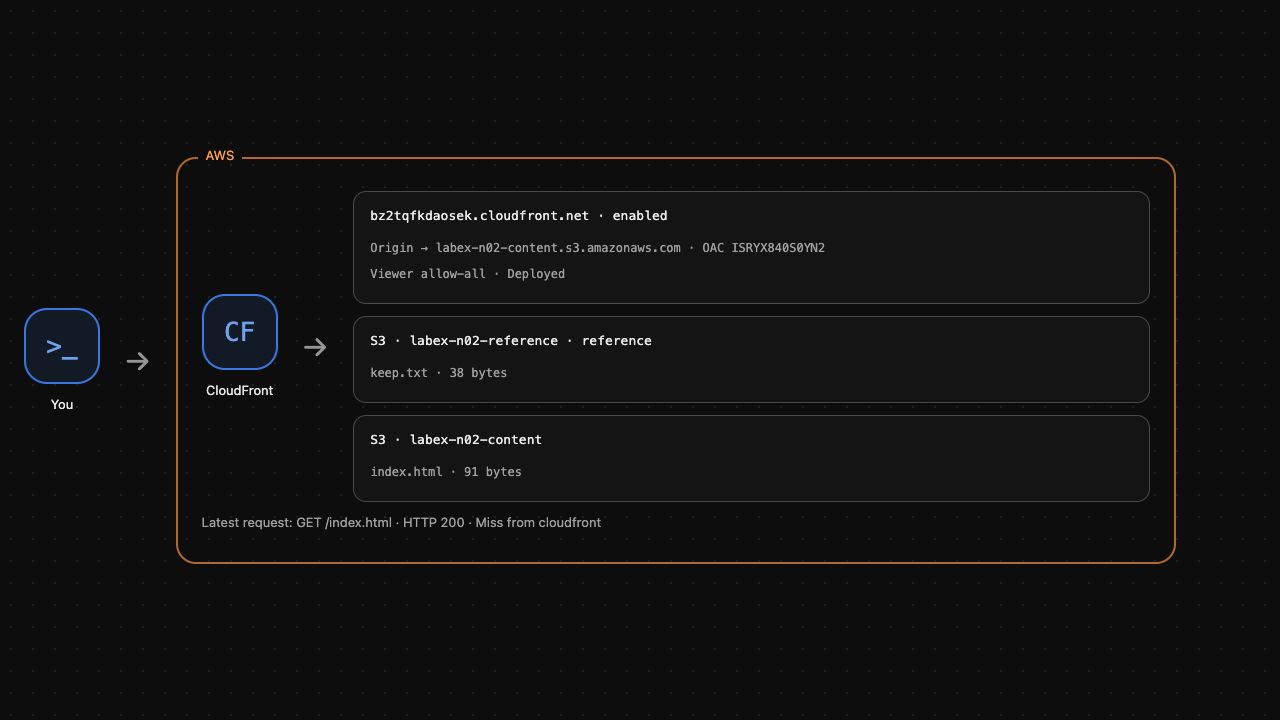
It must still return HTTP 403. The viewer path works while the direct origin remains private. AWS View shows the connected origin and latest viewer result. Run the access check.
Remove Only Your Delivery Resources
In this step, disable and remove your distribution before removing its OAC and S3 content. Keep the reference bucket unchanged.
CloudFront uses an ETag as the version token for configuration changes. Fetch the current configuration and its ETag rather than guessing a token:
aws cloudfront get-distribution-config \
  --id "$DIST_ID" \
  --query DistributionConfig \
  --output json > distribution-current.json
DIST_ETAG=$(aws cloudfront get-distribution-config \
  --id "$DIST_ID" \
  --query ETag \
  --output text)
In this lab's current configuration, the distribution's Enabled property is the only true property with that name. The following standard sed substitution produces a disabled copy while retaining the origin settings:
sed 's/"Enabled": true/"Enabled": false/' distribution-current.json > distribution-disabled.json
aws cloudfront update-distribution \
  --id "$DIST_ID" \
  --if-match "$DIST_ETAG" \
  --distribution-config file://distribution-disabled.json
Wait for deployment of the disabled configuration. On AWS, configuration propagation can take time; the exercise does not measure global deployment latency:
aws cloudfront wait distribution-deployed \
  --id "$DIST_ID"
The update changes the ETag. Read the latest token before deleting the disabled distribution:
DIST_ETAG=$(aws cloudfront get-distribution-config \
  --id "$DIST_ID" \
  --query ETag \
  --output text)
aws cloudfront delete-distribution \
  --id "$DIST_ID" \
  --if-match "$DIST_ETAG"
Remove the OAC with its own ETag. The distribution ID and OAC ID refer to different resources:
OAC_ETAG=$(aws cloudfront get-origin-access-control \
  --id "$OAC_ID" \
  --query ETag \
  --output text)
aws cloudfront delete-origin-access-control \
  --id "$OAC_ID" \
  --if-match "$OAC_ETAG"
Remove only the object and bucket you created:
aws s3api delete-object \
  --bucket labex-n02-content \
  --key index.html
aws s3api delete-bucket \
  --bucket labex-n02-content
aws s3api list-buckets \
  --query Buckets[].Name
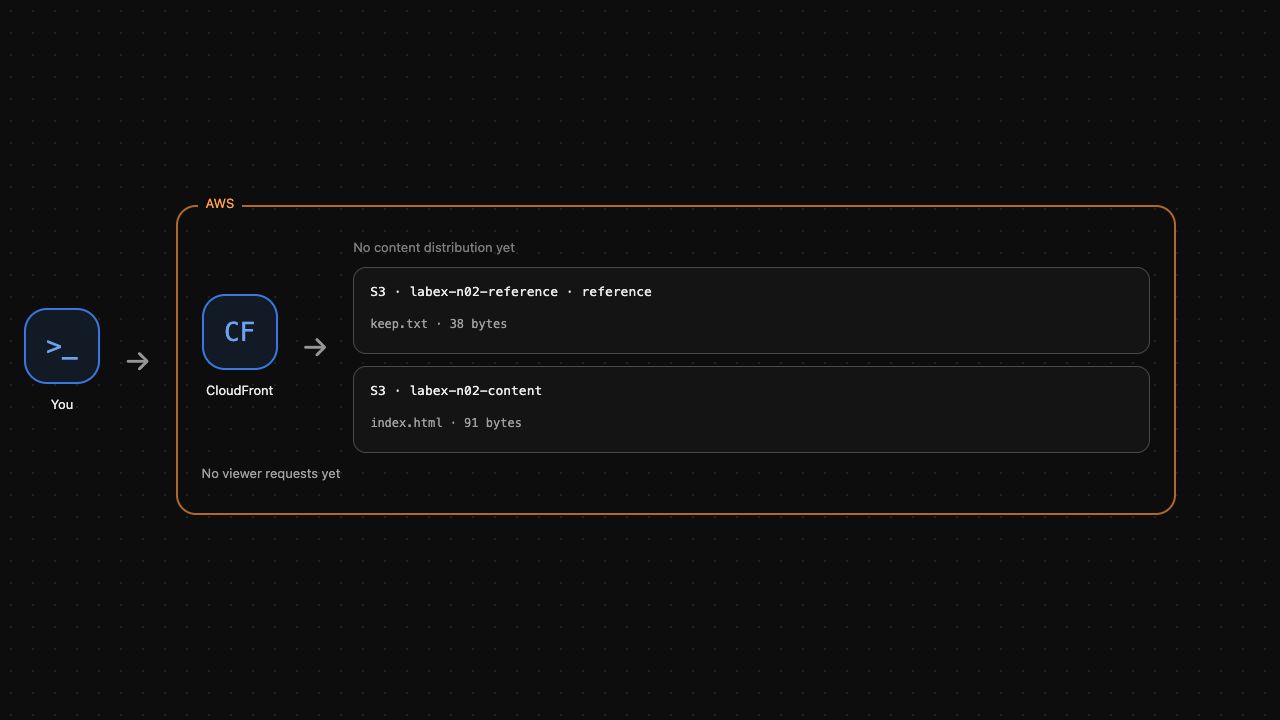
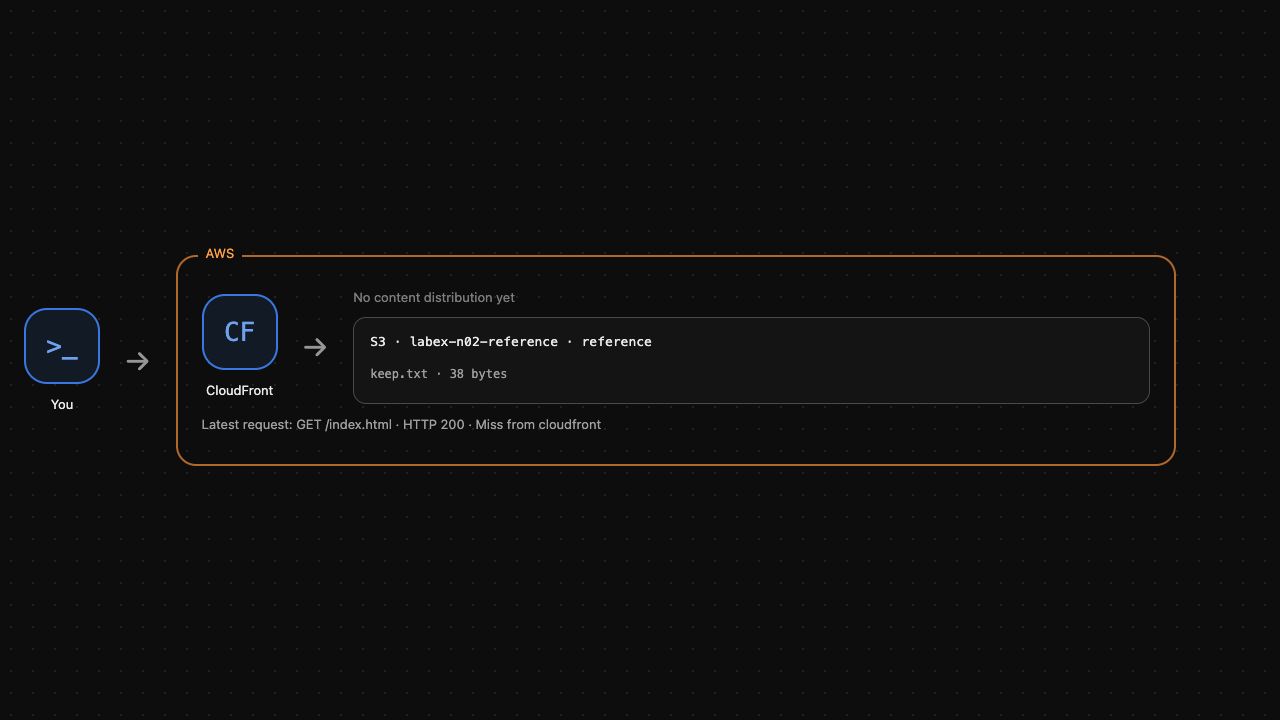
Expect the reference bucket to remain and the content bucket to be absent. AWS View should show no content distribution and only the reference object. Run the cleanup check. An unsuccessful API request does not prove that a resource was deleted.
Summary
You connected a distribution to an ordinary private S3 origin, configured always-signed OAC requests and granted only the intended distribution read access. Actual HTTP tests separated allowed viewer access from denied anonymous origin access. You then used current ETags to disable and remove the owned resources while preserving unrelated content. Next, observe cache reuse and invalidate an updated object.