



Introduction
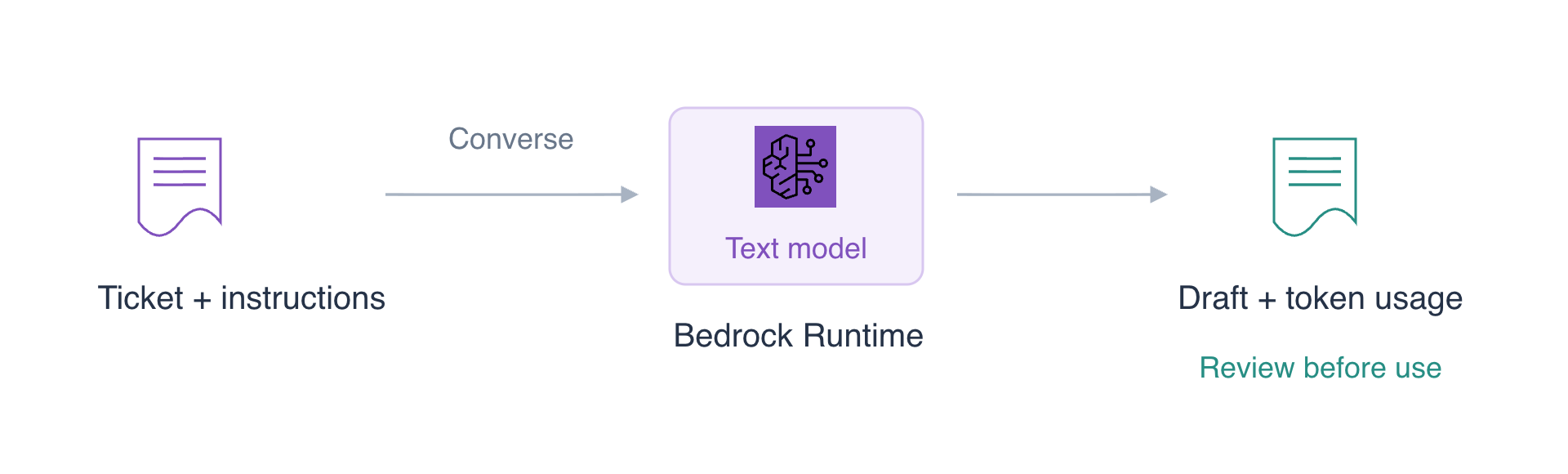
A support team needs a draft reply to a reported duplicate charge. You will send the ticket to Bedrock Runtime, refine the drafting instructions, inspect the generated response and compare token usage with an output limit. The AWS CLI is already configured in your fresh LabEx VM; use only the synthetic ticket supplied here.
You should know how to run a command and read a text file. The task is to generate and review a draft, rather than send a customer message or change billing records.
Certification Relevance
| Certification | Exam task | Practice |
|---|---|---|
| AI Practitioner (AIF-C01) | Tasks 3.1, 3.2 | Adjust output length, provide explicit drafting instructions and review generated text. |
Draft a Support Reply
In this step, you will select an available text model and send a support ticket to Bedrock Runtime.
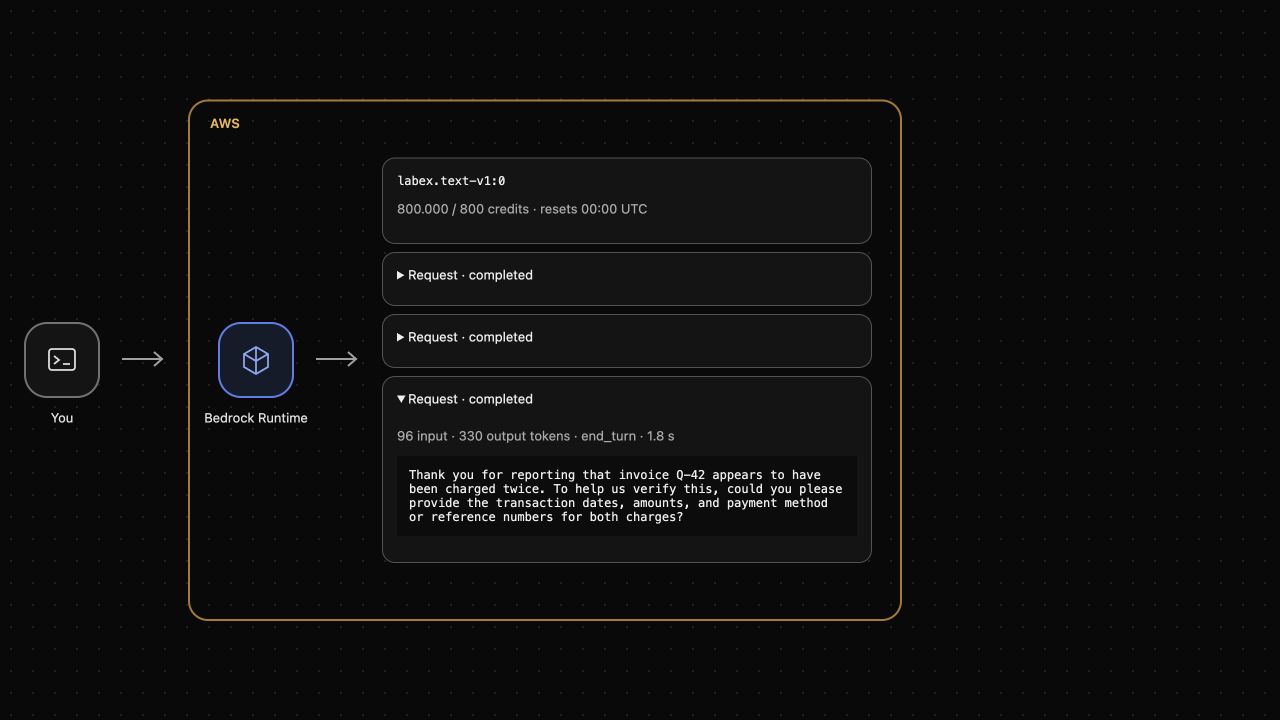
The upper AWS View shows the model and actual request results. The lower Terminal is where you enter commands. Before you send a request, the View shows no replies. It will show a pending request and then its response, usage and remaining allowance.
Bedrock provides access to foundation models: models that can generate text for many tasks. A model identifier selects the model; Converse is a common request format for supported conversational models. Here you will work with the text model available in this workspace.
Start in the exercise directory. cd changes the Terminal's current directory:
cd /home/labex/project
List models that produce text. --by-output-modality TEXT filters the catalog. --query selects the identifier and readable name, and --output table displays those fields as a table:
aws bedrock list-foundation-models \
  --by-output-modality TEXT \
  --query 'modelSummaries[].[modelId,modelName]' \
  --output table
The table includes labex.text-v1:0, the model you will use below. A catalog entry describes a model; it does not mean an inference request has already run.
A Converse request contains a modelId, a list of messages and optional inference settings. Each message has a role and content blocks. A user message contains the question or task, and a text content block uses the text field. maxTokens caps generated output; temperature controls sampling variation. A low temperature can reduce variation, but does not guarantee accurate or identical replies.
Create the request as JSON. cat > request.json writes a file; the <<'EOF' marker starts literal multiline input and the final EOF ends it. This replaces only the named exercise file:
cat > request.json <<'EOF'
{
  "modelId": "labex.text-v1:0",
  "messages": [
    {
      "role": "user",
      "content": [{"text": "Customer ticket Q-42: the customer reports that invoice Q-42 was charged twice. Draft an English support reply in two sentences."}]
    }
  ],
  "inferenceConfig": {"maxTokens": 512, "temperature": 0}
}
EOF
Send the request with bedrock-runtime converse. --cli-input-json file://request.json reads the request fields from that file. The final > reply.json saves the JSON response rather than printing it:
aws bedrock-runtime converse \
  --cli-input-json file://request.json \
  > reply.json
Wait until the Terminal prompt returns. Generating text usually takes several seconds. Do not run another request while the first one is pending.
Read the response:
cat reply.json
Look for output.message.role: "assistant" and a nonempty text content block. usage reports tokens processed, and metrics.latencyMs reports response time in milliseconds. Above the Terminal, expand the completed request in AWS View and compare its reply with the file.
Read the draft carefully. Did it claim that an investigation has started, that a refund was issued or that a charge was confirmed? The ticket supplies none of those facts. A fluent response can contain invented details; you will tighten the instructions next. Do not treat a model-generated sentence as a completed billing action.
Refine the Drafting Instructions
In this step, you will add explicit instructions and generate a new draft using the same reported facts.
The system field gives instructions about the task and style. Keep the ticket in the user message and put drafting constraints in the system message. More specific instructions can reduce unwanted details, but you must still review the response.
Create a separate request so that the original draft remains available for comparison:
cat > revised-request.json <<'EOF'
{
  "modelId": "labex.text-v1:0",
  "system": [
    {"text": "You draft customer-support replies. Use only the facts in the ticket. Write two concise English sentences. Acknowledge the customer's report and ask for information needed to verify it. Do not claim that a charge was confirmed, an investigation started or a refund issued."}
  ],
  "messages": [
    {
      "role": "user",
      "content": [{"text": "Customer ticket Q-42: the customer reports that invoice Q-42 was charged twice. No billing check or refund has been completed. Draft a reply."}]
    }
  ],
  "inferenceConfig": {"maxTokens": 512, "temperature": 0}
}
EOF
Generate the revised draft:
aws bedrock-runtime converse \
  --cli-input-json file://revised-request.json \
  > revised-reply.json
Inspect the saved response with Python's standard JSON formatter, which checks that the file is valid JSON and formats it for reading:
python3 -m json.tool revised-reply.json
In the upper AWS View, expand the new completed request. Compare both drafts against the supplied ticket. The revised request should make your expectations clear; whether this individual response follows them still requires human judgment. If it invents an action, do not use that sentence in a customer reply.
The requests are independent. Reusing the same model does not automatically send the previous response as conversation history. A future conversation would need its earlier user and assistant messages explicitly included in messages.
Inspect Token Usage and Output Limits
In this step, you will send the same drafting task with a smaller output cap and inspect the actual usage.
A token is a unit of text processed by a model; it is not necessarily one word. Input tokens include the task, system instructions and any history supplied. Output tokens include the generated tokens reported by the model, which can include internal reasoning. The returned totalTokens is the sum of input and output tokens.
maxTokens is a ceiling, not a request to produce exactly that many tokens. The model may finish earlier. Create the bounded request with a 384-token ceiling instead of 512:
cat > bounded-request.json <<'EOF'
{
  "modelId": "labex.text-v1:0",
  "system": [
    {"text": "You draft customer-support replies. Use only the facts in the ticket. Write two concise English sentences. Acknowledge the customer's report and ask for information needed to verify it. Do not claim that a charge was confirmed, an investigation started or a refund issued."}
  ],
  "messages": [
    {
      "role": "user",
      "content": [{"text": "Customer ticket Q-42: the customer reports that invoice Q-42 was charged twice. No billing check or refund has been completed. Draft a reply."}]
    }
  ],
  "inferenceConfig": {"maxTokens": 384, "temperature": 0}
}
EOF
Send it and save the response:
aws bedrock-runtime converse \
  --cli-input-json file://bounded-request.json \
  > bounded-reply.json
Inspect the result:
python3 -m json.tool bounded-reply.json
Compare usage.outputTokens with the 384-token cap. stopReason: "end_turn" means the model finished normally; "max_tokens" means it reached the output cap, so the text may be incomplete. Never assume a partial reply is a finished document.
The upper AWS View shows the same usage and the current remaining credits. Credits reflect model-specific input/output consumption; token counts alone are not a universal price across models. A repeated request may be served from a cached model result, so token usage can be present while remaining credits stay unchanged. A cap helps bound a request, but a smaller cap does not guarantee that this particular short reply consumes fewer tokens than every previous reply.
If a request fails or its usage is uncertain, inspect the error before retrying. An uncertain request can retain reserved allowance, and sending another request can consume more. Application handling of these cases is taught later in the course.
Clean Up the Exercise Files
In this step, you will remove the local request and response files after reviewing the drafts.
Converse sends an inference request; it does not create a server or database that you must delete. The six JSON files are local exercise artifacts. Removing them does not undo token usage or restore credits already consumed.
rm removes the named files. Use the exact names below and preserve other project files:
rm request.json reply.json revised-request.json revised-reply.json bounded-request.json bounded-reply.json
List the remaining visible workspace entries:
ls
The six exercise files should be absent. AWS View retains the actual completed request results for this VM, including usage, so deleting a local file cannot turn an unsuccessful request into a successful one or erase its consumption.
Summary
You sent actual text requests with Bedrock Converse, refined the system instructions, inspected generated replies and token usage, bounded output length and removed the local exercise files. You also separated a plausible draft from a verified business fact: a response must be reviewed before it is used.
For further reading, see the AWS reference on Converse messages, instructions, and inference settings; Converse response content, stop reasons, and usage.


