



Introduction
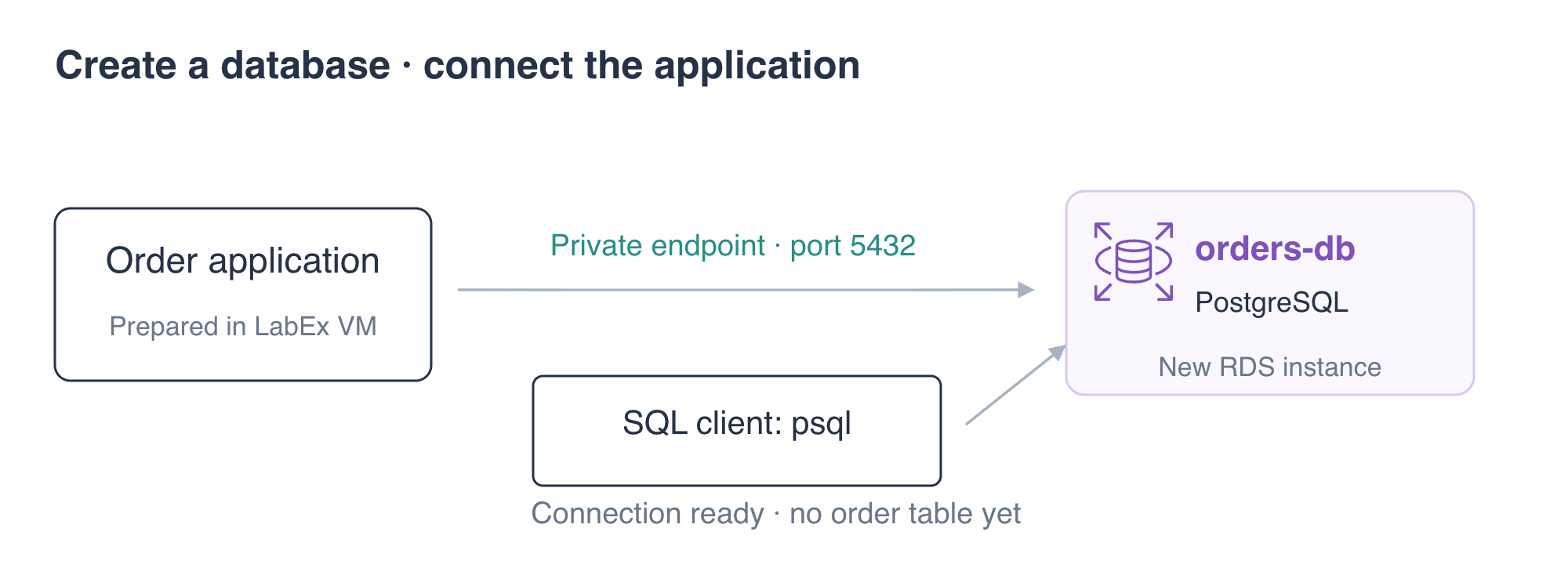
An order application needs a relational database before it can store customer orders. In this lab, you will create a private PostgreSQL database with Amazon RDS, connect with a standard SQL client and configure the application to use the new endpoint.
A relational database stores records in tables. PostgreSQL is the database engine; Amazon RDS manages the instance, and its endpoint is the address clients connect to. This lab starts in a fresh VM with the AWS connection already configured.
You should understand VPC subnets, security groups and application connections from the preceding VPC and EC2 courses. The environment supplies the network, application and configured AWS CLI. You do not need a personal AWS account. You will remove the database at the end.
Certification Relevance
| Certification | Exam task | Practice |
|---|---|---|
| Cloud Practitioner (CLF-C02) | Task 3.4 | Recognize Amazon RDS as a managed relational database service. |
| Solutions Architect – Associate (SAA-C03) | Task 3.3 | Understand database engines and application database connections. |
Lab Overview
Create the Application Database
In this step, you will create a private PostgreSQL instance in the prepared database network.
Amazon RDS manages relational database instances. PostgreSQL is the database engine that stores tables and executes SQL. The AWS CLI manages the RDS resource; a SQL client connects to the engine to work with data. Creating an RDS instance and querying a table are different operations.
This course uses the prepared Terminal for AWS CLI and SQL commands, and AWS View to inspect the database and application results. AWS View is separate from the AWS Management Console.
Start in the workspace and load the supplied connection settings:
cd /home/labex/project
source database.env
DB_SECURITY_GROUP_ID identifies the database's prepared network access rules. PGSERVICEFILE and PGPASSFILE tell the PostgreSQL client where to find ordinary connection and password files. Keep the password files private; there is no need to display their contents.
Inspect the prepared DB subnet group:
aws rds \
  describe-db-subnet-groups \
  --db-subnet-group-name orders-subnets \
  --query 'DBSubnetGroups[].{Name:DBSubnetGroupName,VPC:VpcId,Subnets:Subnets[].SubnetIdentifier}'
A DB subnet group identifies the VPC subnets available for RDS placement. This group contains private database subnets in two Availability Zones. Having two subnets in the group does not itself enable a Multi-AZ deployment.
Create the instance:
aws rds \
  create-db-instance \
  --db-instance-identifier orders-db \
  --db-instance-class db.t3.micro \
  --engine postgres \
  --engine-version 16.15 \
  --allocated-storage 20 \
  --master-username orders_admin \
  --master-user-password "$(cat db-password.txt)" \
  --db-name orders \
  --db-subnet-group-name orders-subnets \
  --vpc-security-group-ids "$DB_SECURITY_GROUP_ID" \
  --no-publicly-accessible \
  --backup-retention-period 0 \
  --query 'DBInstance.{Identifier:DBInstanceIdentifier,Status:DBInstanceStatus,Engine:Engine}'
The instance identifier orders-db names the RDS resource; the database name orders names the PostgreSQL database inside it. db.t3.micro selects an instance class, and 20 is the requested storage size in GiB. Private access keeps application connections within the prepared network. Automatic backup retention is disabled for this short exercise; a later lab teaches a manual snapshot.
$(cat db-password.txt) supplies the prepared database password without printing it. Do not paste passwords into notes or screenshots.
Wait for availability, then inspect the connection endpoint:
aws rds \
  wait db-instance-available \
  --db-instance-identifier orders-db
aws rds \
  describe-db-instances \
  --db-instance-identifier orders-db \
  --query 'DBInstances[0].{Identifier:DBInstanceIdentifier,Database:DBName,Status:DBInstanceStatus,Endpoint:Endpoint}'
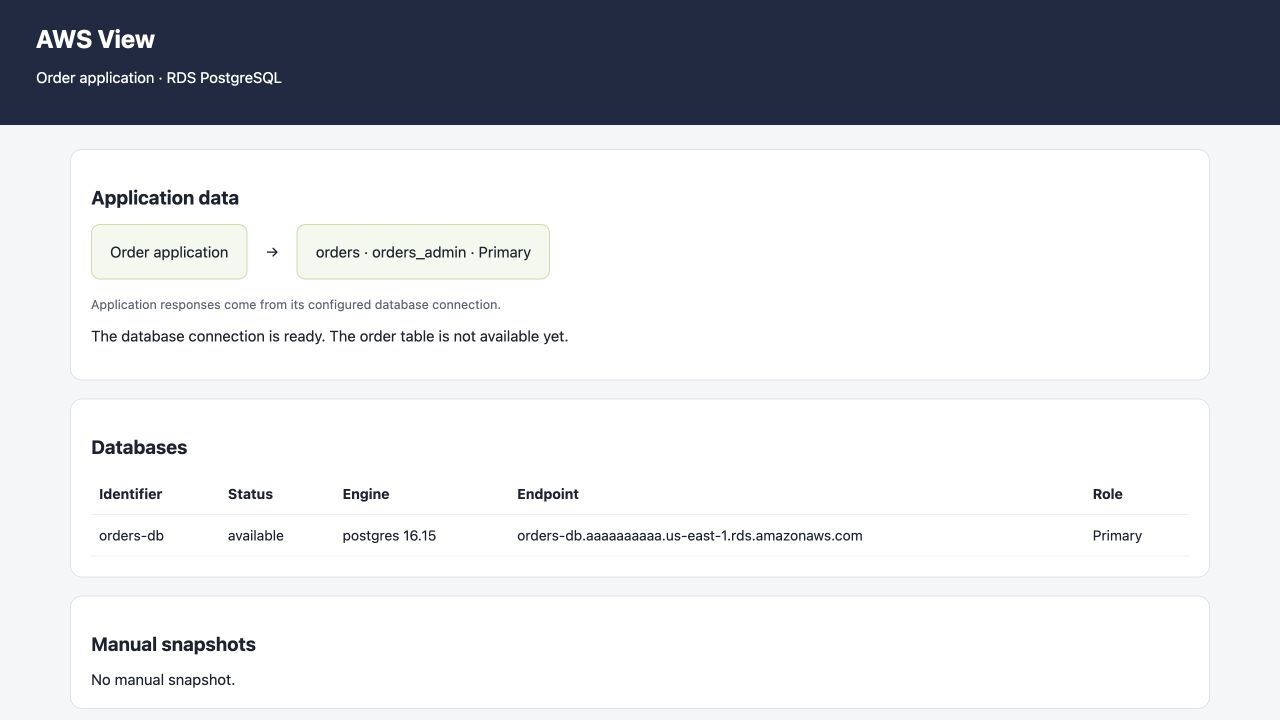
Expect database orders, status available and PostgreSQL port 5432. The endpoint is the address that clients use to select this database instance. AWS View should now list orders-db as a primary database. No order table has been created yet.
Connect the SQL Client and Application
In this step, you will test the database engine and point the application at its endpoint.
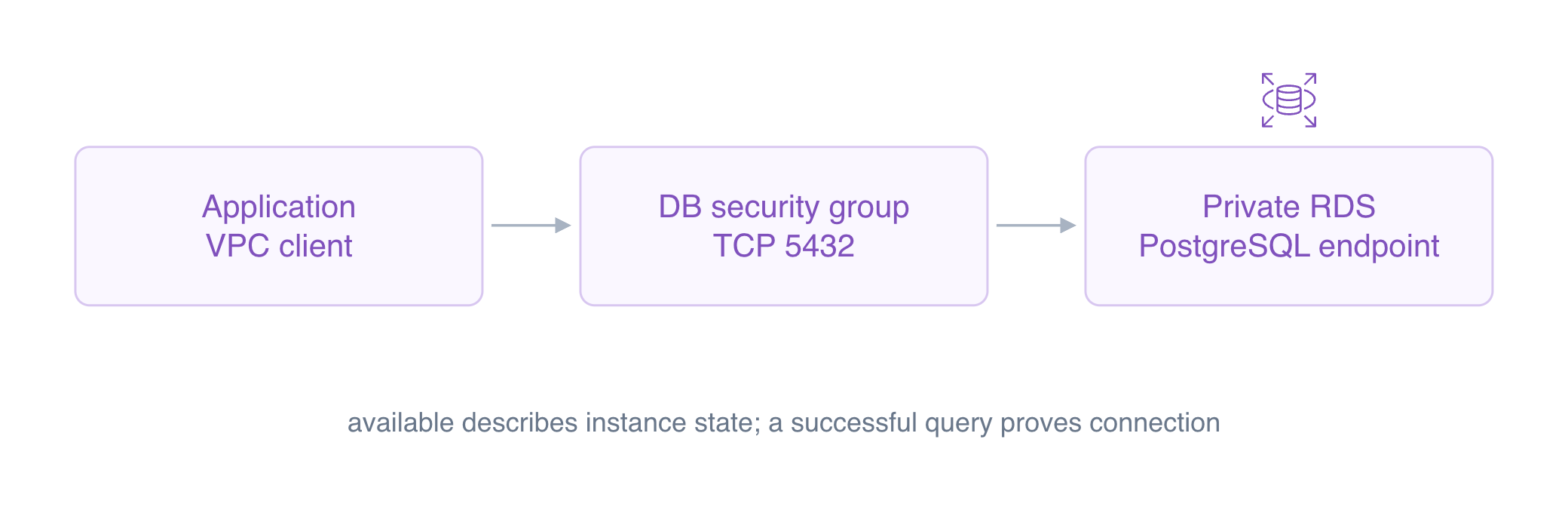
The next checks answer two questions: can a SQL client reach the intended engine, and does the application use that same engine? The RDS status available alone answers neither. Compare the returned database and user with the expected values before treating the connection as ready.
psql is PostgreSQL's standard command-line client. The prepared service named orders-db holds connection details for the instance you just created. A service name is a convenient client configuration entry; it is not an AWS resource.
Query the engine:
psql \
  "service=orders-db" \
  --command 'SELECT current_database(), current_user;'
Expect database orders and user orders_admin. This result comes from a database connection, rather than from RDS resource metadata. RDS manages the database host; applications connect through the database protocol, not SSH access to the host.
Capture the endpoint from RDS. --query selects one field, --output text produces a plain value, and the shell's $(...) saves it in DB_ENDPOINT:
DB_ENDPOINT=$(aws rds \
  describe-db-instances \
  --db-instance-identifier orders-db \
  --query 'DBInstances[0].Endpoint.Address' \
  --output text)
echo "$DB_ENDPOINT"
Inspect the supplied application configuration:
cat app-config.json
read_host selects the database for queries and write_host selects it for changes. For now, both should use the primary. password_file refers to a private file rather than embedding a password in this JSON document.
Use jq, a JSON editing tool, to set both host fields. Write a new file, then replace the configuration after the edit succeeds:
jq \
  --arg host "$DB_ENDPOINT" \
  '.read_host = $host | .write_host = $host' \
  app-config.json > app-config.new
mv app-config.new app-config.json
Test the application connection:
curl \
  --silent \
  --show-error \
  --fail \
  http://127.0.0.1:8080/application/connection
Expect database to be orders, user to be orders_admin and read_only to be false. The primary can accept writes, but this lab only establishes the connection. AWS View's order list will remain unavailable until an order table exists; you will build that table in the next lab.
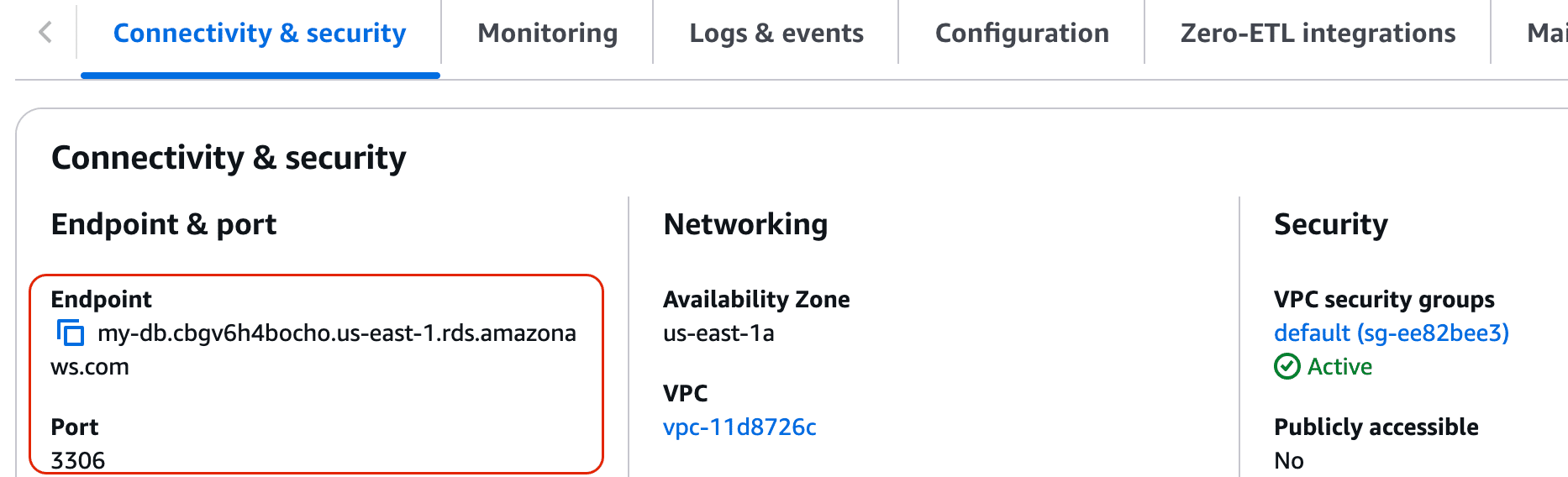
Official Console example: Endpoint and Port appear under Connectivity & security. They correspond to Endpoint.Address and Endpoint.Port in the CLI response. This official example shows MySQL port 3306; this lab uses PostgreSQL port 5432 and the endpoint returned by your own command. Do not copy the example hostname or port. Continue in Terminal and AWS View; no AWS sign-in is needed.
Remove the Database Instance
In this step, you will remove the short-lived database while preserving the prepared application and network.
Delete your instance without retaining a final snapshot:
aws rds \
  delete-db-instance \
  --db-instance-identifier orders-db \
  --skip-final-snapshot \
  --query 'DBInstance.DBInstanceIdentifier'
--skip-final-snapshot discards this exercise's database instead of saving a recovery copy. For important data, decide how to preserve a backup before deleting an instance.
Wait for deletion and inspect the inventory:
aws rds \
  wait db-instance-deleted \
  --db-instance-identifier orders-db
aws rds \
  describe-db-instances \
  --query 'DBInstances[].DBInstanceIdentifier'
Expect []. AWS View should show no database. The application's old endpoint no longer has a database behind it, so a connection failure is expected after deletion. Leave the supplied subnet group, security groups and application files in place.
Summary
You created a private RDS PostgreSQL instance, distinguished its resource identifier from its database name and inspected its endpoint. You used psql to query the engine and connected an application to the same primary. Finally, you deleted the instance while preserving the prepared network.
The next lab creates an order table and uses SQL to store and query customer orders.
For further reading, see the AWS reference on Database endpoints and client connections.


