Introduction
Fulfillment must save an order and then read its completed summary. You will connect these tasks in a workflow and compare its execution history with the actual business result.
Complete Read and Write DynamoDB from Lambda and its IAM-role and logging prerequisites first. This independent VM supplies a worker and tables; you create the workflow. EventBridge routing is a separate branch.
Certification Relevance
This lab provides hands-on practice for the following exam topics.
- Solutions Architect – Associate (SAA-C03) · Task 2.1: Step Functions task orchestration and business-result verification.
- Developer – Associate (DVA-C02) · Task 1.1: Step Functions task orchestration and business-result verification.
- DevOps Engineer – Professional (DOP-C02) · Task 5.1, Task 2.3: Foundational practice: Step Functions task orchestration and business-result verification.
- Solutions Architect – Professional (SAP-C02) · Task 2.4: Foundational practice: Step Functions task orchestration and business-result verification.
Authorize the Workflow to Invoke Its Worker
In this step, inspect the supplied business worker and create a separate execution role for Step Functions.
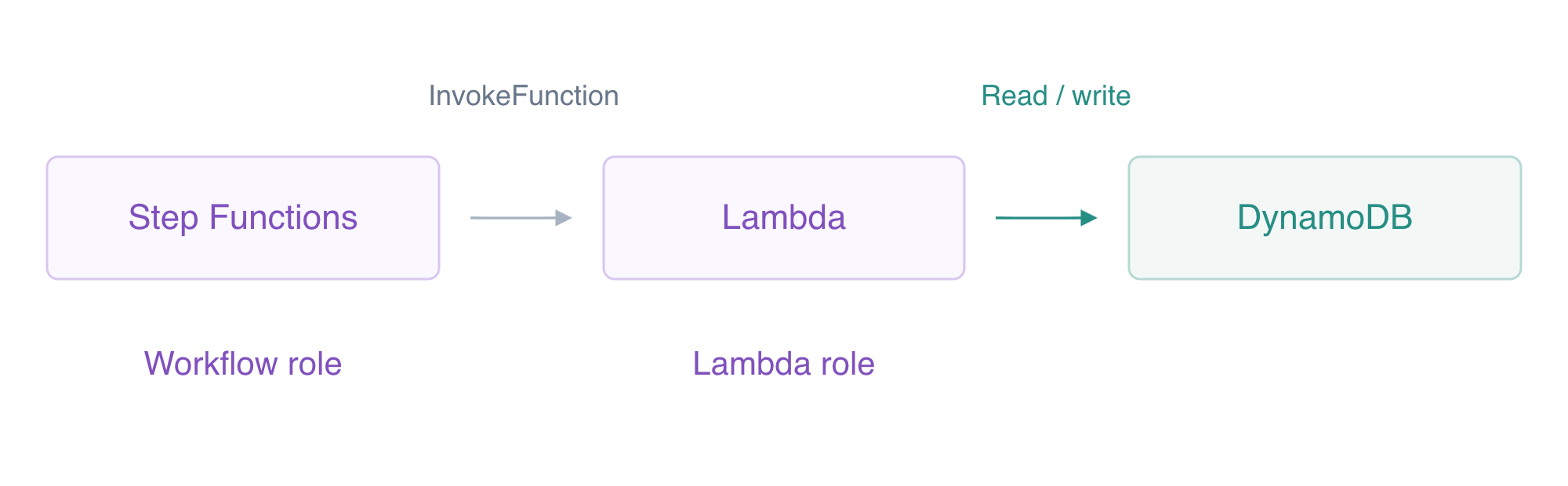
The workflow role invokes the function. The separate Lambda role performs the table operations.
Use AWS View beside Terminal to compare the CLI queries with this lab’s actual resources and results. Preserve the supplied reference data.
A workflow connects tasks and decisions. A state machine defines those states; an execution runs the definition with a particular input. This fresh VM supplies a worker function and independent order/diagnostic/reference tables. There is no state machine or workflow role yet. The worker accepts an order, writes its quantity and total, and can later read its summary. Its Lambda execution role already authorizes those unrelated table operations.
Start in the project directory. Shell assignments save returned identifiers; --query selects a response field and --output text produces a reusable string.
cd /home/labex/project
WORKER_NAME=labex-ev03-worker
WORKER_ARN=$(aws lambda get-function-configuration \
  --function-name labex-ev03-worker \
  --query FunctionArn \
  --output text)
aws lambda get-function-configuration \
  --function-name labex-ev03-worker \
  --query '{Name:FunctionName,Role:Role,Runtime:Runtime,Timeout:Timeout}'
aws stepfunctions list-state-machines
The worker uses Python3.12 and its own Lambda role; the machine list is empty. Step Functions needs its own execution role. A trust policy permits the Step Functions service to assume that role; a permissions policy permits the resulting session to invoke exactly this worker. A quoted here-document writes literal JSON, and file:// reads it into the request.
cat > workflow-trust.json <<'JSON'
{
  "Version": "2012-10-17",
  "Statement": [
    {
      "Effect": "Allow",
      "Principal": {
        "Service": "states.amazonaws.com"
      },
      "Action": "sts:AssumeRole"
    }
  ]
}
JSON
ROLE_ARN=$(aws iam create-role \
  --role-name labex-ev03-workflow-role \
  --assume-role-policy-document file://workflow-trust.json \
  --query Role.Arn \
  --output text)
Write an ordinary permissions document. The shell inserts $WORKER_ARN, limiting this grant to the supplied worker.
cat > workflow-invoke.json <<EOF
{
  "Version": "2012-10-17",
  "Statement": [
    {
      "Effect": "Allow",
      "Action": "lambda:InvokeFunction",
      "Resource": "$WORKER_ARN"
    }
  ]
}
EOF
aws iam put-role-policy \
  --role-name labex-ev03-workflow-role \
  --policy-name InvokeWorker \
  --policy-document file://workflow-invoke.json
aws iam get-role-policy --role-name labex-ev03-workflow-role --policy-name InvokeWorker
The policy has one exact function ARN. Step Functions does not receive the worker's DynamoDB permissions: the worker performs those calls using its separate Lambda role. Run the authorization check.
Define Decisions and Two Real Tasks
In this step, define an order workflow that validates quantity, stores the order and reads its actual summary.
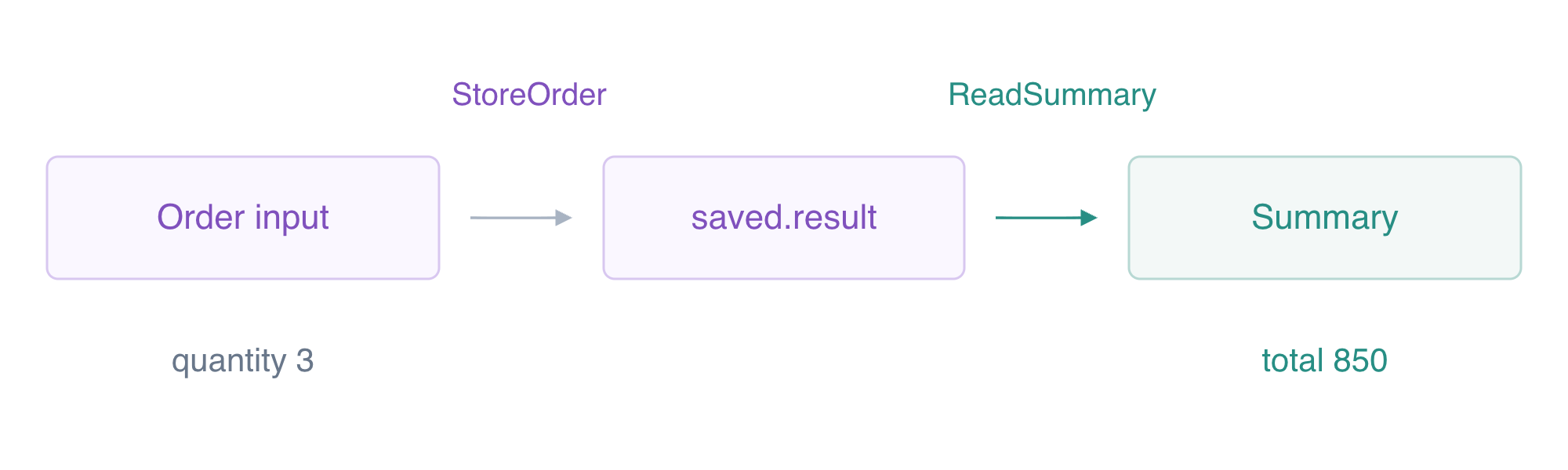
StoreOrder saves its actual payload under saved.result; ReadSummary selects that order ID and reads the completed summary.
Amazon States Language (ASL) is a JSON state machine definition. StartAt chooses the first state. A Choice follows one branch when its condition matches and otherwise follows Default. A Task invokes a service. Next connects states; End: true finishes successfully, while Fail finishes with an error.
The optimized Lambda task integration uses arn:aws:states:::lambda:invoke. Parameters supplies function arguments: a key ending in .$ evaluates a JSONPath, and $ selects the complete current input. The Lambda integration returns metadata plus Payload. ResultSelector keeps just that payload, ResultPath inserts it under saved while preserving the original order input, and the next task selects the saved order ID. Its OutputPath returns only the actual summary payload.
Write the literal definition, then replace its worker placeholder using jq --arg:
cat > workflow-template.json <<'JSON'
{
  "StartAt": "CheckQuantity",
  "States": {
    "CheckQuantity": {
      "Type": "Choice",
      "Choices": [
        {
          "Variable": "$.quantity",
          "NumericGreaterThan": 0,
          "Next": "StoreOrder"
        }
      ],
      "Default": "Rejected"
    },
    "StoreOrder": {
      "Type": "Task",
      "Resource": "arn:aws:states:::lambda:invoke",
      "Parameters": {
        "FunctionName": "WORKER_NAME",
        "Payload.$": "$"
      },
      "ResultSelector": {
        "result.$": "$.Payload"
      },
      "ResultPath": "$.saved",
      "Next": "ReadSummary"
    },
    "ReadSummary": {
      "Type": "Task",
      "Resource": "arn:aws:states:::lambda:invoke",
      "Parameters": {
        "FunctionName": "WORKER_NAME",
        "Payload": {
          "stage": "summary",
          "id.$": "$.saved.result.id"
        }
      },
      "OutputPath": "$.Payload",
      "End": true
    },
    "Rejected": {
      "Type": "Fail",
      "Error": "OrderRejected",
      "Cause": "Quantity must be positive"
    }
  }
}
JSON
jq --arg worker "$WORKER_NAME" '.States.StoreOrder.Parameters.FunctionName=$worker | .States.ReadSummary.Parameters.FunctionName=$worker' workflow-template.json > workflow.json
MACHINE_ARN=$(aws stepfunctions create-state-machine \
  --name labex-ev03-orders \
  --type STANDARD \
  --role-arn "$ROLE_ARN" \
  --definition file://workflow.json \
  --query stateMachineArn \
  --output text)
aws stepfunctions describe-state-machine \
  --state-machine-arn "$MACHINE_ARN" \
  --query '{Name:name,Role:roleArn,Definition:definition}'
The response names the machine and its workflow role, and the definition names the supplied worker in both tasks. Nothing has processed an order yet. Click AWS View beside Terminal to see the actual machine definition and empty execution/order lists. Run the definition check.
Verify Business Results and a Denied Execution
In this step, run a valid order, an invalid quantity and an execution that lacks invocation permission.
start-execution starts asynchronous work and returns an execution ARN. The following bounded shell loop reads its status every two seconds until it stops running. $(...) captures command output, seq supplies the loop count, and break exits the loop when the condition matches. If it remains RUNNING after the loop, inspect the service before proceeding.
EXECUTION_ARN=$(aws stepfunctions start-execution \
  --state-machine-arn "$MACHINE_ARN" \
  --name valid-order \
  --input '{"id":"workflow-order","quantity":3}' \
  --query executionArn \
  --output text)
for attempt in $(seq 1 60); do
  STATUS=$(aws stepfunctions describe-execution \
    --execution-arn "$EXECUTION_ARN" \
    --query status \
    --output text)
  if test "$STATUS" != RUNNING; then break; fi
  sleep 2
done
aws stepfunctions describe-execution \
  --execution-arn "$EXECUTION_ARN" \
  --query '{Status:status,Output:output}'
aws stepfunctions get-execution-history \
  --execution-arn "$EXECUTION_ARN" \
  --query 'events[].type'
aws dynamodb get-item \
  --table-name labex-ev03-orders \
  --key '{"id":{"S":"workflow-order"}}' \
  --query Item
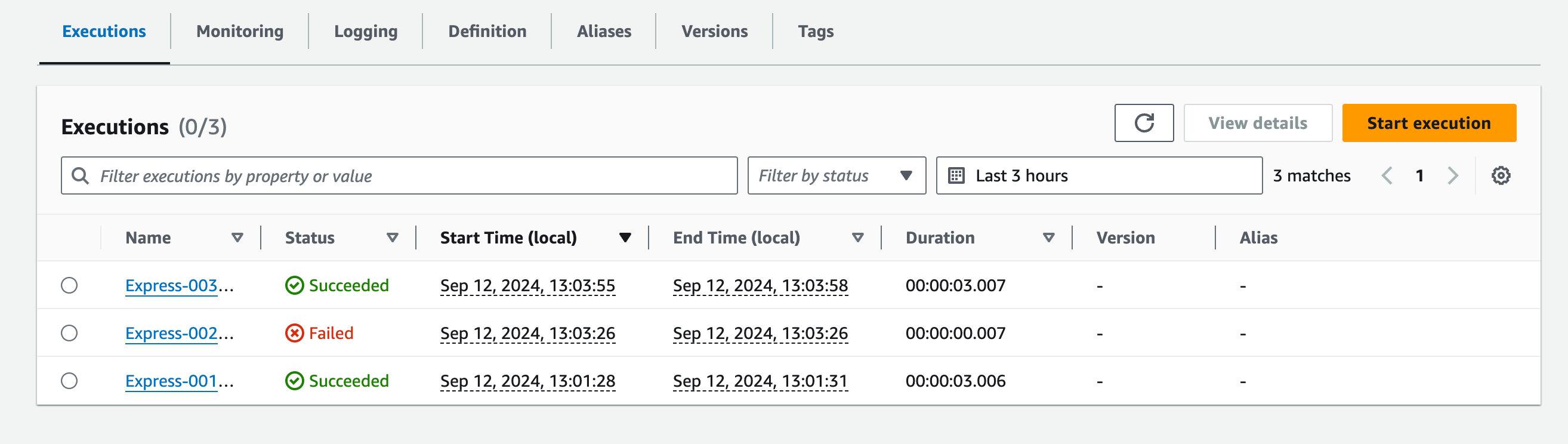
The official Console lists execution names and statuses alongside timing. Its names and workflow differ from this lab’s Standard machine. Compare your CLI status with history and stored data; use AWS View for this lab’s results.
Source: AWS Step Functions.
Status is SUCCEEDED, and output contains order ID, total_cents:850 and completed:true. The actual DynamoDB item has quantity3 and total850. History contains two TaskSucceeded events: storing the order and reading its summary. An execution status alone does not establish a business result; compare both.
Test the Choice branch with quantity zero:
INVALID_ARN=$(aws stepfunctions start-execution \
  --state-machine-arn "$MACHINE_ARN" \
  --name invalid-order \
  --input '{"id":"invalid-order","quantity":0}' \
  --query executionArn \
  --output text)
for attempt in $(seq 1 30); do
  STATUS=$(aws stepfunctions describe-execution \
    --execution-arn "$INVALID_ARN" \
    --query status \
    --output text)
  if test "$STATUS" != RUNNING; then break; fi
  sleep 2
done
aws stepfunctions describe-execution \
  --execution-arn "$INVALID_ARN" \
  --query '{Status:status,Error:error}'
aws dynamodb get-item \
  --table-name labex-ev03-orders \
  --key '{"id":{"S":"invalid-order"}}' \
  --query Item
Status is FAILED with OrderRejected, and there is no invalid-order item. Choice rejected it before invoking the worker.
Now remove only the workflow's Invoke policy. The worker's role and data permissions remain separate. Starting an execution is still allowed for your operator, but the workflow role cannot invoke its task:
aws iam delete-role-policy --role-name labex-ev03-workflow-role --policy-name InvokeWorker
DENIED_ARN=$(aws stepfunctions start-execution \
  --state-machine-arn "$MACHINE_ARN" \
  --name denied-order \
  --input '{"id":"denied-order","quantity":2}' \
  --query executionArn \
  --output text)
for attempt in $(seq 1 30); do
  STATUS=$(aws stepfunctions describe-execution \
    --execution-arn "$DENIED_ARN" \
    --query status \
    --output text)
  if test "$STATUS" != RUNNING; then break; fi
  sleep 2
done
aws stepfunctions describe-execution \
  --execution-arn "$DENIED_ARN" \
  --query '{Status:status,Error:error}'
aws dynamodb get-item \
  --table-name labex-ev03-orders \
  --key '{"id":{"S":"denied-order"}}' \
  --query Item
aws iam put-role-policy \
  --role-name labex-ev03-workflow-role \
  --policy-name InvokeWorker \
  --policy-document file://workflow-invoke.json
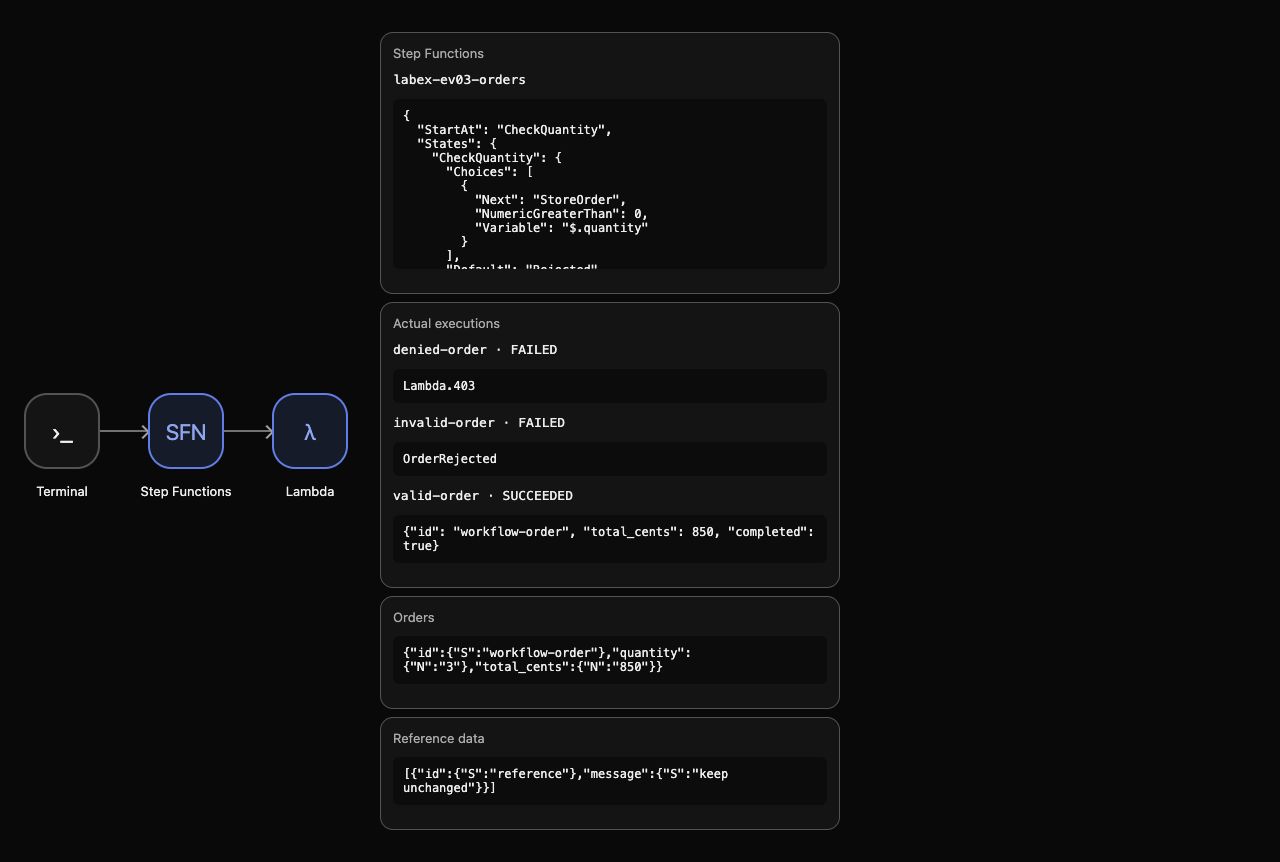
The denied execution fails at invocation with an access-denied error; it creates no order and performs no worker task. The intended policy is restored. AWS View shows the actual successful summary and both failures beside the single stored order.
The example below shows the actual successful summary, rejected executions and single business order.
Run the execution check.
Remove Workflow Resources and Synthetic Results
In this step, delete your completed machine, workflow role, order and logs while preserving supplied fixtures.
All three executions have finished. Deleting the machine removes it from the active machine list. Remove the owned role policy before deleting the role, then remove the synthetic order and worker log group created by your execution.
aws stepfunctions delete-state-machine --state-machine-arn "$MACHINE_ARN"
aws iam delete-role-policy --role-name labex-ev03-workflow-role --policy-name InvokeWorker
aws iam delete-role --role-name labex-ev03-workflow-role
aws dynamodb delete-item \
  --table-name labex-ev03-orders \
  --key '{"id":{"S":"workflow-order"}}'
aws dynamodb delete-item \
  --table-name labex-ev03-attempts \
  --key '{"id":{"S":"workflow-order"}}'
aws logs delete-log-group --log-group-name /aws/lambda/labex-ev03-worker
Read successful inventories to prove what remains:
aws stepfunctions list-state-machines
aws iam list-roles --query 'Roles[].RoleName'
aws dynamodb scan --table-name labex-ev03-orders --query Items
aws logs describe-log-groups --query logGroups
aws dynamodb scan --table-name labex-ev03-reference --query Items
There are no active machines, orders or log groups. Only the supplied worker role remains, and the reference item is unchanged. Keep the supplied worker and tables: their setup ownership differs from your created workflow/resources. Network or authentication errors never prove deletion.
Remove the ordinary files created in this lab:
rm -f workflow-trust.json workflow-invoke.json workflow-template.json workflow.json
AWS View shows empty machines/executions/orders and preserved reference. Run the cleanup check before ending the VM.
Summary
You created a scoped workflow execution role, connected Choice and two real Lambda tasks, passed actual results to the next task and compared execution history with business data. Invalid input and missing invocation permission produced no order. You removed owned workflow resources and synthetic results while preserving supplied fixtures.
The next unit adds retries for temporary failures and explicit handling for permanent errors.