Introduction
Riverlight Weekend has a working program, and a prepared replacement is now approved. Move only the website's program connection to the new member; preserve the venue, current visitor experience and the original program source.
Complete Connect the Event Pages first, or be comfortable with inventory groups, hostvars, templates, read-only uri assertions and handlers. This independent lab supplies the previously taught playbook and template. No service installation or source migration is required; its time is an author estimate.
Move the Program Without Removing the Old Source
In this step, you will change an inventory group to use a prepared replacement program, keep the venue connection and preserve the original source.
This is an independent environment. The Event Site already serves a working Riverlight program, but the approved replacement has different sessions. Open Program: the old program shows Morning sketchbook and Lunch by the river. Visit and Visitor guide work too. They must remain usable throughout the membership change.
Switch to Controller, which starts in /home/labex/project. The guarded connect.yml and route template from the previous lab are supplied; this VM does not depend on its files. If you lose your directory, use cd /home/labex/project. Read the approved selection and the current group members:
cat approved-services.txt
cat inventory.ini
ansible-inventory --graph
The approved program is now on web2, edition 2026-revised. The inventory still selects web1, which provides the old program. web2 also serves the venue on a different port: one host may belong to both groups because group membership expresses service roles, not a rule that every role needs a separate machine. The two source containers share the training VM kernel; the entry runs on the controller.
Inspect the host data and the two source identities. As before, curl --config reads the prepared URL and error-reporting options from a file:
cat host_vars/web2.yml
cat requests/new-program.conf
curl --config requests/new-program.conf
curl --config requests/old-program.conf
The new and old sources are both usable. Only the new edition belongs behind the current website entry. Moving the connection does not authorize deleting the old source or its files.
Read the supplied reusable automation:
cat connect.yml
cat templates/routes.json.j2
groups['program'][0] selects the program member, and hostvars supplies its address and program_port. The venue expression independently uses its own group and venue_port. The HTTP assertions precede the template. A route change notifies the prepared reload helper, which reloads the existing entry process.
Replace the small inventory below. This uses cat, output redirection and a quoted here-document as in the first lab. Paste the closing EOF on its own line; use Ctrl+C and retry the full block if the delimiter was omitted. Leave host data and approved editions unchanged:
cat > inventory.ini <<'EOF'
[gateway]
entry ansible_connection=local ansible_python_interpreter=/usr/bin/python3

[program]
web2

[venue]
web2
EOF
ansible-inventory --graph
Both service groups should now contain web2. The local entry remains in [gateway]. A wrong group spelling or an extra member should be corrected in this file before continuing; do not compensate by writing fixed addresses into the template.
Check syntax and preview the proposed routes:
ansible-playbook connect.yml --syntax-check
ansible-playbook connect.yml --check --diff
The read-only HTTP probes run during this preview and must identify the approved program and venue. Only the program route should differ. The venue address and port remain the same. The preview does not reload the gateway. Apply the change:
ansible-playbook connect.yml
Expect the template change and RUNNING HANDLER [Reload entry]. Open Event Site, follow Program and confirm Paper and ink, Acoustic afternoon and Shared supper replace the old schedule. Click Download the schedule, then follow Visit and Visitor guide. They should still show the same venue and arrival advice.
The entry should now show the replacement program. Look at the three sessions and the 2026-revised edition beneath the download link:
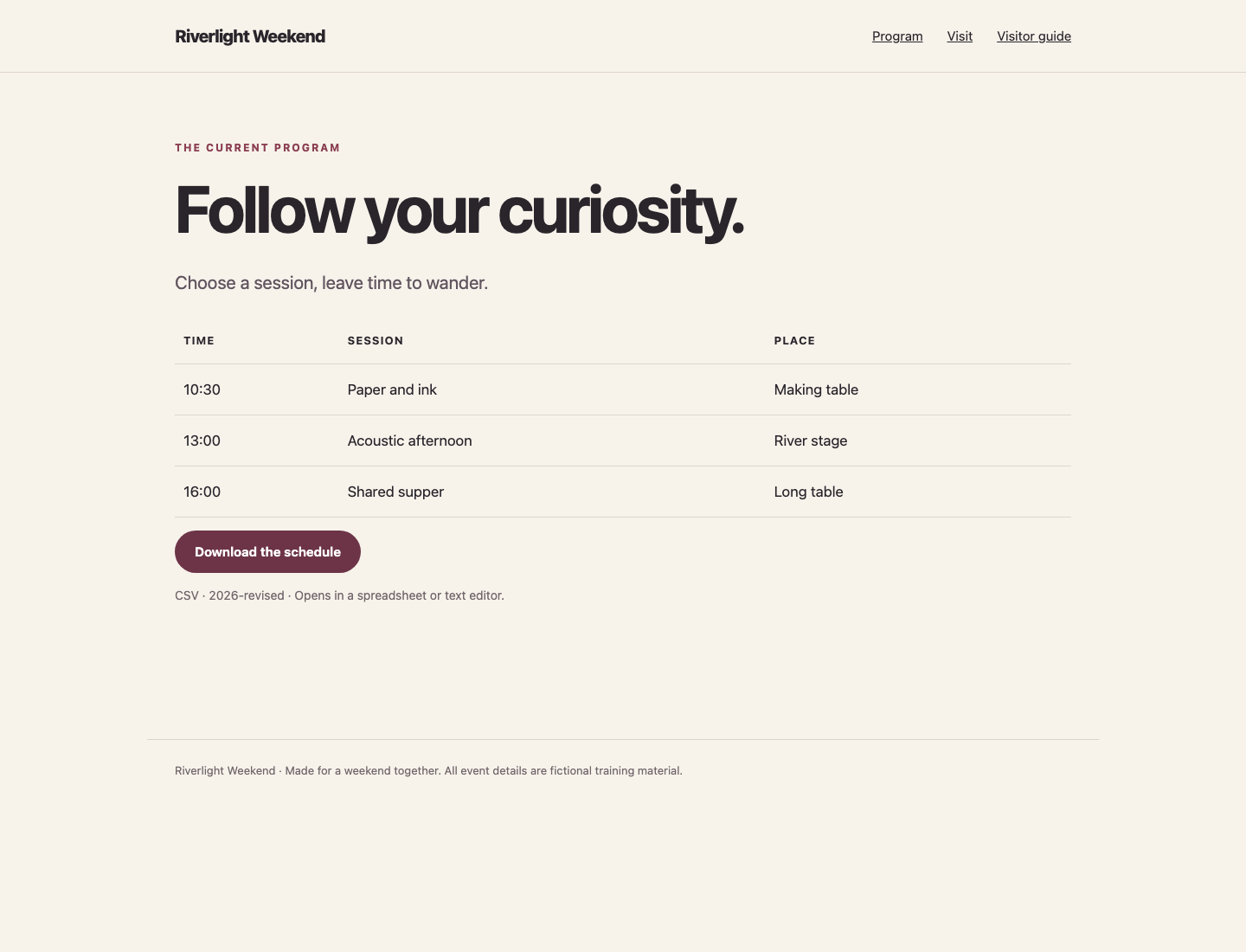
Return to Controller. Save the current download in the VM; -o names its output file:
curl -fsS http://127.0.0.1:8081/program/schedule.csv -o schedule.csv
cat schedule.csv
The CSV must list the three current sessions, not the old two-session program. Confirm the old source still answers directly:
curl --config requests/old-program.conf
It should still identify program, riverlight, 2026-original. It has left the entry configuration, not been shut down. This preserves data and an independent reference without pretending it remains selected.
Finally repeat the playbook:
ansible-playbook connect.yml
Expect changed=0, failed=0 and no reload handler. If a source is temporarily unavailable, the existing preflight must stop before the template; a failed connection is not an instruction to remove the old node. Correct the selected member or source data reference, then retry. The first lab's sha256sum comparison can be used to confirm an entry file has not changed.
Manage only inventory membership, the reusable connect.yml and templates/routes.json.j2, and the route file through that playbook. Preserve supplied host variables, approved site/editions, source content, private organizer notes, all source services, and the gateway implementation. Keep probes and templates reusable for different member names, addresses and ports. Use the supplied /opt/labex/service-links/reload.py with this project entry directory for reloads. Use the taught direct uri, assert and template tasks and a scoped reload command handler; do not hide failed probes or run writes during check mode.
Summary
You changed service membership instead of embedding a new address, previewed the resulting route, applied the change and used the real website and CSV to confirm the new program. The old source remained available independently, and the venue and visitor guide stayed intact.