Introduction
A small outdoor shop's search should return listed products with an exact name match. A query-building mistake lets a search change that rule, and even an ordinary apostrophe breaks the search. You will observe the real request path, repair a small Python function, and test both safety and useful results.
The ready-made environment includes Workstation, App Server, and Shop Web. You need only basic terminal use and tab switching. SQL, Python syntax for this edit, and editor controls are introduced here. The data is synthetic; the HTTP service and SQLite parsing are real.
Make a Normal Product Search
In this step, you will use the shop and connect a result to its database row. You are helping a small outdoor shop repair its search. Searches must return only listed products whose names exactly match the input. All products and prices here are synthetic training data.
Select the Shop Web tab in the lab interface to begin this step.
A table stores records as rows, with named columns describing each record. This is the prepared products table; listed is 1 for a public product and 0 for an internal prototype. Prices are whole training currency units.
| id | name | price | listed |
|---|---|---|---|
| 1 | Trail Mug | 18 | 1 |
| 2 | Camper's Cup | 22 | 1 |
| 3 | Prototype Mug | 99 | 0 |
| 4 | ORANGE Bowl | 12 | 1 |
Switch to the Shop Web tab. In Product name, enter Trail Mug and select Search. The rows result should contain [1, "Trail Mug", 18], with error set to null (no error). The page sends a request to the Python app; the app asks SQLite for matching records, then sends the result back. The page, app code, and database are different parts of this request path.
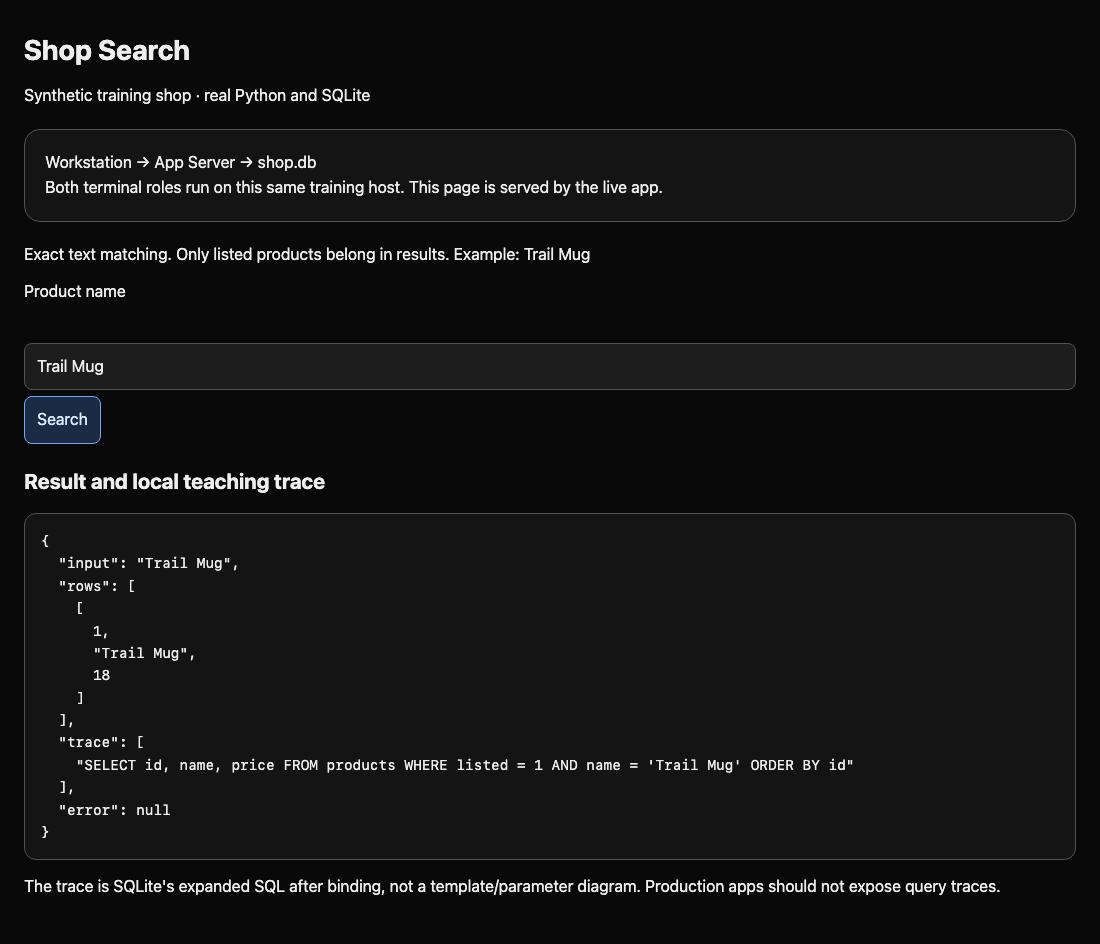
A query is a question to the database. The local teaching trace shows the SQL that SQLite executed:
SELECT id, name, price FROM products WHERE listed = 1 AND name = 'Trail Mug' ORDER BY id
SELECT names returned columns; FROM names the table. WHERE restricts rows. AND requires both conditions to be true: listed and the exact name. Single quotes delimit an SQL text value. ORDER BY id gives a stable row order. The page omits the listed column from returned rows but the query still uses it to filter them.
The Workstation terminal is a client for making requests. App Server opens the app directory for the later code repair. These are separate terminal sessions on the same training host, not separate machines. The Web page includes this relationship and is served by the actual running app.
Switch to the Workstation tab to make the same request:
Switch to the Workstation tab before running the following command.
python3 probe.py "Trail Mug"
python3 runs the prepared probe.py client. Its one argument is the search text. Double quotes keep a name containing spaces together as one argument; the shell removes these outer quotes. The client safely encodes the value into an HTTP request, the request format used by the web app. 127.0.0.1 inside the client means this training host.
Read rows, trace, and error in the JSON output. JSON is the app's structured response: arrays use square brackets, while null means no error. If the page cannot connect, reload Shop Web; a connection error is different from an empty successful search. Completion checks read the actual request result, so no report is needed.
See Input Change the Query
In this step, you will observe one bounded SQL injection test against this training shop. SQL injection means input changes the structure of a query instead of remaining a text value. Use these tests only inside the prepared lab.
Select the Workstation tab in the lab interface to begin this step.
Switch to the App Server tab. Read the small function with cat, which prints a file without editing it:
Switch to the App Server tab before running the following command.
cat query.py
def search(db, text): defines the function. db is the open database connection; text is the value received from the request. The indented lines are its body. sql = assigns a Python string to a variable. Double quotes delimit that Python string, while single quotes inside it delimit SQL text. + text + concatenates, or joins, the user's value directly into the SQL. db.execute(sql) asks SQLite to run it; fetchall() collects the result rows; return sends them back.
Switch to the Workstation tab and send the following exact value, including the space after the two hyphens:
Switch to the Workstation tab before running the following command.
python3 probe.py "' OR 1=1 -- "
The outer double quotes belong to the shell. The leading single quote becomes input to SQLite. It closes the empty text value in the concatenated query. OR allows either condition; 1=1 is always true. -- starts a comment, so the original closing quote and ordering clause are ignored. The trace now contains:
SELECT id, name, price FROM products WHERE listed = 1 AND name = '' OR 1=1 -- ' ORDER BY id
You should see all four rows, including [3, "Prototype Mug", 99]. That prototype is not listed. The request therefore crossed the intended business boundary even though it only read data. Keep this result in mind: a successful HTTP response does not prove a safe search.
Now try a legitimate name with an apostrophe:
python3 probe.py "Camper's Cup"
The vulnerable app returns rows: [], an empty trace, and error containing near "s": syntax error. SQLite could not execute this malformed SQL, so there is no completed query to trace. This is an expected failure, and the client still exits normally so you can continue.
An apostrophe is valid product data. Deleting it would turn the requested name into a different name; blocking every input containing it would reject a customer. Blocking words such as OR would also damage the supplied ORANGE Bowl. The repair must preserve the value while separating it from SQL structure.
Bind the Search Value
In this step, you will repair the function while retaining its columns, exact match, listing restriction, and ordering. Switch to the App Server tab.
Select the App Server tab in the lab interface to begin this step.
A parameterized query keeps SQL structure and supplied values separate. For Python's SQLite API, a ? marks one value position. Supply the value separately to execute; never put quotes around the placeholder or concatenate the value into the SQL. For example, db.execute("SELECT ?", (text,)) returns the supplied text as data. It does not interpret the contents as SQL.
(text,) is a one-item tuple, an ordered collection of parameters. The trailing comma makes it a tuple; (text) alone is just the original value in parentheses. The outer parentheses in execute(sql, (text,)) call a function with two arguments: the SQL template and the tuple of values. The database driver binds that value to the placeholder.
Open the prepared file in the terminal editor:
Switch to the App Server tab before running the following command.
nano query.py
Use the arrow keys to move, Backspace/Delete to remove text, and ordinary typing to edit. Replace the two indented lines beginning sql = and return so that the function is exactly:
def search(db, text):
    sql = "SELECT id, name, price FROM products WHERE listed = 1 AND name = ? ORDER BY id"
    return db.execute(sql, (text,)).fetchall()
Keep four spaces before each body line and no indentation before def. Python uses indentation to group the function body. Save with Ctrl+O, press Enter to confirm query.py, then exit with Ctrl+X. The original comment may stay.
The app reads and compiles query.py on every request. Saving is sufficient; there is no restart command. An unsaved buffer has no effect. A typing or indentation mistake appears in the next response's error field. Reopen the same file, correct it, save, and resend the request.
Switch to the Workstation tab and repeat both values:
Switch to the Workstation tab before running the following command.
python3 probe.py "Camper's Cup"
python3 probe.py "' OR 1=1 -- "
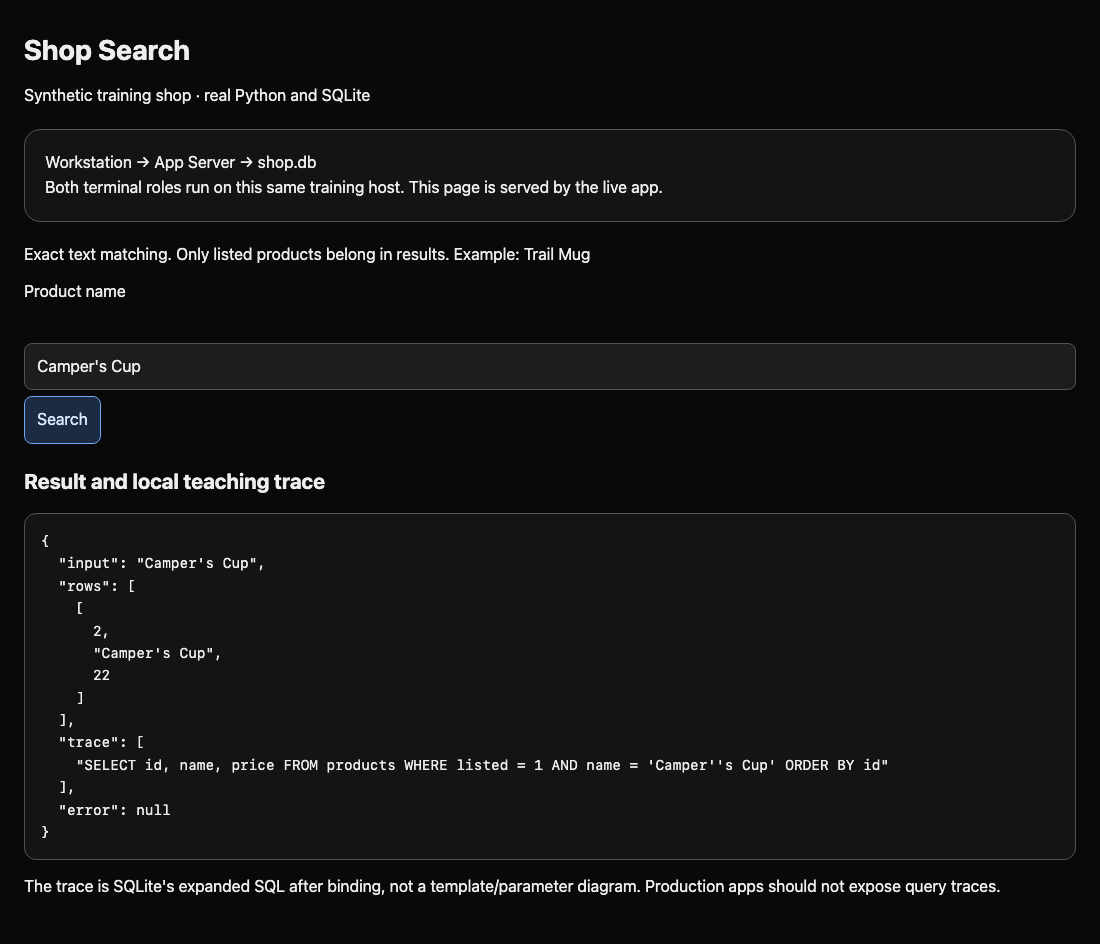
The real product now returns [2, "Camper's Cup", 22]; the special test returns rows: []. Both have error: null. There is no product with that exact special name in this database.
The trace may show Camper''s Cup, or the entire special string inside quotes. SQLite's trace displays expanded SQL after binding, including escaped values. It is not the original template. Seeing values in the trace does not mean Python concatenated them: inspect query.py to see the template and separate tuple. Do not replace bound parameters with hand-built escaping.
Preserve the Business Search
In this step, you will check security and ordinary functionality together. A disabled search or an empty hardcoded response might hide the prototype, but it would stop customers finding products.
Select the Workstation tab in the lab interface to begin this step.
Switch to the Workstation tab. Send the normal name again:
Switch to the Workstation tab before running the following command.
python3 probe.py "Trail Mug"
You should still receive [1, "Trail Mug", 18]. Now confirm a valid word containing OR is not rejected:
python3 probe.py "ORANGE Bowl"
Expect [4, "ORANGE Bowl", 12]. Search for the unlisted prototype by its ordinary name:
python3 probe.py "Prototype Mug"
Expect rows: [] and error: null. Binding prevents injection, while the unchanged listed = 1 restriction still controls which products are public. It would be unsafe to remove that restriction as part of the edit.
Switch back to the Shop Web tab, enter Camper's Cup, and select Search. Confirm its row appears. Repeat with ' OR 1=1 -- and confirm an empty result without an error. The browser and client exercise the same query function.
Use the step's completion check. It makes read-only requests and also runs your unchanged function with extra synthetic rows in a disposable in-memory database. This checks exact matching, punctuation, listing rules, and unfamiliar names without editing the live database. Even a product whose name resembles SQL must remain ordinary searchable data if that exact name is present and listed.
If a check fails, switch back to the App Server tab, reopen query.py, and compare the placeholder, tuple comma, indentation, and business restriction with the repair. Save, then retest. Keep the database, client, and server framework unchanged; changing records or returning fixed answers does not repair the query.
Summary
You followed a search from a page to a real SQLite query, observed input changing its structure, and repaired the Python call with a placeholder and a one-value tuple. You checked ordinary names, apostrophes, the bounded test, and the unchanged product listing rule. The order lookup challenge applies the same separation to a different business object.