Introduction
Juniper Café is ready for its autumn menu. The website works, but it still shows the everyday selection. You will publish the new menu through Kubernetes, keep the old configuration available, and download the actual menu for the counter team.
You should already recognize Pods, Deployments, Services, labels, and simple YAML. The cluster, application image, and website are prepared; no application coding or cloud account is needed. This lab introduces the small part of Kustomize needed to give each configuration its own content-based name.
Use Workspace for commands, Café Menu for Juniper, and Reference Menu for the separate reading-room café. All entries share one training VM. Keep the reference café, application code, Service, replica count, and supplied release history unchanged. Reading and ordinary mistakes are included in the author-estimated 40 minutes.
Prepare a Separate Menu Release
In this step, connect the current website to its configuration and prepare a release directory without changing the live menu.
Open Café Menu, select Explore the menu, and find Maple Latte. It currently costs $4.20 and is Not available today. Cold Brew is available. Open About this drink for Oat Latte, then use Back to the menu. These are real pages served by the prepared application.
Switch to Reference Menu and select Our menu. This is Willow Reading Room, a separate service that must keep working. Switch to Workspace. Its starting directory is /home/labex/project/cafe-menu; confirm it with pwd, which prints the current directory:
pwd
Expected:
/home/labex/project/cafe-menu
A Kubernetes ConfigMap stores configuration separately from an application image. A Pod refers to that ConfigMap by name. This café process reads its mounted menu file once when it starts. Editing configuration does not make that existing process reload its menu automatically.
The prepared starter directory contains three small files. ls lists them:
ls starter
deployment.json kustomization.yaml menu.json
JSON is also valid input for Kubernetes manifests; deployment.json is the prepared Deployment definition. You will keep its application settings and change the separate menu data.
Create your own directory with cp -r: cp copies, and -r includes a directory's contents. The destination release does not exist yet:
cp -r starter release
If you accidentally run this twice, cp can create a nested release/starter. The three required files still belong directly in release; remove only that accidental nested copy with rm -r release/starter. Do not remove release, versions, or approved.
Read the configuration with cat, which prints a file:
cat release/kustomization.yaml
apiVersion: kustomize.config.k8s.io/v1beta1
kind: Kustomization
namespace: cafe-menu
resources:
  - deployment.json
configMapGenerator:
  - name: cafe-menu
    files:
      - menu.json
resources includes the Deployment. configMapGenerator turns menu.json into ConfigMap data. Kustomize adds a suffix derived from the content and updates the Deployment's reference to that generated name. Changed data can therefore produce a new Pod template and a new rollout, while the previous ConfigMap stays available. The suffix identifies content; it does not tell you whether prices are correct.
Write the Approved Autumn Menu
In this step, prepare the complete autumn menu before applying any change to Kubernetes.
Stay in Workspace. The counter team's approval is stored as approved/menu.csv. CSV means comma-separated values: the first line names the columns, and each following line describes one drink. price_cents is an integer number of cents, so 450 means $4.50. true and false indicate whether the drink is available.
cat approved/menu.csv
id,name,price_cents,available
espresso,Espresso,250,true
oat-latte,Oat Latte,350,true
cold-brew,Cold Brew,390,false
maple-latte,Maple Latte,450,true
Keep Espresso and Oat Latte unchanged. Cold Brew leaves today's selection, and Maple Latte becomes available at $4.50. The season label must be Autumn at Juniper; the café name, location, hours, item identities, and descriptions remain unchanged.
Write the complete JSON below. JSON uses quoted property names, commas between entries, and lowercase unquoted booleans. The shell expression cat > release/menu.json <<'EOF' writes the enclosed text into that file. > replaces its previous content; the quoted EOF keeps the text literal. Paste through the final EOF line, on a line of its own:
cat > release/menu.json <<'EOF'
{
  "name": "Juniper Café",
  "season": "Autumn at Juniper",
  "hours": "Mon–Sat · 08:00–17:00",
  "address": "14 Willow Lane",
  "items": [
    {"id": "espresso", "name": "Espresso", "price_cents": 250, "available": true, "description": "A small, rich cup with a golden crema."},
    {"id": "oat-latte", "name": "Oat Latte", "price_cents": 350, "available": true, "description": "Our espresso with smooth oat milk."},
    {"id": "cold-brew", "name": "Cold Brew", "price_cents": 390, "available": false, "description": "Slow-steeped coffee, served over ice."},
    {"id": "maple-latte", "name": "Maple Latte", "price_cents": 450, "available": true, "description": "Espresso, oat milk, and a little maple sweetness."}
  ]
}
EOF
Validate the JSON before using it. python3 -m json.tool reads JSON and prints an indented version; it does not change the file:
python3 -m json.tool release/menu.json
Successful output contains all four drinks. The tool may display \u00e9 for é; this is JSON escaping, not a changed café name. A missing comma or quote produces a parsing error with a line and column. Recover by writing the complete block above again, then repeat this validation. A wrong path produces a file-not-found error; run pwd and return with cd /home/labex/project/cafe-menu before retrying.
The website still shows the everyday menu because you have changed only your release source. That is expected.
Publish a New Configuration Version
In this step, render the release, apply it, and wait for both café replicas to consume the new configuration.
Stay in Workspace. kubectl kustomize renders a directory without applying it. Inspect the generated ConfigMap name and the Deployment's matching reference:
kubectl kustomize release
The output includes a name shaped like cafe-menu-... and the same name under the Deployment's volumes entry named menu. The exact suffix depends on the data. This is a different configuration object from the everyday menu.
Apply the directory with kubectl apply -k. The -k option asks kubectl to render a Kustomize directory, rather than read one manifest with -f:
kubectl apply -k release
Expected output includes:
configmap/cafe-menu-... created
deployment.apps/cafe configured
A created ConfigMap alone does not prove that the running application has changed. rollout status waits for the Deployment controller to replace the Pods. -n cafe-menu selects this lesson's namespace; --timeout=120s limits the wait:
kubectl rollout status deployment/cafe -n cafe-menu --timeout=120s
deployment "cafe" successfully rolled out
If the wait times out, keep the existing scene and inspect it with the following commands. An image or container error appears in Pod state and events; do not rerun setup or delete the namespace:
kubectl get pods -n cafe-menu
kubectl describe deployment cafe -n cafe-menu
After a normal rollout, inspect the current Deployment and its ReplicaSets. A ReplicaSet maintains one particular Pod template; the Deployment keeps older ReplicaSets as rollout history:
kubectl get replicasets -n cafe-menu -l app=cafe
Inspect the Deployment itself by name:
kubectl get deployment cafe -n cafe-menu
It should show 2/2 ready replicas. Multiple configuration objects remain; applying a new release did not overwrite the old menu. List them:
kubectl get configmaps -n cafe-menu
Do not delete those older configurations. An older ReplicaSet needs the exact configuration name it references if that version is restored later.
Check the Website and Hand Over Its Menu
In this step, verify the actual customer experience and save the menu that the counter team will use.
Switch to Café Menu, select Our menu, and refresh the page if it is already open. Maple Latte must be Available today at $4.50. Cold Brew must be Not available today. Open the Maple Latte detail page, return with Back to the menu, then use Visit us to confirm the location and hours still work.
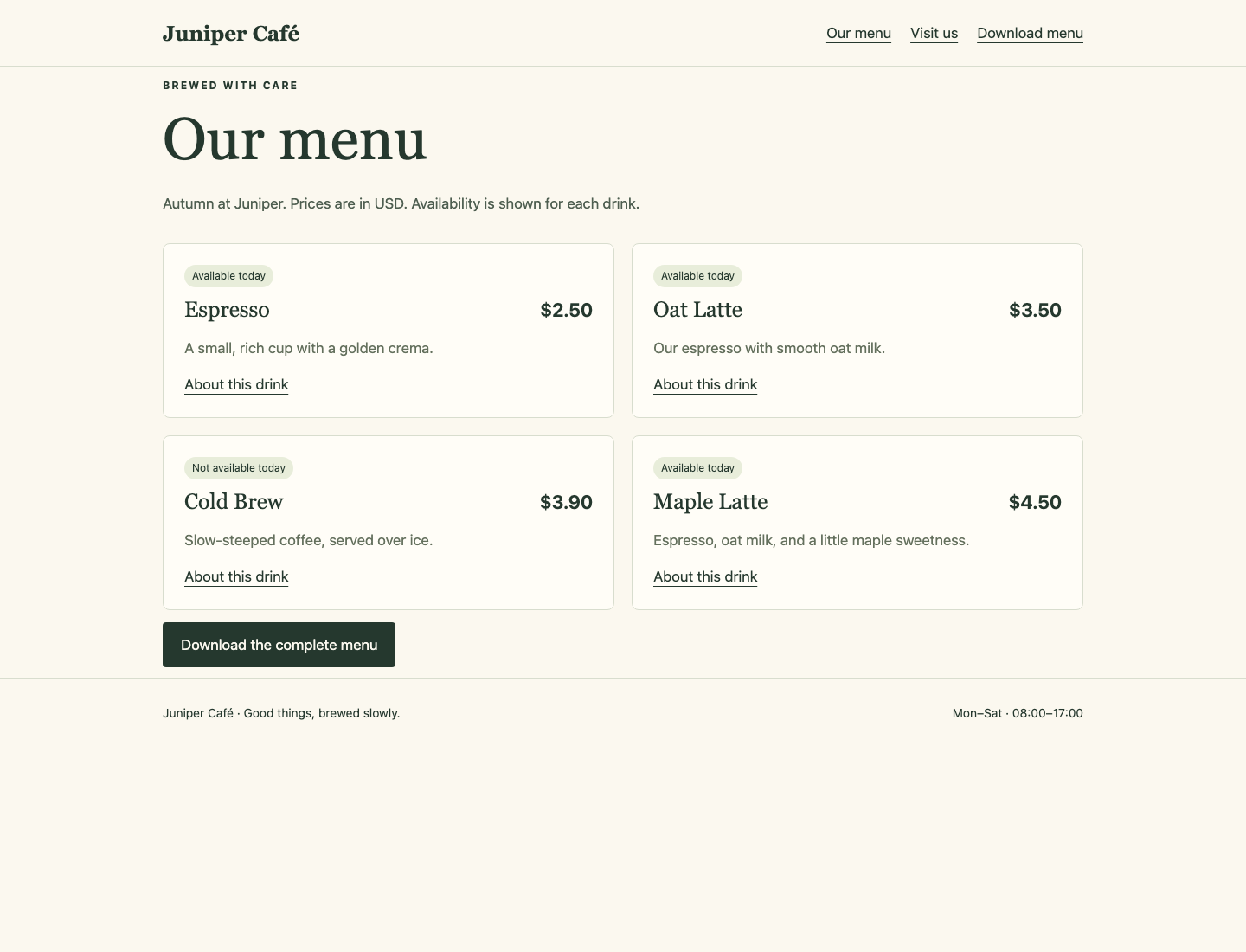
Look at the availability badges and prices: Cold Brew is unavailable, and Maple Latte is available at $4.50.
Use Download menu to download the actual complete CSV. Open it and compare all four drinks with the approved table from Step 2. The download includes unavailable drinks with false, so staff can distinguish them from accidentally missing items.
Switch to Reference Menu and confirm that Willow Reading Room's everyday menu still works. Then return to Workspace.
You can also save the real Juniper download in your workspace. curl requests the local browser entry, which forwards to the actual Kubernetes Service. --fail reports HTTP errors; --silent hides the progress meter; --show-error keeps error messages visible; -o chooses the output filename:
curl --fail --silent --show-error http://127.0.0.1:8081/menu.csv -o menu-handover.csv
Compare the received file with the approval using diff -u. The -u option shows nearby lines if anything differs:
diff -u approved/menu.csv menu-handover.csv
No output means the files match. A difference is useful evidence: return to the menu source and live rollout, correct the cause, repeat the download, and compare again. Do not edit the received CSV to conceal a wrong website.
You now have a usable menu, its actual staff download, and a release directory that reproduces the running configuration. Keep versions and the old ConfigMaps intact as recovery materials in this scene. The next lesson prepares its own independent environment.
Summary
You prepared a complete menu release, generated a content-named ConfigMap, and followed the Deployment rollout to both application replicas. You checked real pages and downloads, preserved the reference café and earlier configurations, and handed over the actual staff CSV.
The next lab starts in a separate environment. It reuses these ideas to restore a menu whose application is healthy but whose prices are wrong.