



Introduction
Meridian Museum helps visitors find objects by material and story. Its homepage can respond before its collection search is usable. Each new search container imports twelve supplied records into an in-memory word index. The feed is deliberately paced so you can observe loading; a replacement container builds its own index from the beginning.
You will keep loading Pods out of the visitor Service, allow enough time for startup, and update the importer while existing replicas continue serving correct search results. Basic terminal use and familiarity with container images and running containers are prerequisites. Kubernetes objects, YAML patches and probe settings are introduced here. The cluster, cached museum image and complete website are prepared; no installation, external account or application programming is required.
Use Museum for the visitor journey and Workstation for commands. Work only in namespace meridian and the supplied museum workspace. This is a single-node learning cluster, not high availability or a guarantee of zero failed requests. Each lab starts independently.
Let Only Searchable Pods Receive Visitors
In this step, you will distinguish a running process from a usable search index and add readiness for the actual visitor task. Begin in Museum.
Try the Normal Visitor Journey
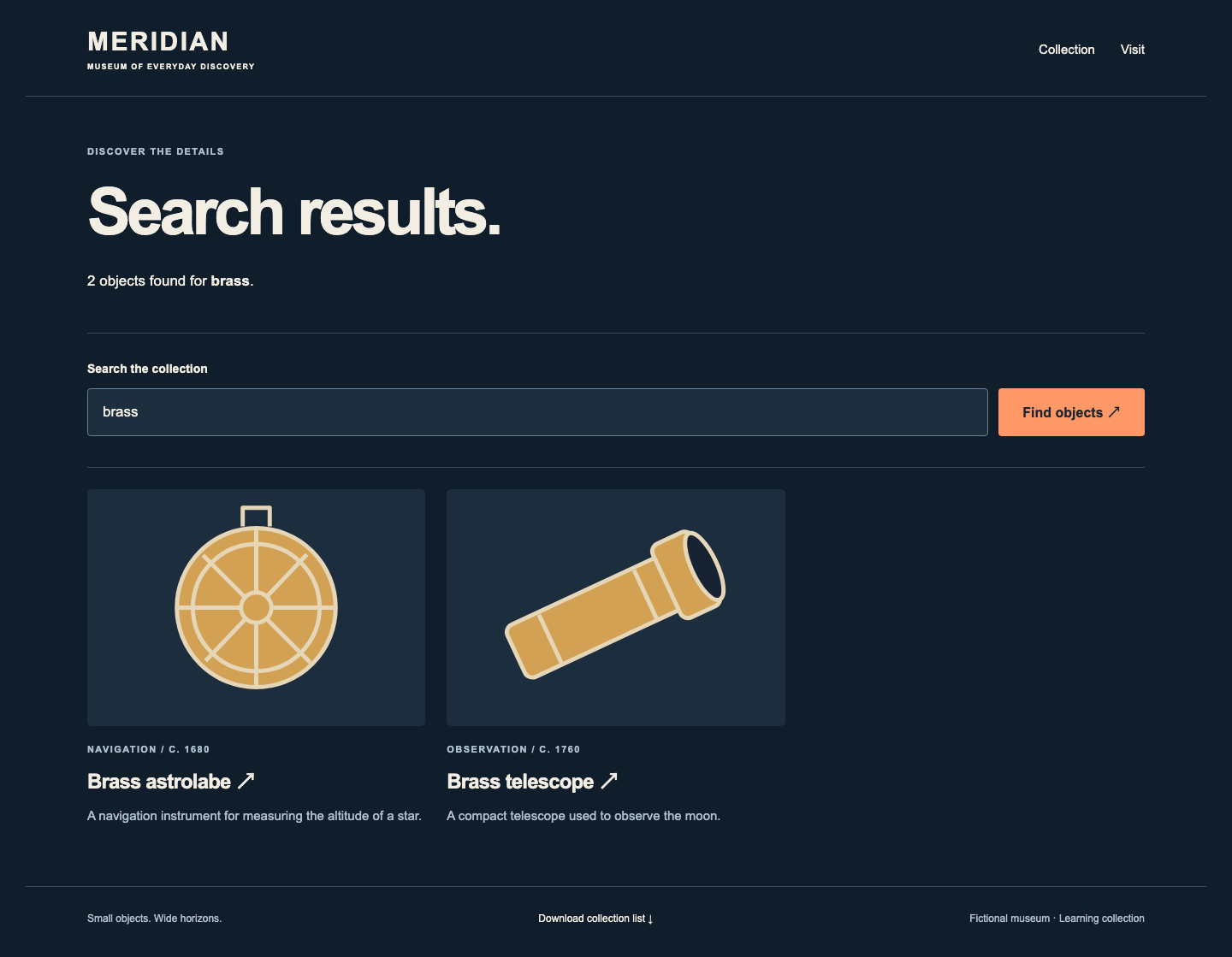
Enter brass in Search the collection and select Find objects ↗. Search results must contain Brass astrolabe and Brass telescope, with 2 objects found. Open Brass astrolabe: its story, illustration and Gallery 1 location appear. Select See it at the museum ↗, read the opening hours and level entrance, then select Download collection list ↓. Open the downloaded CSV: it lists twelve objects, including both brass instruments. Use MERIDIAN to return home. These functions must survive your changes.
Meet the Three Kubernetes Objects
Switch to Workstation. pwd prints your directory and ls lists its files:
pwd
ls
The directory is /home/labex/project/museum. A Pod runs the museum container. A Deployment maintains two replica Pods and replaces them when its container template changes. A Service gives visitors a stable address and routes to selected ready Pods. Labels connect these objects: the Service selects Pods labeled app: search. A namespace groups this course's objects; every command below names meridian explicitly.
kubectl asks the cluster to read or change objects. get lists them; -n selects the namespace. cat prints a text file so you can read the prepared candidate:
kubectl get deployments,pods,services -n meridian
cat candidate.yaml
YAML uses key: value, spaces for indentation and - for list entries. Under spec.template, the container uses the cached meridian-museum:1 image. imagePullPolicy: Never means it must use that prepared image without a registry download. IMPORT_INTERVAL: "2" spaces record imports two seconds apart: twelve records need about 24 seconds. The initial visitor replicas used a short interval so you could first experience normal search.
The prepared rolling update keeps replicas: 2, allows one additional candidate (maxSurge: 1) and permits no unavailable existing replica (maxUnavailable: 0). These settings depend on honest readiness: without a probe, a running process can qualify before search works. Keep these settings, images, labels and the Service unchanged.
Observe Premature Traffic in This Training Service
The browser uses HTTP, a request-and-response protocol. Status 200 means a successful response; 503 means the server is temporarily unable to serve that request. A working homepage does not establish that a different request, such as search, will succeed.
This museum has no real customers. You will deliberately demonstrate the unsafe update before improving it. cp copies the candidate into your editable search.yaml. apply -f submits the YAML in that file; the changed Pod template starts an update. python3 runs the supplied read-only observer; --seconds 30 samples the real visitor Service for 30 seconds. It checks the search response for both brass objects. Run the update and observer together:
cp candidate.yaml search.yaml
kubectl apply -f search.yaml
python3 observe.py --seconds 30
Expect some HTTP=503 correct_search=false lines while unprotected new containers load. Exact counts vary. The homepage still works; a 503 search response explicitly says the collection is being prepared. This is a real response from a loading Pod, not a scripted success/failure animation.
rollout status waits for this Deployment's update; --timeout limits that wait:
kubectl rollout status deployment/search -n meridian --timeout=90s
It can report success even though no readiness probe protected the earlier loading period. Wait for normal brass results before continuing. If a connection error replaces an HTTP status, read the Pod table and retry; a missing server differs from a server returning 503.
Add a Business Readiness Check
A readiness probe asks whether this Pod should receive Service traffic. Failure withdraws eligibility; it does not restart the container. This image's /health/process always reports the HTTP process, while /ready/search returns 200 only when all twelve records are indexed and the known brass search works. A browser homepage also returns 200 during import, so neither the homepage nor process endpoint is suitable here.
patch changes selected fields. --patch-file reads your file; --type=strategic merges the named search container while retaining its other settings. The probe sends HTTP to this Pod's named http port, checks every two seconds and marks it unready after one failed check. Write the small patch below. cat > readiness.yaml replaces that file. <<'YAML' starts a literal here-document: paste the whole block, including the closing YAML alone on its line. Keep the spacing:
cat > readiness.yaml <<'YAML'
spec:
  template:
    spec:
      containers:
        - name: search
          readinessProbe:
            httpGet:
              path: /ready/search
              port: http
            periodSeconds: 2
            failureThreshold: 1
YAML
kubectl patch deployment search -n meridian --type=strategic --patch-file readiness.yaml
python3 observe.py --seconds 30
Expect correct searches to continue through existing replicas while the new replica imports.
An EndpointSlice records the Service's actual Pod addresses and readiness. -l filters by its service-name label; -o jsonpath selects only address and ready fields from the structured response. The supplied display expression loops over endpoint records and prints those fields; it only reads state. Inspect the Pods and Service addresses:
kubectl get pods -n meridian
kubectl get endpointslices -n meridian -l kubernetes.io/service-name=museum -o jsonpath='{range .items[].endpoints[*]}{.addresses[0]} ready={.conditions.ready}{"\n"}{end}'
kubectl rollout status deployment/search -n meridian --timeout=90s
kubectl get pods -n meridian
During import you may see a new 0/1 Running Pod and an address with ready=false. Existing ready endpoints still serve searches. Once loading finishes, the candidate becomes ready and replacement continues. If you miss the brief intermediate state, the next steps provide a longer window.
Finish with exactly two 1/1 Running Pods. A Terminating old Pod may remain briefly after rollout success; wait and repeat get pods until it leaves. In Museum, repeat brass search and the astrolabe detail. For a YAML error, correct your patch and reapply it. For a misspelled probe path, replace only the path in the same patch and reapply. Do not delete other namespaces or shorten the importer to hide an error.
Give the Importer Enough Startup Time
In this step, you will distinguish readiness waiting from startup failure and set a startup budget from the actual import. Begin in Workstation.
A startup probe limits how long a new container may take to initialize. While it has not succeeded, Kubernetes holds readiness checks back. If startup failures reach the threshold, kubelet restarts the container. A startup probe is optional; adding an undersized one can keep an otherwise working application from becoming ready. It does not replace readiness after startup has succeeded.
Observe the Undersized Budget
startup-short.yaml is a supplied training example. A failed startup probe requests a container restart, but termination can delay when the visible restart counter increases. The next client wait lasts 60 seconds so you can observe that distinction. Read the example before applying:
cat startup-short.yaml
kubectl patch deployment search -n meridian --type=strategic --patch-file startup-short.yaml
kubectl rollout status deployment/search -n meridian --timeout=60s
The rollout command is expected to fail with error: timed out waiting for the condition. Its actual exit status is nonzero. Continue in this interactive terminal. The example checks every two seconds and permits only two failures, roughly a four-second startup window. This cannot accommodate the 24-second import.
Read the live evidence. logs shows application output; --prefix identifies each Pod, and --tail=4 limits each log to its last four lines. A selector requests all search Pods. get events reads cluster observations; --field-selector reason=Unhealthy narrows them to failed health checks:
kubectl get pods -n meridian
kubectl logs -n meridian -l app=search --prefix --tail=4
kubectl get events -n meridian --field-selector reason=Unhealthy
The new Pod remains unready and its RESTARTS should increase. It may show CrashLoopBackOff, which means Kubernetes is delaying another restart attempt. If the table still shows zero while startup failures are recorded, wait and repeat get pods before changing the budget: the table is a momentary observation, and termination takes time. Each restart discards that container's in-memory index, so its replacement imports the records again.
A late index_complete line from a container whose startup check already failed does not cancel its pending restart or make it a ready Service backend. Read the restart count and startup-failure events together. Older Pods remain 1/1 and continue serving their completed indexes.
Switch to Museum and search for brass. Correct results still come through the Service from existing ready replicas. The stalled update has not automatically rolled back: the Deployment still requests the faulty candidate. Do not confuse preserved old service with a completed update.
Calculate and Apply a Useful Budget
Switch to Workstation. Twelve records at two seconds need approximately 24 seconds. Use a 60-second budget here, which also accommodates the next 36-second import and a 12-second teaching margin. periodSeconds × failureThreshold is a planning approximation, not a deadline guarantee; scheduling, probe timeouts and real load add variation. In production, measure startup and choose a deliberate margin.
Use the same patch-file method. Keep the actual business path and named port:
cat > startup.yaml <<'YAML'
spec:
  template:
    spec:
      containers:
        - name: search
          startupProbe:
            httpGet:
              path: /ready/search
              port: http
            periodSeconds: 2
            failureThreshold: 30
YAML
kubectl patch deployment search -n meridian --type=strategic --patch-file startup.yaml
kubectl rollout status deployment/search -n meridian --timeout=120s
kubectl get pods -n meridian
This creates replacement Pods with the corrected startup settings. Each should finish loading without restarting; the final table must have two 1/1 Running Pods with RESTARTS 0. Wait for any terminating old Pods to leave and repeat the table if necessary. Readiness continues to control traffic after startup succeeds.
If the update still stalls, read the same logs and events, compare the path and budget in your file, correct it, and reapply. Deleting Pods does not correct the Deployment template; they would be recreated with the same faulty settings. Keep the 60-second probe budget distinct from --timeout=120s, which only limits how long your client waits for the rollout.
Keep Search Available During a Slower Update
In this step, you will apply a slower import and use Service responses alongside ready endpoints to assess the update. Begin in Workstation.
kubectl set env changes a container environment variable in the Deployment template. It starts replacement Pods; it does not change the environment of already running containers. Set the feed interval to three seconds. Twelve records now need approximately 36 seconds, still within the 60-second startup budget:
kubectl set env deployment/search -n meridian IMPORT_INTERVAL=3
kubectl get pods -n meridian
kubectl get endpointslices -n meridian -l kubernetes.io/service-name=museum -o jsonpath='{range .items[].endpoints[*]}{.addresses[0]} ready={.conditions.ready}{"\n"}{end}'
python3 observe.py --seconds 45
The new Pod should be 0/1 Running during import. Existing ready addresses continue serving correct brass results. The observer uses the same NodePort Service that Museum reaches; it never selects a particular good Pod. In the observed run, protected requests stayed correct. A finite sample cannot promise zero failures under every real network, application or cluster condition.
Wait for the complete update and inspect the final state:
kubectl rollout status deployment/search -n meridian --timeout=120s
kubectl get pods -n meridian
kubectl get endpointslices -n meridian -l kubernetes.io/service-name=museum -o jsonpath='{range .items[].endpoints[*]}{.addresses[0]} ready={.conditions.ready}{"\n"}{end}'
After any old Terminating Pod leaves, exactly two current Pods must be ready with zero restarts, and their two endpoint addresses must show ready=true. A healthy old replica during import is useful, but a final rollout must actually converge to the new revision.
Check the Whole Visitor Service
Switch to Museum. Use MERIDIAN to return home and search for brass again. Both instruments must appear; open the telescope and follow its visit link. Search for volcano: the page must say no objects were found rather than failing. Open Collection, browse a non-brass object, and download the collection list from Visit. Confirm twelve objects and the preserved illustrations and navigation.
Switch to Workstation. curl requests a URL; -sS hides progress but shows connection errors. 127.0.0.1 means this training instance and port 30081 belongs to the real museum Service. Quotes keep the query URL together as one shell argument:
curl -sS 'http://127.0.0.1:30081/search?q=brass'
Read the two correct titles in the HTML, not just an HTTP success code. If a check runs while old Pods are still terminating, wait and retry it; do not remove probes or decrease the import time. Keep the cluster, supplied image, Service and twelve source records unchanged. Your final result combines an honest business readiness check, a sufficient startup allowance and a completed update that preserves the museum experience.
Summary
You connected readiness to a real collection index, observed how an undersized startup probe failed and restarted the candidate, and calculated a useful startup allowance. You updated the paced importer while existing ready replicas served searches, then checked the current Pods, Service endpoints and complete visitor journey. A running process, a ready backend and a finished update are different facts; this single-node exercise does not establish production high availability or zero failures.

