Introduction
Moss & Mallow is a fictional neighbourhood gift shop. Its new seed-kit collection should keep the existing bundle discount and delivery rules. The shop already works, but the supplied Jenkins Pipeline can publish a candidate even when a real pricing test fails.
You will read the actual test failure, connect Jenkins build status to the release decision, and publish the working candidate. This lab assumes basic Jenkins navigation and the ability to recognize a short Declarative Pipeline. It explains the new test-report and gate settings; no application programming, installation, cloud account or real purchase is required.
Use Gift Shop for the customer journey and Jenkins for configuration and builds. These are two services in one prepared VM. The two candidates, broken and fixed, are supplied test versions. Every unit starts independently. The time estimate includes reading and ordinary mistakes and has not been measured with beginners.
See What a Failed Test Really Stops
In this step, you will compare normal prices with a real failed test and discover why an unstable Jenkins build can still publish. Start in Gift Shop.
Choose Find a little gift, or Shop in the navigation. A seed kit costs £12. Three or more seed kits receive a 10% bundle discount. Delivery costs £4 and becomes free when merchandise totals at least £40. Prices are estimates; the shop takes no payments.
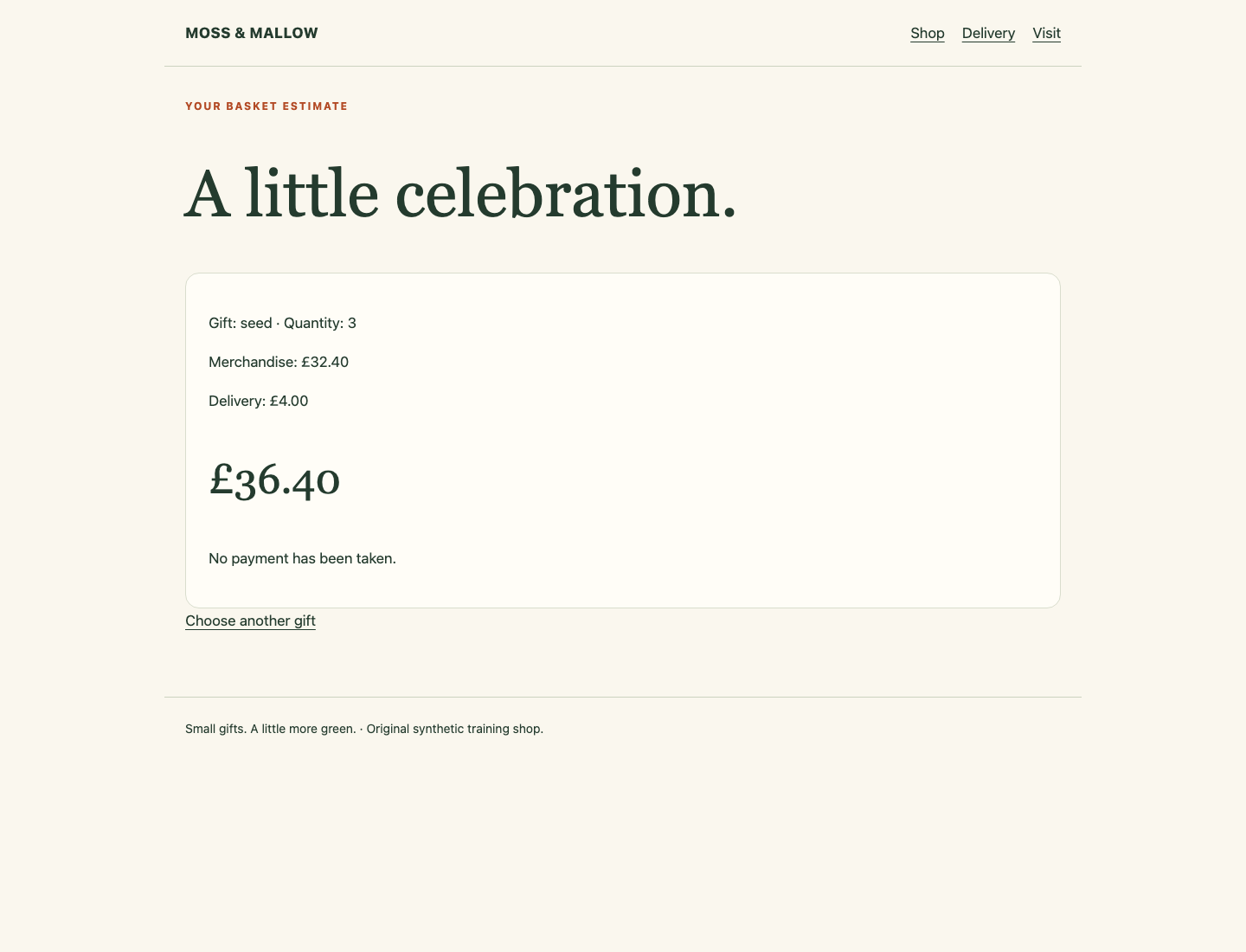
Set the seed-kit Quantity to 3 and choose Check basket. The normal merchandise price is £32.40, delivery is £4.00, and the total is £36.40. Use Shop to return. Check two picnic boxes too: merchandise is £40.00 and delivery is free. Open Visit, download the seed care card, and read the saved text file. These normal functions must remain available at the end.
A candidate is a version being considered for release. A build is one Jenkins execution, with its own number, parameters and result. Switch to the Jenkins Tab. Open shop-update, then choose Build with Parameters. Leave RELEASE as broken and choose Build. This first run deliberately publishes an incorrect training candidate so you can observe the problem; no real customer is affected.
Wait until the build finishes. Open its numbered entry under Builds, then Console Output. The Pipeline has three stages: Prepare copies the chosen candidate into the build workspace, Test runs the supplied pricing checks, and Publish delivers the package to the shop.
The console should include these stable lines:
Pricing failures: 1
Release received
Finished: UNSTABLE
UNSTABLE means the build has a quality problem, such as failed tests. It does not by itself prevent every later stage. Release received shows that this Pipeline still performed publication.
Open Tests on that build. Open the failed seed_bundle test and read its failure details:
Expected 3240 400; got 2880 400
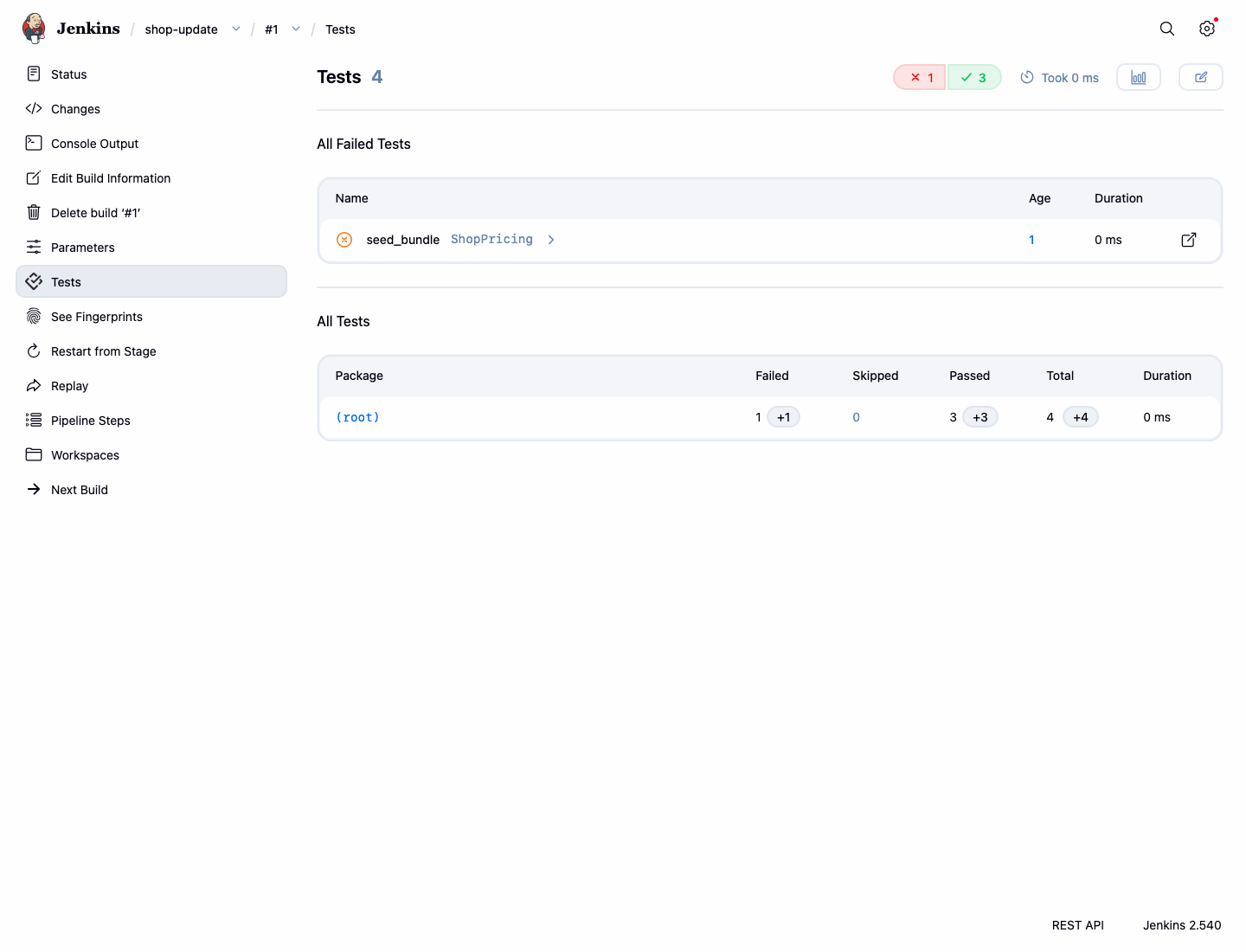
The values are pence: the test expected £32.40 merchandise and £4 delivery, but the candidate calculated £28.80 merchandise. The other three tests passed. These results come from executing the real candidate price program; the XML report is generated from those comparisons.
Switch to Gift Shop, use Shop, and check three seed kits again. Refresh the page if necessary. The incorrect total is now £32.80. You have observed an actual wrong release, not just a warning colour. Return to the numbered Jenkins build before using the check for this step.
Connect the Test Result to Publication
In this step, you will change the Pipeline so a failing test remains visible and prevents the Publish stage. Start in Jenkins and open the shop-update job page using its breadcrumb link.
Choose Configure, then the Pipeline section. Its Script editor contains a Declarative Pipeline. agent any selects an available Jenkins executor; in this prepared introductory environment it runs inside the controller container. A workspace is the directory allocated to that build. A separate project teaches independent agents.
Read the Test stage. The supplied line sh returnStatus: true, script: ... runs the test script and returns its exit status instead of immediately throwing a Pipeline error. This allows the next junit step to publish the test details. Exit status zero means the script passed; a nonzero status means it did not. junit reads the XML result file, attaches the tests to this build and normally marks it UNSTABLE when a test fails.
A Pipeline option changes how Jenkins runs the Pipeline. Add the following line immediately after agent any. The braces group the option; keep both opening and closing braces exactly as shown.
options { skipStagesAfterUnstable() }
The beginning of the script should now look like this. Keep every other existing line, including the receiver address and the supplied Prepare, Test and Publish stages.
pipeline {
    agent any
    options { skipStagesAfterUnstable() }
This option skips subsequent stages after the build becomes unstable. It does not turn a failed test into a pass. Keep the standard report publisher:
junit testResults: 'reports/pricing.xml'
Keep the supplied shell invocations for copying the candidate, running test-shop.sh and publishing the package. The test report must come from that test runner; do not replace it with a report-writing step or add other shell commands.
Do not add skipMarkingBuildUnstable: true: that setting suppresses the build status this gate relies on. Do not remove tests, change their expected prices, alter the supplied candidates or publisher, or skip publication for every candidate.
Choose Save. Select Build with Parameters, keep broken, and choose Build. Wait for the new numbered build to finish. Open Console Output. This time you should see:
Pricing failures: 1
Stage "Publish" skipped due to earlier stage(s) marking the build as unstable
Finished: UNSTABLE
Open Tests. The same failed test and the three passing tests should still be present. The new build must not contain Release received. The shop can still show the earlier bad release: blocking a new attempt does not automatically roll back an earlier publication. You will replace it with the working candidate next.
If the build instead reports a Groovy syntax error, open Configure again. Check that the added options line is inside pipeline, just below agent any, with balanced braces. Correct it, choose Save, and rerun broken. A syntax failure alone does not complete this step. Jenkins sometimes prints a Checks API publisher notice; this local course does not use a hosted Git service, so that notice does not replace the actual test result.
Publish the Working Candidate
In this step, you will prove the same Pipeline can deliver a correct update and preserve the normal customer journey. Start on the shop-update job page in Jenkins.
Choose Build with Parameters. Set RELEASE to fixed, then choose Build. This selects the supplied working candidate; it does not change the Pipeline you just tested. Wait for completion and open the new build's Console Output.
Pricing failures: 0
Release received
Finished: SUCCESS
Open Tests. All four pricing tests should pass. Return to that build's status page and find Build Artifacts. Download shop-release.tar.gz. An artifact is a file retained by Jenkins for this build; this compressed archive contains the price program, release metadata and care card. The archive is also the actual package sent to the shop, not a separately rebuilt copy.
Switch to Gift Shop, choose the brand link to return home, and refresh. The collection is now Gifts to grow together. Open Shop and check three seed kits: merchandise £32.40, delivery £4.00, total £36.40. Two picnic boxes must still have free delivery. Open Delivery and Visit, download the care card again and confirm it is complete.
The final check connects the real failed and successful builds to the currently saved Pipeline and deployed bytes. If you edit the Pipeline after these runs, repeat broken and then fixed so both results describe the version you are submitting. Keep the earlier builds and the original shop resources; no report-writing or copied console file is required.
If you selected broken again by mistake, leave the gate in place and run fixed. If Jenkins is still building, wait for the numbered build's final result rather than repeatedly submitting more builds. A successful homepage alone is insufficient: the basket prices and download are part of the finished work.
Summary
You observed a real failed pricing test, saw why an unstable build still published, and connected the Jenkins test result to a release gate. You then used the same Pipeline to deliver the working candidate and checked real prices, the archived package and normal shop functions.