Introduction
Gearroom lends equipment to local makers. Members sign in to read their own collection, return and packing details. A login limit is meant to pause repeated password guesses, but its current counter is shared by everybody. One member's failed attempts can stop another member from starting work.
Use Hydra to produce a small, repeatable test, change the counter to follow the account, and demonstrate both protection and normal access. Your result is an effective live policy with real authentication and unchanged loan records, not a written report. You may lock only the declared synthetic test member. Use the reference member only with its known correct password, and do not change the server, accounts or original records.
You need basic terminal input, path recognition and tab switching. The required Hydra options, form fields, shell quoting and JSON policy structure are explained here. The prepared Workstation terminal and Equipment Desk website are two interfaces to one isolated training container. This unit starts independently of other labs. All people, passwords and records are synthetic local training data.
Allow about 55 minutes, including reading and ordinary mistakes. This is an author estimate, not a measured beginner completion time. The small limit of three failures in 30 seconds followed by a 12-second cooldown is a training contract, not a production security recommendation.
Establish Two Working Member Logins
In this step, open the two known member records before testing the limit. A successful authentication means the server accepted a particular identity; that identity determines which record you can see.
Open Equipment Desk. Select Review brief in the top navigation. The permitted test member is member, password Member24. The normal reference member is reference, password Reference24. Both are known credentials, not passwords you need to discover.
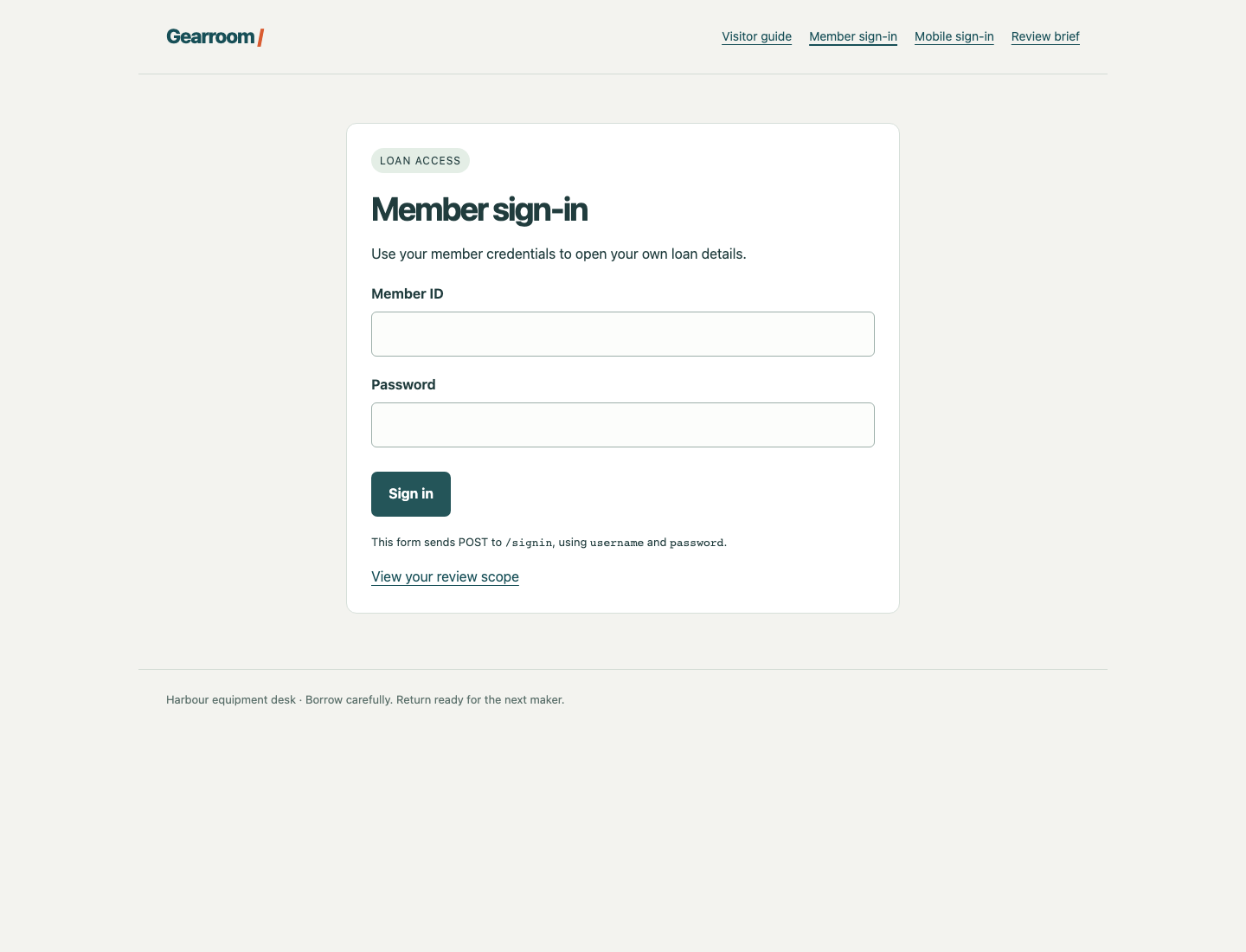
Use the two labelled inputs and the Sign in button. The line below the form identifies the actual POST path and submitted field names.
Select Member sign-in, enter the test member's credentials and select Sign in. Expect Signed in as member. Select Open your record. Check loan LN-204, Mina Park, Compact projector kit, collection Thursday 14:00, return Monday 10:00, and the note about the HDMI lead in the side pocket. Select Sign out.
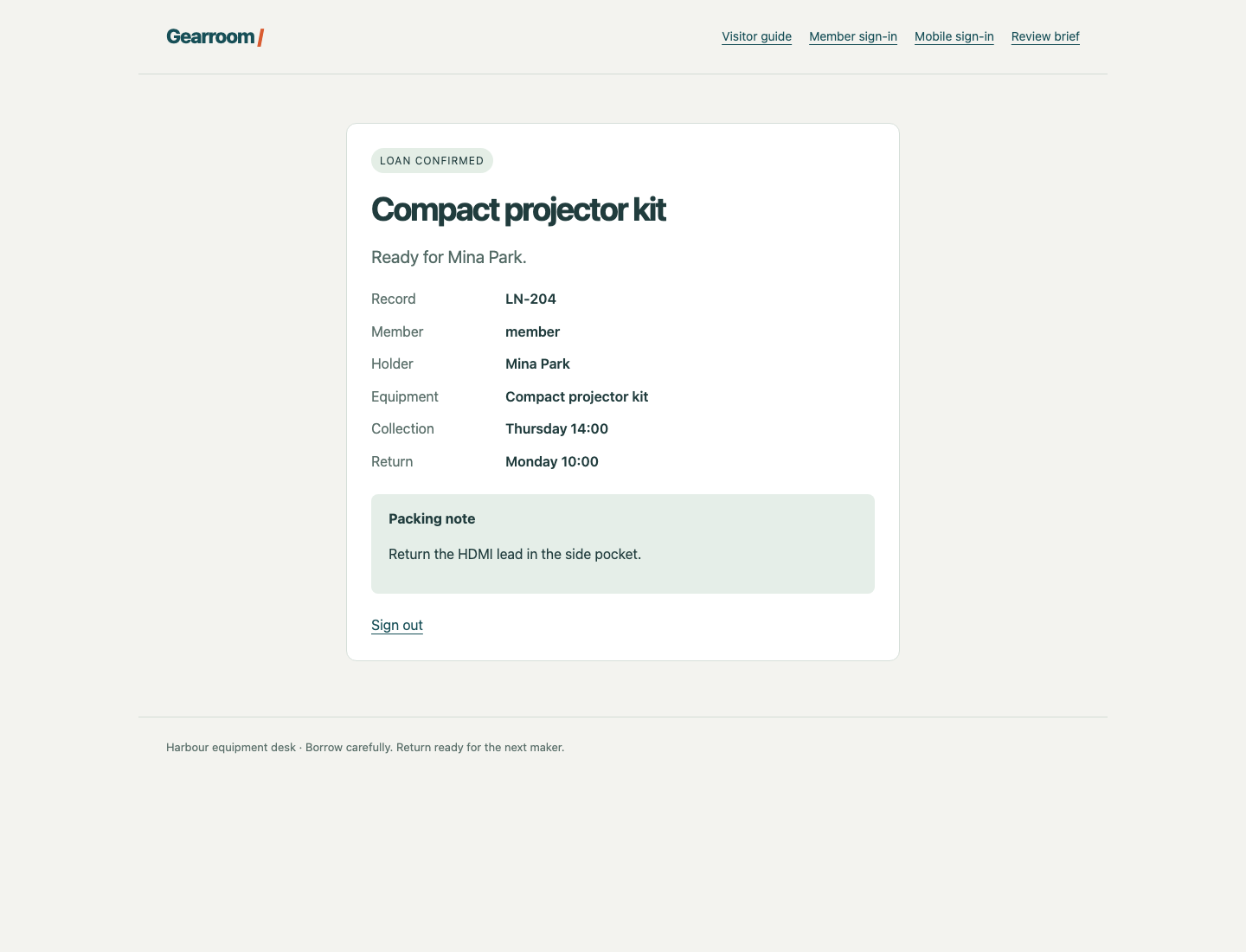
Compare the Member and Record fields with the equipment, collection, return and packing note. A successful login alone does not prove the original record is intact.
Select Member sign-in again, use the reference member's credentials, then select Open your record. Check LN-119, Theo Bell, Portable audio recorder and the windscreen note. Select Sign out again. These are separate records; preserving both is part of your task. A browser normally stores the cookie, a server-issued session identifier, automatically after a successful sign-in. Signing out ends that session.
Switch to Workstation. Its configured starting directory is /home/labex/project/login-limits. pwd prints the current directory:
pwd
Expect /home/labex/project/login-limits. If you have moved elsewhere, cd changes directories:
cd /home/labex/project/login-limits
cat displays a file. Read the prepared policy:
cat policy.json
This is JSON: a structured text format with named fields in double quotes. Colons connect names to values; commas separate fields; braces enclose an object. The key is currently global, so the same counter can include different member accounts. failed_attempts, window_seconds and cooldown_seconds are the agreed three-failure, 30-second-window and 12-second-cooldown values. entry_groups lists the prepared sign-in paths; keep that mapping unchanged in this unit. You will investigate entry groups in the next independent guided lab.
deskctl is the prepared, limited maintenance command. Its status action reads the actual active policy; it does not log in, clear counters or change the service:
deskctl status
The active policy should match the file. A revision identifies the policy currently in use. Editing a file later will not change that active policy until you apply it.
Observe the Shared Counter Problem
In this step, send only the supplied wrong passwords for the permitted test member, then observe how the global counter also refuses the reference member.
Stay in Workstation. Read the complete allowed candidate file:
cat wrong-passwords.txt
NotThis11
NotThis22
NotThis33
NotThis44
NotThis55
All five are deliberately wrong for the test account. Do not add real credentials or test another account repeatedly. Hydra will generate the bounded attempts; this is not a speed contest or a password-discovery task.
127.0.0.1 is this training container's loopback address; port 8080 reaches its prepared local desk rather than an external site. The main sign-in form sends a POST request to /signin. POST carries named fields in its body. Here the fields are username and password, separated by &. Hydra's http-post-form argument has three colon-separated parts: the path, the fields and a response condition. ^USER^ and ^PASS^ are Hydra placeholders. S=Signed in as requires the actual authenticated response text; a limited or rejected page must not count as a working login.
The Hydra options are -I to ignore an old restore prompt in this workspace, -l member for one fixed username, -P for its supplied password file, -s for the port and -t 1 for one worker. One worker makes this small sequence easy to observe. It does not create a server-side limit. The final single-quoted argument stays one argument even with spaces and &.
The next block also uses curl, a terminal HTTP client. It is separate from your browser and does not automatically reuse the browser session. --data supplies POST fields; -s hides the progress meter, -o saves the response body and -w prints the HTTP status. The quoted \n gives the printed status a new line. Single quotes keep &, spaces and %{http_code} for curl rather than letting the shell interpret them. These two diagnostic logins use known correct passwords.
First wait for any earlier attempts to expire naturally. deskctl wait observes readiness; it neither resets counters nor adds attempts:
deskctl wait
Run the following three commands together as one block. They capture both diagnostic responses during the 12-second cooldown, so there is no need to read between commands:
hydra -I -l member -P wrong-passwords.txt -s 8080 -t 1 127.0.0.1 http-post-form '/signin:username=^USER^&password=^PASS^:S=Signed in as'
curl -s -o test-login.html -w 'Test member HTTP %{http_code}\n' --data 'username=member&password=Member24' http://127.0.0.1:8080/signin
curl -s -o reference-login.html -w 'Reference member HTTP %{http_code}\n' --data 'username=reference&password=Reference24' http://127.0.0.1:8080/signin
Hydra should report 0 valid password found because every supplied candidate is wrong. Both diagnostic lines should report HTTP 429. A 429 means the service is limiting attempts; it does not say the password is incorrect. Curl can complete normally while receiving an HTTP refusal, so read the displayed status and saved body rather than treating its exit status as authentication. In this scene the third rejected attempt starts the cooldown, and subsequent attempts are limited before their passwords are checked.
grep searches text. Its -o option prints just the matching words, rather than the surrounding HTML page:
grep -o 'Too many attempts' reference-login.html
The correct reference password was refused too. This is the business problem: a global counter pauses another member's new sign-in.
Read the existing server events:
deskctl events
Look for member on /signin with outcomes rejected, threshold, then limited, followed by the reference login marked limited. These are actual server decisions, not interpretations of Hydra's output. The event history remains readable after the cooldown; you do not need to catch a fleeting page.
If either diagnostic ran too late, let deskctl wait finish and rerun the same small three-command block. If Hydra reports a syntax or connection error, correct its quoted argument, address 127.0.0.1, port 8080 or declared path before interpreting results. A connection failure is not a successful protection test. HTTP 400 indicates wrong form fields; 404 indicates a wrong path. Correct those ordinary mistakes without resetting the environment.
Apply an Account-Based Policy
In this step, change only the counter key so each member has an independent limit. Keep the training values and entry mapping intact.
Stay in Workstation. The following command replaces your local policy.json. cat > policy.json writes text to the file; > overwrites an existing file. A here-document supplies the lines until the closing EOF. Quoting 'EOF' keeps the body literal. Put the closing marker alone on its line, without leading spaces:
cat > policy.json <<'EOF'
{
  "key": "account",
  "entry_groups": {
    "/signin": "loans",
    "/mobile/signin": "loans"
  },
  "failed_attempts": 3,
  "window_seconds": 30,
  "cooldown_seconds": 12
}
EOF
The only changed value is key: account groups attempts by the submitted member ID instead of combining all accounts. Lowering the threshold to zero, deleting an account or refusing everybody would not preserve normal service.
Apply your file through the prepared control command:
deskctl apply policy.json --wait
apply validates the file and changes the running policy explicitly. --wait waits for any existing cooldown or partial failure window to expire naturally before a changed policy can be applied. A partial failure window can take up to 30 seconds to settle. The old policy stays active during that wait. The command does not restart the desk, discard history or clear active counters. Reapplying exactly the same policy is a no-op and cannot unlock an account.
Expect ok: true, changed: true for the first change, and a new revision with key set to account. If you already applied the same valid file, changed: false is normal.
deskctl status
Read the live policy, not only the file. A JSON error usually means a missing comma, quote or brace; compare your file with the complete block, correct it and apply again. An invalid policy leaves the active policy unchanged. Do not restart the server or edit its implementation to make the check pass.
Prove Protection and Normal Recovery
In this step, test the effective policy, preserve the reference member's access and confirm that the limited test member recovers naturally.
Stay in Workstation. Start from naturally settled counters:
deskctl wait
Run this complete block again. The paths, known diagnostic passwords and wrong candidate set are unchanged; the active counter key is different:
hydra -I -l member -P wrong-passwords.txt -s 8080 -t 1 127.0.0.1 http-post-form '/signin:username=^USER^&password=^PASS^:S=Signed in as'
curl -s -o test-login.html -w 'Test member HTTP %{http_code}\n' --data 'username=member&password=Member24' http://127.0.0.1:8080/signin
curl -s -o reference-login.html -w 'Reference member HTTP %{http_code}\n' --data 'username=reference&password=Reference24' http://127.0.0.1:8080/signin
Expect zero Hydra findings, Test member HTTP 429, and Reference member HTTP 200. The protected account is still limited, while the unrelated reference account can authenticate. HTTP 200 alone is not enough; check the identity in the saved body:
grep -o 'Signed in as reference' reference-login.html
grep -o 'Too many attempts' test-login.html
Read the recorded decisions under the new revision:
deskctl events
You should see a member threshold and limited login alongside a reference authenticated login. Only events under the current policy demonstrate that repair. Older global-policy evidence is kept, but does not prove the new policy works. If you paused between the block's commands and missed the cooldown, wait naturally and repeat the same bounded block; do not increase the candidate set or clear counters.
Now allow the test member's cooldown to finish:
deskctl wait
Switch to Equipment Desk. Select Member sign-in, use member / Member24, select Sign in, then Open your record. It must still be LN-204, Mina Park, the Compact projector kit and its complete original details. This new login demonstrates recovery after natural expiry. Select Sign out, then use Member sign-in with reference / Reference24 and open LN-119 again. Confirm the audio recorder and windscreen note, then sign out.
Finally select Visitor guide. Public collection information remains available. Your own terminal curl logins and this browser use separate sessions; the earlier curl response does not automatically sign in the browser. If a record returns 403, sign in through the real form and use Open your record. Correct an ordinary password or path typo rather than restarting the VM.
Your policy.json now matches the actual account-based policy. The server has genuine current-revision evidence of repeated failures, a limited correct-password attempt, a normal reference authentication during that limit and a naturally recovered test login, with both original records intact. Assessment reads those existing facts and public pages; it does not submit missing logins, reset limits or complete your recovery for you. This controlled single-process training proves the stated local behavior, not a complete production defense against every authentication attack.
Summary
You used a bounded Hydra sequence to expose a global login counter, applied an account-based policy without restarting or resetting the desk, and verified both refusal and availability. The test member remained limited even with a correct password, another member could authenticate, and natural cooldown restored access to unchanged business records. The current policy and real server decisions—not an empty Hydra result or a green status alone—establish the outcome.