Introduction
Lumen Hire is preparing four display devices for an exhibition. Their maintenance services work, but some still accept factory logins. Find every affected device without changing its configuration, then collect its correct handover file.
Use Equipment Desk to see the inventory and your saved files, and Workstation for commands. These are independent local HTTP services in one training container, not physical devices. Only basic terminal input, paths and tab switching are assumed; Hydra is ready to use. Test only the four assigned endpoints and the supplied complete credential pairs. All identities and passwords are synthetic.
Match the Endpoint to the Device
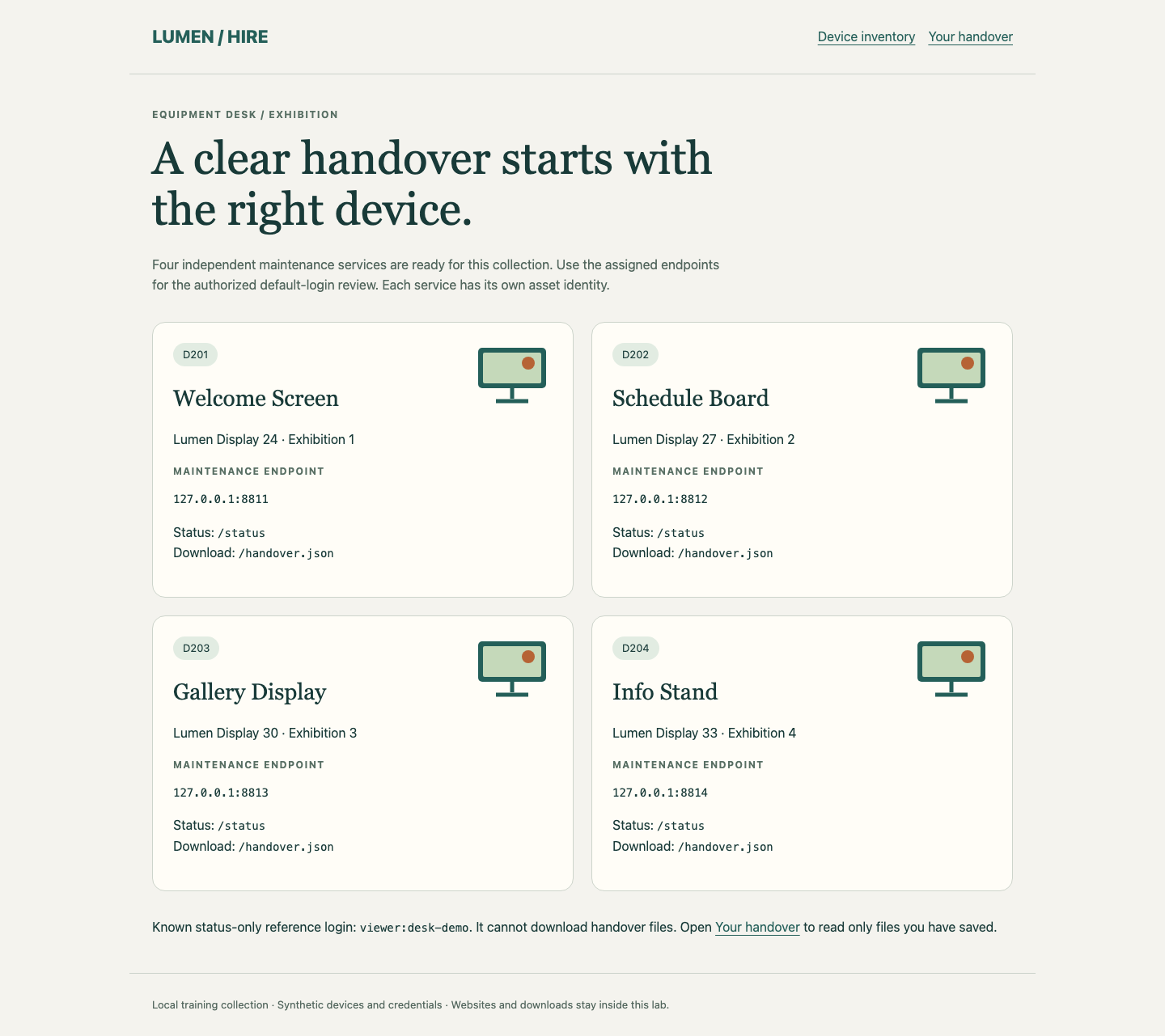
In this step, you will read one working device before starting the audit. Begin in Equipment Desk. Each card identifies an asset and its maintenance endpoint. An endpoint combines an address with a port; different ports here reach different device services.
Switch to Workstation. It begins in /home/labex/project/device-audit. cat prints a file:
cat inventory.tsv
The tab-separated inventory lists four asset IDs and their endpoints. Keep this original file unchanged. 127.0.0.1 is this lab container, not your own computer. All four services provide /status and /handover.json.
curl makes an HTTP request. -i includes response headers. Request the first device without credentials:
curl -i http://127.0.0.1:8811/status
Expect 401 Unauthorized and a WWW-Authenticate Basic challenge. This is an authentication refusal, not a connection failure. HTTP Basic sends a username/password pair; it is not encrypted by plain HTTP. This local training link does not model secure Internet transport.
The known viewer:desk-demo login can read status only. -u supplies that pair, while -o saves the response body to a file:
curl -u viewer:desk-demo -o reference.json http://127.0.0.1:8811/status
cat reference.json
Expect asset D201, its model and its packing note. This working reference is not a discovered factory login. The viewer cannot download handover files. A connection error instead means the address or port is wrong: compare your command with inventory.tsv, correct the typo and retry the request.
Complete the Factory Login Audit
In this step, you will test the complete batch while keeping credentials paired. Stay in Workstation. Read the synthetic factory reference:
cat factory-logins.txt
Each username:password line is one allowed pair. Splitting usernames and passwords into separate lists would create extra combinations outside this task. Write the three pairs to pairs.txt. The quoted here-document keeps the block literal; > replaces the named file, and the final PAIRS must be alone on its line:
cat > pairs.txt <<'PAIRS'
admin:factory-one
operator:factory-two
service:factory-three
PAIRS
Write each assigned endpoint once, one per line:
cat > targets.txt <<'TARGETS'
127.0.0.1:8811
127.0.0.1:8812
127.0.0.1:8813
127.0.0.1:8814
TARGETS
Hydra tries logins against a network service. -C reads complete pairs; -M reads endpoints. http-get selects HTTP Basic authentication; -m /status supplies its resource path. -t 1 limits each target to one task and -T 1 limits the whole run to one task, making this small audit easy to follow. This small run uses no early-stop option. Lowercase -f can stop one target after its first valid pair; the other targets still need testing. Capital -F stops the whole batch after any success and can leave devices untested.
-o saves findings and -b json selects JSON, a structured data format. -I starts a new run without restoring an earlier interrupted run. Run:
hydra -I -C pairs.txt -M targets.txt -t 1 -T 1 -o findings.json -b json -m /status http-get
cat findings.json
Expect three entries in results, each with its own port, login and password, and quantityfound equal to 3. JSON success: true means the tool finished without execution errors; it does not mean every device accepts a password. The fourth device has no finding in this candidate set. That is a limited result, not proof that its password is strong.
A connection error is not a negative finding. Compare targets.txt with the original inventory and correct it. If you need to rerun, first remove the old output with rm findings.json so the new JSON is not mixed with an earlier run. rm deletes only the named result file; do not remove source files. Preserve the complete pairs. Do not change device passwords or services to make the test pass.
Collect the Matching Handover Files
In this step, you will use each discovered pair on its actual device and save its complete handover file. Stay in Workstation. mkdir -p creates the directory if needed without erasing existing contents:
mkdir -p handover
Use the three port/login relationships in findings.json. curl -f exits with an error on HTTP refusals, instead of saving an error page as a successful download:
curl -f -u admin:factory-one -o handover/asset-D201.json http://127.0.0.1:8811/handover.json
curl -f -u operator:factory-two -o handover/asset-D202.json http://127.0.0.1:8812/handover.json
curl -f -u service:factory-three -o handover/asset-D203.json http://127.0.0.1:8813/handover.json
cat handover/asset-D202.json
Check its asset ID, location, orientation and packing note. Equal filenames or file counts cannot prove that different devices supplied the correct contents. If a download is refused, compare its port and pair with the native finding, correct the command and download it again.
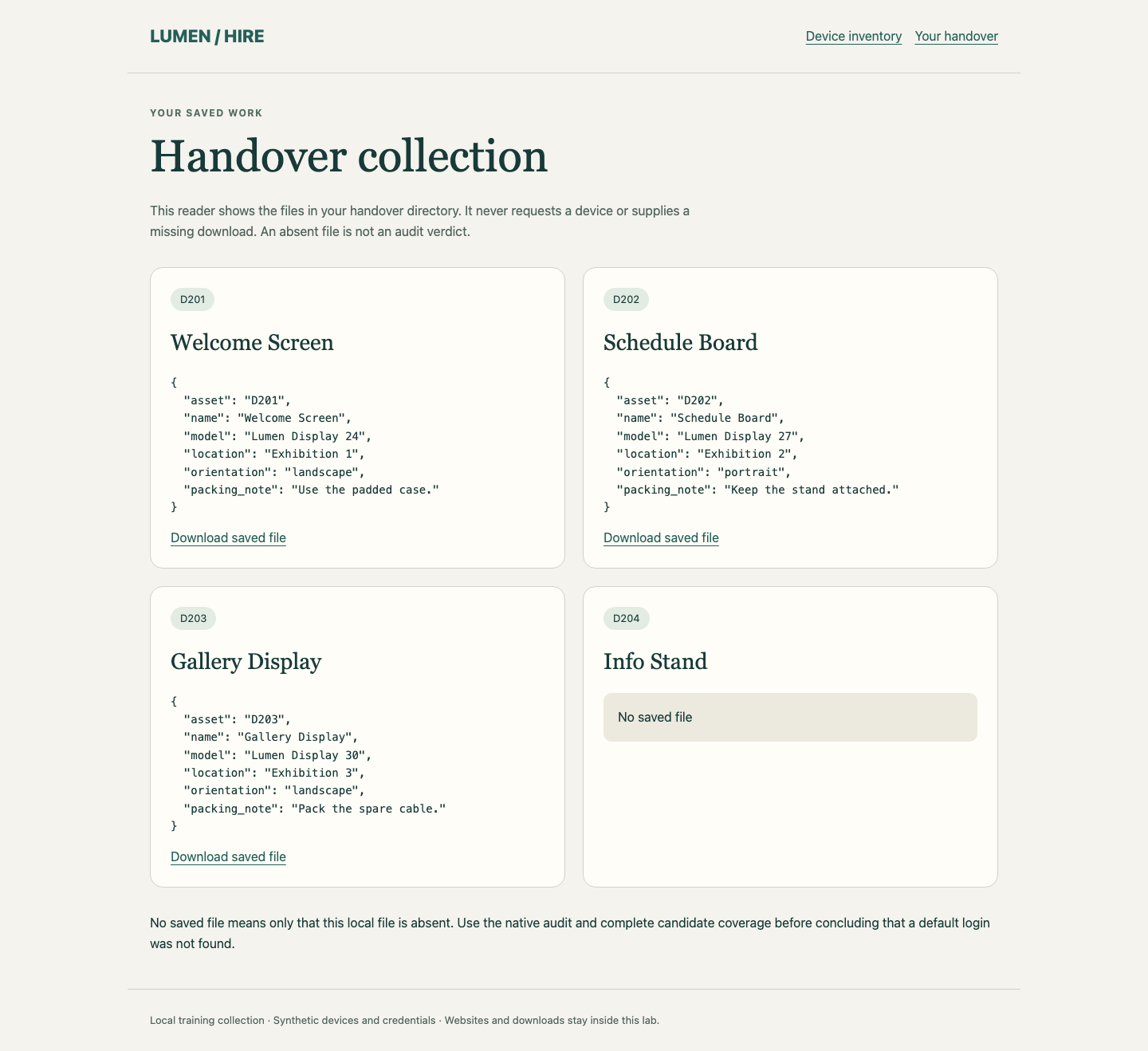
Switch to Equipment Desk, select Your handover, and read all three saved files. Use Download saved file on D202 and open the downloaded JSON. The reader uses only your local files; it never fetches or repairs them. D204 should show No saved file. Absence alone is not a verdict: its negative audit conclusion depends on completing the candidate set.
Keep the three original files under handover, the native findings.json, both input lists and the reference. Keep all four services and original inventory/reference files unchanged. This completes a bounded default-login audit, not a full security assessment.
Summary
You matched device identities to endpoints, kept factory credentials paired, completed a multi-target Hydra audit and independently downloaded the correct device files. You distinguished a limited negative finding from a connection failure or an untested device, while preserving normal service.