Introduction
The Riverside collection needs a searchable index of six HTML oral-history documents. The provided container tool really parses their HTML and counts Unicode words, but its four-worker batch exceeds a 160 MiB memory budget. Diagnose that failure using evidence tied to the exact container, then produce the complete index without raising the limit or removing documents.
You should know basic Docker run, terminal paths and the purpose of bind mounts. This lab explains the memory options, actual user IDs, quoted paths, command substitution and small evidence-reading pipeline before use. Python programming, HTML authoring and search-algorithm implementation are not required. Docker, the indexing image and read-only Search Desk are prepared.
The corpus is explicitly synthetic: each document contains 10,000 expanded teaching excerpts to make real parser memory pressure observable. The result is a real index over those bytes, not a simulated allocation or production capacity guarantee. Allow about 60 minutes including reading and ordinary mistakes; this is an author estimate.
Build the Complete Index Within Its Budget
In this step, you will establish a normal search result, reproduce a limited-memory failure, correlate native evidence and complete the full collection with a bounded batch.
Use a Small Normal Index First
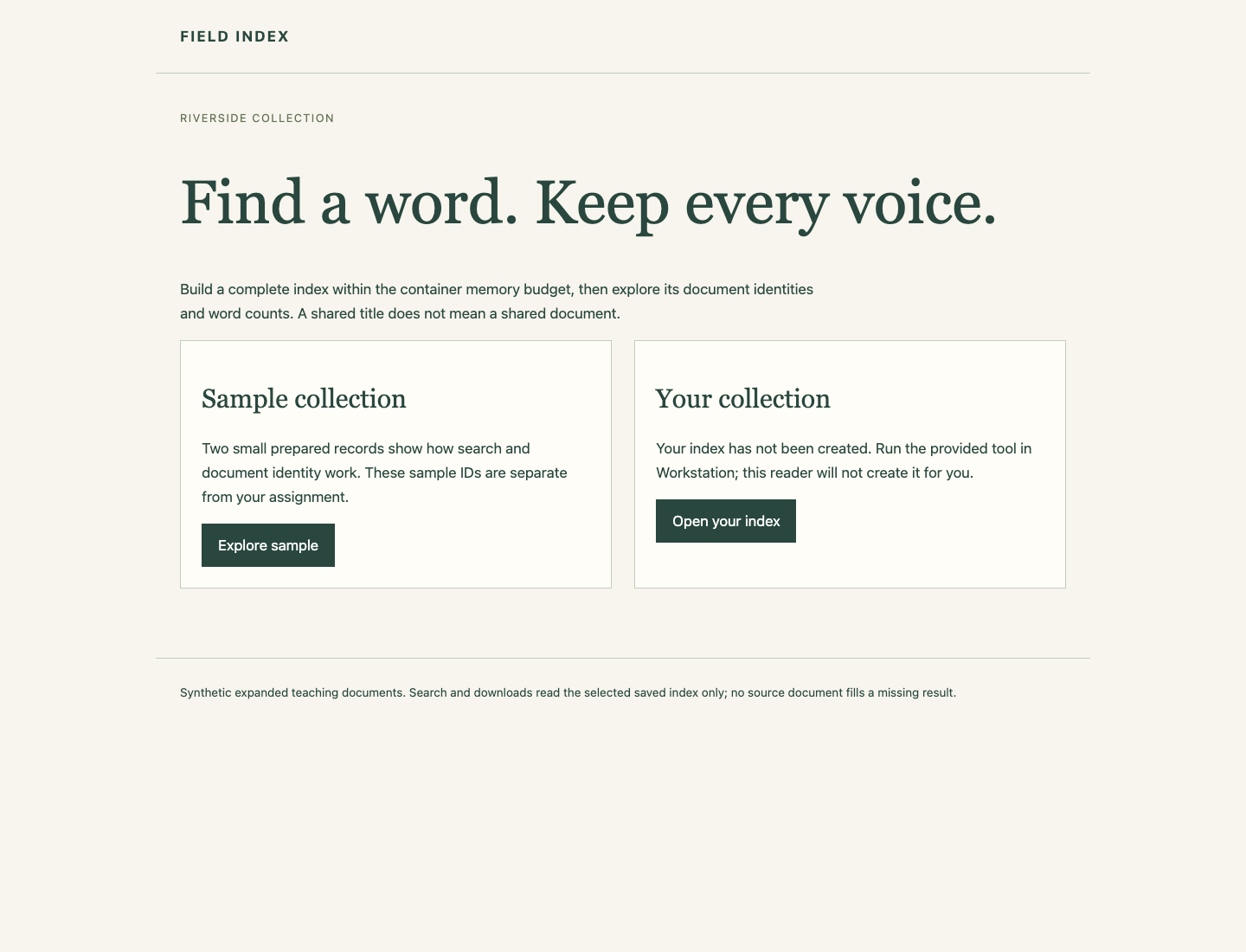
Begin in Search Desk and select Explore sample. This separate prepared sample contains two small documents. Search for café using Search one word and Search. Both records share the title Riverside memories but have distinct IDs beginning sample-oral-. Open each record and inspect its source hash and selected word counts, then use Back to collection. Use Download index to inspect the actual sample JSON file, then Back to Search Desk.
The two panels separate the prepared sample from your assigned collection. Your index starts unavailable:
An inverted index connects a word to document IDs and occurrence counts. Its documents metadata records each ID, title and source SHA-256, a fingerprint of the original bytes. Two records with the same title must not collapse into one identity. The reader uses the selected saved index only; it never fills absent work from source HTML.
Select Open your index. It currently says Collection not indexed with HTTP 503. The small sample is not your six-document result.
Understand the Paths and the Memory Boundary
Switch to Workstation, starting in /home/labex/project/collection-index. cd returns there and ls lists files:
cd /home/labex/project/collection-index
ls source output
source/ contains six original HTML files. output/ is your writable delivery directory. Keep the originals, prepared image dk06-indexer:1 and separate sample reader intact. You will create only course containers and index output.
The image's entrypoint already runs its indexing programme. --source /input, --output /output/attempt.json and --workers 4 after the image name are programme arguments, not Docker flags. Workers parse actual HTML into document trees. A batch holds its selected trees while extracting words, then releases them. More workers can require more memory; they are not a promise of greater speed.
The Docker options before the image name set the operating boundary:
| Option | Meaning here |
|---|---|
--name |
Retain a clearly named container for native inspection |
--memory 160m |
Enforce a 160 MiB RAM budget |
--memory-swap 160m |
Set total RAM plus swap to the same amount, leaving no extra swap allowance |
--network none |
The file-processing job needs no network |
--user |
Write output as your actual normal account |
Two --mount options |
Read the original input only; write into the separate output folder |
id -u and id -g print your actual numeric user and group IDs; do not assume 1000. $(...) substitutes a command's output into this command. Double quotes keep the combined user/group and each complete mount value as one argument while allowing $PWD, the current directory, to expand. A trailing backslash joins the next physical line to the same command.
The host input source/ appears as /input inside the container; host output/ appears as /output. readonly protects the input through that mount. Do not add another writable alias of the source. Keep both memory options unchanged and do not disable the OOM killer or change platform settings.
Reproduce and Attribute the Failure
Run the provided four-worker attempt. This is deliberately expected to exit with native status 137 before completing its index:
docker run --name index-attempt \
  --memory 160m --memory-swap 160m --network none \
  --user "$(id -u):$(id -g)" \
  --mount "type=bind,src=$PWD/source,dst=/input,readonly" \
  --mount "type=bind,src=$PWD/output,dst=/output" \
  dk06-indexer:1 --source /input --output /output/attempt.json --workers 4
You may see only an early Parsing batch line before it stops. Retain the stopped container: there is no --rm, because its identity and effective settings matter.
docker inspect reads native container fields. Single quotes keep each small format template literal. First read the exit code and Docker's OOM flag, then both limits in bytes:
docker inspect index-attempt --format '{{.State.ExitCode}} {{.State.OOMKilled}}'
docker inspect index-attempt --format '{{.HostConfig.Memory}} {{.HostConfig.MemorySwap}}'
docker logs index-attempt
The configured limit values are both 167772160, or 160 × 1024 × 1024 bytes. Exit 137 alone does not distinguish this memory failure from a forced kill. Docker's OOMKilled flag should be recorded, but this lab's tested Engine can sometimes leave it false even when the kernel reports a genuine memory-cgroup kill. Cross-check the actual kernel evidence rather than treating either field alone as the explanation.
Read the full container ID into a shell variable. Assignment has no spaces around =; the command substitution captures inspect's result:
container_id=$(docker inspect --format '{{.Id}}' index-attempt)
The variable belongs to this Workstation shell. Switching browser tabs does not change it; if you open a new shell, repeat the assignment. sudo dmesg reads the protected kernel log without clearing it. A pipe | feeds that output into grep; -F selects lines containing the exact ID as ordinary text, and quotes preserve its value as one argument:
sudo dmesg | grep -F "$container_id"
Find the line containing CONSTRAINT_MEMCG and an oom_memcg path naming this full Docker container ID. It identifies an out-of-memory action in this container's memory control group, rather than an unrelated process or platform-wide shortage. Compare it with the stopped attempt and its actual limits. Do not create fake logs or replace this attempt with a manually killed process.
Reduce the Batch, Keep the Full Work
The budget is fixed. Reducing the batch to one worker keeps one real parsed document tree at a time while preserving all six documents and the same word-counting algorithm. This is a feasible choice for this corpus, not a claim that one worker is always optimal. Other feasible worker values are accepted if the complete job actually finishes under the same limits.
Create a separate retained delivery container. Keep both mounts, the prepared entrypoint and memory options; change the output filename and worker count:
docker run --name index-delivery \
  --memory 160m --memory-swap 160m --network none \
  --user "$(id -u):$(id -g)" \
  --mount "type=bind,src=$PWD/source,dst=/input,readonly" \
  --mount "type=bind,src=$PWD/output,dst=/output" \
  dk06-indexer:1 --source /input --output /output/index.json --workers 1
Expect all batches followed by Indexed 6 documents and ... terms, and normal exit status 0. The term total is an observation, not proof by itself:
docker inspect index-delivery --format '{{.State.ExitCode}}'
ls -l output/index.json
Output belongs to your normal user/group and remains editable after the container exits. Keep both stopped containers. If an input path is misspelled, Docker reports a missing bind source before processing: return to the stated working directory, inspect ls source output, correct the quoted path and repeat. Do not create replacement input to conceal the mistake.
Use the Actual Delivered Index
Switch to Search Desk, select Back to Search Desk if needed, then Open your index. It must show six indexed documents, not the two sample IDs. Search café: all six documents should appear with 10,000 occurrences each. Open both Riverside memories records by their distinct oral-0 and oral-1 IDs. Their source hashes and word relationships must stay separate.
The delivered collection contains all six original IDs, including both records with the same title:
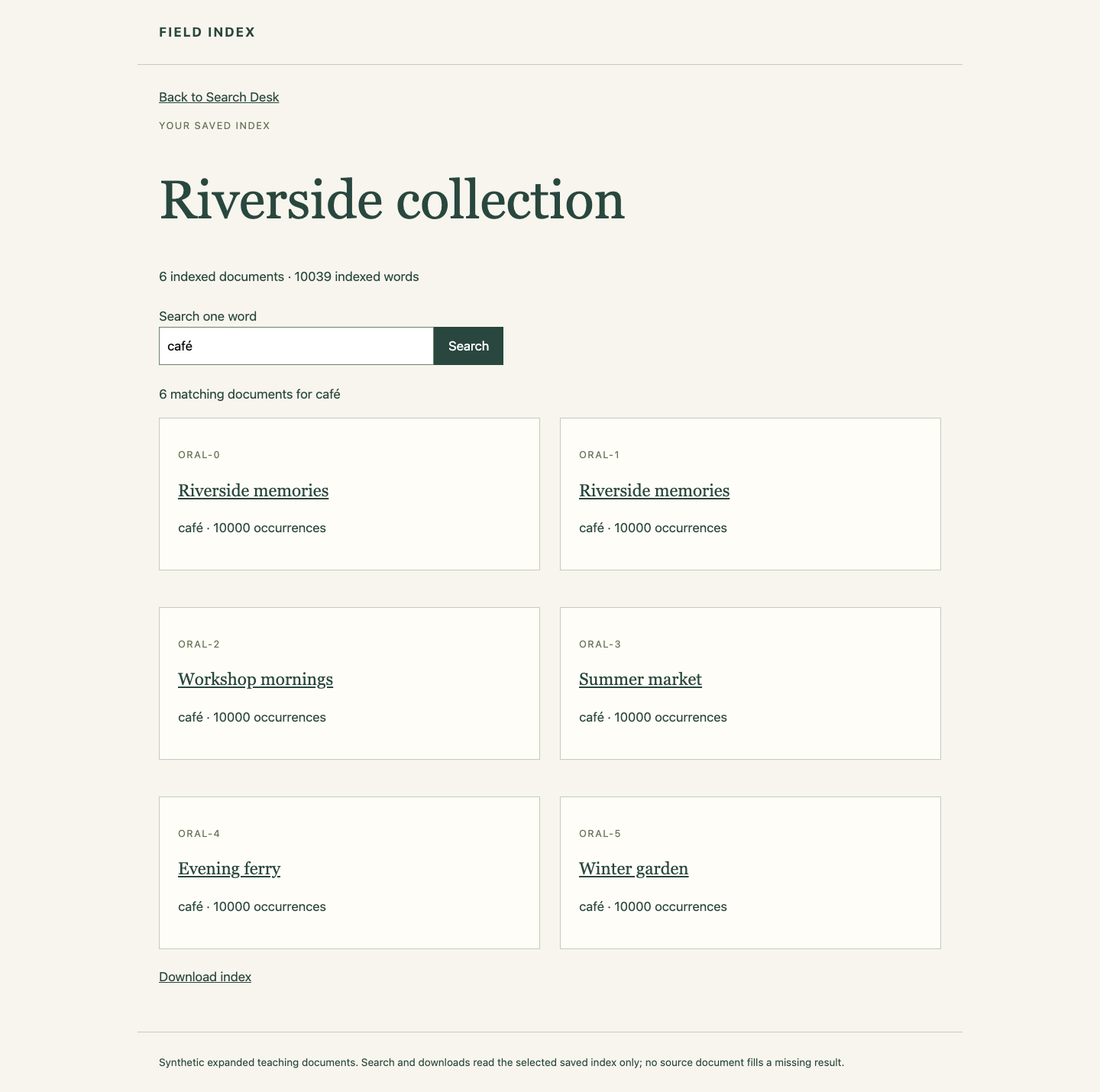
Return with Back to collection, search résumé and then naïve, and confirm all six records remain searchable with their actual counts. Search notawordinthiscollection: no document should match. Use Download index and inspect the real delivered JSON; its documents, source hashes and postings belong to all original inputs. The reader does not regenerate missing results.
Checks correlate this run's exact memory-cgroup event with its container, inspect the successful delivery's effective budget and mounts, and independently stream every original HTML byte to verify all Unicode word/document counts. They do not rerun your live job or write the index for you.
Recover Only an Unsuccessful Delivery
If your delivery attempt also runs out of memory, inspect its stopped state and logs, choose a feasible batch and remove only that unsuccessful index-delivery container with docker rm index-delivery before retrying the displayed delivery command. Keep index-attempt and all original HTML files for evidence. A successful rerun overwrites its own output with a complete index; do not hand-edit counts or copy the small sample into the delivery.
Summary
You tied a real memory-cgroup OOM action to its exact container and effective limits, then reduced actual HTML batch concurrency to finish the whole index under the same 160 MiB budget. The saved index preserves all six identities, duplicate titles, original source hashes and Unicode word counts, and remains usable after its container exits.