Introduction
Pine & Path is sending its Alder Ridge visitor guide to another visitor centre. The current image works, but carries the Go compiler, source files and build leftovers along with the application. Deliver a lean runtime image that still provides all four trails, difficulty filters, detail pages, local artwork and complete GPX route downloads.
You should already know how to build and run a simple Docker image, and recognise Dockerfile FROM, COPY and port publishing. Go programming is not required: the complete application and materials are supplied. This lab explains compilation, build stages, runtime file layout and shell file-writing syntax before use. The park and route data are fictional teaching materials.
Docker, the builder image and the supplied reference service are ready. Use Workstation for commands, Reference Guide for the working example, and Your Guide for your delivery. This lab is independent of the challenge. Allow about 60 minutes including reading, builds and ordinary mistakes; this is an author estimate.
Build the Working Starting Image
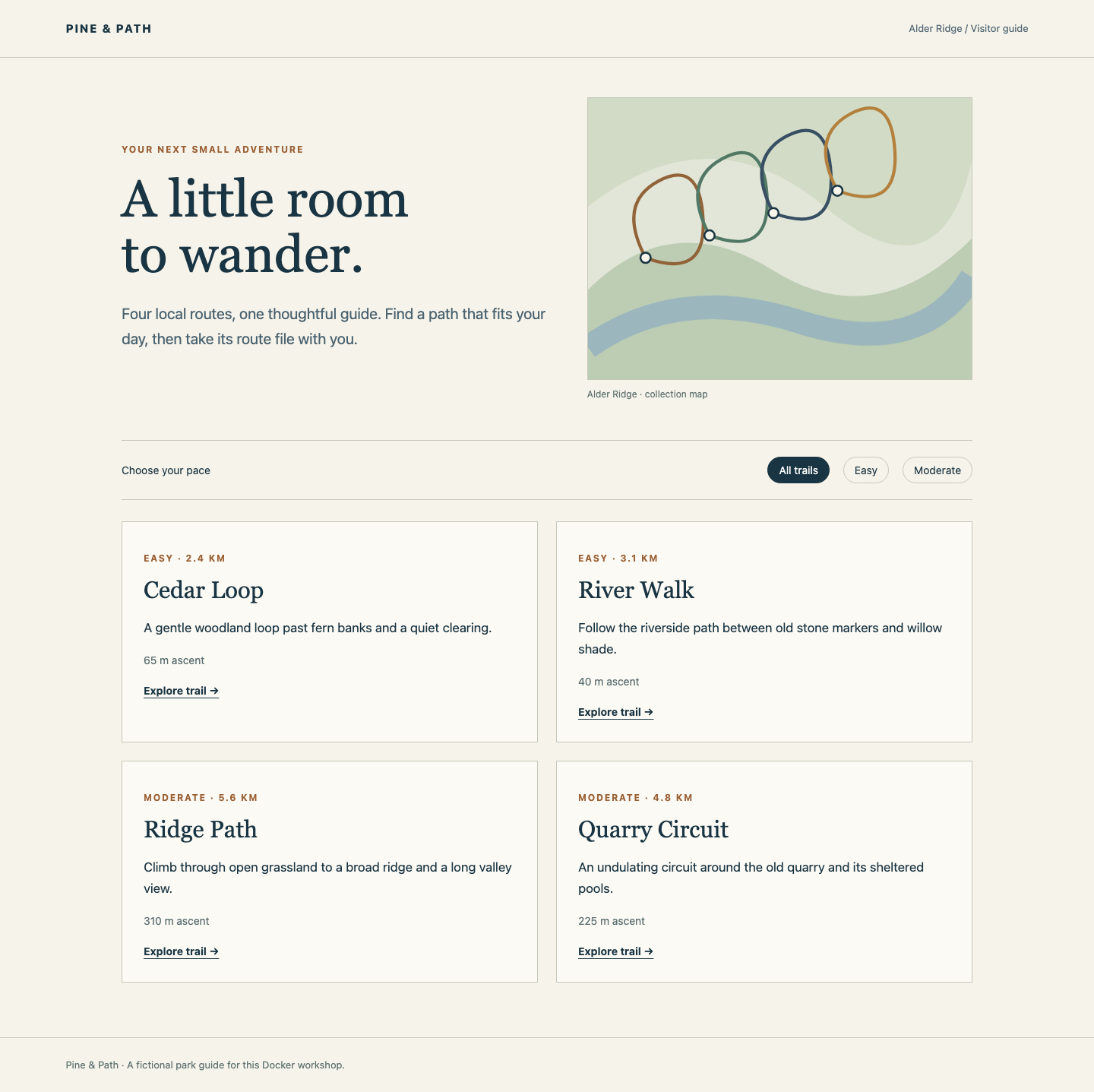
In this step, you will establish what a complete guide does, then build the supplied starting image. Begin in Reference Guide. It shows four trails. Select Easy, open Cedar Loop, read its distance and ascent, and use Download GPX. GPX is XML containing a named track and geographic points; this download is a real route file. Select Back to trails, then Moderate, and open Ridge Path. Return to all trails. Notice the stylesheet and schematic map as well as the text: these are runtime resources too.
Switch to Workstation, which starts in /home/labex/project/trail-guide. pwd prints the current directory and ls lists entries. If you leave the project, the following cd changes back to it:
cd /home/labex/project/trail-guide
ls
The supplied layout is:
| Source path | Purpose at runtime |
|---|---|
app/main.go |
Go program to compile, not a runtime source requirement |
content/trails.json |
All four trails and their relationships |
content/routes/ |
The four GPX downloads |
public/ |
Stylesheet and original schematic artwork |
author-notes/, build-cache/ |
Drafts and leftovers, not runtime resources |
Keep these supplied materials and the reference service unchanged. You will edit Dockerfile, add .dockerignore and create course images and containers. Dockerfile.incomplete is a provided failure example for the next step.
cat displays a text file. Read the existing Dockerfile:
cat Dockerfile
It starts from dk02-go-builder:1, a prepared Go compiler image. WORKDIR /guide selects the working directory inside the image. COPY . . copies the current build context into that directory, including files the final application does not need. The last ENTRYPOINT is a JSON array that starts the compiled program directly.
The build command sets CGO_ENABLED=0 for that command so this standard-library Go example does not require C libraries. go build compiles the supplied program; -trimpath removes local source-directory details from the executable, and -o /guide/guide names it. This makes this particular program suitable for an empty runtime base. Other programs may need shared libraries, certificates or other data; an empty base is not a universal solution.
First read the compiler version. docker run --rm creates a temporary container and removes it after the command finishes. The words after the image name select the command to run:
docker run --rm dk02-go-builder:1 go version
The output identifies Go 1.26 on Linux. This executes the compiler in a container, not on Workstation.
Build the starting image. docker build reads the Dockerfile; -t gives the result a tag, and the final . selects the current directory as the build context:
docker build -t trail-guide:sample .
Wait for the successful build result. The tag identifies an image, not a running container. To see its size in bytes, docker image inspect reads metadata and --format selects one field. Single quotes pass the template literally:
docker image inspect trail-guide:sample --format '{{.Size}}'
The number varies with the prepared compiler image. The starting image is functional, but still includes the compiler and source. A small size alone will not prove the replacement is complete.
Separate Build Files from Runtime Files
In this step, you will build the program in one stage and deliver only its executable and runtime resources in another. Begin in Workstation, in the same project directory. A stage starts at a FROM instruction. Naming it with AS build lets a later COPY --from=build take a result without inheriting the compiler or earlier filesystem layers.
First examine a real incomplete delivery. The supplied Dockerfile.incomplete compiles the program and copies the public artwork, but leaves out the trail data:
cat Dockerfile.incomplete
The -f option selects this alternate Dockerfile:
docker build -f Dockerfile.incomplete -t trail-guide:incomplete .
The build succeeds because compilation does not read the trail collection. The following run is deliberately expected to fail with exit status 1:
docker run --rm trail-guide:incomplete
Read the error: open content/trails.json: no such file or directory. The executable exists, but its runtime data is missing. A successful build and a complete application are different results. The failed temporary container has been removed. Fix the normal Dockerfile, rather than repairing that container or changing the application.
A here-document saves a complete text block. Below, cat supplies the lines, > writes Dockerfile, and <<'DOCKERFILE' marks a literal block ending at a line containing only DOCKERFILE. Quoting the opening marker prevents shell expansion while saving. Replace only the editable Dockerfile:
cat > Dockerfile <<'DOCKERFILE'
FROM dk02-go-builder:1 AS build
WORKDIR /src
COPY app/main.go ./main.go
RUN CGO_ENABLED=0 go build -trimpath -o /out/guide main.go

FROM scratch
WORKDIR /guide
COPY --from=build /out/guide ./guide
COPY content/ ./content/
COPY public/ ./public/
ENTRYPOINT ["/guide/guide"]
DOCKERFILE
Follow the files: the first stage compiles the source into /out/guide. The second FROM starts from scratch, Docker's empty filesystem base, without inheriting the first stage. The executable becomes /guide/guide; trail data and GPX files keep their content layout; styles and artwork keep their public layout. The program reads these relative paths from its working directory. This is why copying only the executable was insufficient.
The final image has no shell or compiler. That is expected here. Inspect its application rather than trying to run a shell inside it.
The build context is a separate concern. .dockerignore excludes matching context paths before sending them to the builder. A leading dot makes this a hidden filename. These rules omit drafts and stale cache, without omitting the application or runtime resources:
cat > .dockerignore <<'IGNORE'
author-notes/
build-cache/
IGNORE
The two-stage Dockerfile explicitly selects runtime files; the ignore file also avoids sending unnecessary material. Excluding a context file cannot remove bytes already stored in inherited layers. The separate runtime stage is what leaves build layers behind.
Build the delivery image:
docker build -t trail-guide:lean .
docker image inspect trail-guide:lean --format '{{.Size}}'
Compare with the sample number. The useful result is a smaller runtime with a complete guide, not the smallest possible number. If a COPY fails, read its missing source path and compare it with the layout table and current directory. Correct the Dockerfile or ignore rule, then rebuild. Do not create substitute data or mount the source folder to conceal an incomplete image.
Run and Recreate the Delivered Guide
In this step, you will run the image independently of the source folder and use the full guide. Begin in Workstation. The program listens on container port 8080. Publishing 8090:8080 makes it available on Workstation's port 8090, which Your Guide displays. -d leaves the server in the background; --name names this course container. Do not add mounts: the image must contain its own resources.
docker run -d --name trail-guide -p 8090:8080 trail-guide:lean
The output is a container ID. This container remains running to serve the guide. docker logs reads the program's output; --tail 5 limits it to the last five lines:
docker logs --tail 5 trail-guide
Expect Guide listening on :8080, the container's port rather than the published host port. If the container name is already in use from an earlier attempt, use the course-scoped removal command below, then rerun the start command. A missing-resource error requires correcting the Dockerfile and rebuilding first.
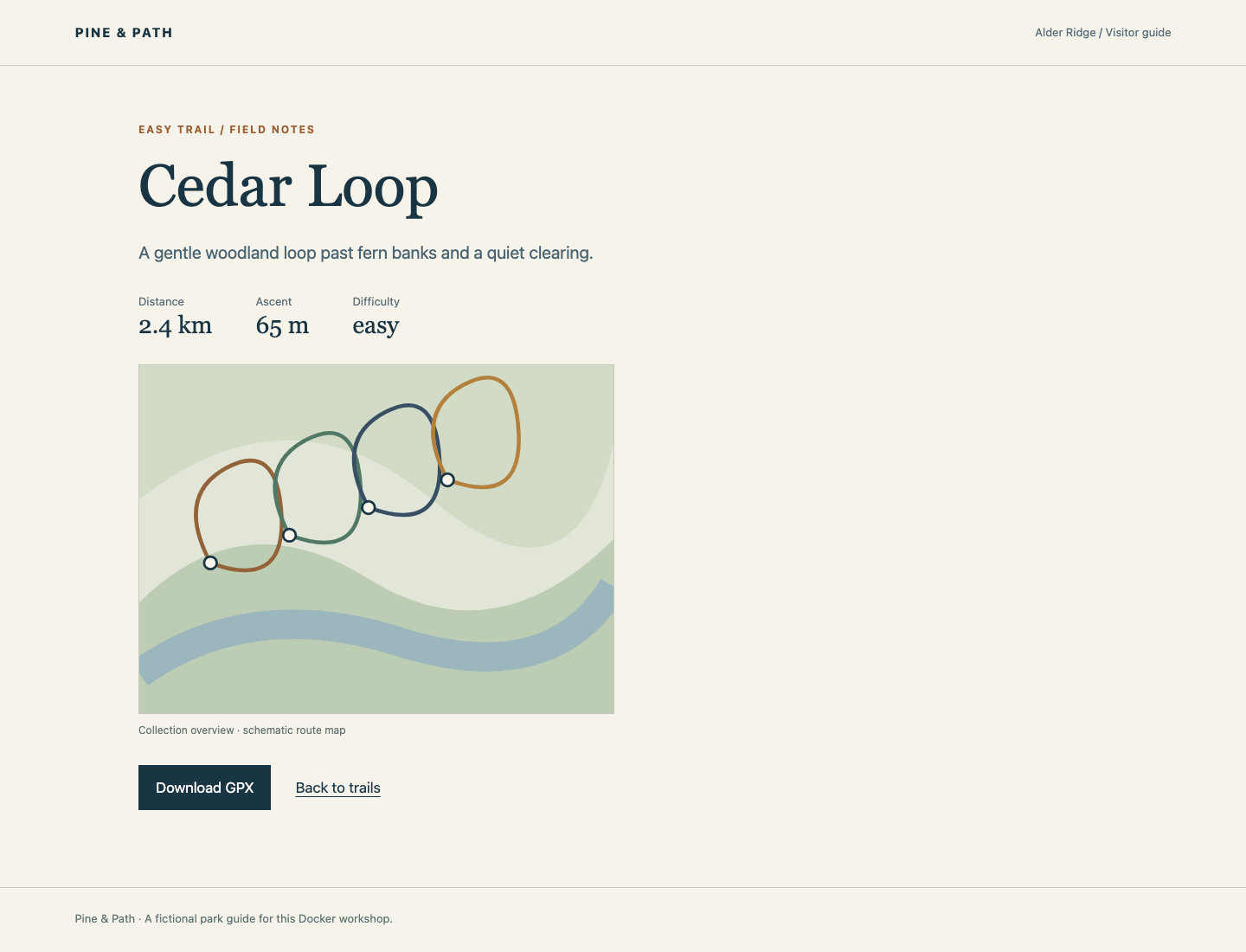
Switch to Your Guide and reload. All four trails should appear. Select Easy: only Cedar Loop and River Walk appear. Open Cedar Loop, inspect its facts and map, and download its GPX. Use Back to trails, choose Moderate, open Ridge Path and download that route too. Return to all trails. Local artwork and styling must load, and tracks must belong to the trails you selected. Reference Guide remains available independently.
Now demonstrate a replacement container using the same image. Switch to Workstation. docker rm -f stops and removes only the named course container; it does not remove the image. Keep dk02-reference running:
docker rm -f trail-guide
Create a new instance without mounts:
docker run -d --name trail-guide -p 8090:8080 trail-guide:lean
Switch to Your Guide, reload and repeat the Easy/Cedar Loop and Moderate/Ridge Path visits and downloads. This new container never received the workstation source folder. Its runtime came from the image.
Keep the container running. After future Dockerfile changes, rebuilding a tag does not update an existing container; remove and recreate only your course container to run the new image. A stopped service or connection failure differs from the guide's own Trail not found page for an unknown route.
Summary
You separated a compiler stage from an empty runtime stage, copied the real resources the application needs, and kept drafts out of the build context. Your lean image serves the complete collection, filters, details, artwork and GPX downloads without workstation mounts. Recreating its container showed that the image is a reusable delivery rather than a process borrowing the source folder.