



Introduction
You maintain the same image importer in a fresh environment. Its destination policy currently accepts every URL, and its HTTP client follows redirects. Your task is to restrict this business feature to one fixed catalog endpoint while keeping images and the application's legitimate inventory consumer working.
You will make a small, explained Python edit. Workstation sends client requests; App Policy edits the file actually loaded by App. No prior Python programming is required. The fixtures use controlled names and isolated networks; this is a narrow policy for these endpoints, not a claim of universal SSRF prevention.
Allow Only the Approved Destination
In this step, restrict the active policy to the shop's approved endpoint. An allowlist names exactly what is permitted; unmatched inputs are denied. The business rule is:
Select the Workstation tab in the lab interface to begin this step.
| Scheme | Hostname | Port | Purpose |
|---|---|---|---|
http |
catalog.test |
8000 |
Product images |
Switch to the Workstation tab. Inspect a parsed URL. Parsing splits the address into fields; it does not decide whether those fields are safe:
Switch to the Workstation tab before running the following command.
python3 imagectl.py parse http://catalog.test:8000/leaf.png
Expect scheme: http, hostname: catalog.test, and port: 8000. A request with an omitted HTTP port uses 80, which is not our approved port. Try the current unsafe behavior:
python3 imagectl.py probe http://internal.test:8000/status
probe performs the same real outbound fetch as an import but does not store an import record. Expect HTTP 200 before repair.
Switch to the App Policy tab, which opens the host workspace containing policy.py. App mounts this directory and reloads that helper for every request. Open the file with the terminal editor:
Switch to the App Policy tab before running the following command.
nano policy.py
Keep FOLLOW_REDIRECTS = True for now. Replace only the line return True with:
return (p.scheme, p.hostname, p.port or 80) == ("http", "catalog.test", 8000)
Preserve the four leading spaces: Python uses indentation to keep statements inside a function. p = urlsplit(url) produces the parsed fields. Parentheses group three values into one tuple; == compares that entire tuple. The expression returns a Boolean, True or False. p.port or 80 supplies the normal HTTP port when no port was written. Quoted text is a string; 8000 is a number.
Save with Ctrl+O, press Enter, and exit with Ctrl+X. Switch back to the Workstation tab. Run:
Switch to the Workstation tab before running the following command.
python3 imagectl.py probe http://catalog.test:8000/leaf.png
python3 imagectl.py probe http://internal.test:8000/status
The image must return HTTP 200; Internal must return HTTP 403 with destination denied. A 502 means the fetch failed, often from an editing error; it is not a valid policy rejection. Switch to the App Policy tab, reopen nano policy.py, correct spelling and indentation, and save. Switch back to Workstation before retesting. There is no restart: each request loads the saved policy.
Stop Redirects and Check Both Sides
In this step, close the remaining redirect path and test that normal function survives. Switch to the Workstation tab. Try the Catalog redirect after your destination repair:
Select the Workstation tab in the lab interface to begin this step.
Switch to the Workstation tab before running the following command.
python3 imagectl.py probe http://catalog.test:8000/redirect
It still returns Internal's JSON because the HTTP client follows the redirect after the initial policy check. This shop accepts direct image URLs only, so its chosen rule is to reject every redirect.
Switch to the App Policy tab. Open the same active file:
Switch to the App Policy tab before running the following command.
nano policy.py
Change FOLLOW_REDIRECTS = True to FOLLOW_REDIRECTS = False. This variable selects the prepared HTTP handler that declines redirect requests. Preserve your destination check. Save with Ctrl+O, Enter, then exit with Ctrl+X.
Switch back to the Workstation tab. Test the prohibited cases one at a time:
Switch to the Workstation tab before running the following command.
python3 imagectl.py probe http://catalog.test:8000/redirect
python3 imagectl.py probe https://catalog.test:8000/leaf.png
python3 imagectl.py probe http://catalog.test:8001/leaf.png
Expect HTTP 422 with redirect denied for the redirect and HTTP 403 for both wrong endpoints. https is a different protocol; changing only the port also changes the endpoint. A connection error or 502 is not the intended denial.
Finally import the legitimate picture and check the independent inventory consumer:
python3 imagectl.py fetch http://catalog.test:8000/leaf.png normal
python3 imagectl.py direct http://app.test:8000/health
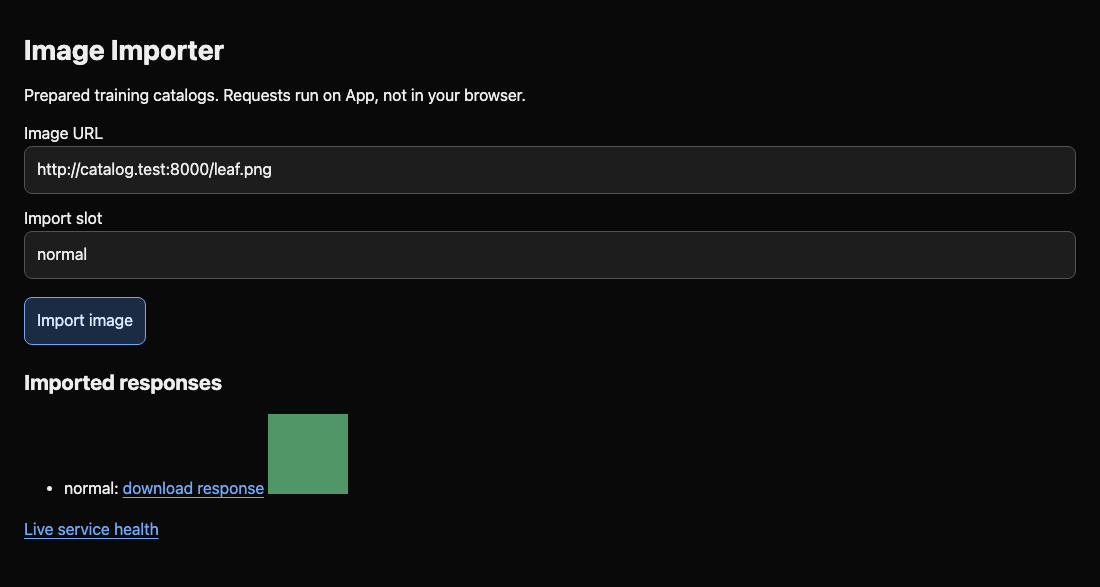
Both must return HTTP 200; health must include inventory: synthetic-ready. Switch to the Image Importer tab and refresh to see the green picture. Blocking everything, stopping Internal, or editing an unused copy fails this outcome. If the image fails, switch to the App Policy tab to restore the approved tuple, then switch back to Workstation to repeat the approved import; preserve App's internal connectivity if health fails. The repair controls this feature's fixed destinations and redirect behavior; it does not remove the legitimate inventory consumer's network access.
For a future policy with two approved endpoints, Python can compare a tuple with a set using in, for example (p.scheme, p.hostname, p.port or 80) in {("http", "one.test", 8000), ("http", "two.test", 8001)}. Braces hold the two complete alternatives. This permits each listed combination and rejects a crossed host/port pair. The next challenge supplies its own endpoint table.
Summary
You compared complete destination tuples, disabled redirects, and tested both prohibited requests and preserved image/inventory behavior. These controls target fixed, controlled service identities.


