



Introduction
Fieldwork Studio runs public craft workshops. Its schedule should be easy to browse and download, while maintenance diagnostics should require authorization. Your task is to confirm which responses actually expose this application's internal diagnostic data.
First use the normal site. Then compare three real responses and run a deliberately broad Nuclei starter check. You will finish with conclusions linked to the responses you inspected, rather than treating every scanner finding as a confirmed issue. All configuration and identities are synthetic; the HTTP requests and scanner execution are real.
You need only basic terminal input and an understanding of paths. The lab explains HTTP, JSON and scanner output as they appear. The Kali auditor and target are isolated containers sharing one VM kernel. Test only the supplied scope, keep requests read-only, and preserve the workshop site and schedule. Allow about 50 minutes including reading and ordinary mistakes; this is an author estimate.
Use the Public Workshop Schedule
In this step, you will establish what normal public access should preserve. Open Workshops. The page introduces Fieldwork Studio's craft sessions. Follow Get the workshop schedule to download fieldwork-schedule.csv. It contains the workshop name, time and room for Printmaking and Bookbinding. Public access to this information is intentional.
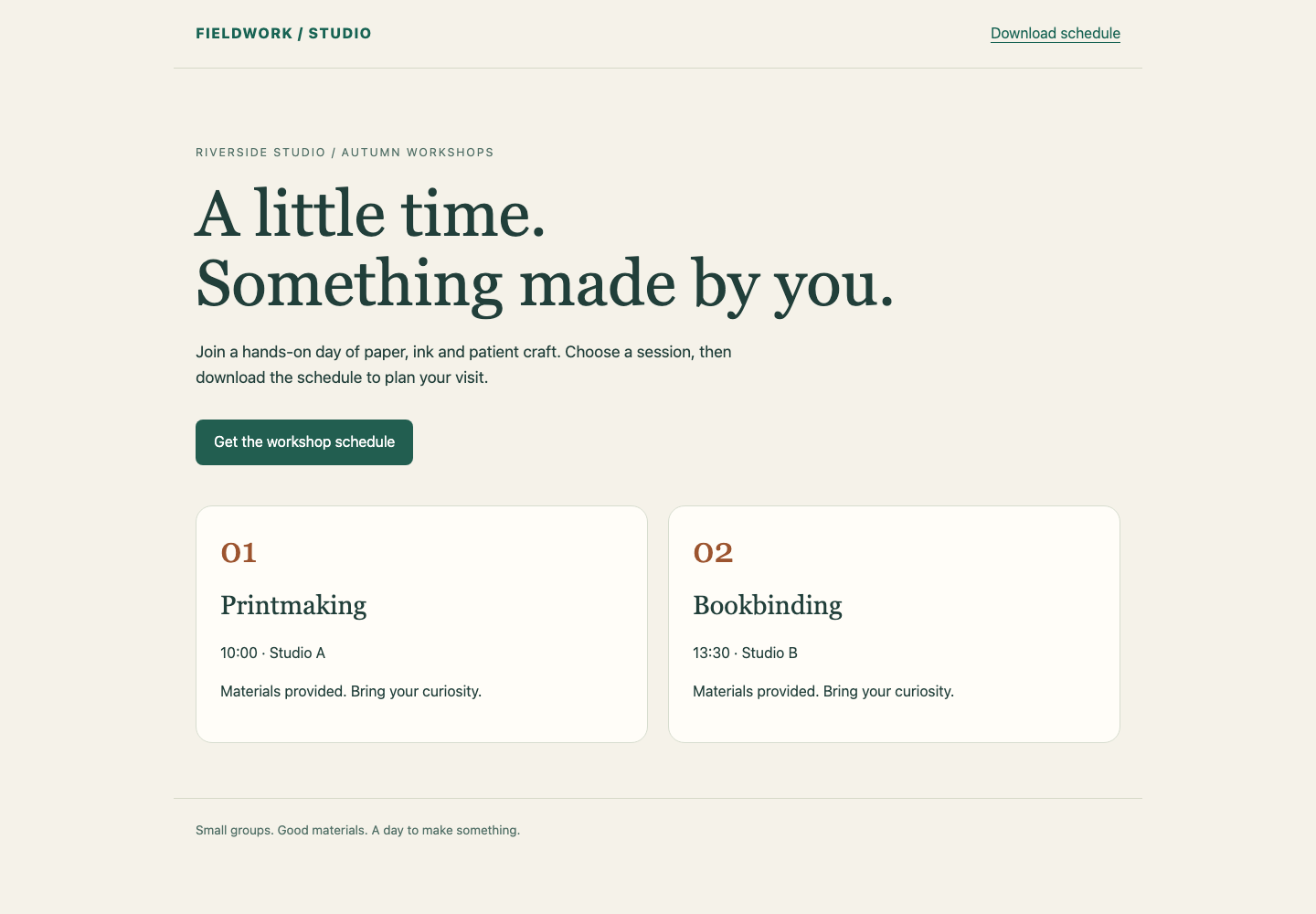
The two session cards and green schedule link are the normal public service. Preserve their real workshop information while assessing diagnostics.
Switch to Auditor, the Kali terminal. It starts in /home/labex/project. The browser entry and this terminal reach the same workshop service; they do not represent different target machines.
cat displays a text file. Read the authorized scope before sending security checks:
cat scope.txt
Only read-only HTTP GET requests to the base URLs in targets.txt are authorized. A base URL identifies a site; the diagnostic route is appended to it. Display the list:
cat targets.txt
You should see studio, archive and manual under http://workshop.test:8080/. The port 8080 identifies this course service. Preserve all sites, configuration and workshop data. You are assessing access, not changing the application.
If a relative file path fails, use pwd to display your current directory, then return with:
cd /home/labex/project
Closing or reconnecting Auditor does not recreate the sites. Your files remain in this workspace.
Read the Responses Before Deciding
In this step, you will compare the diagnostic endpoint at each approved site. Stay in Auditor. HTTP is the request-and-response protocol used by this site. curl sends a request and prints the response body. Its -i option also prints the response headers, including the status and content type.
curl -i http://workshop.test:8080/studio/maintenance/diagnostics
The response starts with HTTP/1.0 200 OK. This means the server returned the requested resource successfully; it does not by itself establish a security issue. Content-Type: application/json; charset=utf-8 says the body is JSON encoded as UTF-8 text. JSON represents named values inside braces. Double quotes surround names and text values; a numeric value is not quoted.
The flat object contains service, visibility, database_file and request_count. For this application, service is workshop-portal, visibility is internal, the database file is an absolute path, and the request count is a nonnegative integer. The file path comes from the running site's configuration: its public workshop page and CSV download read that actual SQLite database. SQLite stores a small database in a file. The count changes as requests arrive. This combination is the published diagnostic contract in scope.txt. It is not a universal definition of a vulnerability.
An unauthenticated request has received those internal values. Note its X-Audit-Event header: the server gives each real response a different identifier. Record the identifier somewhere private for the final assessment. It is evidence you can reference without copying internal values into your summary.
Compare the second site:
curl -i http://workshop.test:8080/archive/maintenance/diagnostics
Expect 401 Unauthorized and an explanation that a maintenance credential is required. This rejection is intentional. You have no credential in scope and should not try to bypass it. curl -i can complete normally while displaying HTTP 401: successful delivery of a refusal is different from successful authorization.
Now inspect the third site:
curl -i http://workshop.test:8080/manual/maintenance/diagnostics
It returns HTTP 200 and JSON, but the diagnostic fields are nested inside an example object. They document a response format; they are not this site's top-level live diagnostic object. Compare structure and meaning, rather than simply searching for the word internal. Keep this response's event identifier too.
If you see 404, compare the URL carefully with the supplied route and repeat the corrected request. Could not resolve host or Failed to connect means the request did not obtain the intended response; it cannot support a safe/exposed conclusion. Check spelling and the exact course hostname and port. Do not replace the target with a public website.
Investigate a Broad Nuclei Finding
In this step, you will see how a check can run correctly yet make an overly broad claim. Stay in Auditor. Nuclei is a template-driven scanner: a template describes requests and the response conditions that produce findings. A finding means those conditions matched; you must still judge whether they establish the issue you intended to check.
Read the prepared starter template:
cat too-broad.yaml
YAML uses indentation to group settings. This starter sends one GET to the diagnostic route for each base URL, then matches only HTTP status 200. The {{BaseURL}} placeholder is replaced by the current approved base URL. It does not inspect the diagnostic object's meaning.
Run the starter against the supplied list. -t selects a local template; -l reads the target list; -o saves findings; and -elog saves request errors. -jsonl writes one JSON finding per line, and -ot omits the encoded template from that output. The preparation flags -duc and -ni disable update checks and external Interactsh callbacks. Our template needs neither. Keep these flags for the isolated exercise.
nuclei -t too-broad.yaml -l targets.txt -duc -ni -nc -jsonl -ot -o broad-findings.jsonl -elog broad-errors.jsonl
-nc removes terminal color codes. This command performs real read-only requests. Expect findings for both studio and manual, because both returned 200. The protected archive route does not match. A scan that prints no findings is not automatically a completed negative check.
Read the native request error log before judging the results:
cat broad-errors.jsonl
An empty log means no request errors were recorded in this run. A connection failure can still leave Nuclei's process exit status at zero, so neither exit status nor an empty findings file is sufficient alone. If the log contains an error, correct the target or connection problem before drawing a conclusion. Keep the original error evidence; use a new output filename when you retry.
Inspect the findings:
cat broad-findings.jsonl
Each line contains a matched-at URL and the request/response evidence. Compare the manual finding with the nested documentation example you already read. This is a false positive for your intended diagnostic-exposure question, even though the starter's status matcher worked as written. The studio response does satisfy the defined exposure conditions.
These synthetic responses contain no real secrets. In a real assessment, raw findings can contain sensitive material and should be handled privately. Do not upload them to an external scanner or paste them into a public report.
Save an Evidence-Linked Assessment
In this step, you will separate your conclusion from the scanner's broad match. Stay in Auditor. Create assessment.json with one entry per site. Each entry records the real response event you inspected and your conclusion. Use exposed, access-denied and documentation-example for the three outcomes taught above.
The following is a complete shell here-document. cat > assessment.json writes a file; > replaces its contents. <<'JSON' makes the shell copy the following text literally until the line containing only JSON. The quoted delimiter prevents shell expansion inside the text. Replace each REPLACE_... value with an actual X-Audit-Event from that site's diagnostic response before running the block. Keep JSON double quotes and commas.
cat > assessment.json <<'JSON'
{
  "studio": {"event_id": "REPLACE_STUDIO_EVENT", "conclusion": "exposed"},
  "archive": {"event_id": "REPLACE_ARCHIVE_EVENT", "conclusion": "access-denied"},
  "manual": {"event_id": "REPLACE_MANUAL_EVENT", "conclusion": "documentation-example"}
}
JSON
If you did not keep an identifier, repeat that site's curl -i request from step 2 and use its new identifier. Repeating a read creates another real response and may increase request_count; it does not repair or change the site's access policy.
Display the saved file:
cat assessment.json
If a quote, comma or event value is wrong, repeat the complete corrected here-document. Do not copy the literal placeholder values. Deliver assessment.json as a readable regular file in this workspace. Verification compares your conclusions with existing responses; it does not generate missing assessment requests. It also does not require you to copy the diagnostic host or raw body into this small summary.
Your result confirms exposure at studio, observes a genuine refusal at archive, and explains the misleading documentation match at manual. It makes no claim that every other route or vulnerability has been tested. The next guided lab starts a new scene and teaches you to replace the broad matcher with a portable native Nuclei check.
Summary
You used the public workshop schedule, inspected HTTP statuses and JSON structure, and confirmed one internal diagnostic exposure. You ran a real Nuclei starter check and explained its documentation false positive. Your assessment links each conclusion to an existing response while keeping normal public access intact.


