



Introduction
A small support team stores public help and customer statements in one bucket. The portal normally signs requests to read statements; visitors should read only help. A mistaken policy now exposes internal documents anonymously. You will narrow access without deleting business data.
Use Storage Admin for this lab. Document Portal shows the prepared application; Portal App is its separate local account. All documents and credentials are synthetic. VersityGW 1.10.0 is a local S3-compatible gateway, using its built-in user names as principals. This lab does not reproduce AWS IAM or account-level Public Access Block. Basic terminal use is enough; no cloud account is needed.
Download a Normal Public Document
In this step, retrieve the help document that visitors are meant to read.
Select the Storage Admin tab in the lab interface to begin this step.
A bucket is a named collection of objects. An object key is its stored name: public/help.txt uses a prefix, public/, rather than ordinary directory permissions. Here the bucket is documents. The endpoint http://127.0.0.1:7070 is the storage service on this VM.
curl makes an HTTP request. With no credentials, it represents an anonymous visitor. Run in Storage Admin:
Switch to the Storage Admin tab before running the following command.
curl -sS http://127.0.0.1:7070/documents/public/help.txt
-sS hides the progress meter but shows connection errors. Expect Synthetic help: contact support through the portal. Now save a useful local copy with -o, which names the output file:
curl -sS -o help.txt http://127.0.0.1:7070/documents/public/help.txt
Read the local document with cat:
cat help.txt
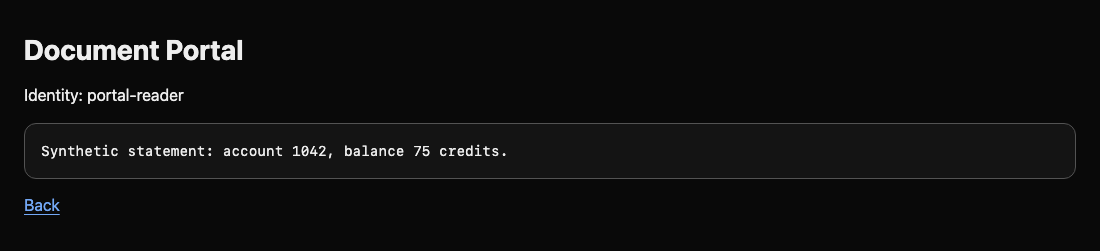
The same help text should appear. This is normal public access. Switch to the Document Portal tab, then click Open assigned document: the synthetic statement is also available to the signed portal application. The next step separates that legitimate use from anonymous exposure.
Narrow the Anonymous Policy
In this step, remove anonymous internal reads while keeping public help.
Select the Storage Admin tab in the lab interface to begin this step.
First request a statement anonymously. -w appends the HTTP response code; \n inserts a new line. A 200 means a successful request. A real permission refusal is 403 with AccessDenied; 404 or a connection error is not proof of protection.
Switch to the Storage Admin tab before running the following command.
curl -sS -w '\nHTTP %{http_code}\n' http://127.0.0.1:7070/documents/portal/statement.txt
Seeing the statement and HTTP 200 demonstrates the leak. Do not delete it: the portal still needs it.
The AWS CLI can speak the S3-compatible API. source loads the prepared administrator credentials into this terminal. They apply only to this training VM; repeat this command if you open a new Storage Admin session.
source admin.env
Read the effective policy from the running service. s3api selects object-storage operations; --endpoint-url targets this local gateway rather than AWS. --query Policy --output text displays its JSON policy string.
aws --endpoint-url http://127.0.0.1:7070 s3api get-bucket-policy --bucket documents --query Policy --output text
A JSON policy contains a Statement list. Effect: Allow grants an operation, Principal names who receives it, Action names the operation, and Resource names the objects. s3:GetObject means reading an object. Principal: "*" includes anonymous visitors. The resource arn:aws:s3:::documents/* covers every key; the final * matches any suffix. The other statement separately grants portal-reader access to portal/*.
Use nano to edit the prepared copy:
nano policy.json
Change only the anonymous statement's Resource from arn:aws:s3:::documents/* to arn:aws:s3:::documents/public/*. Keep the named portal statement. JSON needs double quotes around strings and commas between fields. Save with Ctrl+O, press Enter, then exit with Ctrl+X.
Editing a local file does not change access. Apply it; file:// tells the CLI to read the policy from that file:
aws --endpoint-url http://127.0.0.1:7070 s3api put-bucket-policy --bucket documents --policy file://policy.json
Successful application produces no output. If JSON is invalid, reopen the editor, correct quotes or commas, and apply again. Repeat the anonymous statement request above: expect AccessDenied and HTTP 403. Requests without an applicable allow are denied by default. A blanket deny for everyone would also deny the legitimate portal.
Preserve the Portal and Public Help
In this step, prove that the repair preserves useful reads and unchanged documents.
Select the Storage Admin tab in the lab interface to begin this step.
Retest the public help using the anonymous command from step 1: it should still return its original text. Switch to the Document Portal tab. Follow Open assigned document again. Expect the statement and Identity: portal-reader.
To test the named identity directly, set credentials for this one command. Prefix assignments affect only that command, so your terminal's administrator environment remains available afterward. get-object downloads a key into the final local filename:
Switch to the Storage Admin tab before running the following command.
AWS_ACCESS_KEY_ID=portal-reader AWS_SECRET_ACCESS_KEY=portal-reader-secret aws --endpoint-url http://127.0.0.1:7070 s3api get-object --bucket documents --key portal/statement.txt statement.txt
The CLI prints object metadata. Read the actual downloaded document:
cat statement.txt
Expect Synthetic statement: account 1042, balance 75 credits. The same stored statement is now available through a named request and refused anonymously. If the portal fails, inspect the effective policy again: its named allow must remain, while the anonymous allow must end in public/*. Restore the policy and reapply it; deleting objects or stopping storage cannot satisfy both requirements.
Summary
You distinguished anonymous requests from signed portal requests, narrowed a real bucket policy, and preserved public help and customer statements. A successful repair needs both a denied exposure and a working business path.


